Best 1080p 60 FPS Gaming PC Build for $1,500
Optimized for 1080p at 60 FPS
Target GPU: NVIDIA GeForce RTX 5050
By: pcbuildhelper Editorial Team | Updated: Feb 11, 2026
| Component | Part Name | Price |
|---|---|---|
| CPU | $184.00$279.00 | |
| GPU | $239.99 | |
| Motherboard | $193.99$249.99 | |
| RAM | $479.99 | |
| SSD | $153.00$163.99 | |
| Cooler | Stock Cooler | Included |
| PSU | $79.90 | |
| Case | $39.99 | |
| Total: | $1,532.85$1,370.86 | |
Who This Build Is For
This build offers an ideal starting point for first-time PC builders eager to explore the world of gaming. It's perfect for those who desire a seamless experience at 1080p resolution, ensuring smooth gameplay at 60 frames per second. Such performance accommodates a wide range of popular game titles without breaking the bank.
Besides gaming, this PC serves well for everyday tasks such as web browsing, streaming, or productivity work, all within a budget-friendly $1,500 range. Its balance of price and performance makes it accessible for gamers who wish to delve into PC gaming without significant financial commitment.
Build Overview
This build highlights a carefully selected set of components aimed at achieving 1080p gaming performance, consistently delivering 60 FPS. It combines cost-effective hardware solutions, focusing on offering excellent value without sacrificing essential features or future upgrade potential.
By utilizing components like the AMD Ryzen 5 9600X and NVIDIA GeForce RTX 5050, this setup ensures strong processing and graphic capabilities aligned to the needs of current gaming demands. Moreover, each component is chosen for its reliability and balance, ensuring a great entry-level gaming experience.
Key Specs
Key specifications for this build include the AMD Ryzen 5 9600X CPU, known for its robust 6-core, 12-thread architecture. It supports multitasking and gaming with ease, pairing effectively with the NVIDIA GeForce RTX 5050, which offers exceptional graphics performance at 1080p resolution.
The inclusion of 32GB DDR5-5600 RAM ensures smooth operations, tackling demanding games and multitasking without slowdown. Together, these components provide a solid foundation for both gaming and productivity.
Performance Summary
Gamers can expect a smooth 60 FPS experience at 1080p, thanks to the synergy between the CPU and GPU. This build gracefully handles modern gaming titles, offering a performance level that keeps enthusiasts engaged without frustration from lag or stutter.
Beyond gaming, its efficiency extends to everyday computing tasks, allowing users to navigate multiple applications or stream media content with ease and reliability, making it a versatile choice for various uses.
Performance Expectations
Predictability is key in this build, consistently providing stable performance metrics suited for modern gaming at 1080p and 60 FPS. The design ensures an optimal balance between frame rate and visual quality, maximizing every component's capability.
Users will also appreciate the system's competence in handling daily computing tasks, from multitasking to entertainment, ensuring that the PC serves well beyond just gaming, thus catering to a broad range of user needs.
Parts Breakdown
When selecting components for this build, the focus was on balancing performance, future-proofing, and staying within budget. The AMD Ryzen 5 9600X CPU provides robust multitasking capabilities with its six cores and twelve threads, ensuring smooth gaming and productivity. It's complemented by the NVIDIA GeForce RTX 5050 GPU, which is optimized for delivering stunning 1080p graphics, making it perfect for the target performance of 60 FPS in most modern games.
The B850 mATX motherboard was chosen for its comprehensive feature set including support for DDR5 RAM and PCIe 5.0, ensuring compatibility with the latest technologies. With Wi-Fi 6E and high-speed USB ports, it also facilitates swift internet connectivity and easy peripheral integration. The 32GB DDR5-5600 RAM provides ample memory for gaming and everyday tasks, while the fast 1TB PCIe 4.0 NVMe SSD offers rapid data access and quick game load times, crucial for maintaining smooth gameplay.
A 650W ATX 3.1 80+ Gold PSU was included to provide reliable power to all components while maintaining efficiency, and the mATX compact case ensures good airflow and easy placement without compromising space for hardware installation. Each part has been carefully selected to not only meet current gaming needs but also offer room for future upgrades.
CPU
The AMD Ryzen 5 9600X is a standout choice for this build, combining affordability with performance. With six cores and twelve threads, this CPU handles gaming and productivity tasks adeptly, making it an excellent option for an entry-level gaming PC aiming for 1080p resolution. Its compatibility with the B850 motherboard ensures seamless integration, allowing builders to maximize performance without overspending.
GPU
At the heart of the gaming experience is the NVIDIA GeForce RTX 5050, a powerful GPU that excels at delivering high-quality 1080p visuals. Featuring 8GB of GDDR6 memory and enhanced by NVIDIA's Blackwell Architecture, this graphics card ensures fluid gameplay and vivid game environments, making it a reliable choice for achieving consistent 60 FPS in modern titles. Its advanced features provide not only current compatibility but also longevity in gaming performance.
Motherboard
The B850 mATX motherboard serves as the central hub for all components, offering a robust platform with essential features for gaming and daily use. It supports cutting-edge DDR5 RAM and PCIe 5.0, allowing users to tap into the latest memory and storage technologies. Enhanced with Wi-Fi 6E and high-speed USB connectivity, this motherboard ensures fast network speeds and efficient device integration, making it ideal for both gaming and workspace needs.
Memory (RAM)
The 32GB DDR5-5600 RAM kit provides significant future-proofing for this build, with fast data processing capabilities that enhance multitasking and gaming performance. This capacity is more than sufficient for any current gaming and productivity applications, delivering smooth operation under load. The increased bandwidth and speed of DDR5 RAM help to eliminate bottlenecks, allowing for efficient system operation and an excellent user experience.
Storage
A 1TB PCIe 4.0 NVMe SSD is an excellent choice for this entry-level gaming build, providing quick data access and short load times for both gaming and everyday applications. With impressive read and write speeds, this SSD ensures your system runs smoothly, minimizing wait times when booting or launching large games.
The expansive storage capacity is sufficient for a healthy library of games and essential applications. Utilizing PCIe 4.0 technology not only future-proofs this component but also guarantees minimal bottlenecking when used alongside high-performance hardware, keeping your gaming sessions uninterrupted.
Power Supply
The 650W ATX 3.1 80+ Gold power supply unit is designed to efficiently and reliably power your system. As gaming and demanding tasks put a constant load on your PC, this PSU ensures stable, clean power delivery across all components, safeguarding against potential power surges.
Supporting PCIe 5.1, this power supply is well-equipped to handle future GPU upgrades, which aligns perfectly with the build's focus on potential enhancements. Its quiet operation and energy efficiency further add to a smooth and pleasant gaming experience.
Case
An mATX compact case is an ideal choice for this build, offering flexibility in placement while ensuring efficient airflow to keep temperatures in check. Its compact design does not sacrifice accessibility, making it easy to assemble and upgrade the system as needed.
The case's design promotes effective thermal management, crucial for maintaining component health during extended gaming sessions. Accessibility features, such as a tool-less setup and cable management options, enhance the building experience for first-time builders.
Cooling
Effective cooling is critical to maximizing performance and ensuring longevity in a gaming build. This setup focuses on optimizing airflow within the case, with strategically placed fans to enhance heat dissipation and maintain stable GPU and CPU temperatures.
By addressing cooling needs, this build minimizes the risk of thermal throttling and sustains performance during intense gaming sessions. Combining efficient fans with the case's natural airflow design helps keep all components operating smoothly, even under load.
Why This Build Works
This entry-level gaming build offers a perfect balance of performance and budget, allowing users to achieve smooth 1080p gaming at 60 FPS without financial strain. By focusing on cost-effective yet high-performing components, it delivers a reliable gaming setup suitable for both enthusiasts and casual gamers.
The selected parts harmonize well, providing a foundation that supports current gaming demands while offering room for future upgrades. This ensures users won't outgrow their setup quickly, as the architecture allows for component replacements and enhancements, aligning with evolving gaming needs. Each piece from the CPU to cooling strategy works in tandem to provide stability, efficiency, and enjoyment, demonstrating thoughtful component selection tailored to the target audience.
Alternative Options
For those looking to adjust the core specs, consider opting for the Intel Core i5-13400 as an alternative CPU. It offers a great balance between price and performance, perfect for multitasking and running demanding applications. Alternatively, the AMD Radeon RX 6600 offers a viable GPU option if you're looking to leverage AMD's FSR technology for performance boosts in supported games.
If you're keen on diversifying your storage options, adding a 2TB traditional HDD alongside your SSD can provide ample space for game libraries and multimedia without considerably raising costs. When it comes to motherboards, the MSI MAG B550M Mortar is an attractive alternative. It supports overclocking for both CPU and RAM, and includes robust audio hardware for a superior sound experience.
Build & Setup Tips
Start by organizing your components and workspace to ensure a smooth building process. Efficient cable management is not merely aesthetic; it also affects airflow and cooling efficiency. Route cables behind the motherboard tray whenever possible and use zip ties to secure them neatly. This will not only improve airflow but also make future maintenance easier.
Before booting your system for the first time, ensure all cables are correctly connected to avoid short circuits or booting issues. Accessing the BIOS after assembly is crucial for configuring basic settings, such as enabling XMP profiles for RAM to run at optimal speeds. It's also recommended to update the BIOS to the latest version to improve system stability and compatibility with new hardware.
Upgrade Paths
To future-proof your build, look into potential upgrades for the GPU and RAM as technologies advance. The NVIDIA GeForce RTX 5050 provides a great starting point, but upgrading to a higher-tier model like the RTX 5080 in the future can maintain top-tier graphics performance as game requirements evolve.
The B850 motherboard's support for PCIe 5.0 and DDR5 RAM ensures compatibility with next-gen components, making it simpler to upgrade your RAM beyond 32GB or accommodate faster SSDs. Additionally, exploring more powerful cooling solutions or even liquid cooling could further enhance performance stability during prolonged gaming sessions.
FAQs
A common concern for first-time builders is ensuring each component is compatible with the rest of the system. Using a tool like PCPartPicker can help avoid issues by verifying compatibility before purchase. Additionally, it’s normal to feel apprehensive about cable management; just remember, practice improves efficiency over time.
Another frequent issue relates to OS installation. Ensure you have a bootable USB drive with the latest version of Windows or your preferred operating system. If you're experiencing overheating issues, reassess your case's airflow and confirm that all fans are spinning correctly. Consider repositioning fans to optimize the flow based on the components inside.
Final Thoughts
This build remains a remarkable entry point into the world of PC gaming, balancing cost with performance for reliable 1080p, 60 FPS gaming. It's crafted to remain competitive with current title demands while being versatile enough for everyday computing needs.
We encourage feedback and sharing your experiences with the build process. Engaging with communities or forums can provide additional insights and tips for optimizing your setup. This guide aims to empower you to venture into PC building confidently, paving the way for more advanced projects in the future.
Build Guides
Inside Case Tech: Best Mini‑ITX Cases for Compact Gaming Setups
Jan 8, 2026
Best $1500 Gaming PC Build 2026 – Ryzen 7 7800X3D & RTX 5070 (1440p/4K Ready)
Jan 8, 2026
Best 1440p Gaming PC Build 2026 – Smooth 100+ FPS Performance Without Breaking the Bank
Jan 8, 2026
Best Valorant 2026 PC Builds – RTX 5060 / 5060 Ti FPS Benchmarks & High-Hz Setups
Jan 8, 2026
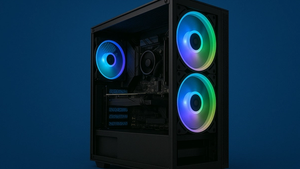
Best $2000 Gaming PC Build (2026) – 4K Ultra & High-End Performance
Jan 7, 2026
FAQs
What games can this build run at 1080p 60 FPS?
This build is optimized to smoothly run popular titles like Fortnite, Apex Legends, and Call of Duty at high settings at 1080p. It can also handle other AAA games with good performance, ensuring a consistent 60 FPS gameplay experience without compromising on visual quality.
Can I overclock the AMD Ryzen 5 9600X in this build?
Yes, the AMD Ryzen 5 9600X is unlocked for overclocking, allowing users to push the CPU beyond its base performance for improved efficiency. With the right BIOS settings and adequate cooling, you can safely increase clock speeds to get more power from your processor.
Do I need additional cooling for this setup?
The current setup provides adequate cooling for regular use, thanks to the case's efficient airflow design. However, adding extra fans or upgrading to aftermarket coolers can further improve thermal performance, especially if you're planning on overclocking the CPU.
Is there enough storage for modern games?
With a 1TB PCIe 4.0 NVMe SSD, you have ample storage for a substantial library of games and applications, benefiting from fast load times and enhanced overall system responsiveness. This ensures you have enough space to install multiple AAA titles and still have room for various software and media files.
How future-proof is this gaming PC?
This build is designed with future-proofing in mind, supporting easy upgrades like adding more RAM or a more powerful GPU as your needs grow. The motherboard's compatibility with the latest technologies such as PCIe 5.0 and DDR5 RAM ensures it can accommodate hardware advancements in the coming years.
Are there any better alternatives to the NVIDIA GeForce RTX 5050?
While the NVIDIA GeForce RTX 5050 effectively meets the needs of 1080p gaming, alternatives like the RTX 5060 can offer enhanced performance if available within budget. Choosing a more potent GPU depends on your specific usage requirements and financial flexibility.
Can this build support dual monitors?
Yes, the NVIDIA GeForce RTX 5050 is equipped to handle dual monitor setups, providing expanded screen real estate suitable for multitasking or simultaneous gaming and streaming. This capability makes it a versatile choice for gamers and productivity users alike.
What is the return policy for these components?
Return policies typically vary depending on the retailer, so it's important to check the specific conditions before making a purchase. Most retailers offer a standard return window, often ranging from 14 to 30 days. Ensure all original packaging and components are intact to qualify for returns or exchanges.