The Best 1440p 120 FPS Mid-Range Build
Optimized for 1440p at 120 FPS
Target GPU: NVIDIA GeForce RTX 5070
By: pcbuildhelper Editorial Team | Updated: Apr 18, 2026
| Component | Part Name | Price |
|---|---|---|
| CPU | $304.99$359.00 | |
| GPU | $669.99 | |
| Motherboard | $188.00$279.99 | |
| RAM | $509.99 | |
| SSD | $393.99$850.99 | |
| Cooler | Stock Cooler | Included |
| PSU | $117.55$129.99 | |
| Case | $89.99$124.99 | |
| Total: | $2,924.94$2,274.50 | |
Who This Build Is For
This is the build to pick if 1440p high-refresh is the destination, not a stepping stone. It's aimed at gamers who want consistent 120 FPS at high settings in modern AAA titles and don't want to revisit the parts list for several years. Budget targets around $2,500, which puts it firmly in the upper-mid range — a real generational jump over an RTX 4060 or RX 7600 setup, without paying flagship prices.
It's also a sensible pick for content creators who occasionally render or stream alongside gaming. The 8-core / 16-thread CPU handles encoding loops without choking, and 32GB of fast DDR5 keeps multitasking smooth.
Build Overview
The core idea: pair a current-gen 1440p GPU with a CPU that won't bottleneck it at high refresh, then stop. Anything more spent on CPU or motherboard upgrades shows up as bench numbers, not in-game frames at this resolution.
Key Specs
- CPU: AMD Ryzen 7 9700X (8C/16T, AM5)
- GPU: ASUS Prime GeForce RTX 5070 (12GB GDDR7, PCIe 5.0)
- Motherboard: ASUS TUF Gaming X870-PLUS WiFi (AM5, DDR5, PCIe 5.0)
- RAM: G.SKILL Flare X5 32GB DDR5-6000 CL30 (AMD EXPO)
- Storage: WD_BLACK SN850X 2TB NVMe (PCIe 4.0, ~7300 MB/s)
- PSU: MSI MAG A850GL 850W ATX 3.1 (80+ Gold, fully modular)
- Case: CORSAIR 4000D RS ARGB Frame (mid-tower, high airflow, 3 RS fans)
Performance Summary
In a representative AAA mix at 1440p high settings, this build holds 120 FPS comfortably and has DLSS 4 frame generation in reserve for the most demanding titles or for keeping ray tracing on. CPU-bound esports games at 1440p sit well above 200 FPS. Frame pacing is steady because the GPU is rarely VRAM-limited at this resolution, and the CPU isn't held back by board VRMs or memory speed.
Performance Expectations
Expect 100–140 FPS in titles like Cyberpunk 2077, Alan Wake 2, and Black Myth: Wukong with sensible high settings, DLSS Quality, and ray tracing on or off depending on how aggressive the lighting is. In raster-heavy titles like Call of Duty, Apex, and the Battlefield series, frame rates climb well above the 120 FPS target — the CPU keeps draw-call delivery snappy.
1080p remains an option for esports tuning: with this GPU at 1080p competitive, you're firmly in 240+ FPS territory, but that's not the build's intended job.
Parts Breakdown
CPU
The Ryzen 7 9700X is the right cut of the Zen 5 stack for a gaming-focused 1440p build. It carries 8 cores at high clocks, all-core and per-core boost behavior tuned for modern game engines, and a per-thread cache layout that punches above its core count. The trade-off vs the X3D variant is straightforward: you give up some 1080p game-CPU performance and get a slightly lower price plus more general-purpose multi-threaded headroom for compile, render, and stream loops. At 1440p with an RTX 5070, the X3D's gaming gap is small enough to disappear into GPU bottlenecking. AM5 socket compatibility means a clean upgrade path to a future Zen 6 chip without changing the board.
GPU
ASUS' Prime variant of the RTX 5070 is the no-frills, no-OC-tax version of NVIDIA's mainstream 1440p card. 12GB of GDDR7 on a PCIe 5.0 bus is plenty of bandwidth for the resolution; you'll feel the VRAM ceiling only if you start cranking 4K texture mods. DLSS 4 with multi-frame generation is the headline feature — turning it on for path-traced games turns marginal 50–60 FPS scenarios into clean 100+ FPS ones with little perceptible cost. The trade-off vs an RTX 5070 Ti is mostly raw ray-tracing bandwidth: at 1440p, the standard 5070 holds up; at native 4K with heavy RT, the Ti pulls clearly ahead. For this resolution target the standard 5070 is the right call.
Motherboard
The TUF Gaming X870-PLUS WiFi is overspecced for what we're doing — and that's fine, because X870 is the new-baseline AM5 chipset and the price isn't far off B850 boards. Wi-Fi 7, 2.5Gb LAN, USB4 40Gbps, four M.2 slots, and a serious VRM design (16+2+1 80A) mean you won't run into board-driven limits if you upgrade the CPU later. PCIe 5.0 wiring is ready for the GPU, and the on-board memory training handles EXPO 6000 kits without fuss. The trade-off vs a basic B850 board is mainly the I/O and headroom; if rear-panel ports and Wi-Fi 7 don't matter, B850 saves real budget.
Memory (RAM)
Flare X5 32GB at 6000 MT/s CL30 is the AM5 sweet spot. AMD EXPO support means one-click XMP-equivalent enablement, and the kit's dual-rank topology pairs cleanly with the Ryzen 7 9700X's memory controller. Going higher than DDR5-6000 on AM5 starts requiring 1:2 fabric clock, which costs latency and isn't a net gain for gaming. The trade-off vs a 64GB kit is real only if you regularly run heavy creator workloads alongside games — for a pure gaming + some streaming use case, 32GB has room to spare.
Storage
The SN850X 2TB is the safe answer for a high-refresh build. PCIe 4.0 sequentials are well over 7,000 MB/s and the random 4K performance is what actually shows up in game-load and asset-streaming scenarios. 2TB matters now that AAA installs have crept past 100GB regularly. The trade-off vs a Gen5 drive is honest: Gen5 is faster on benchmarks, but 4K random and effective game-load times barely move, and Gen5 SSDs run hotter and cost more for the same capacity.
Power Supply
The MAG A850GL is a fully modular 850W ATX 3.1 unit with PCIe 5.1 native cabling — exactly what an RTX 5070 wants from a transient-spike standpoint. 80+ Gold efficiency keeps wall draw and acoustics in check at typical gaming loads, and the 10-year warranty is a meaningful signal of build quality on this class of unit. The trade-off vs a smaller 750W PSU is upgrade headroom: 850W comfortably handles a future GPU step up to a 5070 Ti or 5080, where 750W would be a stretch.
Case
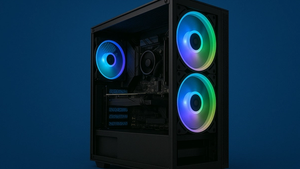
The 4000D RS ARGB Frame is a high-airflow ATX mid-tower with three pre-installed RS fans and a clean modular layout. The InfiniRail mounting system gives flexibility for future radiator support, and BTF/Zero/Stealth back-connect motherboard compatibility is a nice future-proof. Internal clearance handles a 360mm front radiator, long GPUs, and tower air coolers. The trade-off vs a fully solid-front case is cosmetic — the front mesh trades some noise dampening for noticeably better thermals under sustained load, which is the right call for this build.
Cooling
This build uses the bundled cooler that ships with the boxed CPU. The Ryzen 7 9700X's stock thermal solution is enough to keep the chip in spec at sustained gaming loads in a well-ventilated case, and skipping a separate cooler keeps assembly simple and the budget tight. If you plan to run all-core compile or render workloads regularly, an inexpensive 240mm AIO or a quality dual-tower air cooler would buy you noticeably lower temps and quieter behavior under load — but it's not required for the gaming use case.
Why This Build Works
Every part here earns its slot. The GPU drives 1440p high-refresh; the CPU has just enough horsepower not to hold the GPU back; the motherboard lets the CPU and memory hit their tuned operating points; the SSD makes load times disappear; the PSU has headroom for a future GPU; and the case keeps thermals quiet under sustained load. Nothing on the list is an upsell — there's no flagship cooler, no premium VRM kit, no halo-tier RAM. That discipline is what keeps the price near the budget target.
Alternative Options
If you can't find the ASUS Prime RTX 5070 in stock, any partner card (MSI Ventus, Gigabyte WindForce, PNY Epic-X) at the same tier swaps in cleanly — they all use the same chip with similar cooler designs. For the CPU, the Ryzen 7 7800X3D remains a strong AM5 choice if pure gaming matters more than productivity; the X3D variant trades multi-thread headroom for higher 1080p game-CPU performance, which the GPU mostly absorbs at 1440p anyway. On memory, any 32GB kit at DDR5-6000 CL30 with AMD EXPO support behaves the same — the G.SKILL Flare X5 isn't special, just well-priced.
Build & Setup Tips
Mount the GPU with the included anti-sag bracket if your case allows; the 5070's PCB is short but the cooler shroud is heavy. Update the X870 board's BIOS to the latest revision before installing the CPU — early X870 firmware had AGESA quirks that newer revisions resolve. Install Windows on the SN850X with the WD Dashboard utility to enable the latest firmware and confirm PCIe link speed. Enable EXPO in the BIOS on first boot and verify memory clocks match the kit's rated 6000 MT/s. For the case, install the front fans as intake (factory configuration) and add at least one rear exhaust if you go beyond the included three RS fans.
Upgrade Paths
The most natural upgrade is the GPU — AM5 and the 850W PSU both have headroom for a 5070 Ti or 5080 down the road without touching the rest of the build. CPU upgrades are clean: future Zen 6 chips will drop into this socket. Memory can grow to 64GB if creator workloads expand. Storage adds easily — the X870-PLUS has four M.2 slots, so you can add a Gen5 boot drive or a Gen4 secondary without removing the existing SSD.
Final Thoughts
This is a build that does its job and doesn't reach for prestige. The combination of 1440p-focused GPU, a balanced CPU, and a future-proof platform is the most efficient use of a mid-range gaming budget right now. If you bought the components today, you'd see 120 FPS at 1440p with high settings in nearly any title shipping in 2026, with DLSS 4 in reserve for the most demanding scenarios. Three years from now, a single GPU swap keeps it competitive.
Build Guides
Inside Case Tech: Best Mini‑ITX Cases for Compact Gaming Setups
Jan 8, 2026
Best $1500 Gaming PC Build 2026 – Ryzen 7 7800X3D & RTX 5070 (1440p/4K Ready)
Jan 8, 2026
Best 1440p Gaming PC Build 2026 – Smooth 100+ FPS Performance Without Breaking the Bank
Jan 8, 2026
Best Valorant 2026 PC Builds – RTX 5060 / 5060 Ti FPS Benchmarks & High-Hz Setups
Jan 8, 2026
Best $2000 Gaming PC Build (2026) – 4K Ultra & High-End Performance
Jan 7, 2026
FAQs
Will this build hit 120 FPS at 1440p in modern AAA games?
Yes, in most cases at high settings, with DLSS 4 quality enabled where the title supports it. Titles with extreme path tracing (Cyberpunk overdrive mode, Alan Wake 2 with full RT) may need DLSS frame generation to clear 120 FPS at 1440p. Pure raster titles like Call of Duty and Apex sit well above the target.
Why no separate CPU cooler?
The Ryzen 7 9700X's bundled cooler keeps the chip in spec at sustained gaming loads in a well-ventilated case. Adding a $50–$80 240mm AIO or quality air cooler is a worthwhile quality-of-life upgrade if you do regular compile, render, or streaming work — but it's not required for the gaming use case.
Is 12GB of VRAM enough at 1440p?
For 1440p high-refresh in 2026 titles, yes — 12GB on the RTX 5070 handles current AAA workloads with headroom. The ceiling shows up at native 4K with high-resolution texture packs. If 4K is on the roadmap, the RTX 5070 Ti's 16GB is the smarter buy.
Can I upgrade the GPU later without changing the PSU?
Yes. The 850W ATX 3.1 unit comfortably handles an RTX 5070 Ti or RTX 5080 down the line. A jump to a flagship 5090 would be tight; that level of card needs 1000W+ and the native 12V-2x6 cable on this PSU is rated appropriately for the 5070/5070 Ti/5080 tier.
Why X870 instead of B850?
B850 is a fine choice and saves budget. X870 buys you Wi-Fi 7, USB4 40Gbps, and stronger VRMs — useful if you plan to keep this board for multiple CPU generations. If those features don't matter, swap in a B850-PLUS variant of the same TUF line for a clean savings.
How loud is the build under sustained gaming load?
Quiet for the class. The 4000D's mesh front and three RS fans keep GPU and CPU temps well within zero-RPM territory for the PSU's fan, and the bundled CPU cooler stays out of audible-fan range at typical 1440p gaming loads. Adding case fans for positive pressure makes it quieter still.