Best 4K 60 FPS Gaming PC Build for $2,000
Optimized for 4K at 60 FPS
Target GPU: AMD Radeon RX 9070
By: pcbuildhelper Editorial Team | Updated: Feb 11, 2026
| Component | Part Name | Price |
|---|---|---|
| CPU | $294.01$359.00 | |
| GPU | $632.64 | |
| Motherboard | $206.80$279.99 | |
| RAM | $479.99 | |
| SSD | $388.00$574.99 | |
| Cooler | Stock Cooler | Included |
| PSU | $89.99$109.98 | |
| Case | $99.99$124.99 | |
| Total: | $2,561.58$2,191.42 | |
Who This Build Is For
This PC build is perfect for gamers who want to explore the rich graphical worlds of modern video games at 4K resolution, achieving smooth frame rates of 60 FPS. Specifically tailored for those who demand high performance without surpassing a $2,000 budget, this setup offers an optimal balance of quality and affordability.
Beyond just high-resolution gaming, this build caters to PC enthusiasts eager for a system that's both potent and future-ready. With components selected to push the boundaries of today's games and support emerging technologies, this rig also provides peace of mind with its upgrade pathways, ensuring long-term excitement and relevance in your gaming adventures.
- Ideal for budget-conscious high-performance gamers
- Future-proof design for upcoming technologies
Build Overview
This build is meticulously crafted to offer an outstanding 4K gaming experience, driven by the power of the AMD Ryzen 7 9700X CPU and the AMD Radeon RX 9070 GPU. These components are the heart of the system, delivering unmatched processing speed and graphical detail, ensuring each game runs at its best with high settings.
With a focus on future-proofing, the build incorporates cutting-edge components like DDR5 RAM and PCIe 4.0 NVMe SSD storage, providing both speed and expanded capabilities for years to come. Every element of this PC is chosen for synergy, maximizing performance within a mid-range price bracket while allowing for future expansions.
- Optimized for 4K 60 FPS gaming
- Advanced CPU and GPU for seamless performance
Key Specs
At the core of this build is the AMD Ryzen 7 9700X, offering unparalleled processing power ideal for both gaming and multitasking. The AMD Radeon RX 9070 GPU takes on the graphical workload, providing stunning visuals and smooth frame rates, essential for immersive 4K gaming.
Additionally, the system is equipped with 32GB of DDR5-6000 RAM, ensuring rapid memory performance and multitasking ability. These components are meticulously selected to work in harmony for optimal gaming sensation.
- AMD Ryzen 7 9700X for top-tier performance
- AMD Radeon RX 9070 for high-resolution graphics
- 32GB DDR5-6000 RAM for seamless multitasking
Performance Summary
With this build, you can expect a gaming setup that brings out the best in 4K resolution with 60 FPS, ensuring an extraordinary visual experience while maintaining high frame rates. Designed to perform under pressure, this setup holds steady across different high-demand games, guaranteeing you don't have to compromise on graphics quality.
The computer handles most modern titles with ease, providing constant 60 FPS even in intensive gaming environments, allowing for adjustment in settings to achieve your desired balance of performance and visual fidelity.
- Stable 4K gaming at 60 FPS
- Handles demanding games effortlessly
Performance Expectations
This mid-range build reliably delivers 4K 60 FPS performance across a wide array of games, from fast-paced shooters to expansive RPGs. It ensures high settings are met without sacrificing frame rates, offering an unmatched gaming experience for its price point.
Temperature management is also a focus, ensuring that all components run efficiently without overheating during intense gaming marathons. This build is not only about visual performance but sustainability as well, providing an enjoyable and enduring gaming lifestyle.
- Consistent performance with high settings
- Efficient temperature control for long sessions
Parts Breakdown
Each component in this build has been carefully handpicked to offer a harmonious blend of performance, compatibility, and forward-thinking suitability. At its core, this system focuses on delivering exceptional gaming experiences at 4K resolution while ensuring that future hardware and software advancements are met with readiness. Essential components, such as the CPU and GPU, are chosen specifically for their capabilities to handle demanding tasks, providing an ideal balance between current needs and future potential.
The process involved selecting elements that complement each other, resulting in a system where every part contributes to the overall efficiency and stability. Components like the ATX airflow mid-tower case are not only aesthetically pleasing but also critically functional in maintaining optimal temperatures and airflow. Meanwhile, the selection of high-speed DDR5 RAM and NVMe storage enhances operational fluidity, ensuring that the build meets the performance expectation of modern gaming while laying a groundwork for future gaming growth.
- Carefully selected components
- Focus on compatibility and performance
- Future-proof choices
CPU
The AMD Ryzen 7 9700X stands out as a versatile powerhouse with its 8-core, 16-thread architecture. This CPU is designed to handle complex gaming environments and multitasking seamlessly, making it a cornerstone of the build. Its unlocked design provides additional performance headroom for those interested in exploring overclocking to push their gaming experience further.
In terms of reliability and speed, this processor doesn't disappoint. It efficiently processes high-demand applications, which is perfect for streamers or gamers running multiple programs simultaneously. The Ryzen 7 9700X is not only about raw power but also about providing stable performance over extended gaming sessions.
- AMD Ryzen 7 9700X
- 8-core, 16-thread
- Ideal for gaming and multitasking
GPU
The AMD Radeon RX 9070 is chosen for its exceptional graphics performance, placing it at the core of the build. Featuring advanced architecture, it provides smooth, high-resolution gaming experiences and is tailor-made for 4K gaming at impressive frame rates. The robust triple-fan cooling system ensures that it runs efficiently during intensive sessions, maintaining performance without compromise.
Its 16GB GDDR6 memory allows for detailed graphics rendering, enabling players to enjoy visually demanding games without lag or stuttering. This GPU is not only about current performance; it's built to accommodate future gaming demands, making it a smart, forward-looking selection.
- AMD Radeon RX 9070
- Exceptional graphics performance
Motherboard
The X870 ATX motherboard serves as the bridge connecting all key components, enhancing the system’s capabilities with its advanced technological features. It boasts multiple PCIe slots and M.2 options, allowing users to expand and optimize their setup based on their specific requirements. The motherboard's Wi-Fi 7 and 2.5Gb LAN support ensure reliable internet connectivity for gaming sessions and updates.
Moreover, its robust power management system and support for DDR5 memory assure users of enhanced processing capabilities and responsiveness. The X870 is designed with future enhancements in mind, providing a pathway for upgrades as technology progresses, making it an excellent choice for a 4K gaming build.
- X870 ATX motherboard
- Advanced connectivity
- Multiple PCIe and M.2 slots
Memory (RAM)
In this build, the choice of 32GB DDR5-6000 RAM enhances both game performance and multitasking efficiency. With its high-speed operation, this RAM significantly reduces load times and improves responsiveness, ensuring that games run smoothly and efficiently even on demanding titles. This setup allows for seamless transitions between applications, catering to gamers who may stream or run applications concurrently.
The RAM's advanced specifications ensure it's not just about meeting today's requirements but also about preparing for future software developments that may demand more from memory resources. The memory's operating speed and timing make it an ideal fit for this mid-range yet high-performance 4K gaming rig.
- 32GB DDR5-6000 RAM
- Enhanced performance and responsiveness
Storage
With the WD_BLACK SN850X 2TB PCIe 4.0 NVMe SSD, gamers will experience blisteringly fast load times and seamless data handling. This SSD leverages PCIe 4.0 technology to deliver read speeds up to 7,300 MB/s and write speeds up to 6,300 MB/s, ensuring quick access to data and reducing game load times. Its capacity and high performance make it perfect for storing large game files, media, and applications, providing both speed and ample space for avid gamers.
Power Supply
The Cooler Master MWE Gold 850 V3 PSU provides the reliability and efficiency needed for a high-performance gaming build. Rated at 850W, this power supply ensures ample power delivery to your components, including high-demand GPUs like the AMD Radeon RX 9070. Its 80+ Gold certification guarantees efficiency, reducing energy waste and heat build-up. The PSU is fully modular, simplifying cable management and contributing to a clean, tidy build. With features like a zero-RPM mode, this PSU ensures quiet operation unless it's under heavy load.
Case
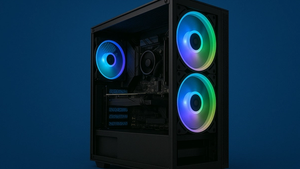
The CORSAIR 4000D RS ARGB Frame Modular Mid-Tower ATX PC Case effectively balances aesthetics with functionality. Designed with high airflow in mind, it includes three pre-installed RS fans to optimize cooling, ensuring your hardware remains at optimal temperatures during intensive gaming sessions. The InfiniRail™ Mounting System offers flexibility in component placement, supporting a clean, customized build layout. Its sleek design and ARGB lighting offer visual enhancement, making it a centerpiece of any gaming setup.
Cooling
Utilizing a combination of the case’s high airflow design and additional aftermarket cooling solutions, this build maintains optimal temperatures even under heavy load. Efficient cooling is crucial for performance consistency, especially during extended gaming sessions or when executing demanding tasks. By keeping thermal output in check, the cooling solutions enhance the lifespan and reliability of core components, allowing the AMD Ryzen 7 9700X and AMD Radeon RX 9070 to perform at their peak without throttling.
Why This Build Works
This build is meticulously curated to provide a harmonious balance between performance, budget, and future-proof potential, ensuring gamers experience smooth 4K gaming at 60 FPS. Each selected component complements the next to create a robust system capable of handling current and upcoming game titles with ease. The AMD Ryzen 7 9700X and AMD Radeon RX 9070 form the core of this setup, supported by a cutting-edge X870 ATX motherboard and speedy DDR5 memory, promising not only a current generation gaming experience but also readiness for technological advancements. This thoughtful component synergy makes the build both a powerful gaming solution today and a viable option for future upgrades.
Alternative Options
For those looking to fine-tune the budget, considering different GPU options can be a worthwhile strategy. Opting for equivalent performance from other brands might offer cost savings without a substantial performance drop. Additionally, choosing a smaller SSD, such as a 1TB version instead of 2TB, can significantly lower expenses for those willing to manage storage through external drives or prioritize only essential software on the primary drive.
It’s also possible to explore previous generation components that still offer robust performance capabilities. For example, using an earlier model within the Ryzen CPU lineup can cut down costs while still achieving satisfactory 4K gaming. This approach can create room in your budget to upgrade other components, like cooling solutions or additional memory.
- Consider earlier generation Ryzen CPUs.
- Explore GPUs from different brands.
- Opt for a 1TB SSD for cost savings.
Build & Setup Tips
Proper installation of components is crucial for maintaining the integrity and performance of your build. Pay special attention to the cooling system—whether using air or liquid cooling—ensuring it's securely mounted and making contact efficiently with the CPU. This will help keep temperatures within recommended levels during intensive gaming sessions, thus prolonging component lifespan and performance.
Cable management is not only about aesthetics but also impacts system airflow. Utilize the cable routing and straps provided within the ATX airflow mid-tower case to keep everything tidy and ensure that airflow isn't obstructed. Efficient cable management helps in achieving optimal temperatures and a clean look, which can be very satisfying for DIY builders and showcase setups.
- Ensure proper CPU cooler contact.
- Use cable routing features of the case.
Upgrade Paths
A key to the longevity of this build lies in its potential for upgrades. Initially, with 32GB of DDR5-6000 RAM, there is ample room to expand memory further as newer, more demanding games release. Adding another 32GB kit can significantly enhance multitasking and future-proof the machine against evolving game requirements.
Upgrading the GPU in the future can be another path to maintaining peak performance. As new graphics card models come out, swapping to a more powerful GPU will enable the system to keep up with, or surpass existing gaming benchmarks, effectively extending the useful life of the build. Additionally, expanding storage with extra NVMe SSDs can be a seamless upgrade, provided by the motherboard’s multiple M.2 slots.
- Expand RAM for increased multitasking.
- Future GPU upgrades for enhanced performance.
- Utilize M.2 slots for additional SSDs.
FAQs
Building a 4K gaming PC often prompts questions about compatibility and performance expectations. A common query revolves around ensuring the CPU and GPU work together seamlessly; with the AMD Ryzen 7 9700X and AMD Radeon RX 9070, you can expect a complementary pairing that’s highly efficient for both gaming and multitasking. The included motherboard supports these components well, offering multiple PCIe slots for potential system expansions.
Another frequent question involves cooling requirements for such a build. Both the high-performance components and the mid-tower case are designed with airflow in mind, ensuring temperatures remain optimal even under heavy load. For those concerned about noise, including sound dampening or quieter fans can offset any increase caused by cooling solutions.
- Ensure CPU and GPU compatibility.
- Optimizes cooling and airflow.
Final Thoughts
This build forms a powerful foundation for any gamer looking to engage deeply in 4K gaming at the popular frame-by-second target of 60 FPS. The harmonious pairing of the AMD Ryzen 7 9700X CPU with the AMD Radeon RX 9070 GPU assures both current performance and future capabilities, all while staying within a sensible budget.
As games evolve and hardware demands change, this setup offers flexibility for upgrades, reinforcing its long-term value. The selectors of this build will enjoy not only immediate benefits but also the peace of mind knowing they are equipped for future advancements in gaming technology.
- Powerful CPU and GPU combination.
- Built with long-term upgrade potential.
Build Guides
Inside Case Tech: Best Mini‑ITX Cases for Compact Gaming Setups
Jan 8, 2026
Best $1500 Gaming PC Build 2026 – Ryzen 7 7800X3D & RTX 5070 (1440p/4K Ready)
Jan 8, 2026
Best 1440p Gaming PC Build 2026 – Smooth 100+ FPS Performance Without Breaking the Bank
Jan 8, 2026
Best Valorant 2026 PC Builds – RTX 5060 / 5060 Ti FPS Benchmarks & High-Hz Setups
Jan 8, 2026
Best $2000 Gaming PC Build (2026) – 4K Ultra & High-End Performance
Jan 7, 2026
FAQs
What makes this build suitable for 4K gaming?
This build is tailored for 4K gaming, thanks to the powerful combination of the AMD Ryzen 7 9700X CPU and the AMD Radeon RX 9070 GPU. The Ryzen 7 9700X provides excellent processing capabilities with its 8-core, 16-thread design, ensuring smooth multitasking and gaming performance. Paired with the Radeon RX 9070, which offers exceptional graphics output and supports high-resolution gaming, this build delivers the visual fidelity and performance required for seamless 4K gaming experiences.
How future-proof is this build?
This build is designed to stand the test of time with its incorporation of DDR5 RAM and PCIe 4.0 support. The use of DDR5-6000 RAM enhances data processing speeds and multitasking efficiency, while the X870 ATX motherboard’s PCIe 4.0 capabilities ensure compatibility with future GPUs and storage devices. These features make the system adaptable to upcoming technological advancements and help maintain high performance with future gaming titles and applications.
Can this build handle high-refresh 1440p gaming?
Absolutely, this build is more than capable of handling high-refresh rate gaming at 1440p. The AMD Ryzen 7 9700X and AMD Radeon RX 9070 GPU work in tandem to deliver smooth, fast-paced gameplay. This combination provides the necessary power to maintain high frame rates, making it perfect for gamers looking to enjoy fluid gameplay with crisp visuals and rapid response times in competitive and fast-action gaming scenarios.
Is it possible to upgrade this build later on?
Yes, this build is highly upgradeable. The X870 ATX motherboard provides multiple PCIe and M.2 slots for future expansions, allowing for upgrades in GPU, RAM, and storage. You can easily expand the RAM beyond the current 32GB or switch to a more advanced GPU in the future to keep up with emerging gaming technologies, thus extending the lifespan and performance of your system.
Is the power supply sufficient for overclocking?
The Cooler Master MWE Gold 850W PSU is not only efficient but provides ample headroom for overclocking both the CPU and GPU. With an 80+ Gold certification, it ensures stable power delivery even when components draw maximum loads during intense gaming or computational tasks. This makes it suitable for overclocking endeavors, allowing users to push their hardware a little further for enhanced performance.
What cooling setup is recommended?
To maintain optimal performance and manage temperatures efficiently, an efficient air or liquid cooling solution is recommended. The CORSAIR 4000D RS ARGB Frame Mid-Tower case provides excellent airflow with three pre-installed fans. This setup is ideal for dissipating heat effectively during intense gaming sessions, helping to sustain high performance and protect your components from thermal stress.
How important is the type of RAM used in this build?
The DDR5-6000 RAM plays a critical role in this build, enhancing both performance and responsiveness. With faster data processing capabilities compared to previous generations, it significantly impacts load times and overall system efficiency. This ensures smoother multitasking and enhanced gaming performance, which is especially beneficial in demanding 4K gaming environments where every bit of speed and efficiency counts.
Are cable management options sufficient in the chosen case?
Yes, the CORSAIR 4000D RS ARGB Frame Modular Mid-Tower ATX case provides excellent cable management options. Its design includes multiple routed channels, tie-downs, and a large amount of space behind the motherboard tray for cables, which not only helps in managing cables neatly but also optimizes airflow. This organized setup contributes to both aesthetic appeal and improved cooling efficiency, ensuring that your build performs reliably under load.