Best 1080p 144fps Gaming PC Under $1000
A $1000 AM5 build that pairs the Ryzen 5 7600 with an RTX 5060 Ti 8GB to chase real 1080p 144 fps in modern AAA, not just esports.
$1,000.00(target price)
Components
- $180.00
- $429.00
- $140.00
- $110.00
- $70.00
- CoolerStock CoolerIncluded
- $100.00
- $85.00
Who This Build Is For
This build is for the person buying a 1080p 144Hz monitor and refusing to settle for esports-only frame rates. You want Counter-Strike, Valorant, and Apex pushing past 200 fps, but you also want Cyberpunk, Hogwarts, and Black Myth: Wukong landing in triple digits at High settings without dropping to medium-low presets.
At this budget tier, AM5 finally makes sense for the first time. You get a current-gen platform with DDR5 and PCIe 5.0, a GPU that is roughly twice as fast as the entry-tier RTX 5060, and enough RAM (32GB) that nothing in this build is going to bottleneck you within a year. The catch is the GPU's 8GB VRAM buffer, which we work around honestly rather than pretending it does not exist.
If you already have a 1440p monitor or you mostly play VRAM-hungry titles at max settings, look one tier up. Everyone else: this is the build.
Build Overview
Key Specs
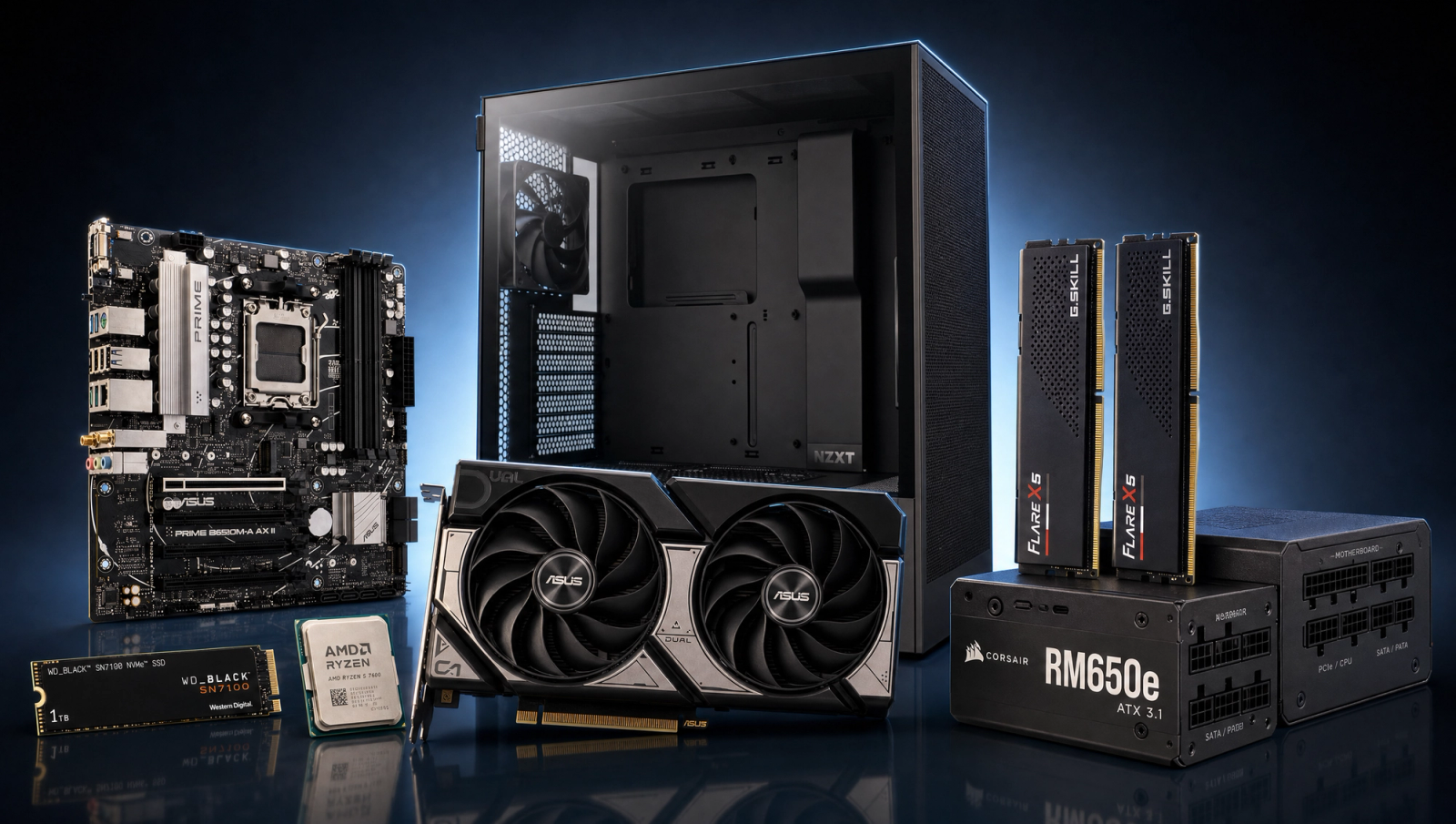
CPU | AMD Ryzen 5 7600 (6c/12t, Zen 4, AM5) |
GPU | ASUS TUF RTX 5060 Ti 8GB GDDR7 |
Motherboard | ASUS PRIME B650M-A WiFi (mATX, WiFi 6E) |
Memory | G.Skill Flare X5 32GB (2x16GB) DDR5-6000 CL30 |
Storage | WD_Black SN7100 1TB NVMe Gen4 (7,250 MB/s) |
Power Supply | Corsair RM650e 650W 80+ Gold ATX 3.1 Modular |
Case | NZXT H5 Flow mATX/ATX Mid-Tower |
Cooling | AMD Wraith Stealth (stock cooler) |
CPU
AMD Ryzen 5 7600 (6c/12t, Zen 4, AM5)
GPU
ASUS TUF RTX 5060 Ti 8GB GDDR7
Motherboard
ASUS PRIME B650M-A WiFi (mATX, WiFi 6E)
Memory
G.Skill Flare X5 32GB (2x16GB) DDR5-6000 CL30
Storage
WD_Black SN7100 1TB NVMe Gen4 (7,250 MB/s)
Power Supply
Corsair RM650e 650W 80+ Gold ATX 3.1 Modular
Case
NZXT H5 Flow mATX/ATX Mid-Tower
Cooling
AMD Wraith Stealth (stock cooler)
The full parts list at a glance.
Performance Summary
Esports titles run away with this hardware. Counter-Strike 2, Valorant, League, Apex, and Fortnite at competitive settings all clear 240 fps at 1080p without breaking a sweat. The standard 10-game AAA slate is more interesting: Helldivers 2 (125), Hogwarts Legacy (110), Baldur's Gate 3 (105), Cyberpunk 2077 (98), and Black Myth: Wukong (78) all sit at or near a 1080p 144Hz panel's refresh ceiling. The heavier titles (Alan Wake 2, Stalker 2, Spider-Man 2) land in the 55-70 fps range native at 1080p High - those are the ones where DLSS Quality earns its keep and pushes you back toward 100 fps with minimal image-quality loss.
Performance Expectations
Average FPS across the standard 10-game slate.
- Cyberpunk 207798 FPS
- Alan Wake 260 FPS
- Black Myth: Wukong78 FPS
- Stalker 255 FPS
- Marvel's Spider-Man 270 FPS
- Starfield72 FPS
- Baldur's Gate 3105 FPS
- Helldivers 2125 FPS
- Hogwarts Legacy110 FPS
- Call of Duty: Black Ops 6120 FPS
Reviewer-sourced averages, triangulated from RTX 5060 Ti 8GB launch reviews and CPU-derated for the Ryzen 5 7600. Expect plus or minus 5 fps depending on driver version, game patches, and exact in-game scene. The 1440p column is here because this hardware can step up - just understand that the 8GB VRAM buffer becomes the limiting factor in a handful of titles at higher resolutions (notably Spider-Man 2 Very High and Hogwarts Legacy Ultra). The numbers shown for those games at 1440p assume High preset, not Ultra.
Parts Breakdown
CPU
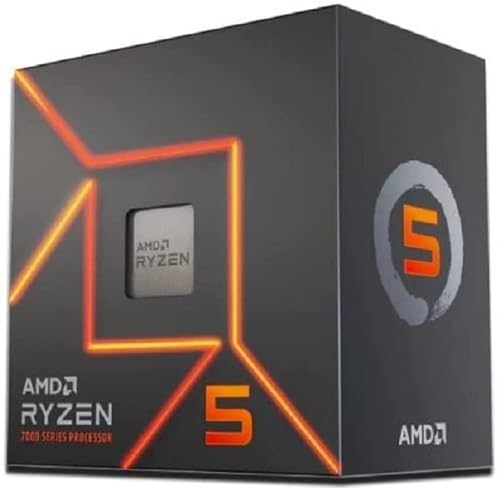
The Ryzen 5 7600 is the right CPU for this slot. Six Zen 4 cores running on AM5 with DDR5-6000 gives you reviewer-bench performance in most games without the price hike of an X3D part. Against a 7600X, the regular 7600 lands within 2-3 percent in games while shipping with a usable stock cooler and lower power draw, which means a quieter system out of the box.
If you stream alongside gaming or run video edits, the 7600 is light on cores (six versus eight on a 7700) and you will eventually feel it. For pure gaming at 1080p 144Hz with an RTX 5060 Ti, the 7600 is not the bottleneck. AM5 also means you can drop a Ryzen 7 9800X3D into this exact board three years from now without replacing anything else.
GPU

The ASUS TUF RTX 5060 Ti 8GB is the part that earns the 1080p 144fps label. It is roughly 35 percent faster than the RTX 5060 at the same launch tier, supports DLSS 4 with Multi Frame Generation, and has the rasterized horsepower to drive a 1080p 144Hz panel through every game in the standard slate at High settings.
The trade-off versus the 16GB variant of the same card is exactly what it sounds like: 8GB of VRAM. At 1080p, the 8GB buffer holds up across all 10 games in our slate. At 1440p, three titles (Spider-Man 2 Very High, Hogwarts Legacy Ultra, Stalker 2 Epic) start hitting the wall - you drop to High preset and the card is fine again. If you know you will be doing 1440p Ultra max settings within the next year, pay the extra for the 16GB card. For everyone else, the 8GB version is the smarter buy at this budget.
Motherboard

The ASUS PRIME B650M-A WiFi is a clean micro-ATX B650 board with the VRM, networking, and connectivity that this build needs and nothing it does not. WiFi 6E, 2.5G ethernet, PCIe 5.0 for the GPU slot, two M.2 slots (one Gen5, one Gen4), and DDR5-6400+ support with EXPO. The VRMs are sized for the 7600 with plenty of headroom for an eventual 9800X3D drop-in.
Going to a B650 (non-M) ATX board buys you a third M.2 slot and a couple more rear USB-A ports, usually for a small premium. If you have an existing ATX case and want extra storage expansion, the upgrade is reasonable. For an mATX case like the NZXT H5 Flow, the mATX board is a better fit physically and the savings go into the GPU.
Memory (RAM)

G.Skill Flare X5 32GB DDR5-6000 CL30 is the AMD sweet spot. DDR5-6000 with a CL30 timing kit matches the Ryzen 5 7600's Infinity Fabric 1:1 ratio (FCLK 2000) and avoids the latency penalty that DDR5-6400+ kits run into on Zen 4. The EXPO profile loads in BIOS in one click.
32GB is the right capacity in 2026. 16GB still works for pure gaming, but Discord, Chrome with 30 tabs, OBS, and a game in the background will saturate it. The 16GB to 32GB upgrade is roughly 40 percent more for this kit, and it lasts the life of the build. Skip 64GB unless you are running VMs or large content creation projects - this is a gaming-first build.
Storage

The WD_Black SN7100 1TB is a Gen4 NVMe drive hitting 7,250 MB/s sequential reads, which is enough to push every modern game's DirectStorage load times to near-instant. The DRAM-less design keeps the price down, but the SLC cache and controller are tuned well enough that you would not feel a difference versus a Samsung 990 Pro in normal gaming and OS use.
1TB is the floor in 2026. Modern AAA installs run 80-150GB each: Black Myth: Wukong is 130GB, Stalker 2 is 160GB, Call of Duty is 240GB by itself. You will fill 1TB with five or six installed games and the OS. Plan to add a second M.2 in the board's Gen4 slot within the first year, or step up to 2TB now if you can swing it.
Power Supply

The Corsair RM650e is 650W, 80+ Gold, fully modular, and ATX 3.1 / PCIe 5.1 compliant with a native 12V-2x6 connector for the GPU. That last bit matters: it means no janky 8-pin to 12V-2x6 adapter dongle hanging off the back of the card.
650W is the right rating for a 7600 plus 5060 Ti system. Peak system draw under gaming load runs around 350-400W, which puts the PSU squarely in its high-efficiency band (50-60 percent load) where it runs cool and quiet. If you plan to upgrade to a 5070 Ti or above later, step up to the RM750e (same Corsair line, 750W) for the extra headroom. Avoid no-name 650W units at this price - PSU quality is the part you do not cheap out on.
Case

The NZXT H5 Flow is a mid-tower mATX/ATX case built for airflow first. Mesh front panel, two pre-installed 120mm intake fans, and enough top clearance to mount a 280mm AIO if you upgrade to a hotter CPU later. The cable management cutouts are sized well for first-time builders, and the side glass panel slides off without thumb-screws fighting you.
The trade-off versus a Lian Li Lancool 207 or Fractal Pop Air is mostly aesthetics. The H5 Flow looks clean and unassuming; the Lancool is more enthusiast-styled with side mesh and a bottom intake fan. Thermals are within 1-2 degrees C between the three. Pick whichever look you want - all three handle this build's 350-400W thermal load without trouble.
Why This Build Works
The whole point of a 1080p 144Hz build is honesty about frame targets. A lot of 1080p PCs in this price range over-spend on the GPU and skimp on the platform, which means you get high peak fps but you also get an Intel B760 board you cannot upgrade and a 16GB RAM kit that runs out in two years.
This build inverts that. AM5 is a long-life platform - the same socket will accept Zen 5 and likely Zen 6 X3D parts. 32GB of DDR5-6000 is enough RAM that you never think about it again. The RTX 5060 Ti 8GB is fast enough to land most of the AAA slate at or near 144 fps at 1080p High, and where it does not, DLSS Quality gets you the rest of the way. The 8GB VRAM ceiling is real, but it is a 1440p ceiling, not a 1080p one - which is exactly the right trade for a 1080p-focused build.
Nothing here is wasted budget. The case, PSU, and motherboard will carry into your next GPU upgrade. The CPU and RAM will last the platform. Only the GPU and SSD are likely to get swapped out within five years.
Alternative Options
If you can stretch the budget a bit further, the same recipe with the RTX 5060 Ti 16GB removes the 1440p VRAM ceiling and gives you a much longer GPU life. That is the single highest-impact upgrade from this baseline.
If you are pure esports and never plan to play heavier AAA, you can drop to the RTX 5060 8GB and save a chunk - your competitive titles will still hit their refresh-rate ceilings, and you can put the savings into a higher-refresh 1080p monitor (240Hz IPS panels are reasonably priced now).
On the CPU side, the 9600X is one price tier up for roughly 8 percent more single-thread performance. Not worth it at this budget for gaming - put that money into the GPU tier instead.
Avoid building this exact recipe on Intel LGA 1700 (12th/13th/14th gen). The platform is end-of-life, you cannot upgrade beyond Raptor Lake, and DDR5 boards cost roughly the same as B650 anyway. AM5 is the right call here.
Build & Setup Tips
Pair this with a 1080p 144Hz IPS monitor. A midrange IPS panel in the 24-27 inch range with native 144Hz or 165Hz refresh is exactly the right pairing - do not pay extra for 240Hz unless you are deep into competitive shooters, and do not buy a 4K panel and run it at 1080p (it looks worse than a native 1080p panel for gaming).
Enable G-Sync (NVIDIA) or G-Sync Compatible mode in your monitor's OSD. The RTX 5060 Ti is a G-Sync capable card and you want adaptive sync turned on so that frame-rate dips below 144 fps do not produce visible tearing or stutter.
In-game, default to DLSS Quality in any title where you are not hitting 144 fps native. DLSS 4 at Quality is essentially free image quality at 1080p and pushes you 30-40 percent higher fps in the heavier titles. Reserve DLSS Balanced or Performance for the cases where Quality is not enough (Stalker 2 Epic, Alan Wake 2 with path tracing).
Load the DDR5 EXPO profile in BIOS on first boot. The G.Skill Flare X5 kit runs at JEDEC 4800 by default - you have to manually enable EXPO to get the rated 6000 MT/s speeds. The board will detect the profile and apply timings automatically; you just toggle it on.
Upgrade Paths
The natural three-year upgrade path is to drop in a Ryzen 7 9800X3D (or its successor on the same AM5 socket) when you switch to a higher-tier GPU. The 8-core X3D parts are noticeably faster in CPU-bound games, and the platform is already designed for them.
The natural GPU upgrade is two tiers up - an RTX 5070 Ti or 5080 - paired with a 1440p 144Hz monitor swap. The 650W PSU handles a 5070 Ti, but if you go 5080 you want the 750W variant instead.
Storage is the easiest upgrade. Drop a second 2TB Gen4 NVMe into the board's secondary M.2 slot whenever your game library hits 80 percent full. No reinstall needed - Windows lets you set up the second drive as the default game library in Steam.
Skip RAM upgrades. 32GB DDR5-6000 is enough for the life of this build. Adding more sticks to fill all four DIMM slots actually reduces stability and forces a clock drop to DDR5-5200 or lower on most B650 boards.
Final Thoughts
This is a build that says what it is. A budget-tier AM5 system that drives a 1080p 144Hz panel honestly across modern AAA and runs away from esports targets. No over-promising on 1440p Ultra, no pretending the 8GB VRAM does not exist, no buying into a dead platform.
The parts list is conservative on purpose. Every component here is mainstream, in-stock, and built around a clear upgrade story: the CPU, board, RAM, PSU, case, and SSD will all carry into a future GPU upgrade. When the time comes to step up to 1440p or chase 240Hz, you swap the GPU and maybe the CPU, and the rest of the system comes with you.
If you are buying a 1080p 144Hz monitor and a PC together this year, this is the build to put under it.
FAQs
Will this build actually hit 144 fps at 1080p in modern AAA games?
In most of the standard AAA slate, yes - native 1080p High lands at or above 144 fps in Helldivers 2, Hogwarts Legacy, Baldur's Gate 3, COD Black Ops 6, and Cyberpunk 2077 (close to 100 native, 144+ with DLSS Quality). The heavier titles (Alan Wake 2, Stalker 2 Epic, Spider-Man 2 Very High) land in the 55-70 fps range native and need DLSS Quality to clear 100 fps. For pure esports (Counter-Strike, Valorant, Apex, Fortnite), you will routinely exceed 200 fps with headroom.
Is 8GB of VRAM enough for 1080p gaming in 2026?
For 1080p High settings across the current AAA slate, 8GB holds up. The titles where 8GB hits a wall are 1440p Ultra in Spider-Man 2, Hogwarts Legacy, and Stalker 2. At 1080p, you do not run into those VRAM ceilings, which is why this build is positioned as a 1080p 144Hz system and not a 1440p one. If your plan is to game at 1440p Ultra max settings for the next 3+ years, the RTX 5060 Ti 16GB is the smarter upgrade.
Why the Ryzen 5 7600 instead of the 7600X or 9600X?
The 7600X is roughly 2-3 percent faster in games but costs more, includes no usable stock cooler, and draws notably more power. For a 1080p 144Hz build paired with an RTX 5060 Ti, the 7600 is not the gaming bottleneck. The 9600X sits one tier up in cost for similar single-game uplift - that money is better spent on the GPU tier. The 7600 also leaves room in the budget for the 32GB RAM kit, which is a more impactful upgrade than 8 percent more CPU headroom.
Do I need an aftermarket CPU cooler?
Not for this CPU. The Ryzen 5 7600 ships with the AMD Wraith Stealth cooler, which holds the 7600 under thermal throttle at stock clocks in a well-ventilated case like the NZXT H5 Flow. If you plan to upgrade to a 7800X3D, 9700X, or 9800X3D within the first year, budget for a Thermalright Peerless Assassin or Phantom Spirit at that time. Until then, the stock cooler is fine.
What monitor should I pair this with?
A midrange 1080p 144Hz or 165Hz IPS monitor in the 24-27 inch range. Look for native G-Sync Compatible certification (most current IPS panels have it), 1ms GTG response time, and a panel from a known maker (LG, AOC, ASUS, MSI). Avoid 1080p TN panels unless you are pure esports, and avoid 1080p 240Hz panels unless you specifically play competitive shooters at high enough skill that the frame rate matters to you.
Can this build do 1440p?
It can, with caveats. Esports titles run great at 1440p. Lighter AAA (BG3, Hogwarts at High not Ultra, COD MP) holds 60+ fps at 1440p native. Heavier AAA at 1440p often needs DLSS Quality to stay above 60 fps, and three titles (Spider-Man 2, Hogwarts, Stalker 2) hit the 8GB VRAM wall at max settings. If 1440p is your primary target, look at the next budget tier up for a dedicated 1440p build - same CPU, but with a 16GB GPU and more thermal headroom.
Why DDR5-6000 specifically?
DDR5-6000 matches the Ryzen 5 7600's Infinity Fabric 1:1 ratio (FCLK 2000), which gives the lowest memory latency the platform can run. Going to DDR5-6400 or 6800 forces the IF clock divider into 2:1 mode and actually loses you a couple of percent in games. DDR5-6000 CL30 is the well-known AMD sweet spot and has been for two generations now. The G.Skill Flare X5 EXPO kit applies the rated timings in BIOS in one click.
Is the 650W PSU enough headroom for a GPU upgrade later?
Yes, up to an RTX 5070 Ti. Peak system draw for the current build is around 350-400W, so 650W is in the efficiency sweet spot. An RTX 5070 Ti pulls about 100W more under load, which still leaves the 650W unit well within its safe operating range. If you plan to step up to an RTX 5080 or above later, swap to the Corsair RM750e (same family, 750W) at that time. Do not run a 5080 on 650W.