Best 1080p Gaming PC Under $1000
A $1000 1080p build pairing the Ryzen 5 7600 with an RTX 5060 Ti 8GB. High-preset AAA above 60 fps, esports past 200, with 1440p headroom when you want it.
$1,000.00(target price)
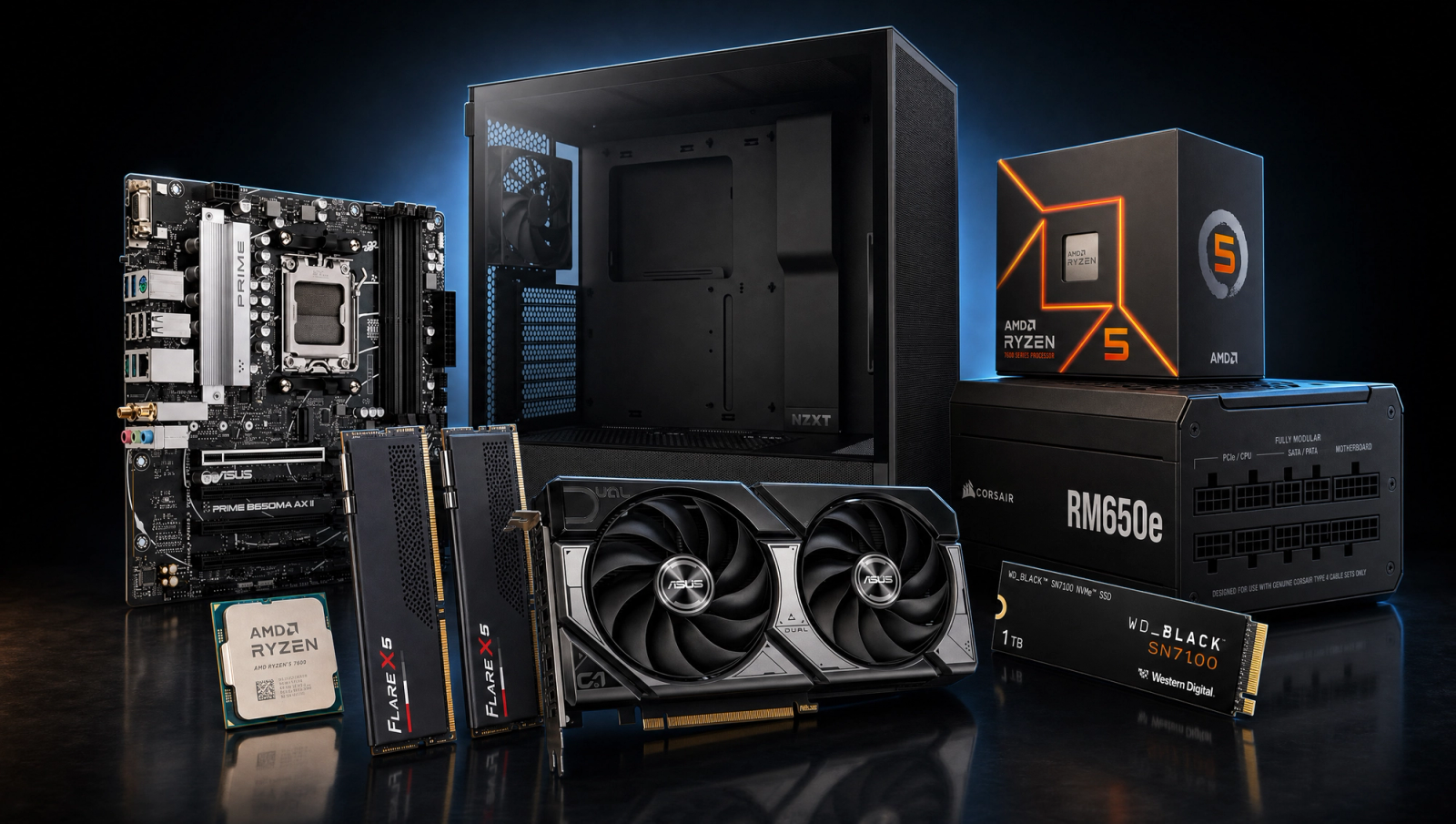
Components
- $180.00
- $429.00
- $140.00
- $110.00
- $70.00
- CoolerStock CoolerIncluded
- $100.00
- $85.00
Who This Build Is For
This is the price floor where 1080p stops feeling like a compromise. If you are stepping up from a 1060 or 1660, or building your first real gaming PC and your monitor is 1080p (or you bought a 1080p high-refresh panel and want to push it), this is the bracket where you stop making sacrifices. Modern AAA games run at High preset above 60 fps without upscaling. Esports titles clear 200 fps and feed a 240Hz panel easily. You get a current-gen AM5 platform, 32GB of DDR5, and a Gen4 NVMe that boots in seconds.
This is also the build where 1440p starts to become a real option. The RTX 5060 Ti can drive 1440p at High in most games, and the benchmark table below shows both columns so you can see the headroom. The honest caveat is the 8GB of VRAM on this card. At 1080p it is a non-issue for current games. At 1440p with Ultra textures, certain titles (Spider-Man 2, Hogwarts Legacy, Stalker 2 Epic) hit the buffer and you have to dial textures down a notch. If 1440p Ultra forever is the goal, look at the 16GB variant or the next tier up.
Build Overview
Key Specs
CPU | AMD Ryzen 5 7600 (6c/12t, Zen 4) |
GPU | NVIDIA GeForce RTX 5060 Ti 8GB |
Motherboard | ASUS PRIME B650M-A WiFi (Micro ATX) |
Memory | 32GB DDR5-6000 CL30 (G.Skill Flare X5) |
Storage | WD_Black SN7100 1TB NVMe Gen4 |
Power Supply | Corsair RM650e 80+ Gold ATX 3.1 |
Case | NZXT H5 Flow ATX Mid-Tower |
Cooling | AMD Stock Cooler |
CPU
AMD Ryzen 5 7600 (6c/12t, Zen 4)
GPU
NVIDIA GeForce RTX 5060 Ti 8GB
Motherboard
ASUS PRIME B650M-A WiFi (Micro ATX)
Memory
32GB DDR5-6000 CL30 (G.Skill Flare X5)
Storage
WD_Black SN7100 1TB NVMe Gen4
Power Supply
Corsair RM650e 80+ Gold ATX 3.1
Case
NZXT H5 Flow ATX Mid-Tower
Cooling
AMD Stock Cooler
The short version of what you are getting at this budget.
Performance Summary
At 1080p High native: most modern AAA games sit in the 70 to 130 fps range. Cyberpunk 2077 lands near 98 fps, Black Myth Wukong around 78, Alan Wake 2 at 60. Esports titles (CS2, Valorant, Apex, Overwatch 2) clear 200 fps comfortably and feed a 1080p 240Hz panel. At 1440p High native, you trade some headroom for sharper image quality and still hold above 60 fps in most titles. The 8GB VRAM ceiling shows up at 1440p Ultra in a handful of games, not at the High preset shown in the table.
These numbers are triangulated from RTX 5060 Ti launch reviews (TechPowerUp, TechSpot, How Many FPS) and derated slightly for the Ryzen 5 7600 versus reviewer test-bench CPUs. Expect plus or minus 5 fps depending on settings, drivers, and the specific scene.
Performance Expectations
Average FPS across the standard 10-game slate.
- Cyberpunk 207798 FPS
- Alan Wake 260 FPS
- Black Myth: Wukong78 FPS
- Stalker 255 FPS
- Marvel's Spider-Man 270 FPS
- Starfield72 FPS
- Baldur's Gate 3105 FPS
- Helldivers 2125 FPS
- Hogwarts Legacy110 FPS
- Call of Duty: Black Ops 6120 FPS
The table below is averaged across the standard 10-game slate. Both 1080p and 1440p are listed natively (no upscaling). With DLSS Quality, add roughly 25 to 35 percent to the 1440p numbers in supported titles.
Parts Breakdown
CPU
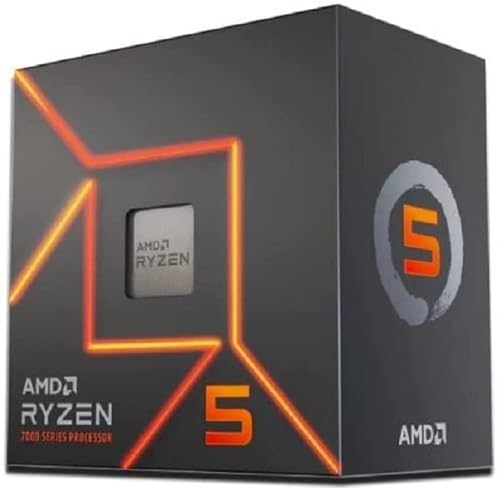
The Ryzen 5 7600 is the right CPU for this GPU and this budget. Six Zen 4 cores at up to 5.1 GHz boost, on the AM5 platform that will get drop-in upgrades for years. Paired with DDR5-6000, it stays close to reviewer test-bench numbers in CPU-sensitive games like Baldur's Gate 3 Act 3, Spider-Man 2, and modern COD multiplayer. You leave a few frames on the table versus a 7800X3D, but spending the extra on CPU at this budget would mean a downgrade somewhere else (probably the GPU), and the GPU is what moves frames at 1080p High.
The stock Wraith Stealth equivalent that ships in the box handles the 7600 fine. AMD lists the 7600's TDP at 65W and it boost-throttles cleanly under the stock cooler in any well-ventilated case. You can swap in a budget tower cooler later if you want lower fan noise, but it is not a day-one purchase.
GPU

The RTX 5060 Ti 8GB is the headline part. At 1080p High native it clears 60 fps in every game on the slate and sits at 80 to 130 in most of them. It supports DLSS 4 with multi-frame generation, which is the feature that buys you 1440p in games where the raw raster is borderline.
The trade-off is 8GB of VRAM. At 1080p, no current game exceeds that buffer at High preset. At 1440p, three titles in the slate (Spider-Man 2 at Very High, Hogwarts Legacy at Ultra, Stalker 2 at Epic) push past 8GB and show frame-time spikes. You play at High instead of Ultra at 1440p in those games and it is fine, but if you plan to keep this card for 4+ years and 1440p Ultra matters, the 16GB version is worth the upgrade. At 1080p it does not matter.
The alternative at this price is an RX 9060 XT 16GB. More VRAM, comparable raster, weaker upscaling and ray tracing. Pick the 5060 Ti if you value DLSS and the broader RT support; pick the 9060 XT 16GB if you want the VRAM headroom and run mostly raster.
Motherboard

The ASUS PRIME B650M-A WiFi is a Micro ATX B650 board that covers everything this build needs: AM5 socket with BIOS support for Ryzen 7000/8000/9000, DDR5 with EXPO, PCIe 5.0 x16 for the GPU, two M.2 slots, and built-in WiFi 6E. The 10+2 power stage is sized for the 7600 with margin to spare.
B650 versus B850 is the obvious trade-off. B850 gives you PCIe 5.0 on the primary M.2 slot (B650 is Gen4 there) and slightly more USB. At this budget the Gen4 SSD does not need Gen5 bandwidth and the extra USB rarely matters, so the savings stay in the GPU bracket. Verify your B650 board ships with the AGESA that supports Ryzen 9000 if you might upgrade later; the PRIME B650M-A AX II ships current.
Memory (RAM)

32GB of DDR5-6000 CL30 is the AM5 sweet spot. The 7600's infinity fabric is happiest at 6000 MT/s, and CL30 is the tightest mainstream timing kit you can buy without paying a premium. 32GB is the right amount in 2026: modern games allocate 16GB+ and leaving headroom for Chrome, Discord, and a stream layer means you never swap.
Enable EXPO in BIOS on first boot or the kit will run at 4800. The default kit timings and 1.35V are validated against the 7600 memory controller. If you ever step up to a 9700X or 9800X3D, this same kit carries over.
Storage

The WD_Black SN7100 1TB is a Gen4 NVMe rated at 7250 MB/s read. DRAM-less, but with host memory buffer (HMB) it benches close to its DRAM-equipped siblings in real-world game loads and OS boot. 1TB fits Windows, two or three current-gen AAA installs, and your everyday apps. Add a second SSD later if your library grows; the board has a free M.2 slot.
The alternative would be a Samsung 990 Pro or WD SN850X with DRAM. They are a hair faster in synthetic 4K random writes, but neither shows up as more fps or shorter load times in games. The SN7100 is the right call at this tier.
Power Supply

The Corsair RM650e is a 650W 80+ Gold fully modular unit on the ATX 3.1 spec, which means a native 12V-2x6 connector for the 5060 Ti and clean transient response for modern GPUs. 650W is sized correctly: the 7600 + 5060 Ti pulls roughly 350W at full tilt, leaving healthy headroom for fans, drives, and overclocking margin.
Fully modular cables make a Micro ATX case build noticeably cleaner. The 10-year warranty matters too; PSUs are the part you want to never replace.
Case

The NZXT H5 Flow is a mid-tower ATX case with a perforated front panel and two pre-installed 120mm fans. It is one of the highest-airflow cases in this bracket and fits the GPU (the 5060 Ti is well under the 365mm clearance) and a 280mm AIO if you ever swap the stock cooler. Cable management is straightforward thanks to a real PSU shroud and tied-down velcro channels.
Micro ATX motherboards drop into ATX cases without issue (extra clearance, no compatibility loss). If you want a smaller footprint, the H5 Flow Compact or a Fractal North Mini fits the same parts. Steel and tempered glass build at this price holds up against pricier cases in the bracket above.
Final Thoughts
This is the configuration where 1080p stops being the budget tier. AM5 means a real upgrade path. 32GB of DDR5-6000 means you do not think about RAM for years. The RTX 5060 Ti pushes 1080p past every refresh-rate target you care about, and 1440p High is a switch you can flip whenever your monitor catches up. The only honest caveat is the 8GB VRAM ceiling at 1440p Ultra in a handful of titles, and if that matters to you, look at the 16GB variant for the small upcharge. For a 1080p-focused build at this budget, this is the configuration to beat.
FAQs
Will this build run modern AAA games at 1080p High?
Yes, comfortably. Across the 10-game test slate, every title clears 60 fps at 1080p High native, and most sit in the 80 to 130 fps range. Cyberpunk 2077 lands near 98 fps, Black Myth Wukong around 78, Alan Wake 2 right at 60. With DLSS Quality enabled you add roughly 25 to 35 percent in supported games.
Is 8GB of VRAM enough on the RTX 5060 Ti?
At 1080p, yes. No current game on the slate exceeds 8GB at the High preset. At 1440p, three titles (Spider-Man 2 at Very High, Hogwarts Legacy at Ultra, Stalker 2 at Epic) push past 8GB and show frame-time spikes. Dropping textures one notch fixes it. If you plan to keep this GPU for 4+ years and you want 1440p Ultra forever, the 16GB variant is worth the extra spend.
Can I upgrade to 1440p with this build?
Yes. The benchmark table shows 1440p numbers natively. Across the slate you hold above 60 fps in most titles at 1440p High native, and DLSS Quality gets you higher. The CPU, RAM, board, PSU, and case are all 1440p-ready; the GPU is the part you would eventually upgrade if you want 1440p Ultra at maximum refresh rates.
Does the Ryzen 5 7600 need an aftermarket cooler?
No. The stock cooler that ships with the 7600 handles its 65W TDP fine in any well-ventilated case (the H5 Flow qualifies). You can add a budget tower cooler later if you want lower fan noise under load, but it is not a day-one purchase.
AM5 versus AM4 at this budget?
AM5. AM4 is a dead-end socket as of 2026. AM5 still gets new CPU releases and BIOS support, which means you can drop in a 9700X or 9800X3D in two or three years without replacing the board or RAM. The DDR5 platform is also faster in CPU-sensitive games today, and DDR5 prices have normalized.
Is 32GB of RAM overkill for gaming?
Not in 2026. Modern AAA games allocate 16GB+ on their own, and once you account for Chrome, Discord, a stream layer, and a game running in the background, 16GB starts swapping. 32GB at this price tier is correct and futureproofs the build for several years.
RTX 5060 Ti 8GB or RX 9060 XT 16GB?
Pick the 5060 Ti if you want DLSS 4, better ray-tracing performance, and the NVIDIA software stack (NVENC, broadcast tools). Pick the RX 9060 XT 16GB if you want VRAM headroom for 1440p Ultra and you mostly play raster games. At 1080p they trade blows; the 5060 Ti edges out in upscaled and RT titles, the 9060 XT 16GB pulls ahead in heavy-VRAM scenarios.