Best 1440p Gaming PC Under $1000
An honest ~$1000 1440p build: Ryzen 5 7600 plus RTX 5060 Ti 8GB. Comfortable at 1440p High in most AAA, with clear VRAM caveats at Ultra.
$1,000.00(target price)
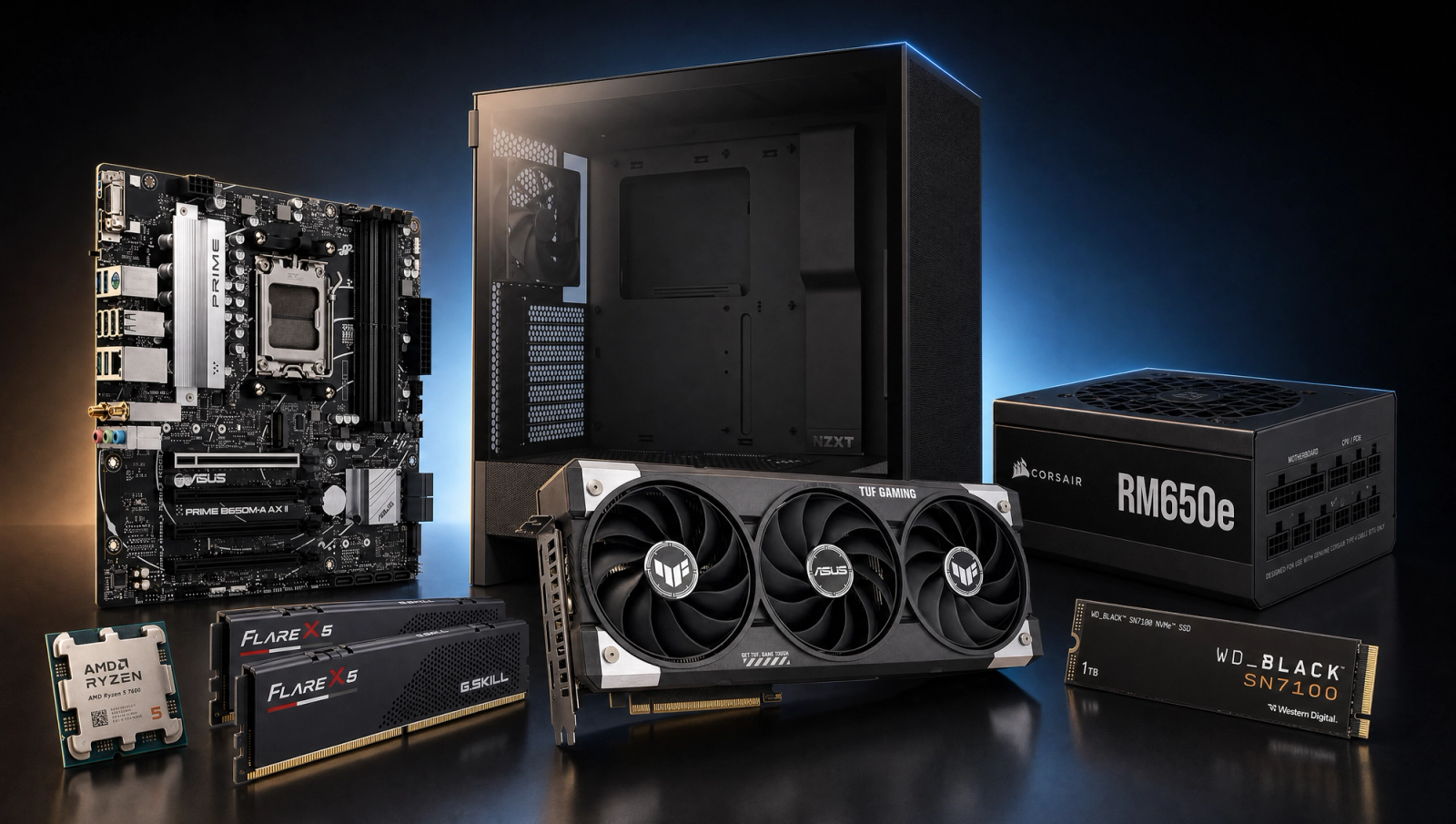
Components
- $180.00
- $429.00
- $140.00
- $110.00
- $70.00
- CoolerStock CoolerIncluded
- $100.00
- $85.00
Who This Build Is For
You want a 1440p gaming PC that actually plays modern games at 1440p, not a 1080p rig dressed up with a price-tier sticker. At this budget you get a current-gen AM5 platform, 32GB of fast DDR5, and the RTX 5060 Ti 8GB. That is enough horsepower to run most current AAA titles at 1440p High with honest 60-plus fps, and to push competitive shooters well past 144 fps at 1440p.
This is also the build where buyer expectations and silicon reality collide hardest. The 5060 Ti 8GB is a strong 1440p High card. It is not a 1440p Ultra card in 2026. If you want 1440p Ultra across the board with no asterisks, skip ahead to the Alternative Options and look at the 16GB version of the same card or a step up to a 5070.
Build Overview
This is an AM5 platform paired with the entry-level current-gen 1440p GPU from NVIDIA, configured for honest 1440p High performance and a long upgrade runway. Sections below cover the headline specs and what they actually deliver in games.
Key Specs
CPU | AMD Ryzen 5 7600 (6c/12t, Zen 4) |
GPU | NVIDIA GeForce RTX 5060 Ti 8GB |
Motherboard | ASUS Prime B650M-A WiFi (mATX) |
Memory | 32GB DDR5-6000 CL30 (AMD EXPO) |
Storage | WD_Black SN7100 1TB NVMe Gen4 |
Power Supply | Corsair RM650e 80+ Gold ATX 3.1 |
Case | NZXT H5 Flow ATX Mid-Tower |
Cooling | AMD Wraith Stealth (stock) |
CPU
AMD Ryzen 5 7600 (6c/12t, Zen 4)
GPU
NVIDIA GeForce RTX 5060 Ti 8GB
Motherboard
ASUS Prime B650M-A WiFi (mATX)
Memory
32GB DDR5-6000 CL30 (AMD EXPO)
Storage
WD_Black SN7100 1TB NVMe Gen4
Power Supply
Corsair RM650e 80+ Gold ATX 3.1
Case
NZXT H5 Flow ATX Mid-Tower
Cooling
AMD Wraith Stealth (stock)
The headline parts at a glance.
Performance Summary
In round numbers, expect 1440p High around 55 to 90 fps in heavy AAA titles, 1440p High 100-plus fps in lighter AAA and online games, and 1080p comfortably above 100 fps in nearly everything. Competitive shooters like Call of Duty: Black Ops 6 and Helldivers 2 sit well into triple digits at 1440p High. The catch is at 1440p Ultra in a handful of recent titles, where the 8GB VRAM budget runs out and frame times get rough. See the Performance Expectations section for specifics.
Performance Expectations
Average FPS across the standard 10-game slate.
- Cyberpunk 207798 FPS
- Alan Wake 260 FPS
- Black Myth: Wukong78 FPS
- Stalker 255 FPS
- Marvel's Spider-Man 270 FPS
- Starfield72 FPS
- Baldur's Gate 3105 FPS
- Helldivers 2125 FPS
- Hogwarts Legacy110 FPS
- Call of Duty: Black Ops 6120 FPS
The table below shows native rendering at High preset across both 1080p and 1440p, no upscaling. These are triangulated reviewer averages, so expect plus or minus 5 fps depending on settings, scene, and CPU. Where the 8GB card has a known VRAM ceiling at the listed resolution, the number reflects High preset, not Ultra.
Parts Breakdown
Every part below is chosen for honest 1440p High gaming on a current-gen platform with room to upgrade. Each section names the part, says why it earns the slot at this budget, and calls out one trade-off versus the obvious alternative.
CPU
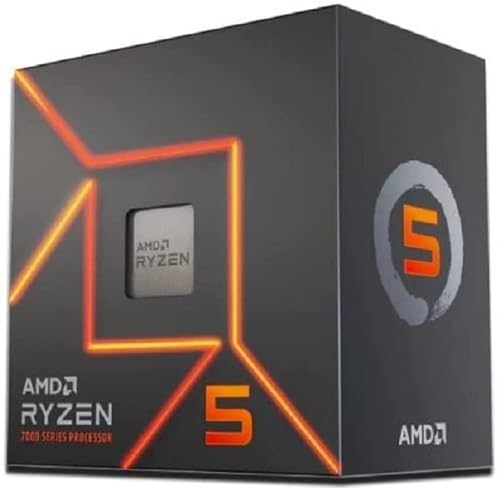
The Ryzen 5 7600 is six Zen 4 cores, twelve threads, and a 5.1 GHz boost. At 1440p the GPU does almost all of the work, so a 6-core AM5 chip is plenty for this resolution and price tier. It pairs cleanly with DDR5-6000 and slots into a fresh AM5 socket with a long upgrade runway through future Ryzen generations.
At this price you could also look at the Ryzen 7 7700 for two extra cores. For pure gaming at 1440p with this GPU, the extra cores do not change frame rates in a way you will feel. The 7600 wins on dollars-per-frame. If you also stream or render, push the budget up to the 7700 or 7700X.
The 7600 ships with a stock Wraith cooler that handles its 65W TDP without drama. Skip aftermarket cooling at this tier and put the dollars into the GPU.
GPU

The RTX 5060 Ti 8GB is the heart of the build and the spec you should understand most before clicking buy. At 1440p High native, it lands roughly 50 to 90 fps in modern AAA titles depending on engine and scene. With DLSS Quality you can push most of those titles past 60 fps comfortably. For competitive games it sails well past 144 fps at 1440p.
The honest part: 8GB of VRAM is the ceiling for this card, and at 1440p Ultra a handful of recent titles slam into it. Hogwarts Legacy at 1440p Ultra stutters from texture streaming. Marvel's Spider-Man 2 at 1440p Very High craters to roughly 40 fps with frame-time spikes; the realistic playable setting is High, not Very High. Stalker 2 on Epic at 1440p loses about 25 percent of its frame rate versus a 16GB card. Cyberpunk 2077 with RT off, Alan Wake 2 High, Baldur's Gate 3, Starfield, Helldivers 2, and Call of Duty stay comfortably inside the 8GB budget at the listed presets.
If 1440p Ultra in every title with no compromises is non-negotiable for you, the 16GB version of the same card is the right answer at roughly two hundred dollars more on the total system. That is a real spec gap and we are not going to pretend otherwise.
Motherboard

The ASUS Prime B650M-A WiFi is a micro-ATX B650 board with DDR5 support, PCIe 5.0 for the GPU slot, two M.2 NVMe slots, and built-in Wi-Fi. B650 hits the sweet spot for a 7600 build: cheaper than X670, more features and better VRMs than A620, and full AMD EXPO support for DDR5-6000 kits.
The step-up alternative is a full ATX B650 board for more rear I/O and extra fan headers. For a 6-core CPU with no overclocking ambitions, the micro-ATX board has every connector you actually use and saves roughly thirty dollars to put toward the GPU or a faster SSD.
Memory (RAM)

G.Skill Flare X5 32GB DDR5-6000 CL30 is the AMD EXPO sweet-spot kit for AM5. The 6000 MT/s, CL30 timings, and 1.35V profile match what AMD validates as ideal for Ryzen 7000 and 9000, and 32GB is now the new floor for modern AAA at 1440p. Some 2024 and 2025 titles have flirted with 16GB ceilings; 32GB removes that worry for the life of this build.
You could downgrade to 16GB (2x8GB) to save roughly forty dollars, but with the 8GB VRAM situation on the GPU, system RAM is the last place you want to also be tight. Hold the 32GB line.
Storage

The WD_Black SN7100 1TB is a PCIe Gen4 NVMe drive with 7,250 MB/s sequential reads. It is the current sweet-spot SSD for gaming: DRAM-less but fast where it counts, runs cool without a heatsink, and has solid endurance.
1TB is enough for an OS plus four or five modern AAA installs. If your library is bigger than that, the SN7100 comes in 2TB and the B650M-A WiFi has a second M.2 slot you can add to later. A Gen5 SSD at this tier is a waste of money: real-world load-time differences versus a fast Gen4 are not perceptible.
Power Supply

The Corsair RM650e is an ATX 3.1, 80 Plus Gold, fully modular 650W unit with a native 12V-2x6 connector for the GPU. 650W is the right size: the 5060 Ti pulls about 180W under load, the 7600 pulls roughly 90W, and you have comfortable headroom for fans, drives, and transient spikes without paying for capacity you will never touch.
Fully modular is worth the small premium. Cable management in the H5 Flow is much cleaner when you can leave unused cables in the box. The ATX 3.1 spec means it is also ready for any near-term GPU upgrade in the 250-300W class.
Case

The NZXT H5 Flow is a compact ATX mid-tower with a perforated front and two included intake fans, plus mounting for a top exhaust. It is one of the cleanest-looking budget airflow cases on the market, with a tempered glass side, tool-less drive trays, and enough room for a 280mm radiator if you ever switch to liquid cooling.
The alternative at this tier is something like the Fractal Pop Air or Phanteks Eclipse G360A. They are all good. The H5 Flow wins on fit and finish: it looks like a much more expensive case for less.
Cooling
The Ryzen 5 7600 ships with the AMD Wraith Stealth cooler in the box, and that is what this build runs. It keeps the 65W chip well inside thermal limits at stock clocks, and the noise profile is acceptable in a case with this much airflow. Skip aftermarket cooling at this tier; the money is better spent on storage or pushed into the next GPU upgrade.
Why This Build Works
The pieces fit together for a specific job: 1440p High gaming at honest 60-plus fps in modern AAA, well over 144 fps in competitive titles, on a current-gen platform with room to grow. The CPU and motherboard are AM5, which means a clean upgrade path to Zen 5 and Zen 6 chips without a new board. The 32GB of DDR5-6000 is forward-proof for the life of the system. The 650W ATX 3.1 PSU and the H5 Flow case both accommodate a future GPU bump cleanly.
The one place this build asks you to be honest with yourself is the GPU. Eight gigabytes of VRAM is enough for 1440p High today; it is not enough for 1440p Ultra in the worst-behaved current titles. If you understand that, the build is a strong value. If you want zero compromises at Ultra, this is not your card.
Alternative Options
If 1440p Ultra is the real goal, look at the 16GB version of the RTX 5060 Ti. It adds roughly fifty dollars to the GPU and pushes total system cost into the low twelve hundreds. That fully closes the VRAM gap in Hogwarts Legacy, Spider-Man 2, and Stalker 2 at Ultra and removes the asterisk from this build.
If you want more frame-rate headroom for a high-refresh 1440p monitor, the RTX 5070 12GB is the next meaningful step. That moves total system cost into the eleven-hundred range and gets you Ultra-preset comfort at 1440p in nearly everything.
If you would rather stay at exactly this budget and squeeze more out of it, the swap is to a 6-core Ryzen and the 16GB 5060 Ti by going for the cheapest A620 board and the smallest 500GB SSD. We do not recommend it: the storage downgrade hurts your library in six months.
Build & Setup Tips
Enable EXPO in BIOS the first time you boot. Out of the box the RAM will run at JEDEC 4800 speeds, not the 6000 MT/s you paid for. The toggle is one switch in the ASUS BIOS under Ai Tweaker.
Update the GPU drivers before you launch your first game. Both NVIDIA App and a clean install via Display Driver Uninstaller from safe mode work; pick one and stick with it.
For 1440p use DLSS Quality as your default upscaler in any title that supports it. The image quality is essentially indistinguishable from native at 1440p, and the frame-rate gain is meaningful. Reserve DLSS Performance for ray-tracing scenarios where the card needs all the help it can get.
In games where you hit a VRAM wall at Ultra textures, drop textures one notch to High and leave everything else maxed. It is the single most effective setting to dial back on an 8GB card and it has a smaller visual impact than people expect.
Upgrade Paths
The natural next step for this platform is a GPU upgrade. The 650W ATX 3.1 PSU and the H5 Flow case both fit a 5070 or 5070 Ti cleanly, so a one-card swap in two years unlocks 1440p Ultra without a full rebuild.
AM5 socket support runs through Zen 5 and into Zen 6, so a drop-in CPU upgrade to a 9700X or a 9800X3D is on the table when CPU-bound games start showing up in your library. Pair that with a BIOS update on the same B650 board.
If storage runs out first, the B650M-A WiFi has a second M.2 slot. Drop in a 2TB Gen4 drive and you are done.
Final Thoughts
This is the most honest 1440p gaming PC we can build at this budget right now. Ryzen 5 7600 and RTX 5060 Ti 8GB on AM5, with 32GB DDR5-6000, a current-gen SSD, and a quality PSU and case. At 1440p High, the build delivers. At 1440p Ultra in a few specific titles, the 8GB GPU runs into a wall, and we would rather tell you that up front than sell you a number that falls apart the first time you load Hogwarts Legacy with maxed textures. If 1440p Ultra everywhere is your bar, spend the extra couple hundred dollars on the 16GB version. If 1440p High at honest framerates is the goal, this is the build.
FAQs
Can the RTX 5060 Ti 8GB really do 1440p gaming?
Yes, at High preset in modern AAA titles and well above 144 fps in competitive games. Where it struggles is 1440p Ultra in a handful of recent titles (Hogwarts Legacy, Spider-Man 2, Stalker 2), where the 8GB VRAM budget runs out. Stay at High preset at 1440p and the card delivers honest 60-plus fps in heavy AAA.
Should I get the 16GB version of the 5060 Ti instead?
If 1440p Ultra in every game is your bar, yes. The 16GB card adds about fifty dollars and removes the VRAM ceiling. That puts the total build into the low twelve-hundreds. If you are comfortable with 1440p High and willing to drop textures one notch in a few specific titles, the 8GB version saves real money for the same headline performance.
Why 32GB of RAM instead of 16GB?
Modern AAA titles in 2025 and 2026 have started flirting with 16GB system RAM ceilings, especially when paired with a GPU that itself is VRAM-constrained. 32GB is the new floor for a 1440p gaming PC and removes a category of stutter you would otherwise hit during the life of the build.
Do I need an aftermarket CPU cooler?
No. The Ryzen 5 7600 is a 65W chip and ships with the Wraith Stealth cooler in the box. It handles the chip at stock clocks without thermal issues, and the H5 Flow case provides enough airflow to keep noise reasonable. Save the money for storage or your next GPU.
Is this build a good upgrade path to higher resolutions?
Yes. The AM5 socket runs through Zen 5 and Zen 6, so a CPU upgrade is a drop-in BIOS update later. The 650W ATX 3.1 PSU and the H5 Flow case fit a 5070 or 5070 Ti cleanly, which is the natural one-card swap when you want to push 1440p Ultra or step up to 4K High.
Why not a Ryzen 7 or X3D chip at this budget?
At 1440p the GPU is the bottleneck in nearly every title. Spending more on a Ryzen 7 7700 or X3D chip does not change frame rates in a way you will notice with a 5060 Ti class GPU. The extra cores matter if you also stream or render. For pure gaming at this resolution, the 7600 wins on value, and the AM5 socket leaves the X3D door open later.
Do I need Gen5 storage?
No. Real-world load-time differences between a fast Gen4 drive like the SN7100 and a Gen5 drive are not perceptible in games. Gen5 drives also run hot and cost meaningfully more per gigabyte. Stick with Gen4 for the next two GPU generations at least.