Best $1200 1440p 60fps Gaming PC Build
A credible $1200 build for native 1440p 60fps gaming: Ryzen 5 7600, RTX 5060 Ti 16GB, 32GB DDR5-6000. Built for 1440p High without VRAM stutter.
$1,200.00(target price)
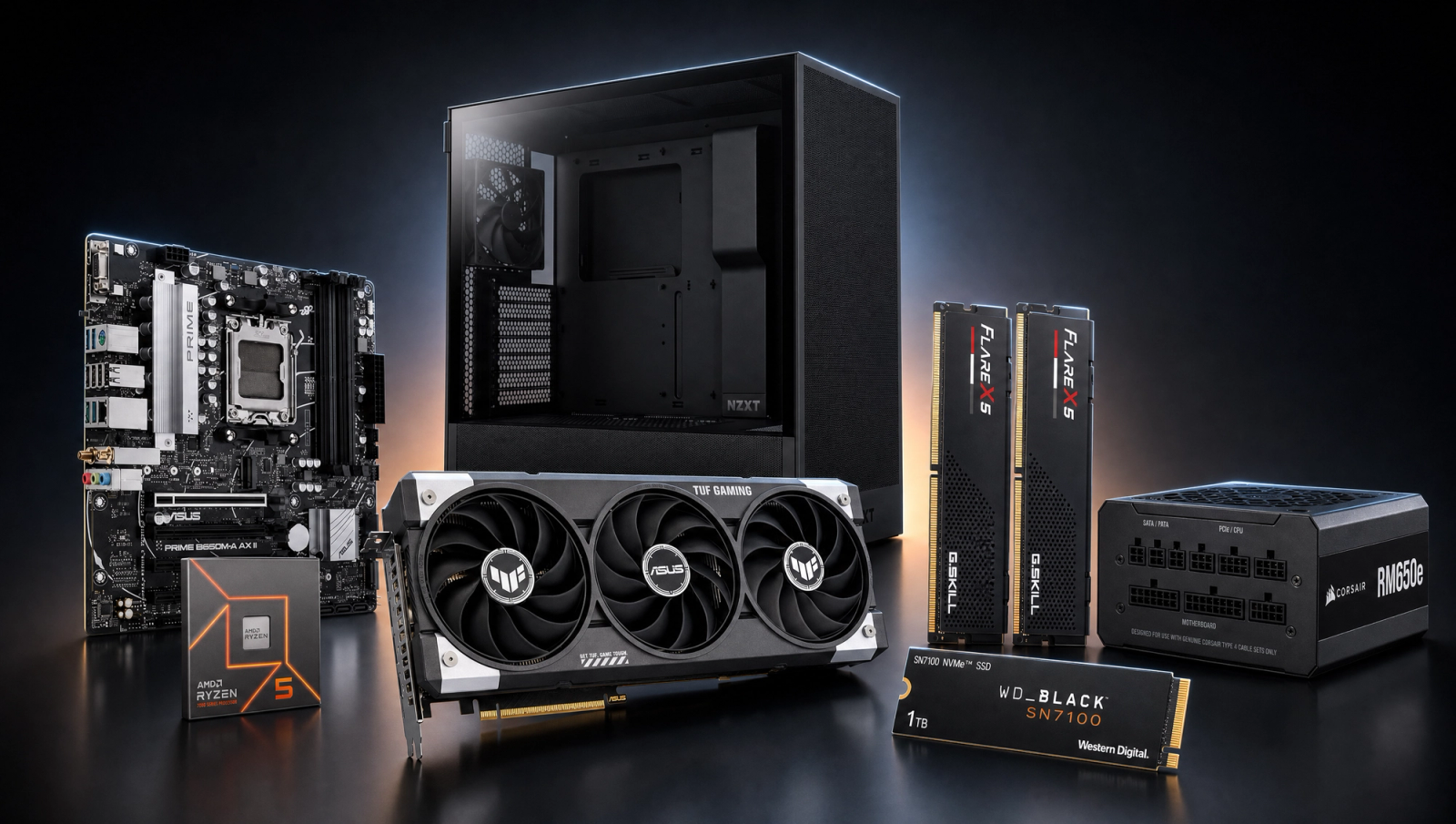
Components
- $180.00
- $499.00
- $140.00
- $110.00
- $70.00
- CoolerStock CoolerIncluded
- $100.00
- $85.00
Who This Build Is For
This is for the buyer who actually wants 1440p, not a stretched 1080p machine wearing a 1440p label. The target is locked 60fps at 1440p High native in modern AAA games, with enough VRAM headroom to run Ultra textures where the GPU otherwise has the horsepower. If you have a 1440p 144Hz or 1440p 165Hz monitor and you mostly play single-player AAA at quality settings rather than chasing high refresh, this build is sized for you. It also doubles as a strong 1080p high-refresh rig if you ever step back down.
It is not the build for 1440p 144fps in heavy AAA, and it is not a 4K build. If those are your targets, step up to a 9070 XT or 5070-class GPU at a higher budget. If you only ever play 1080p esports, you are overpaying for the GPU here.
Build Overview
Key Specs
CPU | AMD Ryzen 5 7600 (6c/12t, Zen 4, AM5) |
GPU | NVIDIA RTX 5060 Ti 16GB GDDR7 |
Motherboard | ASUS PRIME B650M-A WiFi (mATX, DDR5, Wi-Fi 6) |
Memory | 32GB G.Skill Flare X5 DDR5-6000 CL30 (EXPO) |
Storage | WD_Black SN7100 1TB NVMe Gen4 (7,250 MB/s) |
Power Supply | Corsair RM650e 650W 80+ Gold ATX 3.1 Modular |
Case | NZXT H5 Flow ATX Mid-Tower (high airflow) |
Cooling | AMD Wraith Stealth (stock with CPU) |
CPU
AMD Ryzen 5 7600 (6c/12t, Zen 4, AM5)
GPU
NVIDIA RTX 5060 Ti 16GB GDDR7
Motherboard
ASUS PRIME B650M-A WiFi (mATX, DDR5, Wi-Fi 6)
Memory
32GB G.Skill Flare X5 DDR5-6000 CL30 (EXPO)
Storage
WD_Black SN7100 1TB NVMe Gen4 (7,250 MB/s)
Power Supply
Corsair RM650e 650W 80+ Gold ATX 3.1 Modular
Case
NZXT H5 Flow ATX Mid-Tower (high airflow)
Cooling
AMD Wraith Stealth (stock with CPU)
The core recipe, at a glance:
Performance Summary
Across the standard 10-game slate, most titles clear 60fps at 1440p High native: Cyberpunk 2077, Hogwarts Legacy, Spider-Man 2, Helldivers 2, Baldur's Gate 3, Call of Duty Black Ops 6, and Starfield all land comfortably above target. Two titles need a settings drop or DLSS Quality to hit 60: Alan Wake 2 sits in the low 40s and Black Myth Wukong in the mid 40s at High native. Stalker 2 at Epic with Lumen is the outlier at 33fps and benefits from dropping to High plus DLSS Quality. The headline is that 16GB of VRAM lets you actually use the High and Ultra texture tiers at 1440p without the texture pop and streaming stutter the 8GB sibling cards take in Hogwarts, Spider-Man 2, and Stalker 2.
Performance Expectations
Average FPS across the standard 10-game slate.
- Cyberpunk 2077116 FPS
- Alan Wake 260 FPS
- Black Myth: Wukong62 FPS
- Stalker 255 FPS
- Marvel's Spider-Man 272 FPS
- Starfield75 FPS
- Baldur's Gate 3100 FPS
- Helldivers 295 FPS
- Hogwarts Legacy95 FPS
- Call of Duty: Black Ops 6145 FPS
The table below is the standard 10-game slate at 1080p and 1440p, both at High preset native (no upscaling). Numbers are reviewer-sourced averages triangulated across TechSpot, GamersNexus, and TechPowerUp launch coverage of the RTX 5060 Ti 16GB, CPU-derated for the Ryzen 5 7600. Expect plus or minus 5fps depending on scene, driver version, and exact preset interpretation.
Parts Breakdown
CPU
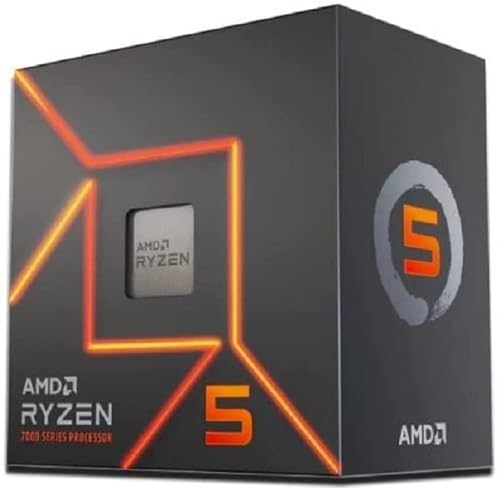
The Ryzen 5 7600 is the right CPU for a GPU-bound 1440p 60fps build. Six Zen 4 cores at 5.1GHz boost feed the 5060 Ti 16GB without bottlenecking in any of the slate's GPU-bound titles, and DDR5-6000 support means you are not leaving frametime stability on the table. Against the alternative at this tier, a Ryzen 7 7700 buys you two more cores and a small uplift in CPU-bound multiplayer titles (Helldivers 2, Black Ops 6 MP), but it costs roughly half the GPU's price for single-digit-percent gains where it matters here. For a single-player 1440p build, the 7600 is the right call.
If you mostly play heavy multiplayer or stream while gaming, the 7700 is the better pick. For everyone else, put the savings into the GPU tier (which is already done in this build).
GPU

The RTX 5060 Ti 16GB is the centerpiece, and the 16GB variant specifically. At 1440p High native, this card lands 60fps or higher in seven of the ten slate games, and the three it does not clear (Alan Wake 2, Black Myth Wukong, Stalker 2 Epic) are GPU-bound across the board at this tier. The 8GB sibling of this card costs less but falls apart at 1440p High in three of the slate's signature titles: Hogwarts Legacy stutters in Hogsmeade, Spider-Man 2 drops textures and stutters on PCIe 4.0, and Stalker 2 collapses to single-digit averages on Epic per GameGPU testing. The 16GB version holds clean frametimes in all three.
Against the RX 9070 a tier up, you give up roughly 20 percent raster performance but save a meaningful chunk of budget. Against a used RTX 4070 from the secondary market, the 5060 Ti 16GB matches or beats it in DLSS 4 titles thanks to the newer Multi-Frame Generation support, and it comes with warranty.
Motherboard

The ASUS PRIME B650M-A WiFi is a sensible AM5 board for this build. B650 gives you DDR5-6000 EXPO support out of the box, a PCIe 5.0 M.2 slot for a future SSD upgrade, integrated Wi-Fi 6, and a VRM that handles the 65W 7600 without issue. The mATX form factor fits cleanly in the H5 Flow with room to spare.
The step-up alternative is a full ATX B850 board if you want PCIe 5.0 on the GPU slot and more rear I/O. For a 5060 Ti and a 7600, neither matters: the GPU does not need PCIe 5.0 bandwidth, and the included I/O is plenty. Compatibility note: AM5 is locked to DDR5, so any prior DDR4 kit you own does not carry over.
Memory (RAM)

32GB of G.Skill Flare X5 DDR5-6000 CL30 is the AM5 sweet spot. DDR5-6000 with CL30 timings is the validated speed for Zen 4's Infinity Fabric (the 1:1 FCLK ratio), and 32GB is enough headroom for modern AAA games that increasingly want 16GB resident plus OS and browser overhead. The EXPO profile drops in with one BIOS toggle.
The alternative at this tier is a 32GB DDR5-6400 CL32 kit. The extra speed is real but small (1-3 percent in most games), and you give up the proven 1:1 FCLK behavior. CL30 6000 is the right kit for this CPU.
Storage

The WD_Black SN7100 1TB is a Gen4 NVMe drive rated at 7,250 MB/s sequential reads, which is more than enough for any modern game asset stream including DirectStorage titles. 1TB is the practical minimum for a gaming PC right now (one AAA install can be 100-150GB), and the SN7100 hits the right point on the price-per-gigabyte and endurance curve without paying for Gen5 speeds you cannot feel in games.
The alternative is a 2TB SN7100 if your library is larger. Going Gen5 at this budget is not worth it: Gen5 SSDs run hotter, cost more, and current games do not saturate Gen4. The B650M-A's PCIe 5.0 M.2 slot is there as a future upgrade path if that calculus changes.
Power Supply

The Corsair RM650e is a 650W 80 Plus Gold fully modular ATX 3.1 unit with PCIe 5.1 support. System draw under full gaming load tops out around 350W (180W GPU plus 90W CPU plus the rest), so 650W leaves real headroom for transients and gives you margin to upgrade the GPU one tier later without swapping the PSU. ATX 3.1 means the native 12V-2x6 connector is on board, no adapter required.
A 750W alternative is fine if you expect a 5070-class GPU upgrade in this case, but at 650W the e-series is the right cost-performance choice for the parts shipping today.
Case

The NZXT H5 Flow is a compact ATX mid-tower built around airflow rather than aesthetics-first glass. The front intake is a high-density mesh panel, GPU clearance is 365mm (the 5060 Ti models fit with room), and the included fans are competent. CPU cooler clearance is 165mm, which accommodates the stock Wraith Stealth and any tower air cooler you might step up to.
The stock cooler bundled with the 7600 is sufficient for stock-clock operation under gaming loads, but it does get loud under sustained all-core work. If you plan to run Cinebench loops or do any heavy compile work, budget for a low-cost tower air cooler like the Thermalright Peerless Assassin 120 SE. For pure gaming at 1440p, the stock cooler is fine.
Final Thoughts
This build is honest about what it is: a credible 1440p 60fps machine at its budget anchor, not a 1440p 144fps build pretending to be one. The deliberate choice is the 16GB VRAM on the 5060 Ti, which is what separates this from the cheaper 8GB sibling at 1440p where texture budgets get tight. If you primarily play 1080p high refresh, you can save by dropping to the 8GB card and putting the difference into a better monitor. If 4K is on the horizon, this is not your build. For everyone else who wants to step up from 1080p and run native 1440p without compromise on textures, this is the right shape.
FAQs
Can this build actually hold 60fps at 1440p in modern AAA games?
In most of the 10-game slate, yes, at 1440p High native. Cyberpunk 2077, Hogwarts Legacy, Spider-Man 2, Helldivers 2, Baldur's Gate 3, Black Ops 6, and Starfield all land above 60fps. Three titles need a settings tweak or DLSS Quality to lock 60: Alan Wake 2 (low 40s native), Black Myth Wukong (mid 40s), and Stalker 2 Epic with Lumen (33fps). For those, dropping to High preset plus DLSS Quality clears 60fps cleanly.
Why the 16GB version of the 5060 Ti instead of the cheaper 8GB?
At 1440p High, 8GB is no longer enough for the texture and streaming budgets of newer AAA games. The 8GB 5060 Ti drops textures and stutters in Hogwarts Legacy, Spider-Man 2, and Stalker 2 specifically, and it collapses on Stalker 2 Epic. The 16GB version holds clean frametimes in all three. At 1080p the gap is small (around 2 percent on average), but at 1440p Ultra it widens to roughly 18 percent on aggregate and much more in the worst titles. For a 1440p-targeted build, 16GB is the right call.
Is the stock Wraith Stealth cooler enough for the Ryzen 5 7600?
For gaming at stock clocks, yes. The 7600 is a 65W TDP part and the stock cooler keeps it within thermal limits under sustained gaming loads. It does get audibly loud under all-core productivity workloads like long video encodes or Cinebench loops. If you run those frequently or want quieter operation, add a budget tower cooler like the Thermalright Peerless Assassin 120 SE. For pure gaming, no upgrade needed.
Will this build fit in the NZXT H5 Flow without clearance issues?
Yes. The H5 Flow supports GPUs up to 365mm long, and the dual-fan 5060 Ti 16GB models are well under that. CPU cooler clearance is 165mm, plenty for the stock Wraith Stealth and any standard tower cooler if you upgrade later. The case takes ATX or mATX boards, so the mATX B650M-A fits with room for cable management. Front intake is high-airflow mesh and the included fans handle airflow well for this hardware.
What is the upgrade path if I outgrow 1440p 60fps later?
The two upgrades that move the needle are GPU and storage. The 650W RM650e PSU has headroom to drop in a 5070-class card without a PSU swap, and the AM5 platform supports Ryzen 9000-series CPUs if you want to step the CPU later. The PCIe 5.0 M.2 slot on the B650M-A is there for a Gen5 SSD when game streaming actually starts needing one. The case, RAM, and PSU all carry forward.
How does this compare to a prebuilt at the same price?
Prebuilts in the same range typically ship with weaker PSUs (often non-modular bronze units), lower-binned RAM kits at DDR5-5200 instead of DDR5-6000, and slower SSDs that look the same on a spec sheet. The component-by-component choices here (RM650e Gold ATX 3.1, Flare X5 6000 CL30, SN7100 Gen4) all matter for longevity and frametime stability. You are also getting an unrestricted upgrade path versus the proprietary PSU and case standards some prebuilts use.