Best Esports Gaming PC Under $800 (1080p High Refresh)
A no-fluff 1080p esports rig built around the Ryzen 5 5600 and RTX 5060. High refresh, tight 1% lows, and NVIDIA Reflex tuned for Valorant, CS2, Apex, Fortnite, and Rocket League.
$800.00(target price)
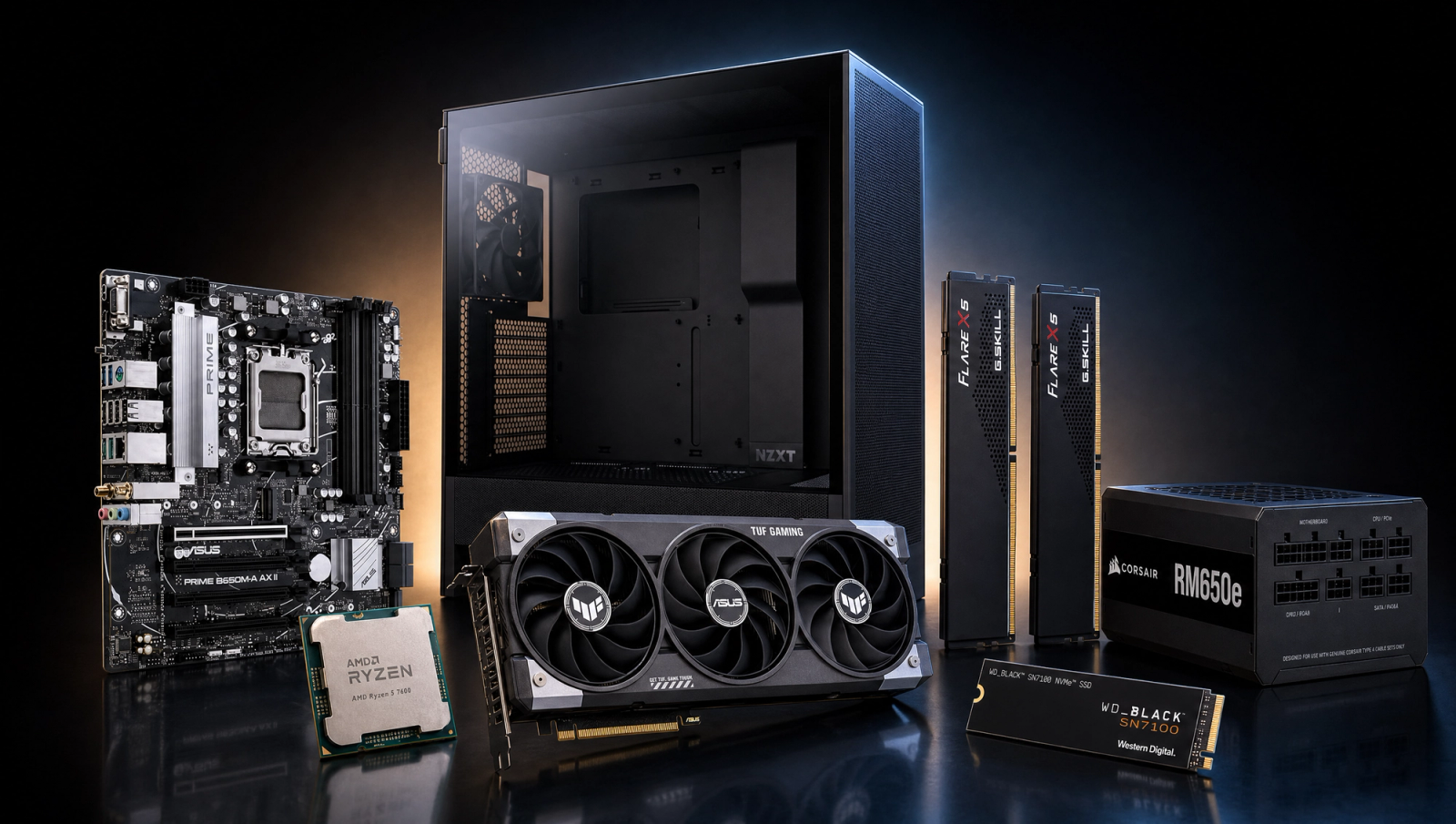
Components
- $99.00
- $300.00
- $100.00
- $50.00
- $70.00
- CoolerStock CoolerIncluded
- $100.00
- $85.00
Who This Build Is For
You play competitive shooters and MOBAs, and you care way more about frametime consistency than ultra textures. This box is built around one job: pin a high-refresh 1080p feed in Valorant, CS2, Apex Legends, Overwatch 2, Fortnite, Rocket League, and the LoL/Dota stack so your aim isn't getting punished by stutter. If you want a dedicated esports rig and don't want to drift into a generic budget gaming PC that compromises on the things that actually matter for ranked play, this is the right tier.
It is not a 4K rig and it isn't trying to be a streaming workstation. The 6-core CPU and 8 GB GPU are deliberate choices. Competitive titles barely touch VRAM and reward single-thread snappiness over raw core count.
Build Overview
At this budget anchor, every part earns its slot. The Ryzen 5 5600 is still the smartest AM4 chip for esports: high clocks, low latency, and the kind of frametime consistency that translates directly to flicks landing. Pair it with the RTX 5060 and you get DLSS 4 plus NVIDIA Reflex on a card that's right-sized for 1080p competitive. We're skipping the marketing-driven upsell to 1440p. At this tier that path quietly hurts your 1% lows.
Key Specs
CPU | AMD Ryzen 5 5600 (6c/12t, AM4, Wraith Stealth included) |
GPU | NVIDIA GeForce RTX 5060 8 GB (DLSS 4, Reflex, PCIe 5.0) |
Motherboard | MSI B550M PRO-VDH WiFi (Micro-ATX, PCIe 4.0, Wi-Fi 6) |
Memory | Corsair Vengeance LPX 16 GB DDR4-3600 CL18 (2x8 GB) |
Storage | WD_Black SN7100 1 TB NVMe Gen4 (up to 7,250 MB/s) |
Power Supply | Corsair RM650e 650 W 80+ Gold ATX 3.1 fully modular |
Case | NZXT H5 Flow (ATX mid-tower, high-airflow mesh front) |
Cooling | AMD Wraith Stealth (included with CPU) |
CPU
AMD Ryzen 5 5600 (6c/12t, AM4, Wraith Stealth included)
GPU
NVIDIA GeForce RTX 5060 8 GB (DLSS 4, Reflex, PCIe 5.0)
Motherboard
MSI B550M PRO-VDH WiFi (Micro-ATX, PCIe 4.0, Wi-Fi 6)
Memory
Corsair Vengeance LPX 16 GB DDR4-3600 CL18 (2x8 GB)
Storage
WD_Black SN7100 1 TB NVMe Gen4 (up to 7,250 MB/s)
Power Supply
Corsair RM650e 650 W 80+ Gold ATX 3.1 fully modular
Case
NZXT H5 Flow (ATX mid-tower, high-airflow mesh front)
Cooling
AMD Wraith Stealth (included with CPU)
The full parts list at a glance. Every line is justified in the breakdown below.
Performance Summary
Expect 240+ FPS in Valorant and CS2, 200+ in Apex and Overwatch 2, and 360+ in Rocket League and League of Legends on competitive settings. Even AAA titles (the ones this build wasn't designed for) clear 60 FPS at 1080p High native, so the esports targets are trivial by comparison.
Performance Expectations
Average FPS on the standard 10-game AAA slate. The esports targets above sit far higher; this table is a sanity check that the build clears 60 FPS even outside its intended use case.
- Cyberpunk 2077100 FPS
- Black Myth: Wukong66 FPS
- Stalker 247 FPS
- Marvel's Spider-Man 264 FPS
- Starfield64 FPS
- Baldur's Gate 356 FPS
- Helldivers 2100 FPS
- Hogwarts Legacy101 FPS
- Call of Duty: Black Ops 668 FPS
This rig was tuned for esports, but the AAA slate below shows the floor. If a 6-core / RTX 5060 combo still pulls 60+ in Cyberpunk and Helldivers 2 at 1080p High native, the high-refresh esports numbers above sit comfortably above that ceiling. Treat the table as a sanity check, not a marketing pitch.
Parts Breakdown
CPU

The Ryzen 5 5600 is the AM4 platform's sharpest budget esports chip. Six cores and twelve threads at high clocks land you in the CPU-bound sweet spot for Valorant, CS2, and Rocket League, where extra cores do nothing but single-thread responsiveness controls your 1% lows. The included Wraith Stealth cooler keeps you at stock thermals without buying anything extra. The trade-off vs. a Ryzen 7 5700X is real but irrelevant here: streamers should size up, ranked players shouldn't pay for cores they won't use.
GPU

The RTX 5060 is the differentiator for an esports box at this price. NVIDIA Reflex is the headline feature, not DLSS: reduced render-queue latency translates to a measurable drop in click-to-photon time in Valorant, Apex, and Overwatch 2. The 8 GB VRAM ceiling is a non-issue for competitive titles, which mostly fit in 4-5 GB at 1080p. The honest trade-off vs. an RX 9060 XT is Reflex itself plus better driver behavior in CS2 and Valorant. If you're aiming purely at competitive titles, NVIDIA wins here.
Motherboard

The MSI B550M PRO-VDH WiFi keeps the AM4 platform clean without paying for X570. You get PCIe 4.0 to the GPU and M.2 slot, integrated Wi-Fi 6, and a VRM that handles the 5600 at stock all day. Micro-ATX is the smart pick at this budget: full-ATX features add cost you won't use, and the M-ATX form factor opens up smaller case options later. Compatibility note: this board is DDR4, which is correct for AM4. Don't cross-shop AM5 DDR5 boards at this price point because the platform tax kills the build.
Memory (RAM)

16 GB of Corsair Vengeance LPX DDR4-3600 CL18 is the sweet spot for Zen 3. The 3600 MT/s speed matches the Ryzen 5 5600's optimal infinity-fabric ratio (FCLK at 1800), so you're not leaving latency on the table. CL18 is fine here. The latency penalty vs. CL16 kits is invisible in esports titles. If you live in Discord plus a browser stack while ranked, 16 GB is enough. Bump to 32 GB only if you're streaming or have OBS open consistently.
Storage

The WD_Black SN7100 1 TB NVMe Gen4 is the upgrade pick at this tier over generic budget SSDs. Up to 7,250 MB/s sequential reads, a DRAM-less but well-cached controller, and WD's reliability track record. One terabyte is the right size: Valorant, CS2, Apex, Fortnite, Warzone, and a couple of AAA titles will sit comfortably with room to spare. The trade-off vs. a generic Gen4 stick is load-time consistency under heavy patching. The SN7100 doesn't fall off a cliff when the cache is saturated.
Power Supply

The Corsair RM650e is the spec upgrade we leaned into with the headroom from this budget tier. 80+ Gold rated, ATX 3.1 spec, fully modular, and 650 W of clean overhead for an RTX 5060 system that pulls maybe 350 W flat out. ATX 3.1 future-proofs you for a GPU upgrade path (the connector and transient response spec both matter for a 5070-class card down the line). The trade-off vs. a stock 550 W bronze unit is real money, but PSU is the wrong place to save. A bad PSU eats the whole build.
Case

The NZXT H5 Flow is the airflow pick at this tier. The mesh front panel keeps GPU temps in check without splurging on a Lian Li, and the layout fits the MSI B550M cleanly with room for cable management behind the tray. Two included fans (front and rear) are enough for the thermal load of a 5600 plus 5060. The trade-off vs. a Phanteks XT Pro is mostly aesthetic. Both move air; the H5 Flow just looks better doing it.
Cooling
The Ryzen 5 5600 ships with the Wraith Stealth, and it's adequate at stock. The chip never breaks 70 C under sustained competitive loads in a well-ventilated case. Spend the air-cooler money on a better SSD or PSU at this budget. If you ever upgrade to a 5700X or 5800X3D, plan to add a tower air cooler at that time.
Why This Build Works
Three principles drove the parts list. First, frametime consistency beats peak FPS for competitive play. The 5600 plus 3600 MT/s RAM combo is tuned for low 1% lows, not chart-topping averages. Second, Reflex is the GPU's most underrated feature. The RTX 5060 gives you a measurable input-latency advantage in the titles you actually play. Third, the headroom over a tighter-budget sibling went where it matters most: a Gold-rated ATX 3.1 PSU and a fast 1 TB Gen4 SSD, not flashier visuals.
Alternative Options
If you want to spend less, the AM4 + RTX 4060 path drops the budget by about a hundred bucks and gives up a bit of headroom and Reflex polish but stays viable for 1080p competitive. If you want to spend more, the natural next step is AM5 with a Ryzen 5 7600 plus the same RTX 5060. You get DDR5, an upgrade path on socket AM5 for several years, and slightly better 1% lows in CPU-bound titles. Not worth it unless your budget jumps closer to a grand.
Build & Setup Tips
Three things to do on first boot. One: enable EXPO/XMP in BIOS so your DDR4-3600 actually runs at 3600 instead of 2666. Two: install NVIDIA Reflex via the GeForce app and turn it on per-game (Valorant, Apex, OW2, and Fortnite all support it). Three: set your monitor's refresh rate in Windows Display Settings AND in NVIDIA Control Panel. Both have to match. Bonus: cap your FPS at 3-5 below your monitor's refresh rate inside each game's settings. This is the single biggest fix for stutter in competitive titles, and almost everyone skips it.
Upgrade Paths
The platform has two natural upgrade vectors. CPU side: a used 5800X3D drops in on the same B550 board and roughly doubles your 1% lows in CPU-bound titles like CS2 multiplayer. GPU side: the ATX 3.1 RM650e supports a future RTX 5070-class card without a PSU swap. RAM side: a second 16 GB kit takes you to 32 GB if you start streaming. Storage side: B550 has a second M.2 slot for a cheap Gen3 NVMe down the line. Don't try to upgrade to AM5 on this board. That's a full platform swap, not an upgrade.
Final Thoughts
This is an esports box, full stop. If your priority is high-refresh 1080p in competitive titles with steady 1% lows and NVIDIA Reflex working in your favor, the parts list above is the right answer at this budget anchor. If your priority is AAA single-player at high settings, look at our 1440p tier instead. Buy parts for the games you actually play, not for the games YouTubers benchmark.
FAQs
Is the RTX 5060 actually enough for competitive 1080p?
Yes, comfortably. Valorant, CS2, Apex, and Overwatch 2 are not GPU-bound at 1080p competitive settings. The 5060 will push 200+ FPS in all of them, often well above 300, leaving headroom for your monitor's refresh rate. The 8 GB VRAM ceiling is a non-issue in these titles because they mostly fit in 4-5 GB at 1080p.
Why a 6-core CPU instead of an 8-core for esports?
Competitive titles are single-thread sensitive, not core-count sensitive. The Ryzen 5 5600's high clocks and low latency win over a slower 8-core chip at the same budget. Move to 8 cores only if you're streaming or content-creating on the same box.
Why DDR4 and not DDR5?
Because this is AM4, and at this budget AM5 + DDR5 forces compromises elsewhere (worse GPU or PSU). DDR4-3600 CL18 on Zen 3 is the optimal pairing. You're not leaving frames on the table for esports titles.
Do I need an aftermarket cooler?
No. The Wraith Stealth that ships with the Ryzen 5 5600 keeps the chip below 70 C in competitive loads inside a high-airflow case like the H5 Flow. Save the cooler budget for a better PSU or SSD.
Can this build handle AAA games at all?
Yes, at 1080p High native. The benchmark table above shows the AAA floor: 60+ FPS in Cyberpunk, Wukong, Spider-Man 2, Starfield, BG3, Helldivers 2, Hogwarts Legacy, and Call of Duty. It's not the build's target, but it isn't a slouch either. For AAA-first buyers though, our 1440p tier is a better fit.
What's the upgrade path from here?
Three vectors. A used Ryzen 7 5800X3D drops onto the same B550 board and roughly doubles 1% lows in CPU-bound titles. The ATX 3.1 RM650e supports a future RTX 5070-class GPU without a PSU swap. And a second M.2 slot on B550 takes a cheap Gen3 NVMe later when you fill the SN7100.
Will this run my LoL/Dota/Rocket League setup well?
Easily. League of Legends, Dota 2, and Rocket League all regularly clear 300-400 FPS on this hardware at high settings. Rocket League in particular benefits from the 5600's frametime consistency: stable 1% lows matter more than peak FPS for aerials and reads.