Best Small Form Factor Gaming PC Under $1500
A compact mini-ITX gaming PC pairing the RTX 5060 Ti 16GB with the Ryzen 5 7600 inside a Lian Li A4-H2O sandwich case, with a 240 AIO and SFX PSU to make full-size performance fit a sub-12L footprint.
$1,500.00(target price)
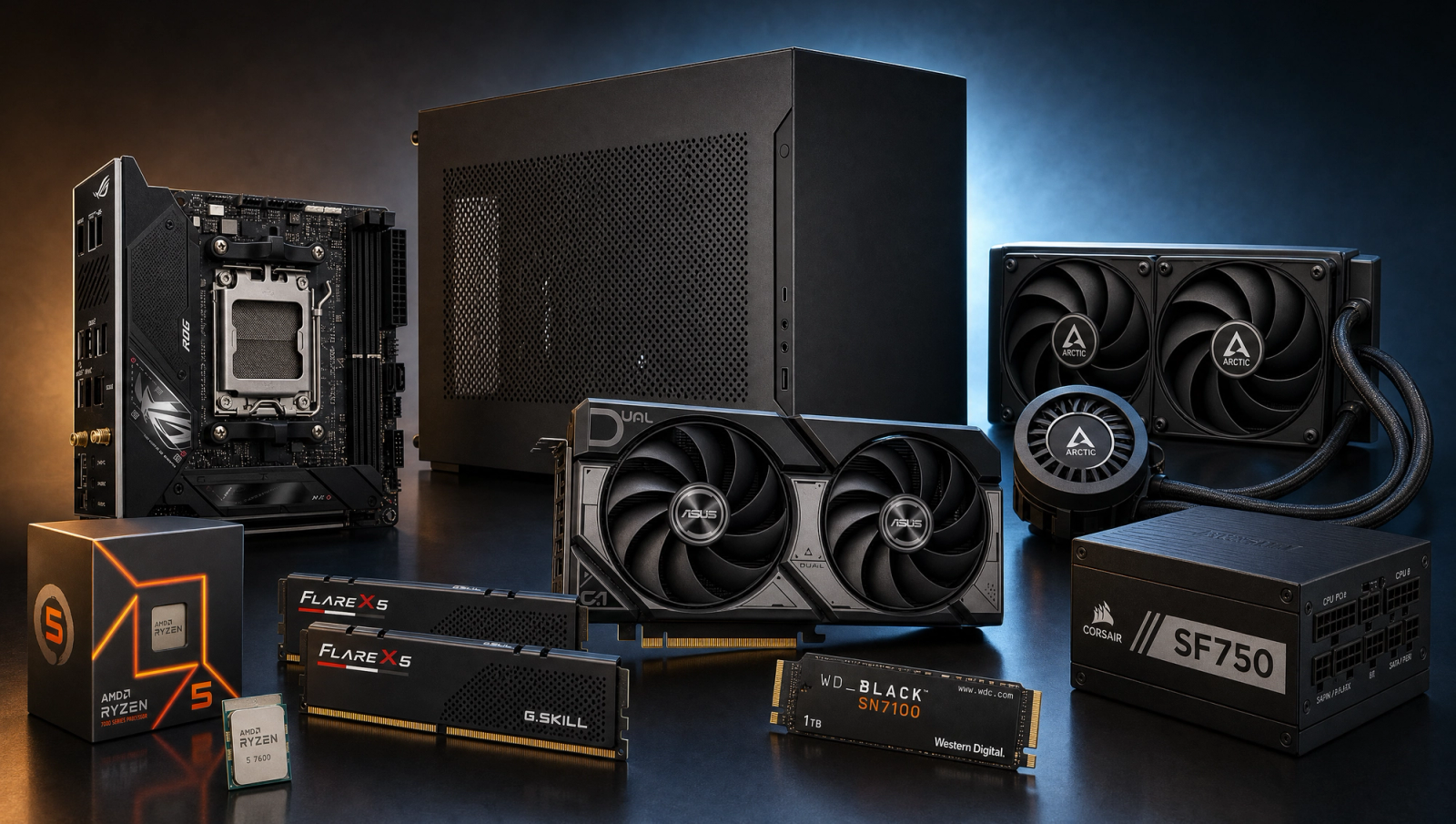
Components
- $180.00
- $499.00
- $329.00
- $110.00
- $70.00
- $100.00
- $189.00
- $130.00
Who This Build Is For
You want a gaming PC that disappears on the desk, not a mid-tower that dominates it. This build is for people who value footprint and portability over upgrade slots: LAN regulars, dorm and small-apartment dwellers, anyone who already has a monitor arm clamped to the desk and refuses to give back the space. The performance target is honest 1080p high-refresh in current AAA games and a solid 1440p high run with the 16GB VRAM headroom for textures.
If you do not actually need a small case, skip this one. The ATX equivalent on the same chip and GPU lands at a lower budget anchor and gives you more expansion slots and cheaper parts across the board. The case, board, and power supply on this build cost more because they are SFF parts, not because they make it faster.
Build Overview
Key Specs
CPU | AMD Ryzen 5 7600 (6c/12t) |
GPU | NVIDIA RTX 5060 Ti 16GB |
Motherboard | ASUS ROG Strix B650E-I Gaming WiFi Mini-ITX |
Memory | 32GB DDR5-6000 CL30 |
Storage | WD_Black SN7100 1TB NVMe Gen4 |
Power Supply | Corsair SF750 80+ Platinum SFX Modular |
Cooler | Arctic Liquid Freezer III Pro 240 AIO |
Case | Lian Li A4-H2O Mini-ITX |
Form Factor | Mini-ITX (sub-12L) |
CPU
AMD Ryzen 5 7600 (6c/12t)
GPU
NVIDIA RTX 5060 Ti 16GB
Motherboard
ASUS ROG Strix B650E-I Gaming WiFi Mini-ITX
Memory
32GB DDR5-6000 CL30
Storage
WD_Black SN7100 1TB NVMe Gen4
Power Supply
Corsair SF750 80+ Platinum SFX Modular
Cooler
Arctic Liquid Freezer III Pro 240 AIO
Case
Lian Li A4-H2O Mini-ITX
Form Factor
Mini-ITX (sub-12L)
Here is the parts list at a glance, with links to current Amazon pricing for each item. Every entry is a real SFF-class part picked to work together inside the Lian Li A4-H2O.
Performance Summary
The Ryzen 5 7600 and RTX 5060 Ti 16GB pairing delivers the same FPS slate as the comparable ATX recipe at this CPU and GPU. You get credible 1080p high-refresh in AAA titles, smooth esports framerates with plenty of headroom, and a usable 1440p High experience where the 16GB frame buffer keeps texture-heavy titles like Hogwarts Legacy, Stalker 2, and Spider-Man 2 from collapsing the way the 8GB sibling does. The 240 AIO and the A4-H2O's airflow geometry keep CPU and GPU thermals in line under sustained load.
Performance Expectations
Average FPS across the standard 10-game slate.
- Cyberpunk 2077116 FPS
- Alan Wake 260 FPS
- Black Myth: Wukong62 FPS
- Stalker 255 FPS
- Marvel's Spider-Man 272 FPS
- Starfield75 FPS
- Baldur's Gate 3100 FPS
- Helldivers 295 FPS
- Hogwarts Legacy95 FPS
- Call of Duty: Black Ops 6145 FPS
Average FPS across ten current AAA titles at 1080p and 1440p High native, no upscaling, on the Ryzen 5 7600 and RTX 5060 Ti 16GB recipe. Numbers are triangulated from reviewer benches and CPU-derated for this chip, so expect plus or minus a few FPS depending on scene and driver.
Parts Breakdown
CPU
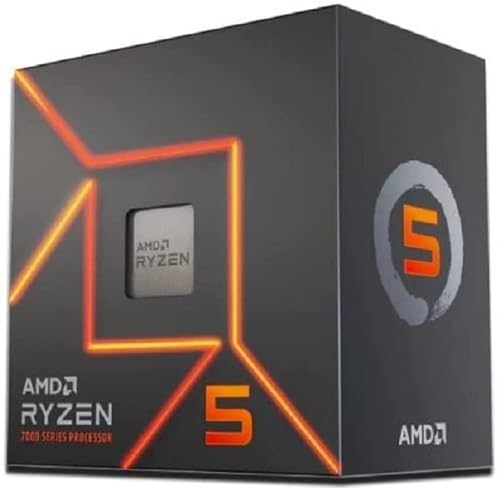
The Ryzen 5 7600 is the right chip for a 5060 Ti class GPU at 1080p and 1440p. Six Zen 4 cores and twelve threads handle current AAA games without bottlenecking the GPU at these resolutions, and the 65W TDP keeps heat output manageable in a sub-12L case. You could spend more on a 7700X for an extra two cores, but at these GPU tiers and resolutions the frame rates barely move, and the extra heat is a real problem in SFF. Save that money for the case and power supply, which actually matter here.
GPU

The RTX 5060 Ti 16GB is the GPU you want for 1440p at this budget. The 16GB version is meaningfully different from the 8GB sibling in three specific games: Hogwarts Legacy at 1440p Ultra holds clean framerates instead of stuttering through Hogsmeade textures; Stalker 2 Epic sustains playable framerates instead of dropping to single digits; Spider-Man 2 Very High keeps texture streaming intact instead of dropping detail. At 1080p the two cards are nearly identical, around 2% apart on average. At 1440p Ultra the gap blows out to roughly 18% on average and much wider on the three titles above. Pick the 16GB version if you ever plan to push past 1080p, and confirm the model you pick fits inside the A4-H2O's three-slot GPU mount.
Motherboard

The ASUS ROG Strix B650E-I Gaming WiFi is a Mini-ITX board, which is the only form factor that fits the A4-H2O. It has the AM5 socket, PCIe 5.0 x16 for the GPU, two DDR5 DIMM slots, two M.2 slots for storage, built-in Wi-Fi 6E, and 2.5GbE on the back panel. Mini-ITX boards always cost more than mATX or ATX boards with comparable feature sets, and that is part of the SFF premium for this build. The good news is the B650E-I gives up nothing that matters: the single PCIe x16 slot is what the GPU uses, the two RAM slots run a dual-channel kit at full speed, and you are not losing storage capacity. If you want to step down in price, the MSI B650I Edge is a cheaper Mini-ITX option, but the Strix has better VRMs and the AM5 power phases you want for long-term headroom.
Memory (RAM)

The G.Skill Flare X5 32GB DDR5-6000 CL30 is the AM5 sweet spot. DDR5-6000 with CL30 timings is the speed that AMD Zen 4 and Zen 5 chips run their memory controllers at 1:1 mode, which is the fastest configuration before latency penalties kick in. 32GB is the right capacity for current games plus a browser and Discord open without paging, and it leaves room for streaming without choking. 16GB would save a few dollars but you will regret it in two years when AAA game memory budgets keep climbing. The B650E-I has two slots, so 32GB means two 16GB sticks running dual-channel out of the gate.
Storage

The WD_Black SN7100 1TB NVMe Gen4 is fast, runs cool without a heatsink, and fits cleanly in the Mini-ITX board's primary M.2 slot. Gen4 speeds are the right tier for this budget, with DirectStorage support for current and upcoming games that use it. 1TB is honest starter capacity for one big game library plus the operating system, and if you outgrow it the B650E-I has a second M.2 slot underneath the board for expansion. The SN7100 runs cool enough that the board's stock M.2 cooler is fine, which matters in SFF where every degree of thermal budget counts.
Power Supply

The Corsair SF750 80+ Platinum SFX Modular is the gold standard SFX unit for SFF builds, and the A4-H2O requires an SFX power supply, not ATX. Do not try to cram an ATX PSU in here, it will not fit cleanly and you will lose airflow to the GPU side of the sandwich. 750W is more capacity than this build needs at the wall (it pulls under 450W under load), but the headroom buys quiet operation under heavy GPU loads and gives you room to step up to a higher-end GPU later. The 80+ Platinum efficiency matters more in SFF than in ATX because every watt of conversion loss becomes heat trapped in a small case. ATX 3.1 compliance means the 12V-2x6 connector is native, so the 5060 Ti's power plug seats cleanly without an adapter.
Case
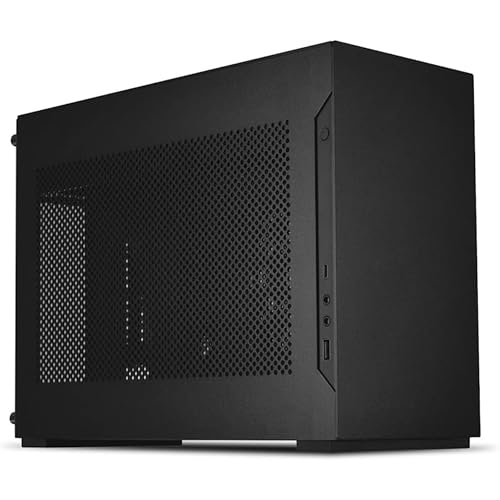
The Lian Li A4-H2O is the SFF case in this category. Sub-12L volume, sandwich layout with the GPU on one side and the board and PSU on the other, full triple-slot GPU clearance, and a side bracket that mounts a 240mm AIO radiator with the fans pulling air through the radiator and out of the chassis. The build experience is fiddlier than a mid-tower, plan on cable management taking longer than you expect. The trade-off is a finished build that takes up the desk footprint of a small bookshelf speaker. If you want easier assembly with similar SFF credentials, the NZXT H1 v2 or the Cooler Master NR200P MAX are alternatives, but the A4-H2O is the case people actually point to when they say SFF.
Cooling

The Arctic Liquid Freezer III Pro 240 is the cooling solution that makes this build work thermally. The 7600 is a 65W chip and would survive on a basic air cooler in an ATX case, but the A4-H2O has limited passive airflow and the GPU dumps a lot of heat into the same chassis volume. A 240 AIO mounted in the case's radiator bracket pulls CPU heat out of the chassis directly, which keeps the rest of the build cooler too. The Arctic Liquid Freezer III is the value pick at this radiator size, with the Pro variant adding a VRM fan that helps the Mini-ITX board's power stages stay cool under load. Air coolers will not give you the same thermal result in this case, even on a 65W chip. AIO is not optional here.
Why This Build Works
The story is form factor first, performance second. The Ryzen 5 7600 and RTX 5060 Ti 16GB combo gives you the same gaming experience as the equivalent ATX build at a lower budget anchor, but you are paying a premium for the Mini-ITX board, the SFX power supply, and the A4-H2O case. The premium is real and worth being honest about, and none of it translates to higher frame rates. What you get back is a PC that fits on a tiny desk, travels well to LANs and friends' apartments, and looks finished rather than dominating the room.
The parts list is built around a single constraint: SFF compatibility. Every piece has to fit the A4-H2O's volume, mounting points, and airflow assumptions. The B650E-I is Mini-ITX because the case is Mini-ITX. The SF750 is SFX because the case is SFX. The 240 AIO is the largest radiator the case can mount and the only cooling solution that gets heat out of the chassis cleanly. Compromise on any of these and the build either does not fit or runs too hot.
Alternative Options
If you do not actually need SFF, the ATX equivalent at a lower budget anchor uses the same Ryzen 5 7600 and RTX 5060 Ti 16GB in an NZXT H5 Flow with a basic air cooler and an ATX power supply. You get the same FPS, more expansion room, easier assembly, and meaningful savings back in your budget. That is the right call for anyone who has the desk space.
If you want SFF but a more forgiving build experience, the Cooler Master NR200P MAX comes with a 280 AIO and SFX PSU pre-installed and gives you a little more interior volume. You lose the iconic A4 silhouette and gain a few liters of bulk, but assembly is friendlier and thermals improve.
If you want to push SFF performance higher within the same chassis, the A4-H2O fits a 5070 Ti class GPU with the same SF750 power budget. That moves you into a different price tier, but the case does not become the bottleneck.
Build & Setup Tips
Plan the build order before you start. In a sandwich-layout SFF case, the order of operations matters a lot more than in an ATX tower. Seat the board with CPU, RAM, and M.2 installed before it goes into the chassis. Connect the front-panel headers and power cables before mounting the GPU on the riser. Cable-manage between assembly steps, not at the end. The A4-H2O has minimal slack volume for cables, so route them as you go.
Mount the AIO radiator in the side bracket with the fans configured to exhaust through the radiator and out of the case. This pulls fresh air across the GPU side and dumps the warm air outward, which keeps both components cooler than the inverse direction.
Update the motherboard BIOS before installing the operating system. AM5 boards ship with older firmware that may not properly support newer Ryzen 7000 series stepping, and the B650E-I has BIOS Flashback so you can update without a CPU installed if needed.
Enable EXPO in BIOS for the DDR5-6000 kit. The default JEDEC profile runs the memory at DDR5-4800, which costs noticeable performance in CPU-bound titles like Baldur's Gate 3 Act 3 and Helldivers 2.
Upgrade Paths
The A4-H2O can host a larger GPU within the triple-slot clearance, so a future upgrade to an RTX 5070 Ti or RTX 5080 stays within the case envelope. The SF750 has enough headroom to support that step without a PSU swap.
CPU upgrades stay on AM5 through at least the 9000 series. A drop-in to a Ryzen 7 9700X or 7800X3D is a real future option if a more demanding GPU starts to bottleneck on the 7600. Watch the heat budget, X-series chips push CPU thermals up and SFF tolerates that less gracefully than a mid-tower.
Storage scales via the second M.2 slot. Add a second NVMe drive when 1TB stops being enough, no need to swap the primary.
Memory cannot scale beyond 64GB on a two-DIMM Mini-ITX board, but 64GB is so far beyond gaming needs that this is not a practical limit.
Final Thoughts
This is a deliberate SFF build at the rounded budget anchor for the slug. You are paying for the form factor, not for extra performance. If your priority is desk footprint, portability to LANs, or a finished-looking PC that does not dominate the room, this is the right shape. If you do not care about size, the ATX equivalent at a lower anchor gives you the same gaming experience for less money. Both are honest answers, the question is just which constraint matters more to you.
FAQs
Why does this SFF build cost more than the ATX version at the same chip and GPU?
Three parts cost more: the Mini-ITX motherboard, the SFX power supply, and the small case. Mini-ITX boards always carry a premium over mATX and ATX boards with comparable features because the engineering and component density is higher in a smaller footprint. SFX power supplies cost more than ATX units at the same wattage for the same reason. And the A4-H2O is a premium SFF case. The total premium for this build over the ATX equivalent is meaningful, and none of it translates to higher frame rates. You are paying for the form factor.
Do I really need an AIO if the Ryzen 5 7600 is only 65W?
In an ATX case, no. A basic tower air cooler handles a 7600 fine. In the A4-H2O, yes. The case has limited passive airflow and shares chassis volume with a GPU that dumps a lot of heat into the same space. A 240 AIO mounted in the side bracket pulls CPU heat outside the chassis directly, which keeps the GPU side cooler too. Air coolers in SFF either do not fit at all or recirculate hot air, and the thermal result is noticeably worse. AIO is part of the SFF design, not an optional upgrade.
Can I use a regular ATX power supply in the Lian Li A4-H2O?
No. The A4-H2O requires SFX (or SFX-L with some clearance work). ATX power supplies are physically too large for the bracket and would block the airflow path on the GPU side of the sandwich. The Corsair SF750 is the right pick: SFX form factor, fully modular for cable management in the tight chassis, 80+ Platinum efficiency, and enough wattage headroom to support a GPU upgrade later.
Why the 16GB version of the RTX 5060 Ti instead of the cheaper 8GB?
At 1080p the two cards are nearly identical, around 2% apart. At 1440p Ultra the gap widens to roughly 18% on average, and in three specific games (Hogwarts Legacy, Stalker 2, Spider-Man 2 Very High) the 8GB card collapses with stuttering and texture drops while the 16GB version holds clean framerates. If you ever plan to use 1440p, which is a realistic resolution at this GPU tier, the 16GB version is the right pick. The cost difference is small relative to the rest of the build.
How small is this case in practice?
Sub-12L volume. To picture it, that is about the footprint of a small bookshelf speaker and roughly half the height of a 4-slice toaster. It fits next to a monitor without dominating the desk and is light enough to carry to a friend's place in a backpack. The trade-off versus a mid-tower is assembly complexity and limited internal space, not external visual impact.
Is the build hard to assemble for a first-timer?
Harder than ATX, yes, but not impossible. Sandwich-layout SFF cases require you to plan the build order in advance: install CPU, RAM, and M.2 on the board before the board goes into the chassis, route cables as you go, and connect GPU riser and front panel before the case is fully closed. Watch a current A4-H2O build video before starting and budget two to three hours rather than one. If you have built ATX before, the skill transfers directly with extra patience.
What can I upgrade later without buying a new case?
GPU goes up to the case's triple-slot, 322mm clearance, which covers most current RTX 5070 Ti and RTX 5080 partner cards. CPU stays on AM5 through at least the 9000 series, so a future drop-in to a 7800X3D or 9700X is a real option. Storage scales via the second M.2 slot on the board. The PSU at 750W has headroom for the GPU step up. The constraints you cannot grow past are RAM capacity (two DIMM slots, so 64GB ceiling) and case volume itself.