Affiliate Disclosure: As an Amazon Associate we earn from qualifying purchases. Some links may earn us a commission at no cost to you.
Best $1000 Gaming PC
The most affordable way into 1440p-capable gaming, on the Radeon RX 9060 XT 16GB and Ryzen 5 9600X, around $1300 in the current market.
$1,000.00(target price)
Components
| Component | Part Name | Price | Buy |
|---|---|---|---|
| GPU | $519.99 | Buy on Amazon | |
| CPU | $173.95$279.00 | Buy on Amazon | |
| Mobo | $99.99 | Check Price on Amazon | |
| RAM | $299.99 | Buy on Amazon | |
| SSD | $199.99 | Buy on Amazon | |
| Cooler | Stock Cooler | Included | |
| PSU | $89.99$114.99 | Buy on Amazon | |
| Case | $79.99 | Buy on Amazon |
Who This Build Is For
This is the entry point to real 1440p-capable gaming. Before the parts, the honest context: a memory shortage has pushed RAM and SSD prices up, so the machine that used to sit near a thousand dollars now lands closer to thirteen hundred. This build is chosen to spend as little as possible while still clearing that bar, so you get a genuine 1440p-ready system rather than a stripped one.
It fits the first-time builder or the player upgrading from an older or integrated-graphics machine who wants one system that handles today's games at 1080p with room to step up to 1440p. The Radeon RX 9060 XT 16GB is the key: its full memory buffer is what lets a card at this price hold up at the higher resolution instead of falling apart.
Build Overview
Key Specs
CPU | AMD Ryzen 5 9600X (6c/12t, Zen 5) |
GPU | Radeon RX 9060 XT 16GB |
Memory | 16GB DDR5-6000 CL36 |
Storage | WD Black SN7100 1TB NVMe Gen4 |
Motherboard | ASRock B650M-HDV/M.2 (AM5) |
Power Supply | Corsair RM750e 750W 80+ Gold |
Case | Montech AIR 903 MAX |
Cooling | Included stock cooler |
CPU
AMD Ryzen 5 9600X (6c/12t, Zen 5)
GPU
Radeon RX 9060 XT 16GB
Memory
16GB DDR5-6000 CL36
Storage
WD Black SN7100 1TB NVMe Gen4
Motherboard
ASRock B650M-HDV/M.2 (AM5)
Power Supply
Corsair RM750e 750W 80+ Gold
Case
Montech AIR 903 MAX
Cooling
Included stock cooler
Here are the parts that make up this build, with links to current pricing on Amazon for each one.
Performance Summary
At 1080p this system runs current games at high settings with a comfortable buffer above 60 frames and pushes far higher in competitive titles. Step up to 1440p and it still holds a playable 60-plus in most demanding releases, which is exactly what the 16GB of video memory buys you at this price. It is the least you can spend and still call it a 1440p-capable machine.
Performance Expectations
Average FPS across the standard slate, native (no upscaling).
- Cyberpunk 2077111 FPS
- Alan Wake 281 FPS
- Black Myth: Wukong71 FPS
- Stalker 261 FPS
- Marvel's Spider-Man 2100 FPS
- Starfield72 FPS
- Baldur's Gate 3115 FPS
- Hogwarts Legacy79 FPS
- Call of Duty: Black Ops 6130 FPS
Average FPS across the standard slate at the presets listed, native, with no upscaling applied. Numbers are read from reviewer charts for the Radeon RX 9060 XT 16GB and adjusted for the Ryzen 5 9600X in the few titles where the processor sets the ceiling.
Parts Breakdown
CPU

The Ryzen 5 9600X is a six-core, twelve-thread Zen 5 chip that comfortably feeds this graphics card at both resolutions. It also ships with a stock cooler, which keeps this budget where it belongs. The alternative is a cheaper prior-generation chip, but it would give up the platform's upgrade path, and the small saving is not worth that here. It drops into the AM5 board with no fuss.
GPU

The RX 9060 XT 16GB earns its place with memory. It trades blows with the RTX 5060 Ti in raster games, and its 16GB buffer is what separates it from cheaper 8GB cards that stutter the moment you raise resolution or textures. The trade-off is ray tracing, where the equivalent NVIDIA card pulls ahead, so weigh that if path tracing matters to you. For raster performance and real VRAM at this price, nothing beats it.
Motherboard

The ASRock B650M-HDV/M.2 covers exactly what this build needs on a current AM5 socket: DDR5 and a Gen4 M.2 slot. It keeps cost down while leaving the processor and memory a clear path to upgrade later. A larger board adds slots you would not use at this tier, so the money is better spent on the graphics card.
Memory (RAM)

This build runs 16GB of Corsair Vengeance DDR5-6000 at the speed AMD's platform prefers. Sixteen gigabytes is the practical floor for modern gaming and enough for play alongside a browser. In the current market it is one of the pricier parts here, which is why the capacity is kept sensible; the board's open slots make a later jump to 32GB easy when you need it.
Storage
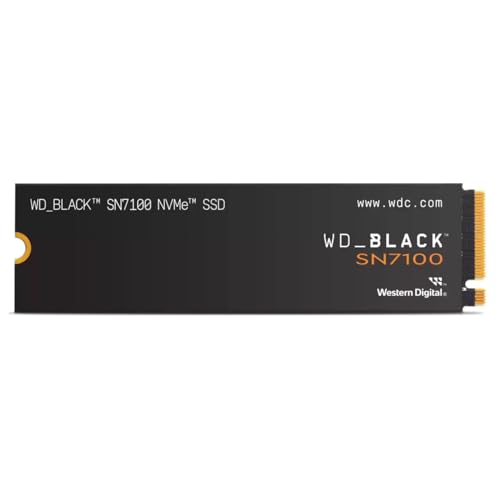
The WD Black SN7100 1TB is a fast, efficient Gen4 drive that holds a working set of current games and installs straight into the board's M.2 slot. One terabyte is the sensible capacity for a build at this price, and adding a second drive later is cheaper than buying more up front while storage prices are elevated.
Power Supply

The Corsair RM750e is a 750-watt, 80 Plus Gold, fully modular unit, which is generous for this low-draw card on purpose. It means a future graphics-card upgrade will not force a second power-supply purchase. A smaller unit would run this build, but the headroom here is cheap and keeps the system quiet.
Case

The Montech AIR 903 MAX ships with a full set of fans and a mesh front, so it cools the card well without extra spending. It fits the board with room to spare and takes a full-length graphics card, which matters for later upgrades. Few cases include this many fans for the price.
Cooling
The Ryzen 5 9600X includes a stock cooler that keeps it at its rated clocks during gaming, so there is nothing extra to buy. That saved cost goes into the graphics card, which is where it belongs at this budget. A low-cost air cooler is an easy addition later if you move to a hotter chip.
Why This Build Works
Every dollar is defended against the current market. The graphics card is chosen for its memory, so it holds up at 1440p where cheaper cards cannot; the processor is strong enough that it will never bottleneck this card or the next one; and the power supply and case make future upgrades a simple swap. The memory and storage are sized to the market rather than padded, which is how the total stays as low as it honestly can.
The result is the cheapest honest path to a 1440p-capable machine, with a clear road forward. It is not the thousand-dollar build of a few years ago, because that machine no longer exists, but it is the least you can spend to get there today.
Alternative Options
If you only ever play at 1080p and never plan to touch 1440p, a cheaper card frees budget for a faster monitor. If you can add a little, a step up to a stronger card widens the 1440p margin. And if ray tracing is central to how you play, a comparable RTX card trades some raster value for stronger RT, though it costs more for the same class. Within this build, the graphics card is the first upgrade to plan for.
Build & Setup Tips
Enable the memory's EXPO profile in the BIOS so it runs at its rated DDR5-6000 speed. Update the motherboard BIOS before installing Windows so the board fully recognizes the Zen 5 chip. Install the drive in the Gen4 M.2 slot nearest the socket for full speed. Install the current Adrenalin graphics driver before benchmarking, and plug the case fans into the board headers so they ramp with temperature.
Upgrade Paths
The graphics card is the upgrade that changes this machine the most, and the 750-watt supply and full-size case are already sized for a much larger one. Memory is next, doubling to 32GB in the open slots. Storage grows by adding a second M.2 drive rather than replacing the first. The processor has room to climb within AM5, so an eight-core chip is a later option without a new board.
Final Thoughts
This is the most affordable honest way to build a 1440p-capable gaming PC right now. The 16GB graphics card holds up at the higher resolution, the six-core processor guarantees the system will not feel slow for years, and the power supply and case make every future upgrade easy. It costs more than an entry build used to, because the memory market demands it, but it spends every dollar where it counts.
FAQs
Why does this cost more than $1000?
A shortage in the memory market has pushed RAM and SSD prices up, so the cheapest 1440p-capable build now lands closer to thirteen hundred dollars. This build spends as little as possible while still clearing that bar, but a true thousand-dollar 1440p-ready machine is not achievable in the current market.
Can this really handle 1440p?
Yes, in most games. The RX 9060 XT holds a playable 60-plus at 1440p in demanding titles thanks to its 16GB of memory, and it runs high-refresh at 1080p. It is the entry point to 1440p, not a maxed-out 1440p machine, so the heaviest games may want a setting or two lowered.
Why 16GB of memory on the graphics card matters here?
The 16GB buffer is what lets a card at this price hold up at 1440p and with high textures. Cheaper 8GB cards stutter the moment you raise resolution or texture settings, so the memory is the reason this build is 1440p-capable rather than 1080p-only.
Do I need a separate CPU cooler?
No. The Ryzen 5 9600X includes a stock cooler that keeps it at its rated clocks during gaming. A separate cooler is only worth adding later if you move to a hotter chip or want lower noise.
What should I upgrade first?
The graphics card. The power supply and case are already sized for a much larger card, so a GPU upgrade is a simple swap. After that, doubling the memory to 32GB and adding storage are the next easy steps.