Affiliate Disclosure: As an Amazon Associate we earn from qualifying purchases. Some links may earn us a commission at no cost to you.
Best $1200 Gaming PC
A high-refresh 1080p and entry-1440p gaming PC on the Radeon RX 9060 XT 16GB and Ryzen 5 9600X, around $1300 in the current market.
$1,200.00(target price)
Components
| Component | Part Name | Price | Buy |
|---|---|---|---|
| GPU | $429.99 | Check Price on Amazon | |
| CPU | $174.00$279.00 | Buy on Amazon | |
| Mobo | $153.25 | Buy on Amazon | |
| RAM | $282.99 | Check Price on Amazon | |
| SSD | $195.85 | Buy on Amazon | |
| Cooler | Stock Cooler | Included | |
| PSU | $89.99$114.99 | Buy on Amazon | |
| Case | $79.99 | Buy on Amazon |
Who This Build Is For
This build targets the competitive player who wants high frame rates on a fast 1080p monitor, with the headroom to move up to 1440p when a game is worth it. One note on price up front: the current memory shortage has raised RAM and SSD costs, so a build aimed at this tier now lands near thirteen hundred dollars. What that money buys is a machine tuned to push frames.
It suits shooters, MOBAs, and battle-royale players chasing a 144Hz or faster panel, as well as anyone who splits time between fast competitive titles and heavier single-player games. The Radeon RX 9060 XT 16GB and Ryzen 5 9600X pairing delivers the high refresh rates competitive play rewards while keeping enough memory to hold up when you switch to a demanding release at 1440p.
Build Overview
Key Specs
CPU | AMD Ryzen 5 9600X (6c/12t, Zen 5) |
GPU | Radeon RX 9060 XT 16GB |
Memory | 16GB DDR5-6000 CL36 |
Storage | WD Black SN7100 1TB NVMe Gen4 |
Motherboard | ASRock B650M-HDV/M.2 (AM5) |
Power Supply | Corsair RM750e 750W 80+ Gold |
Case | Montech AIR 903 MAX |
Cooling | Included stock cooler |
CPU
AMD Ryzen 5 9600X (6c/12t, Zen 5)
GPU
Radeon RX 9060 XT 16GB
Memory
16GB DDR5-6000 CL36
Storage
WD Black SN7100 1TB NVMe Gen4
Motherboard
ASRock B650M-HDV/M.2 (AM5)
Power Supply
Corsair RM750e 750W 80+ Gold
Case
Montech AIR 903 MAX
Cooling
Included stock cooler
Here are the parts that make up this build, with links to current pricing on Amazon for each one.
Performance Summary
In competitive titles this machine pushes well past the refresh rate of a typical fast monitor at 1080p, which is exactly where high-refresh play pays off. In current single-player games it clears high settings comfortably at 1080p and holds a smooth 60-plus at 1440p when you want the sharper image. The six-core processor keeps frame pacing tight in the fast games where consistency matters as much as the average.
Performance Expectations
Average FPS across the standard slate, native (no upscaling).
- Cyberpunk 2077111 FPS
- Alan Wake 281 FPS
- Black Myth: Wukong71 FPS
- Stalker 261 FPS
- Marvel's Spider-Man 2100 FPS
- Starfield72 FPS
- Baldur's Gate 3115 FPS
- Hogwarts Legacy79 FPS
- Call of Duty: Black Ops 6130 FPS
Average FPS across the standard slate at the presets listed, native, with no upscaling applied. Numbers are read from reviewer charts for the Radeon RX 9060 XT 16GB and adjusted for the Ryzen 5 9600X in the titles where the processor sets the ceiling. Competitive esports titles run far above these figures.
Parts Breakdown
CPU

The Ryzen 5 9600X is a strong pick for high-refresh play, since competitive titles lean on the processor and its Zen 5 cores keep minimum frame rates high where it counts. It runs on the included stock cooler and drives this card without holding it back. A cheaper chip would trim the total, but in the fast games this build is aimed at, the tighter frame pacing of this processor is worth keeping.
GPU

The RX 9060 XT 16GB pushes high frame rates at 1080p and carries the memory to stay smooth when you switch to 1440p or crank textures. It matches or beats the RTX 5060 Ti in raster, which is the workload competitive titles live in. If your library leans heavily on ray tracing rather than fast raster games, a comparable NVIDIA card is the alternative to weigh; for high-refresh raster performance, this card is the value pick.
Motherboard

The ASRock B650M-HDV/M.2 provides a current AM5 socket, DDR5, and a Gen4 M.2 slot, which is all this build needs. It keeps spending on the board low so more of the budget goes to frame rates, and it leaves the processor and memory a clear upgrade path. A wider board adds connectivity that does not change performance here.
Memory (RAM)

This build runs 16GB of Corsair Vengeance DDR5-6000 at the low latency AMD's platform favors, which helps in the CPU-bound competitive titles where memory speed shows up. Sixteen gigabytes covers gaming today; if you also stream, a 32GB kit in the board's open slots is the step up. DDR5-6000 is the platform sweet spot, so faster kits are not worth the premium.
Storage
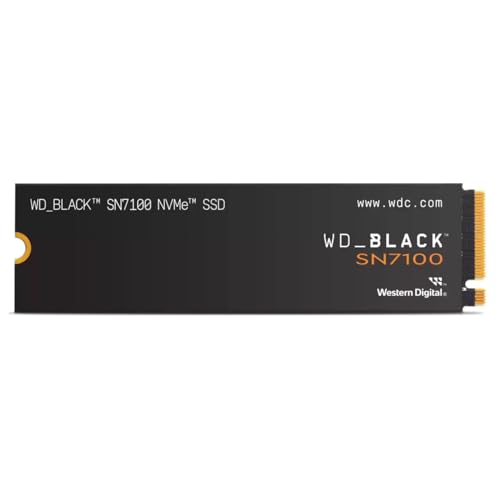
The WD Black SN7100 1TB is a fast Gen4 drive with room for a rotation of current games, installed directly in the board's M.2 slot. One terabyte suits this tier, and a second drive is an easy, cheap addition later while storage prices stay high. It keeps load times short so you spend less time on menus and more in the match.
Power Supply

The Corsair RM750e is a 750-watt, 80 Plus Gold, fully modular unit with generous headroom for this card. That headroom is deliberate: it means a future graphics-card upgrade will not also mean a new power supply. It runs quiet under the sustained loads that high-refresh gaming produces.
Case

The Montech AIR 903 MAX has a mesh front and a full set of fans, so it keeps the card cool during long sessions without buying extras. Good airflow matters more than it looks when you are running high frame rates for hours. It fits the board and a full-length card with room to work.
Cooling
The Ryzen 5 9600X includes a stock cooler that holds its rated clocks during gaming, so there is no separate cooler to buy for this build. That keeps the budget on the parts that drive frame rates. If you later move to a hotter chip or want quieter operation under load, a low-cost air cooler is the upgrade to make.
Why This Build Works
The build is tuned around frame rates. The processor keeps minimums high in the fast titles competitive players care about, the graphics card pushes high refresh at 1080p with the memory to hold 1440p, and the supporting parts are chosen to keep the system quiet and upgrade-ready rather than to chase a spec that does not show up on screen. Nothing here holds back the frame rate you actually feel in a match.
That focus is the point. A build at this tier should buy responsiveness, not a bigger number on a box, and this one spends accordingly.
Alternative Options
If you play almost exclusively fast esports titles at 1080p, a cheaper card still pushes very high frame rates and frees budget for a faster monitor. If you lean toward heavier single-player games at 1440p, a stronger card widens that margin. And if ray tracing is central to your library, a comparable RTX card trades some raster value for stronger RT. The graphics card is the upgrade to plan for first.
Build & Setup Tips
Enable the memory's EXPO profile in the BIOS so it runs at DDR5-6000, which helps in CPU-bound competitive titles. Update the motherboard BIOS before installing Windows. In fast games, cap your frame rate a few frames below your monitor's refresh with the driver's limiter to keep latency low and frame pacing even. Install the current Adrenalin driver before playing, and set the case fans to a temperature curve for quiet long sessions.
Upgrade Paths
The graphics card is the biggest lever later, and the 750-watt supply and full-size case are already sized for a much larger one. Memory is next, moving to 32GB in the open slots if you start streaming. Storage grows by adding a second M.2 drive. The processor has room to climb within AM5 if a future title leans harder on cores, all without a new board.
Final Thoughts
This is a machine built to push frames. It runs high-refresh at 1080p in the competitive titles that reward it, holds up at 1440p when you want the sharper picture, and keeps a clear upgrade path open. It costs more than a build at this tier used to, because the memory market demands it, but every dollar goes toward responsiveness you can feel.
FAQs
Is this build good for competitive high-refresh gaming?
Yes. It pushes frame rates well past a typical fast 1080p monitor's refresh in competitive titles, and the six-core processor keeps minimums high and frame pacing tight, which is what you feel in fast games. Esports titles in particular run far above the demanding single-player figures.
Can it also handle 1440p?
Yes, when you want the sharper image. The RX 9060 XT holds a smooth 60-plus at 1440p in most demanding single-player games thanks to its 16GB of memory. It is tuned for high-refresh 1080p first, with 1440p as a comfortable option.
Why does this cost around $1300?
A memory shortage has raised RAM and SSD prices, so a build aimed at this tier now lands near thirteen hundred dollars. The parts are chosen to spend that money on frame rates rather than padding, so the responsiveness is where it should be.
Do I need to add a CPU cooler?
No. The Ryzen 5 9600X includes a stock cooler that holds its rated clocks during gaming. A separate cooler is only worth adding later if you move to a hotter chip or want quieter operation under sustained loads.
Should I cap my frame rate?
In fast competitive games, capping a few frames below your monitor's refresh with the driver's frame limiter keeps latency low and frame pacing even. It is a free setting change that often feels smoother than running uncapped.