Monitor Deals: Gaming Display Price Drops
Updated 32 minutes ago
Affiliate Disclosure: As an Amazon Associate we earn from qualifying purchases. Some links may earn us a commission at no cost to you.
Monitors have the most theatrical pricing in PC hardware: permanent sales against list prices nobody ever paid, anchored to numbers that exist only to be crossed out. This page tracks live gaming monitor deals across 1440p high-refresh panels, 4K displays, ultrawides, and OLEDs, scoring every listing against its own 30-day price history so the discount you see reflects real movement, not a padded anchor.
QD-OLED prices have fallen steadily since the panels went mainstream, and 2026 has continued the slide. Catching a dip at the right moment is worth well over a hundred dollars on a single display, which makes timing as important as picking the right spec. The monitor deals below refresh throughout the day and rank by actual savings, so the listings at the top are the ones genuinely worth your attention.
Monitor pricing has more headroom for real discounts than any other PC category — panels are refreshed annually, and last year's excellent panel routinely sells 30–40% below launch once its successor ships. The catch is telling those genuine clearances from perpetual "sale" pricing, which is what per-model 30-day history is for.
This page tracks 1440p high-refresh, 4K, and QD-OLED gaming panels daily; for how event pricing compares, see our Prime Day monitor coverage.
Price check: Monitor Deals
- Tracking 8 live deals in this category right now.
- Best current deal: 32% off versus list price.
- Typical 30-day price swing on tracked items: $9.95–$183.15 (7 items with price history).


$104 below 30-day avg

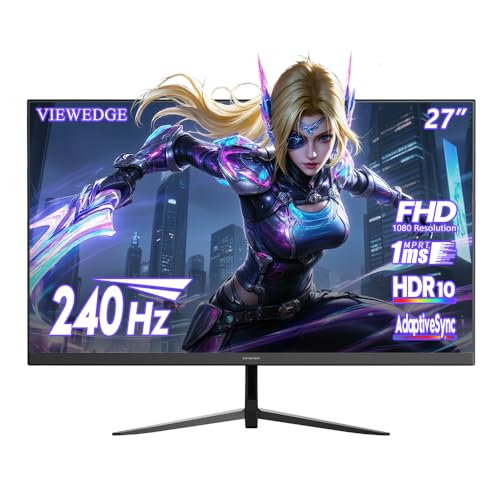


Filter
Brand
Price range
Buying advice
Matching the panel to your PC (and your desk)
- Buy the resolution your GPU can drive. 1440p/144Hz+ is the sweet spot for most gaming PCs; 4K high-refresh only makes sense with a top-tier graphics card behind it.
- OLED deals are the ones to watch in 2026: QD-OLED prices have fallen fast, and a history-verified OLED drop often lands near premium-IPS money — for dramatically better contrast and motion.
- For competitive play, refresh rate and response time beat resolution. A fast 1440p panel serves esports better than a slower 4K one.
- Check the stand and ports, not just the panel: height adjustment, DisplayPort version for high-refresh, and USB-C with power delivery if you also dock a laptop.
- Ignore HDR badges below HDR600 on LCDs — entry HDR modes are marketing. OLED HDR is the real exception.
When to wait
Monitor generations turn over annually, so the outgoing model of a well-reviewed panel is reliably the category's best value. If a panel you want just got refreshed, watch this page — its clearance dip is usually close.
Monitor deal FAQs
Is a 1440p or 4K monitor better for gaming?
For most builds, 1440p at 144Hz or higher is the better experience — you get high frame rates without needing a flagship GPU. Choose 4K only if your graphics card is top-tier or your use is split between gaming and detail-heavy work.
Are OLED gaming monitors worth it now?
Increasingly, yes. QD-OLED pricing has dropped to where verified deals land near high-end LCD money, and the contrast and motion clarity advantages are large. Burn-in risk on current panels is managed well by built-in care features for typical mixed use.
What refresh rate should I buy?
144Hz is the floor for a gaming monitor in 2026; the jump from 60Hz is transformative. Beyond 240Hz, gains are real but subtle and mostly matter for competitive shooters.
Why do monitor discounts look bigger than other categories?
Annual panel refreshes mean genuine clearance is common — but so is fake list-price discounting. Every deal here is scored against the specific model's own 30-day selling range, so the percentage you see reflects a real drop.
Does HDR matter on a gaming monitor?
On OLED, yes — it's excellent. On LCDs, only from HDR600 with local dimming upward; the HDR400 badge on budget panels adds nothing you'll notice. Prioritize panel type and refresh rate first.