Affiliate Disclosure: As an Amazon Associate we earn from qualifying purchases. Some links may earn us a commission at no cost to you.

Best 4K 240Hz OLED Gaming Monitors 2026: 6 Picks Compared
The ASUS ROG Swift PG32UCDMR is the best 4K 240Hz OLED gaming monitor you can buy right now: the segment-defining QD-OLED panel, upgraded to DisplayPort 2.1 so it takes a full uncompressed signal. If that is more monitor than your budget allows, the Gigabyte MO27U2 is the least expensive genuine 4K 240Hz QD-OLED on the market and gives up less than its position on this list suggests.
Six picks follow, compared on the three questions that decide which panel you buy: QD-OLED or WOLED, 27 inches or 32, and how much DisplayPort bandwidth your graphics card can feed. ASUS, MSI, Gigabyte, and LG all sell near-identical SKUs on the same panel families, so the wrong part number gets you a lesser feature set for the same money.
Our top pick: ASUS ROG Swift PG32UCDMR
The PG32UCDMR runs the same segment-defining QD-OLED panel as the original PG32UCDM, upgraded to DisplayPort 2.1 so it pairs with an RTX 5090's own DP 2.1b output without leaning on compression. If you are keeping this panel through the next GPU generation, this is the one that will not need replacing for bandwidth reasons.

Quick picks
Pick | Product | Best for | Buy |
|---|---|---|---|
Best Overall | RTX 5090 owners who want guaranteed DP 2.1 headroom | ||
Best Value | same QD-OLED panel as the ASUS picks, for less | ||
Best 27" (Premium) | desks under 30 inches deep | ||
Best Budget | real QD-OLED without the ASUS/LG/MSI premium | ||
Best 32" (Proven/Mature) | mature pricing, deepest review pool | ||
Editor's Pick (WOLED / Dual-Mode) | WOLED clarity plus a genuine 480Hz dual-mode |
Best Overall
- Product
- Best for
RTX 5090 owners who want guaranteed DP 2.1 headroom
- Buy
Best Value
- Product
- Best for
same QD-OLED panel as the ASUS picks, for less
- Buy
Best 27" (Premium)
- Product
- Best for
desks under 30 inches deep
- Buy
Best Budget
- Product
- Best for
real QD-OLED without the ASUS/LG/MSI premium
- Buy
Best 32" (Proven/Mature)
- Product
- Best for
mature pricing, deepest review pool
- Buy
Editor's Pick (WOLED / Dual-Mode)
- Product
- Best for
WOLED clarity plus a genuine 480Hz dual-mode
- Buy
Specs at a glance
Product | Panel type | Size | Resolution | Refresh | Response | HDR | Ports / DP spec |
|---|---|---|---|---|---|---|---|
QD-OLED | 32" | 3840 x 2160 | 240Hz | 0.03ms GtG | DisplayHDR True Black 400 | DP 2.1 (UHBR20), HDMI 2.1, USB-C 90W PD | |
QD-OLED, 1700R curved | 32" | 3840 x 2160 | 240Hz | 0.03ms | DisplayHDR True Black 400 | DP 1.4a (DSC), HDMI 2.1, USB-C 98W PD | |
QD-OLED | 27" | 3840 x 2160 | 240Hz | 0.03ms | DisplayHDR True Black 400 | DP 2.1a (UHBR20), HDMI 2.1 | |
QD-OLED | 27" | 3840 x 2160 | 240Hz | 0.03ms GtG | DisplayHDR True Black 400 | HDMI, DisplayPort, USB Type-C (KVM) | |
QD-OLED | 32" | 3840 x 2160 | 240Hz | 0.03ms | DisplayHDR True Black 400, 99% DCI-P3 | DP 1.4 + DSC, HDMI 2.1, USB-C 90W PD | |
WOLED (Tandem, RGBW) | 32" | 3840 x 2160 (switchable to 1920 x 1080) | 240Hz / 480Hz | 0.03ms | VESA DisplayHDR True Black 400 | DP 2.1, HDMI 2.1, USB Type-C |
- Panel type
QD-OLED
- Size
32"
- Resolution
3840 x 2160
- Refresh
240Hz
- Response
0.03ms GtG
- HDR
DisplayHDR True Black 400
- Ports / DP spec
DP 2.1 (UHBR20), HDMI 2.1, USB-C 90W PD
- Panel type
QD-OLED, 1700R curved
- Size
32"
- Resolution
3840 x 2160
- Refresh
240Hz
- Response
0.03ms
- HDR
DisplayHDR True Black 400
- Ports / DP spec
DP 1.4a (DSC), HDMI 2.1, USB-C 98W PD
- Panel type
QD-OLED
- Size
27"
- Resolution
3840 x 2160
- Refresh
240Hz
- Response
0.03ms
- HDR
DisplayHDR True Black 400
- Ports / DP spec
DP 2.1a (UHBR20), HDMI 2.1
- Panel type
QD-OLED
- Size
27"
- Resolution
3840 x 2160
- Refresh
240Hz
- Response
0.03ms GtG
- HDR
DisplayHDR True Black 400
- Ports / DP spec
HDMI, DisplayPort, USB Type-C (KVM)
- Panel type
QD-OLED
- Size
32"
- Resolution
3840 x 2160
- Refresh
240Hz
- Response
0.03ms
- HDR
DisplayHDR True Black 400, 99% DCI-P3
- Ports / DP spec
DP 1.4 + DSC, HDMI 2.1, USB-C 90W PD
- Panel type
WOLED (Tandem, RGBW)
- Size
32"
- Resolution
3840 x 2160 (switchable to 1920 x 1080)
- Refresh
240Hz / 480Hz
- Response
0.03ms
- HDR
VESA DisplayHDR True Black 400
- Ports / DP spec
DP 2.1, HDMI 2.1, USB Type-C
How we picked
Four decisions drive every pick on this list. Get them right, in order, and the choices below fall into place.
Size follows desk distance, not a bigger-is-better instinct. Sit close and the 27-inch tier's higher pixel density wins on text and code. Sit farther back and 32 inches gives you more usable screen without losing sharpness. For every other resolution and panel type, see our full gaming monitor picks.
DisplayPort spec is the real future-proofing axis, not a picture-quality one. DSC-compressed DP 1.4 signals look visually clean for single-panel gaming today. DP 2.1 buys you headroom for daisy-chaining, audio-over-DisplayPort, and whatever comes next, not a sharper picture right now.
QD-OLED versus WOLED is a character question, not a quality ranking. We cover that trade-off in full below.
And you need real GPU horsepower to make any of this worth buying. A 5090 or 5080 is the honest pairing for native 4K 240 in current AAA titles; a 5070 Ti holds up in esports and older games but will not lock 240 at native 4K with ray tracing on. If the 5080 is the card in question, the best gaming monitors for the RTX 5080 works the same pairing from the GPU side and names the refresh tier it can feed.
Two 2026 arrivals were considered and did not displace anything. The Tandem WOLED refresh wave, the ASUS ROG Strix XG32UQWMS and the PG32UCDM3 revision of our top pick, raises sustained brightness and adds dual mode, but it sits a tier above the picks here without changing the 4K 240 experience that matters most. Samsung's Odyssey OLED G8 G81SF, in both 27 and 32 inch, matches the panel specs of the picks above, and we want more time on its firmware and port selection before putting it in front of the ASUS and MSI equivalents. Both are worth revisiting as availability settles.
QD-OLED vs WOLED: which panel tech fits you
Every pick on this list uses one of two OLED panel families, and the difference comes down to subpixel structure, not manufacturing quality. QD-OLED, made by Samsung Display, uses a quantum-dot triangular RGB subpixel layout. WOLED, made by LG Display, uses a white OLED layer filtered through an RGBW subpixel that adds a dedicated white subpixel to the usual red, green, and blue. LG Display's fourth-generation Tandem WOLED panels are now shipping on retail monitors, which changes the timing question more than the panel-family one. Our verdict on buying an OLED now or waiting for Tandem WOLED covers who should buy at 4K today and who has a real reason to hold.
That structural difference shows up in two places. QD-OLED runs slightly brighter peak HDR, which matters if you watch a lot of HDR content or play in brightly lit rooms. WOLED's RGBW layout renders small text and fine UI elements more cleanly, because the dedicated white subpixel reduces the color fringing a triangular RGB layout can introduce on high-contrast edges like text. For a broader HDR-focused shortlist across panel types, see our 4K HDR monitor guide.
Neither panel is the better one in a vacuum. If gaming and HDR content are the priority and text rendering is a secondary concern, QD-OLED is the safer default, and it is what four of the six picks on this list use. If you split your day between code, documents, and gaming on the same screen, WOLED's text clarity is worth the small HDR brightness trade, which is the case the LG UltraGear 32GX870A-B makes. If you are still weighing the format itself rather than the panel family, start with whether an OLED gaming monitor is worth it, which works through burn-in, the price crossover, and the Mini-LED alternative.
WOLED carries one capability QD-OLED does not, and it is worth treating as its own decision axis: dual mode. LG Display's 4K WOLED panels can drop to 1080p and run at 480Hz, so one screen covers native 4K 240 for single-player games and a genuine high-refresh esports mode without a second monitor on the desk. The LG UltraGear 32GX870A-B on this list has it. If you play competitive shooters seriously alongside AAA single-player, that switch is a stronger argument than the HDR brightness QD-OLED wins on.
27-inch vs 32-inch: which size fits your desk
At 4K resolution, panel size changes pixel density more than it changes anything else. A 27-inch 4K panel runs at roughly 163 pixels per inch. A 32-inch panel at the same resolution runs at roughly 137 PPI. That gap is most of the decision.
Sit closer than about 26 to 30 inches from the screen, a normal distance for a smaller desk or a dual-monitor setup, and the 27-inch tier's higher PPI reads noticeably sharper for text, code, and UI. Sit farther back than that and the density difference stops mattering, at which point the 32-inch panel's larger canvas is the better trade for the same panel quality. If even 27 inches feels tight on your desk, our 1440p OLED lineup is worth a look for a smaller footprint.
Competitive players tend to prefer 27-inch for a tighter field of view that keeps enemies from getting lost at the edge of the screen. Buyers who split time between gaming and productivity, or who want more immersion in single-player games, tend to prefer 32-inch for the extra real estate. Neither preference is wrong, it comes down to what you sit close enough to use day to day. If 27 inches is where you are landing but 4K is more GPU than you have, our 27-inch gaming monitor guide covers the 1440p picks at that size.
Pairing with RTX 5090/5080: DisplayPort bandwidth and VRR headroom
RTX 50-series GPUs ship DisplayPort 2.1b natively, with UHBR20 bandwidth support. That does not mean you strictly need a monitor labeled DP 2.1a. What determines whether you get uncompressed 4K 240Hz at 10-bit color is the combination of a monitor with DP 2.1 support and a properly rated UHBR20 or DP80LL cable between it and the card.
The math is straightforward. Uncompressed 4K at 240Hz and 10-bit color needs about 68.6 Gbps of bandwidth. UHBR20 supplies 80 Gbps, comfortable headroom. DSC-compressed DP 1.4 connections fit the same signal into less bandwidth by compressing it, and for single-panel gaming, that compression is visually clean for nearly everyone. The real difference between the two connection types is future-proofing and cable-quality sensitivity, not raw capability you will notice today.
The other half of the pairing question is whether your GPU can feed the panel. Below the 5080 tier, current AAA titles running native 4K with ray tracing enabled do not sustain a locked 240 frames per second even on a 5090, without leaning on frame generation. If you are shopping on a 5070 Ti or below and mostly play current AAA games at native settings, a 1440p 360Hz panel is the more honest pairing for your GPU than anything on this list. For a full breakdown of when 4K is worth it below the 5080 tier and when it isn't, see our guide to whether you actually need a 4K monitor.
Best Overall: ASUS ROG Swift PG32UCDMR
Specs
Panel type | QD-OLED |
Panel size | 32" |
Resolution | 3840 x 2160 (4K UHD) |
Refresh rate | 240Hz |
Response time | 0.03ms GtG |
HDR | DisplayHDR True Black 400 |
Ports | DisplayPort 2.1 (UHBR20), HDMI 2.1, USB-C 90W PD |
Adaptive sync | G-Sync Compatible, FreeSync Premium Pro |
Panel type
QD-OLED
Panel size
32"
Resolution
3840 x 2160 (4K UHD)
Refresh rate
240Hz
Response time
0.03ms GtG
HDR
DisplayHDR True Black 400
Ports
DisplayPort 2.1 (UHBR20), HDMI 2.1, USB-C 90W PD
Adaptive sync
G-Sync Compatible, FreeSync Premium Pro
What it does well
The PG32UCDMR runs the same Samsung Display QD-OLED panel as the original PG32UCDM, but the DisplayPort connection moves from 1.4 with DSC to DP 2.1 (UHBR20). That is genuine, uncompressed 4K 240Hz at full 10-bit color, no compression anywhere in the signal path. Everything that made the original good carries over: the custom heatsink, the graphene thermal film for heat spreading, 99% DCI-P3 coverage, and ASUS's DisplayWidget OSD software.
What you give up
The review pool is thinner than the original PG32UCDM simply because this revision shipped more recently, so you are trusting a newer track record. And for single-panel gaming today, DP 2.1 versus DP 1.4 with DSC looks visually identical. You are paying for headroom you may not need yet, not a picture-quality upgrade you will see on day one.
Who it's for
RTX 5090 or 5080 owners who want guaranteed bandwidth headroom, plan to keep this panel for five years or more, or run audio-over-DisplayPort or daisy-chain setups that DSC handles less cleanly. One thing worth double-checking before you buy: ASUS also sells the non-R PG32UCDM on the same chassis, and the two look nearly identical in Amazon listings. The R suffix is the only visible marker, so confirm the exact part number before checkout. Bandwidth headroom is only half the question, though. whether a 5090 can run 4K 240Hz is the other half, and we work through it game class by game class.
Best Value: MSI MPG 321CURX QD-OLED
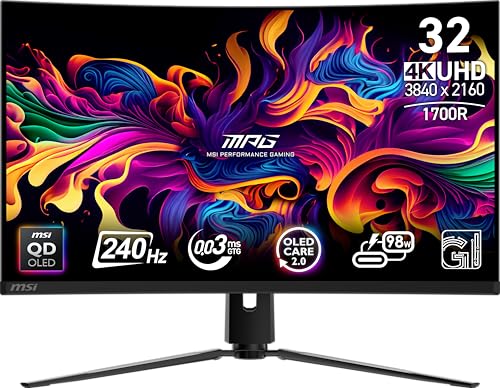
Specs
Panel type | QD-OLED, 1700R curved |
Panel size | 32" |
Resolution | 3840 x 2160 (4K UHD) |
Refresh rate | 240Hz |
Response time | 0.03ms |
HDR | DisplayHDR True Black 400 |
Ports | DisplayPort 1.4a (DSC), HDMI 2.1, USB-C 98W PD |
Adaptive sync | G-Sync Compatible |
Panel type
QD-OLED, 1700R curved
Panel size
32"
Resolution
3840 x 2160 (4K UHD)
Refresh rate
240Hz
Response time
0.03ms
HDR
DisplayHDR True Black 400
Ports
DisplayPort 1.4a (DSC), HDMI 2.1, USB-C 98W PD
Adaptive sync
G-Sync Compatible
What it does well
The 321CURX puts the same Samsung Display 32-inch 4K 240Hz QD-OLED panel used across this list into a gentler 1700R curve, at a real step down in price from the ASUS original. The curve is conservative enough that it does not distort spreadsheets or code windows, and the 98W USB-C power delivery turns the monitor into a competent single-cable laptop dock.
What you give up
The connection is DisplayPort 1.4a with DSC rather than DP 2.1, so you lose the future-proofing headroom the PG32UCDMR carries, though the compressed signal is visually clean for single-panel gaming today. MSI's on-screen menu system is also a step behind ASUS's DisplayWidget stack in polish.
Who it's for
Buyers who want the flagship QD-OLED panel experience without paying the ASUS premium, and who do not mind a curved chassis or a compressed DisplayPort signal. Worth knowing before you shop: MSI also sells a flat MPG 321URX on a different SKU. The C prefix on the part number marks the curved model this pick names, so check that letter before you buy.
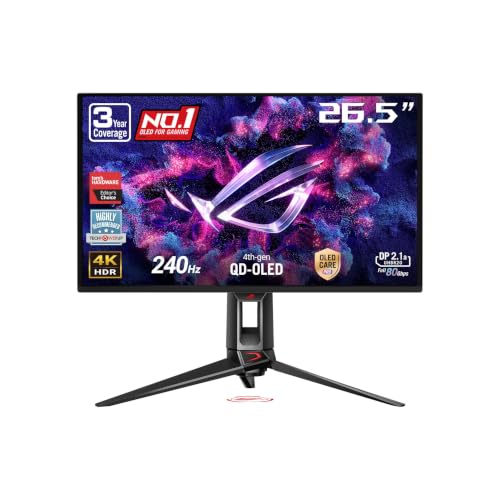
Best 27-Inch: ASUS ROG Swift PG27UCDM
Specs
Panel type | QD-OLED |
Panel size | 27" |
Resolution | 3840 x 2160 (4K UHD) |
Refresh rate | 240Hz |
Response time | 0.03ms |
HDR | DisplayHDR True Black 400 |
Ports | DisplayPort 2.1a (UHBR20), HDMI 2.1 |
Pixel density | ~163 PPI |
Panel type
QD-OLED
Panel size
27"
Resolution
3840 x 2160 (4K UHD)
Refresh rate
240Hz
Response time
0.03ms
HDR
DisplayHDR True Black 400
Ports
DisplayPort 2.1a (UHBR20), HDMI 2.1
Pixel density
~163 PPI
What it does well
The 27-inch QD-OLED tier runs at roughly 163 pixels per inch versus about 137 PPI at 32 inches, so text and code render noticeably sharper if you sit closer than about 26 to 30 inches from the screen. This size was also first to ship full DisplayPort 2.1a, so it carries the same uncompressed-bandwidth story as the PG32UCDMR in a smaller footprint. ASUS adds a Neo Proximity Sensor that auto-sleeps the panel when you walk away, a real OLED-longevity feature, plus the same custom heatsink and a three-year burn-in warranty.
What you give up
You are trading screen real estate for pixel density. Buyers with desks deeper than 30 inches get more benefit from the larger 32-inch panels at the same panel quality, since the extra distance eats the PPI advantage. Buyers who would rather spend that desk width on aspect ratio than pixel density should compare the best 1440p ultrawide gaming monitors instead, where 3440x1440 buys width rather than sharpness.
Who it's for
Buyers with desks under about 30 inches deep, productivity-heavy workflows mixed with gaming, or anyone who values higher pixel density for text and code. One variant to watch for: ASUS also sells the ROG Strix XG27UCDMG on the same 27-inch QD-OLED panel at a lower price, but it steps down to DisplayPort 1.4 with DSC instead of this pick's DP 2.1a, the same connectivity trade-off the PG32UCDMR makes over the standard PG32UCDM. Confirm the DP spec before you buy if that bandwidth headroom is why you're paying the premium.
Best Budget: Gigabyte MO27U2

Specs
Panel type | QD-OLED |
Panel size | 27" |
Resolution | 3840 x 2160 (4K UHD) |
Refresh rate | 240Hz |
Response time | 0.03ms GtG |
HDR | DisplayHDR True Black 400 |
Ports | HDMI, DisplayPort, USB Type-C (KVM) |
Adaptive sync | AMD FreeSync Premium Pro, G-Sync Compatible |
Panel type
QD-OLED
Panel size
27"
Resolution
3840 x 2160 (4K UHD)
Refresh rate
240Hz
Response time
0.03ms GtG
HDR
DisplayHDR True Black 400
Ports
HDMI, DisplayPort, USB Type-C (KVM)
Adaptive sync
AMD FreeSync Premium Pro, G-Sync Compatible
What it does well
The MO27U2 puts the same core 4K 240Hz QD-OLED panel spec found in monitors costing hundreds more into a genuinely affordable listing, which is the real gap this rewrite set out to close. It carries DisplayHDR True Black 400 certification, the same HDR tier as the premium ASUS and MSI picks, and adds a USB-C KVM switch, a legitimately useful extra at this price for anyone running two PCs or a laptop dock off one screen.
What you give up
You lose the ASUS-style longevity extras: no proximity sensor, no custom heatsink called out in the premium picks' spec sheets. Gigabyte's track record in this segment is also thinner than ASUS, LG, or MSI, so you are leaning on a shorter review history.
Who it's for
Buyers who want the real QD-OLED 4K 240Hz experience without paying for the ASUS, LG, or MSI premium, and who do not need the extra longevity or connectivity features the pricier picks carry. One disambiguation worth a beat: Gigabyte also sells a GO27Q24G, a 27-inch 1440p WOLED monitor, not a 4K QD-OLED. Different resolution, different panel technology entirely, so double-check the model number before checkout.
Best 32-Inch: ASUS ROG Swift PG32UCDM

Specs
Panel type | QD-OLED |
Panel size | 32" |
Resolution | 3840 x 2160 (4K UHD) |
Refresh rate | 240Hz |
Response time | 0.03ms |
HDR | DisplayHDR True Black 400, 99% DCI-P3 (10-bit) |
Ports | DisplayPort 1.4 + DSC, HDMI 2.1, USB-C 90W PD |
Adaptive sync | G-Sync Compatible |
Panel type
QD-OLED
Panel size
32"
Resolution
3840 x 2160 (4K UHD)
Refresh rate
240Hz
Response time
0.03ms
HDR
DisplayHDR True Black 400, 99% DCI-P3 (10-bit)
Ports
DisplayPort 1.4 + DSC, HDMI 2.1, USB-C 90W PD
Adaptive sync
G-Sync Compatible
What it does well
The PG32UCDM is the panel that defined the 32-inch 4K 240Hz QD-OLED segment, and it still carries the deepest review pool and the most mature pricing in that size. DisplayPort 1.4 with DSC is visually lossless for the overwhelming majority of viewers, and it works cleanly with G-Sync, FreeSync, and HDR.
What you give up
You give up DisplayPort 2.1, so there is no future-proofing headroom for daisy-chain setups or audio-over-DisplayPort workflows. The PG32UCDMR above is the direct upgrade path if that ever matters to you.
Who it's for
Buyers who want the mature, deeply reviewed 32-inch 4K 240Hz QD-OLED panel at a lower price than the DP 2.1a revision, and who do not need DP 2.1a-specific features. This pick shares the same variant trap as the PG32UCDMR above: verify the exact part number before buying, no R suffix means this is the original.
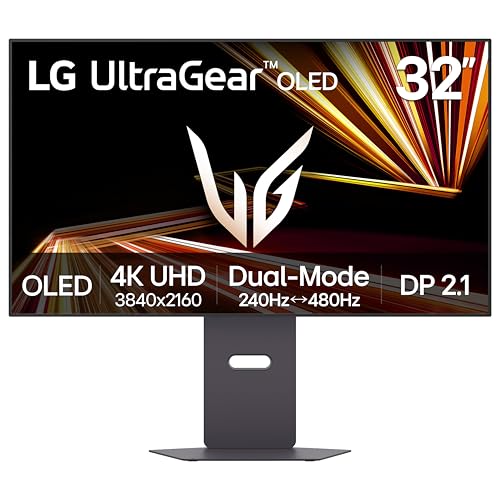
Editor's Pick: LG UltraGear 32GX870A-B
Specs
Panel type | WOLED (Tandem, RGBW) |
Panel size | 32" |
Resolution | 3840 x 2160 (4K), switchable to 1920 x 1080 (Dual-Mode) |
Refresh rate | 240Hz (4K) / 480Hz (FHD Dual-Mode) |
Response time | 0.03ms |
HDR | VESA DisplayHDR True Black 400 |
Ports | DisplayPort 2.1, HDMI 2.1, USB Type-C |
Adaptive sync | G-Sync Compatible, FreeSync Premium Pro |
Panel type
WOLED (Tandem, RGBW)
Panel size
32"
Resolution
3840 x 2160 (4K), switchable to 1920 x 1080 (Dual-Mode)
Refresh rate
240Hz (4K) / 480Hz (FHD Dual-Mode)
Response time
0.03ms
HDR
VESA DisplayHDR True Black 400
Ports
DisplayPort 2.1, HDMI 2.1, USB Type-C
Adaptive sync
G-Sync Compatible, FreeSync Premium Pro
What it does well
The 32GX870A-B runs LG's current-generation WOLED panel with an RGBW subpixel layout, the direct answer to the QD-OLED versus WOLED question this article gets asked constantly. That subpixel structure reads text and small fonts more cleanly than QD-OLED's triangular RGB layout for mixed code and document work. Dual-Mode is the standout feature: one OSD command switches the panel from native 4K at 240Hz down to 1080p at 480Hz for competitive shooters, a hardware capability no other pick on this list offers.
What you give up
Peak HDR brightness runs slightly behind the QD-OLED picks, so if you are pure-gaming and HDR content is the priority, lean QD-OLED instead.
Who it's for
Buyers who do enough text-heavy productivity work alongside gaming to value WOLED's clarity, or competitive FPS players who want the FHD 480Hz dual-mode option for ranked play. One note on availability: the predecessor LG 32GS95UE-B is being phased out at Amazon, with only third-party sellers still listing it. The 32GX870A-B is the active successor on the same WOLED story, so that is the model number to look for.
Bottom line
If you own an RTX 5090 or 5080 and want the safest long-term buy, get the ASUS ROG Swift PG32UCDMR. Its DisplayPort 2.1 connection removes the one future-proofing question the rest of this tier still has to answer. If price matters more than headroom, the ASUS ROG Swift PG32UCDM or the MSI MPG 321CURX QD-OLED deliver the same panel quality for less. If your desk sits close to the screen, take the 27-inch ASUS ROG Swift PG27UCDM instead of stretching to 32. Buyers priced out of the ASUS or MSI tier should look at the Gigabyte MO27U2, the real budget QD-OLED this segment has been missing. And if text clarity and a genuine 480Hz competitive mode matter more than peak HDR brightness, the LG UltraGear 32GX870A-B is the pick. If you are speccing the panel around the card rather than the other way around, our guide to the best gaming monitors for the RTX 5090 sorts the field by DisplayPort bandwidth and frame budget.
FAQ
Should I get a 27-inch or 32-inch 4K OLED gaming monitor?
Go by desk distance, not screen size preference. At 4K, 27-inch panels run about 163 pixels per inch, versus roughly 137 PPI at 32 inches, so if you sit closer than about 26 to 30 inches from the screen, the 27-inch tier reads noticeably sharper for text and code. Sit farther back than that, and the 32-inch panels give you more usable screen real estate at the same panel quality without losing sharpness. Competitive players who want a tighter field of view also tend to prefer 27-inch, while multitaskers and immersion-focused gamers lean 32-inch.
QD-OLED vs WOLED: which panel technology should I pick?
This is a character question, not a quality question. QD-OLED uses a quantum-dot triangular RGB subpixel that runs slightly brighter peak HDR, which matters most if you watch a lot of HDR content or play brightly lit games. WOLED uses an RGBW subpixel layout that reads text and small fonts more cleanly, which matters if your day includes code, documents, or spreadsheets alongside gaming. Neither panel is objectively better. They trade brightness for text clarity in opposite directions, so pick based on how you will use the monitor outside of games day to day.
Do I actually need DisplayPort 2.1a for an RTX 5090, or is DP 1.4 with DSC enough?
You do not strictly need it. RTX 50-series GPUs ship DisplayPort 2.1b natively, but DSC-compressed DP 1.4 signals are visually clean for single-panel gaming today, and most viewers cannot tell the difference. The real argument for DP 2.1 monitors is future-proofing and cable sensitivity: uncompressed 4K 240Hz at 10-bit needs about 68.6 Gbps, and a proper UHBR20-rated cable paired with a DP 2.1 monitor supplies 80 Gbps of headroom. DSC picks work fine now; DP 2.1 picks are the safer long-term bet if you plan to keep the panel for years or need daisy-chain or audio-over-DisplayPort support.
Is OLED burn-in still a real risk for a gaming monitor in 2026?
It is a much smaller risk than it was on early OLED TVs, but it is not zero. Modern gaming OLED panels ship with pixel-shifting, logo dimming, and panel refresh routines built into the firmware specifically to manage it, and manufacturers including ASUS, LG, and MSI cover burn-in under warranty on their gaming panels. Static elements left on screen for extended periods, like a taskbar or a HUD overlay, are still the highest-risk case. Normal gaming use with varied content carries low risk in practice, but if you run the same static UI for hours every day, use the panel's built-in protection features.
Refresh rate vs response time: which one actually matters more for competitive play?
Response time matters more once you are already at a high refresh rate. A 240Hz panel with slow pixel response introduces motion blur and ghosting that undercuts the extra frames you are paying for, while a 0.03ms OLED response time keeps fast motion clean at any refresh rate on this list. Refresh rate sets your ceiling for how much new information you can see per second, but response time determines whether that information looks clean once it is on screen. Every monitor in this guide pairs 240Hz with OLED-class response time, so you are getting both here, not choosing between them.
Can an RTX 5070 Ti actually drive a 4K 240Hz panel, or do I need a 5080/5090?
In older or esports-focused titles, yes, a 5070 Ti can hit 4K 240Hz without much trouble. In current AAA games at native 4K with ray tracing enabled, even a 5090 does not consistently lock 240 without leaning on frame generation. If you are on a 5070 Ti or below and mostly play recent AAA titles at native settings, 1440p at 360Hz is the more honest pairing for your GPU. Save the 4K 240Hz panels on this list for a 5080 or 5090 build, or for esports-heavy use where the lower GPU tier is enough to feed it.
Related Articles

Best 4K HDR Monitors 2026: 5 Picks for Gaming and Creators
The best 4K HDR monitors in 2026: five OLED picks for gaming and creator work, with real HDR you can see, panel-revision traps, and an honest budget call.
Aug 4, 2026

Best 27-Inch Gaming Monitors (2026): 6 High-FPS Picks
The best 27-inch gaming monitors for 2026: six high-FPS picks from 180Hz IPS to 480Hz OLED, ranked by panel type, refresh rate, and what each one gives up.
Aug 4, 2026

RTX 5090 vs RTX 5080 (2026): Which GPU Should You Buy?
RTX 5090 vs RTX 5080 in 2026: the 5090 is the no-compromise 4K flagship, the 5080 saves half the spend at 4K 120Hz. Pick by panel, workload, and PSU budget.
Jul 7, 2026

Best GPUs for 1440p Gaming (2026): 5 16GB Picks, 60-240Hz
The best GPUs for 1440p gaming in 2026: five 16GB picks matched to 60, 144, and 240 Hz targets, with real benchmarks, trade-offs, and who each card fits.
Aug 8, 2026

Best Vertical GPU Mount Kits (2026): 5 Gen5-Safe Picks
The best vertical GPU mount kits and PCIe 5.0 risers for 2026, picked so your card trains at full Gen5 and stays cool: 5 kits by clearance and length.
Sep 24, 2026