Affiliate Disclosure: As an Amazon Associate we earn from qualifying purchases. Some links may earn us a commission at no cost to you.

Marvel Tokon: Fighting Souls System Requirements (2026)
Marvel Tokon: Fighting Souls locks its frame rate at 60 FPS and asks for surprisingly modest hardware: an Intel Core i5-8400 or Ryzen 5 1600X at minimum, an RTX 2060 or RX 6600 XT for the GPU. If your rig is from the last five or six years, it almost certainly clears that bar.
The catch is what the spec sheet doesn't say. Beta testers running RTX 3000 and 4000 series cards still reported stutter and frame drops, with CPU usage spiking past 100 percent while the GPU sat mostly idle. That points at the processor, not the graphics card, as the real bottleneck. Here's what needs an upgrade, and what doesn't.
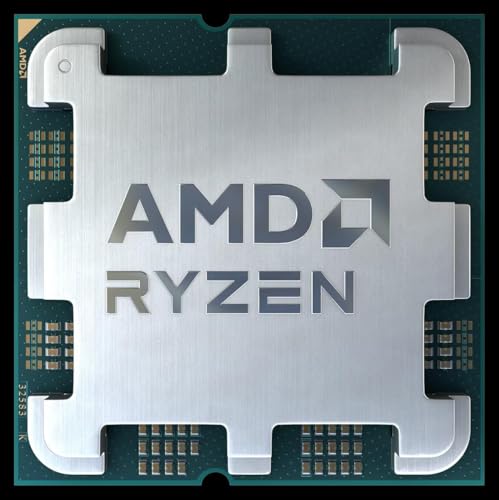
Our top pick: AMD Ryzen 5 7500F
If one upgrade fixes Tokon's reported stutter, it's the CPU. The 7500F's Zen 4 cores post roughly double the single-thread throughput of the Ryzen 5 1600X the game lists as a minimum spec, for about the price of a AAA game.
Marvel Tokon: Fighting Souls system requirements
Arc System Works published official minimum and recommended specs ahead of the August 6 launch. Storage space hasn't been published yet; expect an update once install-size figures go live on the storefront pages.
Requirement | Minimum | Recommended |
|---|---|---|
OS | Windows 11 (64-bit) | Windows 11 (64-bit) |
CPU | Intel Core i5-8400 / AMD Ryzen 5 1600X | Intel Core i7-8700 / AMD Ryzen 5 3600X |
GPU | NVIDIA RTX 2060 6GB / AMD RX 6600 XT 8GB | NVIDIA RTX 3070 8GB / AMD RX 7600 XT 16GB |
RAM | 16 GB | 16 GB |
Storage | Not officially published | Not officially published |
Frame rate target | 60 FPS (locked) | 60 FPS (locked) |
OS
- Minimum
Windows 11 (64-bit)
- Recommended
Windows 11 (64-bit)
CPU
- Minimum
Intel Core i5-8400 / AMD Ryzen 5 1600X
- Recommended
Intel Core i7-8700 / AMD Ryzen 5 3600X
GPU
- Minimum
NVIDIA RTX 2060 6GB / AMD RX 6600 XT 8GB
- Recommended
NVIDIA RTX 3070 8GB / AMD RX 7600 XT 16GB
RAM
- Minimum
16 GB
- Recommended
16 GB
Storage
- Minimum
Not officially published
- Recommended
Not officially published
Frame rate target
- Minimum
60 FPS (locked)
- Recommended
60 FPS (locked)
Quick picks: what to upgrade if your PC falls short
You don't need all six of these. Match the pick to whichever spec your PC is missing.
If this is the problem | Pick | Why it fixes it | Buy |
|---|---|---|---|
Stutter despite meeting the GPU spec | Modern six-core CPU well past the minimum-spec chip's single-thread performance | ||
GPU below the RTX 2060 / RX 6600 XT floor | Clears recommended-tier GPU spec with real headroom, without paying for 4K | ||
RAM under the 16 GB floor | Doubles the flat 16 GB requirement for background apps and overlays | ||
Slow load times or asset streaming stutter | Faster asset streaming and shorter load screens system-wide | ||
Display refresh below 100Hz | Smooth 1440p output; the 60 FPS cap doesn't waste a high-refresh panel here | ||
Stock controller drift or input lag | Hall Effect sticks eliminate drift on tight motion inputs |
Stutter despite meeting the GPU spec
- Pick
- Why it fixes it
Modern six-core CPU well past the minimum-spec chip's single-thread performance
- Buy
GPU below the RTX 2060 / RX 6600 XT floor
- Pick
- Why it fixes it
Clears recommended-tier GPU spec with real headroom, without paying for 4K
- Buy
RAM under the 16 GB floor
- Pick
- Why it fixes it
Doubles the flat 16 GB requirement for background apps and overlays
- Buy
Slow load times or asset streaming stutter
- Pick
- Why it fixes it
Faster asset streaming and shorter load screens system-wide
- Buy
Display refresh below 100Hz
- Pick
- Why it fixes it
Smooth 1440p output; the 60 FPS cap doesn't waste a high-refresh panel here
- Buy
Stock controller drift or input lag
- Pick
- Why it fixes it
Hall Effect sticks eliminate drift on tight motion inputs
- Buy
How we picked
Tokon's frame rate cap changes the math on every pick here. Fighting games commit to a fixed tick rate so online matches stay in sync, and Arc System Works locked this one at 60 FPS across the board. A GPU that can push 200 FPS in Tokon buys you nothing the game will render, so the GPU pick below stops at clearing recommended spec with margin, not chasing the strongest card available.
The CPU is a different story. The official minimum, an eight-year-old Core i5-8400 or Ryzen 5 1600X, is a low bar on paper but a real bottleneck in practice: beta testers on modern GPUs still reported stutter, and the developers acknowledged CPU usage spiking during the first few minutes of a session. Older security software wrapped around the beta build is the suspected cause and may ease by launch, but a newer chip removes the variable entirely instead of waiting on a patch.
RAM and storage are simpler. Sixteen gigs is the flat minimum for both tiers, so a rig still running 8 GB needs the RAM kit below regardless of GPU or CPU. Storage space for Tokon hasn't been published, but a modern NVMe drive cuts load screens and background streaming stutter across every other game on the same PC, which is why it's here as a value pick rather than a strict requirement.
The monitor and controller picks are the honest secondary story. A 60 FPS lock means a 360Hz esports panel is mostly wasted money on this game specifically; a solid 1440p 165 to 180Hz IPS panel does everything Tokon can use and works well for everything else you play, including titles covered in our best gaming keyboards and mice for Valorant guide, where the same input-latency logic applies. The controller pick matters more for feel than for frame rate: Hall Effect sticks remove drift on tight motion inputs, which is a fighting-game-specific concern no spec sheet captures.
CPU Upgrade Pick: AMD Ryzen 5 7500F
Specs
Cores / Threads | 6 / 12 |
Base clock | 3.7 GHz |
Boost clock | Up to 5.0 GHz |
L3 cache | 32 MB |
Socket | AM5 (DDR5 only) |
TDP | 65W |
Integrated graphics | None |
Cores / Threads
6 / 12
Base clock
3.7 GHz
Boost clock
Up to 5.0 GHz
L3 cache
32 MB
Socket
AM5 (DDR5 only)
TDP
65W
Integrated graphics
None
What it does well
The 7500F is a Zen 4 chip built for exactly this kind of upgrade: a modern six-core, twelve-thread part at a price that doesn't require a new GPU to justify it. Its per-core performance runs roughly double what the Ryzen 5 1600X delivers, and the 1600X is the AMD side of Tokon's own minimum spec. That gap is where the beta's CPU-bound stutter reports point.
Sixty five watts of TDP means it runs on a modest cooler and doesn't strain a budget power supply. For a fighting game specifically, consistent frame timing matters more than peak frame rate, since input reads get harder to judge when the game hitches mid-combo. A CPU with this much single-thread headroom over the minimum spec takes that risk off the table before launch.
What you give up
The AM5 socket needs a DDR5 motherboard, which is the real cost of this upgrade. Budget for a board and a DDR5 kit too if you're not already on AM5, not just the chip. The F designation also means no integrated graphics, so this only works as a straight CPU swap if you're keeping your current GPU or buying the pick below alongside it.
It's not the chip to buy if you only play Tokon and nothing more demanding. The official minimum genuinely runs the game, just with the stutter risk beta testers flagged.
Who it's for
Anyone on a Ryzen 1000, 2000, or early 3000 series chip, or an 8th- or 9th-gen Intel Core i5, who wants the CPU-bound stutter risk gone before launch instead of waiting on a patch.
GPU Upgrade Pick: ASUS Dual RTX 4060 EVO OC

Specs
GPU | NVIDIA GeForce RTX 4060 |
VRAM | 8 GB GDDR6 |
Boost clock | 2,535 MHz (OC mode) |
CUDA cores | 3,072 |
Card length | 227mm, 2-slot |
Power connector | 1x 8-pin |
Recommended PSU | 550W |
GPU
NVIDIA GeForce RTX 4060
VRAM
8 GB GDDR6
Boost clock
2,535 MHz (OC mode)
CUDA cores
3,072
Card length
227mm, 2-slot
Power connector
1x 8-pin
Recommended PSU
550W
What it does well
The RTX 4060 clears Tokon's recommended-tier GPU, an RTX 3070 or RX 7600 XT, with real margin, and it does it in a compact two-slot card that fits cases the RTX 3070 generation sometimes didn't. ASUS's Dual cooler is sized for a card pulling well under 200 watts, so it runs cool and quiet under sustained load.
Since Tokon is locked at 60 FPS, the extra headroom above 'meets recommended' isn't wasted on this game specifically. It carries over directly to everything else on the same PC: emulators, esports titles at higher settings, and any future patch that raises Tokon's visual fidelity.
What you give up
8 GB of VRAM is the ceiling here, and it's tight for anything outside Tokon's own modest textures if you're running 4K or heavy texture packs in other games. This is a 1080p-to-1440p card, not a 4K one. The 128-bit memory bus also won't keep pace with the RX 7600 XT's 16 GB card in memory-bound scenarios, though that gap never shows up in a fighting game.
Who it's for
Anyone still on the RTX 2060 or RX 6600 XT tier who wants real headroom above Tokon's own recommended spec, without paying for 4K performance the game will never use.
RAM Upgrade Pick: Corsair Vengeance LPX 32GB DDR4

Specs
Capacity | 32 GB (2x16GB) |
Speed | DDR4-3200 |
Timings | CL16-20-20-38 |
Voltage | 1.35V |
Platform support | Intel XMP / AMD EXPO |
Form factor | UDIMM |
Capacity
32 GB (2x16GB)
Speed
DDR4-3200
Timings
CL16-20-20-38
Voltage
1.35V
Platform support
Intel XMP / AMD EXPO
Form factor
UDIMM
What it does well
Sixteen gigabytes is the flat floor for both Tokon's minimum and recommended tiers, so this kit doubles the requirement instead of just meeting it, which covers Discord, a browser, and a capture tool running in the background without touching in-game performance. DDR4-3200 is a safe, widely supported speed on nearly every board still running DDR4, and a dual-channel 2x16GB kit uses a board's memory bandwidth, unlike a single stick. CL16 timings at 3200MHz sit in the sweet spot most DDR4 boards actually validate for, so this isn't a kit that needs an XMP argument with a finicky motherboard. It's the kind of upgrade that pays off across every other application on the machine, not just Tokon.
What you give up
This is a DDR4 kit, so it only helps if your existing motherboard is DDR4. Pairing it with the CPU pick above doesn't work: AM5 needs DDR5, so that upgrade calls for a different RAM kit entirely. Treat these as two separate fixes for two separate problems.
Who it's for
Anyone still running 8 GB of total system RAM, which sits below Tokon's stated minimum and is a genuine blocker, not just a nice-to-have.
Storage Pick: Crucial P3 Plus 1TB NVMe SSD

Specs
Capacity | 1 TB |
Interface | PCIe Gen4 NVMe, M.2 2280 |
Sequential read | Up to 5,000 MB/s |
Form factor | M.2 2280, single-sided |
Capacity
1 TB
Interface
PCIe Gen4 NVMe, M.2 2280
Sequential read
Up to 5,000 MB/s
Form factor
M.2 2280, single-sided
What it does well
Tokon hasn't published a storage requirement yet, so this pick isn't about meeting a spec. It's about what a modern NVMe drive does for load times and texture streaming across everything on the PC, not just one game. A Gen4 drive at this price point is a meaningful step up from anything SATA-based, and the extra headroom helps mask the kind of background stutter beta testers reported, even where the root cause was CPU-bound rather than storage-bound.
What you give up
A 1 TB drive fills up fast once a couple of modern titles sit alongside Tokon. If your motherboard only supports Gen3 or SATA, you won't see the full Gen4 speed, though the drive still works and runs at the slower interface's ceiling.
Who it's for
Anyone installing Tokon on an aging SATA SSD, or worse, a spinning hard drive, where load times and asset streaming are the actual day-to-day problem.
Monitor Pick: ASUS TUF Gaming VG27AQ3A

Specs
Panel | 27-inch Fast IPS |
Resolution | 2560x1440 (QHD) |
Refresh rate | 180 Hz |
Response time | 1ms |
Adaptive sync | FreeSync Premium, G-Sync compatible |
Ports | HDMI, DisplayPort |
Panel
27-inch Fast IPS
Resolution
2560x1440 (QHD)
Refresh rate
180 Hz
Response time
1ms
Adaptive sync
FreeSync Premium, G-Sync compatible
Ports
HDMI, DisplayPort
What it does well
Since Tokon caps at 60 FPS, a 360Hz esports panel spends most of its refresh budget on other games, not this one. The VG27AQ3A's 180Hz ceiling and Fast IPS panel cover Tokon comfortably while staying useful for anything with a real frame rate ceiling above 60, which a fighting-game-only monitor purchase usually isn't. FreeSync Premium and G-Sync compatibility mean it syncs cleanly with either an AMD or NVIDIA GPU pick, so it's not locked to one platform choice. A 1ms response time keeps motion clear enough for the neutral-game reads that matter in a fighting title, even without chasing a triple-digit refresh number.
What you give up
It's a QHD panel, not the 1080p-native resolution some 240Hz-plus esports monitors use to hit their highest refresh numbers, so it won't push past 180Hz the way a dedicated 1080p competitive panel can. If the only goal is the highest possible refresh number for a genre where Tokon's own 60 FPS cap makes that number moot anyway, that tradeoff costs nothing here.
Who it's for
Buyers who want one monitor that handles Tokon well and doubles as a genuinely good all-around 1440p display for everything else, rather than a single-purpose high-refresh panel.
Controller Pick: 8BitDo Ultimate 2C Wireless

Specs
Input type | Hall Effect joysticks and triggers |
Polling rate | 1000 Hz (2.4G) |
Extra buttons | Remappable L4/R4 bumpers |
Connectivity | USB-C, 2.4G, Bluetooth |
Platform | Windows PC, Android |
Input type
Hall Effect joysticks and triggers
Polling rate
1000 Hz (2.4G)
Extra buttons
Remappable L4/R4 bumpers
Connectivity
USB-C, 2.4G, Bluetooth
Platform
Windows PC, Android
What it does well
Hall Effect sticks use magnets instead of physical contact points, so they cannot develop stick drift, full stop. For a fighting game where a missed diagonal input during a rushdown sequence costs a combo, that permanence matters more than any spec on a monitor or GPU. The 1000Hz polling rate over the 2.4G connection keeps input timing tight enough to read as wired for practical purposes. The remappable L4/R4 bumpers add two extra inputs without crowding the existing face buttons, which matters for fighting games that lean on assist or macro systems. USB-C charging and both 2.4G and Bluetooth modes mean it covers a PC session and a couch session without switching hardware.
What you give up
Bluetooth mode adds noticeably more latency than the 2.4G connection, so it's not the mode to use for a ranked or tournament session. There's no wired tournament mode if a local event requires a physical cable, and the build quality is solid without matching a premium first-party controller's feel.
Who it's for
Anyone tired of a standard gamepad's stick drift, or upgrading from a stock console controller for PC play, who wants competitive-grade input reliability without paying for a leverless fight stick.
Bottom line
Most PCs built in the last five years already clear Tokon's official spec on paper.
If your rig needs more than one or two of these swaps, it may be cheaper to start from a fresh parts list; our budget gaming PC build picks cover a full system that clears Tokon's requirements with room to spare.
If your CPU predates 2019 or so, the Ryzen 5 7500F is the fix that addresses what beta testers reported, not just what the spec sheet lists.
If your GPU sits below an RTX 2060 or RX 6600 XT, the RTX 4060 clears recommended with room to spare, without spending on 4K performance the 60 FPS cap can't use.
Under 16 GB of RAM is a real blocker, not a nice-to-have, so fix that first if it applies to your rig.
The monitor and controller picks are worth it for the fighting-game experience specifically, not for meeting a spec.
FAQ
What are the PC system requirements for Marvel Tokon: Fighting Souls?
Minimum asks for an Intel Core i5-8400 or AMD Ryzen 5 1600X, an RTX 2060 or RX 6600 XT, and 16 GB of RAM on Windows 11. Recommended steps up to a Core i7-8700 or Ryzen 5 3600X with an RTX 3070 or RX 7600 XT, with RAM staying at 16 GB. Storage space hasn't been published yet.
Is Marvel Tokon: Fighting Souls locked to 60 FPS on PC?
Yes. Like most fighting games, Tokon runs a fixed 60 FPS tick rate to keep online matches synced, so a GPU capable of more than 60 FPS in this specific game won't render extra frames. That headroom matters for other games on the same PC, not this one.
Why is Marvel Tokon stuttering on PC even though my hardware meets the requirements?
Beta testers reported frame drops and stutter even on RTX 3000 and 4000 series GPUs, with CPU usage spiking past 100 percent while the GPU sat mostly idle. That points to a CPU bottleneck the official spec doesn't fully capture, possibly worsened by anti-datamining security measures in the beta build. A modern six-core CPU removes the risk regardless of the cause.
Do I need a gaming PC to run Marvel Tokon: Fighting Souls, or will a budget build work?
A budget build clears this easily. The official spec targets hardware from around 2018, and even the recommended tier, an RTX 3070 and Ryzen 5 3600X, is several generations behind current budget parts. Most of the upgrade cost here goes toward removing the CPU-bound stutter risk, not toward hitting a higher frame rate target.
Is a fight stick or specialty controller worth it for Marvel Tokon on PC?
It's a real but secondary upgrade. A Hall Effect gamepad fixes the practical problem of stick drift on tight motion inputs, which matters more day to day than a leverless fight stick's higher execution ceiling. Most players get more value from the gamepad upgrade than from learning an all-button layout.
When does Marvel Tokon: Fighting Souls launch, and will PC performance improve by then?
Tokon launches August 6, 2026 on PC and PS5. The developers have acknowledged the beta's CPU usage spikes and performance issues and attributed part of it to security measures that may not carry over to the full release, so some improvement by launch is plausible, though not guaranteed.
Related Articles

Best Valorant Keyboards & Mice 2026: Pro Picks & Specs
Best keyboard for Valorant in 2026, plus the mice that pair with it. The Hall-Effect and optical Rapid Trigger meta, framed for Amazon-stocked picks.
May 12, 2026

Best Valorant Monitors 2026: 6 Pro Picks, 310Hz to 600Hz
Best Valorant monitors 2026: what pros actually run, plus what 240Hz, 360Hz, 540Hz and 600Hz really buy you. Six picks from budget IPS to the 600Hz flagship.
Aug 21, 2026

Best Budget Gaming PC Builds Under $1000 (2026 Edition)
Three budget gaming PC builds under $1000 for 2026 — Intel i5-14400F and Ryzen 5 7600X with current-gen Radeon/Arc GPUs for esports, AAA, and streaming.
Aug 15, 2025

Is 650W Enough for an RTX 5070? Verdict for 6 Builds (2026)
Is a 650W PSU enough for an RTX 5070? Yes for 4 of 6 common builds, matching NVIDIA's 650W spec. See which CPUs need 750W and the ATX 3.1 PSU worth buying.
Oct 18, 2026

Best GPUs for Final Fantasy XVI PC (2026): 5 Picks
Best GPU for Final Fantasy XVI on PC, tiered by native 60 fps vs frame-gen 60 at 1080p, 1440p and 4K, with FPS estimates for all 5 picks and the VRAM you need.
Oct 18, 2026