Affiliate Disclosure: As an Amazon Associate we earn from qualifying purchases. Some links may earn us a commission at no cost to you.

Best Laptops for Escape from Tarkov in 2026: 5 Top Picks
Escape from Tarkov is hard on a laptop in ways most shooters are not. The 1.0 release on Steam lists 16 GB of RAM as the minimum and 64 GB as the recommended spec, and its busiest maps, Streets of Tarkov above all, lean on the processor and memory long before the graphics card runs out of room.
So we built this list around the CPU and the RAM first. Four of the five picks ship with at least 32 GB, one ships with the full 64 GB, and two carry AMD's 3D V-Cache. The GPU is sized to the screen.
Our top pick: MSI Vector 16 HX AI RTX 5070 Ti
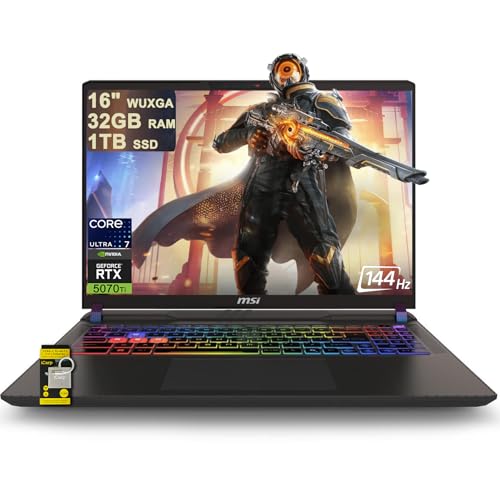
The MSI Vector 16 HX AI RTX 5070 Ti pairs a 20-core Ultra 7 255HX with 32 GB of RAM and a 12 GB RTX 5070 Ti, which covers the three things Tarkov asks for without flagship pricing.
Quick picks
Pick | Laptop | Best for | Buy |
|---|---|---|---|
Best Overall | Every map, steady frame rates on Streets | ||
Best Value | 32 GB of RAM on a tighter budget | ||
Best Premium | The full 64 GB recommended spec | ||
Best Budget | New players at 1080p | ||
Editor's Pick | X3D cache and OLED in a 16-inch chassis |
Best Overall
- Laptop
- Best for
Every map, steady frame rates on Streets
Best Value
- Laptop
- Best for
32 GB of RAM on a tighter budget
Best Premium
- Laptop
- Best for
The full 64 GB recommended spec
Best Budget
- Laptop
- Best for
New players at 1080p
Editor's Pick
- Laptop
- Best for
X3D cache and OLED in a 16-inch chassis
Specs at a glance
Laptop | CPU | GPU | Memory | Storage | Display |
|---|---|---|---|---|---|
Intel Core Ultra 7 255HX (20 cores, 20 threads) | GeForce RTX 5070 Ti Laptop, 12 GB GDDR7 | 32 GB DDR5 | 1 TB SSD | 16in WUXGA (1920x1200) IPS, 144 Hz | |
AMD Ryzen 7 260 (8 cores, 16 threads) | GeForce RTX 5070 Laptop, 8 GB GDDR7 | 32 GB DDR5 | 1 TB PCIe Gen 4 SSD | 16in WQXGA (2560x1600), 180 Hz, 100% sRGB | |
AMD Ryzen 9 9955HX3D (16 cores, 32 threads, 3D V-Cache) | GeForce RTX 5080 Laptop, 16 GB GDDR7 | 64 GB DDR5 | 2 TB NVMe SSD | 18in UHD+ (3840x2400), 120 Hz | |
AMD Ryzen 7 250 (8 cores, 16 threads) | GeForce RTX 5060 Laptop, 8 GB GDDR7 | 16 GB | 512 GB SSD | 15.3in WUXGA (1920x1200) IPS, 165 Hz | |
AMD Ryzen 9 9955HX3D (16 cores, 32 threads, 3D V-Cache) | GeForce RTX 5080 Laptop, 16 GB GDDR7 | 32 GB | 1 TB SSD | 16in OLED (2560x1600), 240 Hz |
- CPU
Intel Core Ultra 7 255HX (20 cores, 20 threads)
- GPU
GeForce RTX 5070 Ti Laptop, 12 GB GDDR7
- Memory
32 GB DDR5
- Storage
1 TB SSD
- Display
16in WUXGA (1920x1200) IPS, 144 Hz
- CPU
AMD Ryzen 7 260 (8 cores, 16 threads)
- GPU
GeForce RTX 5070 Laptop, 8 GB GDDR7
- Memory
32 GB DDR5
- Storage
1 TB PCIe Gen 4 SSD
- Display
16in WQXGA (2560x1600), 180 Hz, 100% sRGB
- CPU
AMD Ryzen 9 9955HX3D (16 cores, 32 threads, 3D V-Cache)
- GPU
GeForce RTX 5080 Laptop, 16 GB GDDR7
- Memory
64 GB DDR5
- Storage
2 TB NVMe SSD
- Display
18in UHD+ (3840x2400), 120 Hz
- CPU
AMD Ryzen 7 250 (8 cores, 16 threads)
- GPU
GeForce RTX 5060 Laptop, 8 GB GDDR7
- Memory
16 GB
- Storage
512 GB SSD
- Display
15.3in WUXGA (1920x1200) IPS, 165 Hz
- CPU
AMD Ryzen 9 9955HX3D (16 cores, 32 threads, 3D V-Cache)
- GPU
GeForce RTX 5080 Laptop, 16 GB GDDR7
- Memory
32 GB
- Storage
1 TB SSD
- Display
16in OLED (2560x1600), 240 Hz
How we picked: what Escape from Tarkov needs from a laptop
Start with the official numbers. Steam lists a Ryzen 5 3600, 16 GB of RAM and a GTX 1660 as the minimum, and a Core i7-14700F, 64 GB of RAM and an RTX 4070 as the recommended spec, with 80 GB of storage on Windows only. Those are desktop parts, so we translated them into laptop terms rather than matching model numbers.
The processor comes first. Streets of Tarkov and Lighthouse fill the screen with AI scavs, players, loot and long sightlines, and frame rates there drop because of the CPU, not the GPU. We favoured HX-class chips with fast cores and the 3D V-Cache Ryzen 9 9955HX3D, since desktop testing and player reports point to large-cache chips holding frame rates best on those maps.
Memory is the spec that separates a smooth raid from a stuttery one. Sixteen gigabytes runs the game, but players report hitches on the big maps at that capacity, and the 64 GB recommendation tells you how hungry the game gets in long sessions. We treated 32 GB as the practical floor: four picks ship with it or more, and the budget pick has an upgrade path. For more laptops at that capacity, see our gaming laptops with 32 GB of RAM.
The GPU matters less than in most shooters, but it still sets your ceiling on open maps like Woods and Shoreline. An RTX 5060 clears the GTX 1660 minimum easily at 1080p. The RTX 5070 Ti and RTX 5080 picks come closest to the recommended RTX 4070 tier and carry enough VRAM for high textures above 1080p. Our GPU and display guide covers how to match a graphics chip to a screen.
Last, thermals and power. A laptop that throttles in the second half of a raid loses frames when the firefight starts. Play plugged in on the performance profile, and a cooling pad helps on the thinner chassis. No benchmark numbers appear here because no reviewer publishes Tarkov frame rates for these exact laptops yet, and we would rather leave a gap than guess.
Best Overall: MSI Vector 16 HX AI RTX 5070 Ti
Specs
CPU | Intel Core Ultra 7 255HX (20 cores, 20 threads) |
GPU | GeForce RTX 5070 Ti Laptop, 12 GB GDDR7 |
Display | 16in WUXGA (1920x1200) IPS, 144 Hz |
Memory | 32 GB DDR5 |
Storage | 1 TB SSD |
Ports | Thunderbolt 5 |
Wireless | Wi-Fi 6E |
CPU
Intel Core Ultra 7 255HX (20 cores, 20 threads)
GPU
GeForce RTX 5070 Ti Laptop, 12 GB GDDR7
Display
16in WUXGA (1920x1200) IPS, 144 Hz
Memory
32 GB DDR5
Storage
1 TB SSD
Ports
Thunderbolt 5
Wireless
Wi-Fi 6E
What it does well
The Core Ultra 7 255HX is the reason this laptop sits at the top. Its 20 cores and high boost clocks give Tarkov's CPU-bound maps the per-core speed they want, so Streets and Lighthouse hold up better than on the 8-core chips lower on the list.
It ships with 32 GB of DDR5, double the minimum. That is the capacity most players settle on, and it keeps the game, a browser with the map open and voice chat running together without the hitches 16 GB machines run into.
The 12 GB RTX 5070 Ti handles high textures at the native 1920x1200, and the 144 Hz panel suits the frame rates this pairing reaches on the lighter maps.
What you give up
32 GB is half the 64 GB Steam recommends. Most players will never feel that gap, but if you play long sessions on Streets, a RAM upgrade is the first thing to plan. Confirm the slots are socketed before you buy the kit.
The 1 TB SSD fills faster than you expect once the 80 GB install and a few other games land. The 1920x1200 IPS screen is plain for the money, and the fans get loud under sustained load. Reports suggest frame rates on CPU-bound maps drop hard on battery, so treat it as a plugged-in machine.
Who it's for
The PMC main who plays every map, wants steady frame rates on Streets and Lighthouse, and wants one laptop that handles all of it without paying for an RTX 5080. More options at this GPU tier are in our RTX 5070 Ti gaming laptops roundup.
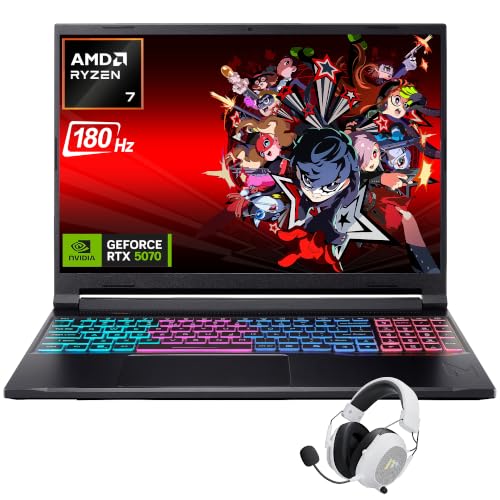
Best Value: Acer Nitro V16 RTX 5070
Specs
CPU | AMD Ryzen 7 260 (8 cores, 16 threads) |
GPU | GeForce RTX 5070 Laptop, 8 GB GDDR7 |
Display | 16in WQXGA (2560x1600), 180 Hz, 100% sRGB |
Memory | 32 GB DDR5 |
Storage | 1 TB PCIe Gen 4 SSD |
Wireless | Wi-Fi 6E, Ethernet |
CPU
AMD Ryzen 7 260 (8 cores, 16 threads)
GPU
GeForce RTX 5070 Laptop, 8 GB GDDR7
Display
16in WQXGA (2560x1600), 180 Hz, 100% sRGB
Memory
32 GB DDR5
Storage
1 TB PCIe Gen 4 SSD
Wireless
Wi-Fi 6E, Ethernet
What it does well
The Nitro V16 gets the most important Tarkov spec right: 32 GB of DDR5 out of the box. At a lower price than the HX picks, that is the spec most budget laptops skip.
The RTX 5070 runs 1080p to 1200p at high settings on the lighter maps, and the 180 Hz 2560x1600 panel gives you a sharp, fast screen for spotting movement at range. It also has an RJ45 Ethernet port, which matters in a game where a dropped connection can cost you your whole kit.
What you give up
The Ryzen 7 260 is an 8-core chip, not an HX part. On Streets and Lighthouse it gives up frames sooner than the Vector or the X3D picks, and that is the trade for the lower price.
The RTX 5070 has 8 GB of VRAM. At the native 2560x1600 that means lower texture quality or upscaling; running the game at 1920x1200 is the simpler fix. The Nitro chassis also runs warm and loud under load.
Who it's for
The player who wants the RAM headroom Tarkov asks for without paying for an HX CPU, and who spends most raids on Customs, Woods, Interchange and Factory rather than Streets.
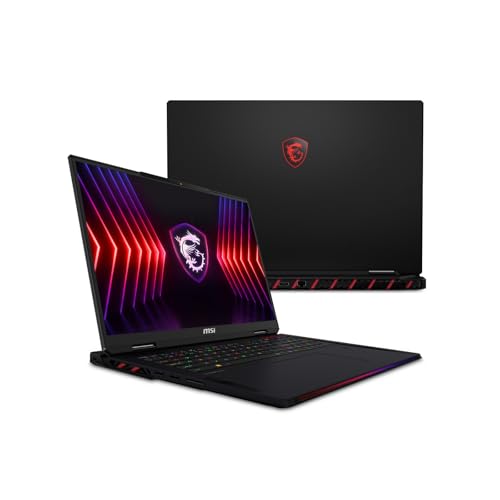
Best Premium: MSI Raider A18 HX RTX 5080 (64 GB)
Specs
CPU | AMD Ryzen 9 9955HX3D (16 cores, 32 threads, 3D V-Cache) |
GPU | GeForce RTX 5080 Laptop, 16 GB GDDR7 |
Display | 18in UHD+ (3840x2400), 120 Hz |
Memory | 64 GB DDR5 |
Storage | 2 TB NVMe SSD |
OS | Windows 11 Pro |
CPU
AMD Ryzen 9 9955HX3D (16 cores, 32 threads, 3D V-Cache)
GPU
GeForce RTX 5080 Laptop, 16 GB GDDR7
Display
18in UHD+ (3840x2400), 120 Hz
Memory
64 GB DDR5
Storage
2 TB NVMe SSD
OS
Windows 11 Pro
What it does well
This is the only laptop here that meets the official recommended spec on memory with no upgrade: it ships with 64 GB of DDR5. For a game whose own store page asks for that much, nothing else on the list comes closer.
The Ryzen 9 9955HX3D carries AMD's 3D V-Cache, the large on-chip cache that desktop testing links to steadier frame rates in CPU-bound games, Tarkov included. Pair that with a 16 GB RTX 5080 and you have the strongest combination of CPU, memory and GPU on the list. The 2 TB SSD holds the install with plenty of room left.
What you give up
It costs far more than anything else here, and the 18-inch chassis is heavy with a large power brick. The UHD+ panel tops out at 120 Hz, so most players will run the game below native resolution to chase frame rate.
This listing is a reseller configuration from EXCaliberPC, which adds the 64 GB of RAM and the storage to a stock Raider. Reports suggest the warranty terms differ from a stock unit, so check them before buying.
Who it's for
The player who wants to meet the full recommended spec on a laptop, plays long sessions on Streets, and keeps the machine on a desk. More big-screen options are in our 18-inch gaming laptops guide.
Best Budget: Lenovo LOQ 15 RTX 5060

Specs
CPU | AMD Ryzen 7 250 (8 cores, 16 threads) |
GPU | GeForce RTX 5060 Laptop, 8 GB GDDR7 |
Display | 15.3in WUXGA (1920x1200) IPS, 165 Hz |
Memory | 16 GB |
Storage | 512 GB SSD |
CPU
AMD Ryzen 7 250 (8 cores, 16 threads)
GPU
GeForce RTX 5060 Laptop, 8 GB GDDR7
Display
15.3in WUXGA (1920x1200) IPS, 165 Hz
Memory
16 GB
Storage
512 GB SSD
What it does well
The LOQ 15 is the cheapest way into Tarkov on a real gaming laptop. The RTX 5060 clears the GTX 1660 minimum by a wide margin and runs 1080p at medium to high settings on most maps.
The 8-core Ryzen 7 250 sits ahead of the minimum Ryzen 5 3600, and the 165 Hz 1920x1200 panel suits the frame rates this class of hardware reaches on Customs and Woods.
What you give up
16 GB is the minimum, not a comfortable amount. Players report stutter on the big maps at 16 GB, so plan a move to 32 GB once the game sticks; confirm the memory is socketed before you order a kit.
512 GB of storage leaves little room once the 80 GB install lands. Streets runs well below the HX picks here, and that is where this laptop shows its price.
Who it's for
The new player learning Customs and Woods on a tight budget, ready to add RAM later. For more laptops at this tier, see our gaming laptops under the four-figure mark.
Editor's Pick: Lenovo Legion Pro 7 RTX 5080 OLED

Specs
CPU | AMD Ryzen 9 9955HX3D (16 cores, 32 threads, 3D V-Cache) |
GPU | GeForce RTX 5080 Laptop, 16 GB GDDR7 |
Display | 16in OLED (2560x1600), 240 Hz |
Memory | 32 GB |
Storage | 1 TB SSD |
CPU
AMD Ryzen 9 9955HX3D (16 cores, 32 threads, 3D V-Cache)
GPU
GeForce RTX 5080 Laptop, 16 GB GDDR7
Display
16in OLED (2560x1600), 240 Hz
Memory
32 GB
Storage
1 TB SSD
What it does well
The Legion Pro 7 puts the same 3D V-Cache Ryzen 9 9955HX3D as the Raider into a 16-inch chassis you can carry. For Tarkov, that cache is the most useful single spec on a laptop, and here it comes with a 16 GB RTX 5080 for 2560x1600 at high settings.
The 240 Hz OLED panel is the other reason we picked it. Deep blacks make dark interiors and night raids easier to read, and spotting a player in a shadowed corner is half the game.
What you give up
It ships with 32 GB, so reaching the 64 GB recommendation is an upgrade you pay for on top of a premium price. The 1 TB SSD fills quickly if Tarkov shares it with other big games.
OLED and a static HUD over long sessions is a burn-in risk to manage; keep the panel's pixel-refresh features on.
Who it's for
The serious player who wants X3D cache and an OLED screen for night raids in a laptop that still fits a backpack. Our RTX 5080 gaming laptops roundup has more at this tier.
Bottom line
If you want one laptop that handles every map well, buy the MSI Vector 16 HX AI RTX 5070 Ti. If you want 32 GB on a tighter budget, buy the Acer Nitro V16 RTX 5070. If you want the full 64 GB recommended spec, buy the MSI Raider A18 HX RTX 5080 (64 GB). If you are new and money is tight, buy the Lenovo LOQ 15 RTX 5060 and add RAM later. If you want X3D cache and an OLED panel you can carry, buy the Lenovo Legion Pro 7 RTX 5080 OLED. Playing other extraction shooters too? Our laptops for Arc Raiders list covers that game.
FAQ
Can a laptop run Escape from Tarkov?
Yes. Any recent gaming laptop with an RTX 5060 or better clears the GTX 1660 minimum, and 16 GB of RAM meets the minimum memory spec. What separates laptops is how they handle the busy maps: a fast HX or X3D processor and 32 GB of RAM keep Streets and Lighthouse playable. The MSI Vector 16 HX AI RTX 5070 Ti is our pick for that balance.
What are the Escape from Tarkov laptop requirements?
Steam lists desktop parts only. Minimum is a Ryzen 5 3600, 16 GB of RAM, a GTX 1660 and 80 GB of storage on Windows 10. Recommended is a Core i7-14700F, 64 GB of RAM and an RTX 4070 on Windows 11. In laptop terms, an HX-class CPU, 32 GB or more and an RTX 5070 Ti or better gets you close to the recommended tier.
How much RAM do you need for Escape from Tarkov?
Sixteen gigabytes is the minimum and runs the game, but players report stutter on the bigger maps at that amount. 32 GB is the practical floor most players settle on, and it is what four of our five picks ship with or exceed. The 64 GB recommendation matters most for long sessions on Streets; the MSI Raider A18 HX RTX 5080 (64 GB) is the only pick that ships with it.
Is Escape from Tarkov CPU or GPU heavy?
Mostly CPU and memory. On crowded maps like Streets of Tarkov and Lighthouse, the processor sets the frame rate, and a faster GPU adds little there. The GPU matters more on open maps and at higher resolutions. That is why we ranked processor and RAM ahead of the graphics card and favoured HX and 3D V-Cache chips.
Is a budget gaming laptop good enough for Escape from Tarkov?
For learning the game, yes. The Lenovo LOQ 15 RTX 5060 runs 1080p at medium to high settings on most maps. It ships with 16 GB, the minimum, so plan to upgrade to 32 GB once you play regularly, and expect Streets to run well below the HX picks.
Can you play Escape from Tarkov on a MacBook?
Not natively. Escape from Tarkov is Windows only on PC, with no macOS build on Steam. Its anti-cheat also blocks most workarounds, so a Windows gaming laptop is the practical choice if you want to play away from a desktop.
Related Articles

Best Gaming Laptops With 32GB RAM (2026): 5 TGP Picks
Best gaming laptops with 32GB RAM in 2026, ranked by GPU TGP first. Per-pick memory config (soldered or SO-DIMM) so you know what you can upgrade later.
Aug 9, 2026

Best Gaming Laptops for Arc Raiders (2026): RTX 5060 to 5080
The best laptop for Arc Raiders runs Embark's Epic preset at 1080p above 60 FPS. Four Amazon-sold picks, RTX 5060 to RTX 5080, with measured FPS per GPU tier.
Nov 22, 2026

Best Gaming Laptops for Battlefield 6 (2026): 165Hz to 300Hz
The best gaming laptop for Battlefield 6 pairs a 12 GB GPU with a fast CPU for 64-player Conquest. Five Amazon-sold picks, RTX 5060 to RTX 5080, up to 300Hz.
Nov 20, 2026

Best RTX 5080 Gaming Laptops (2026): 5 TGP-Ranked Picks
The best RTX 5080 gaming laptops in 2026, ranked by the GPU power each chassis can sustain. Five picks from 16-inch OLED to 18-inch, plus the 5080 Ti myth.
Oct 8, 2026

Best 18-Inch Gaming Laptops (2026): 5 Desktop Replacements
The best 18-inch gaming laptops in 2026, ranked by GPU power, screen and weight. Five desktop replacements from RTX 5070 Ti to RTX 5090, plus what fits a bag.
Nov 16, 2026