Affiliate Disclosure: As an Amazon Associate we earn from qualifying purchases. Some links may earn us a commission at no cost to you.

Best CPUs for the RTX 5060 Ti (2026): 5 Tiered Picks
The RTX 5060 Ti is the card most likely to land in a build that already exists. That makes the CPU question a platform question first. Nvidia wired this one to a PCIe 5.0 x8 interface instead of a full x16 link, so the generation of the slot it drops into changes the frame rate you end up with.
So these picks come in pairs: the processor, and the board generation it brings with it. Five chips by tier, from the cheapest way onto a live socket to the one worth buying for an aging AM4 board.
Our top pick: AMD Ryzen 5 9600X
Six Zen 5 cores, a 65 W power budget, and a socket that still has upgrades left on it. Every current AM5 board runs the primary slot at PCIe 5.0, which keeps this card's eight lanes at full bandwidth.

Quick picks
Pick | CPU | Best for | Buy |
|---|---|---|---|
Best Overall | 1080p high-refresh on a fresh AM5 build | ||
Best Value | The same platform with a cooler in the box | ||
Best Premium | Sims, strategy, and a planned GPU upgrade | ||
Best Budget | The cheapest route onto a Gen 5 socket | ||
Editor's Pick | An existing B550 or X570 build |
Best Overall
- CPU
- Best for
1080p high-refresh on a fresh AM5 build
- Buy
Best Value
- CPU
- Best for
The same platform with a cooler in the box
- Buy
Best Premium
- CPU
- Best for
Sims, strategy, and a planned GPU upgrade
- Buy
Best Budget
- CPU
- Best for
The cheapest route onto a Gen 5 socket
- Buy
Editor's Pick
- CPU
- Best for
An existing B550 or X570 build
- Buy
Specs at a glance
CPU | Cores / threads | Boost clock | L3 cache | TDP | Socket / PCIe |
|---|---|---|---|---|---|
6 / 12 | 5.4 GHz | 32 MB | 65 W | AM5 / Gen 5 | |
6 / 12 | 5.1 GHz | 32 MB | 65 W | AM5 / Gen 5 | |
8 / 16 | 5.2 GHz | 96 MB | 120 W | AM5 / Gen 5 | |
6 / 12 | 5.0 GHz | 32 MB | 65 W | AM5 / Gen 5 | |
8 / 16 | 4.5 GHz | 96 MB | 105 W | AM4 / Gen 4 |
- Cores / threads
6 / 12
- Boost clock
5.4 GHz
- L3 cache
32 MB
- TDP
65 W
- Socket / PCIe
AM5 / Gen 5
- Cores / threads
6 / 12
- Boost clock
5.1 GHz
- L3 cache
32 MB
- TDP
65 W
- Socket / PCIe
AM5 / Gen 5
- Cores / threads
8 / 16
- Boost clock
5.2 GHz
- L3 cache
96 MB
- TDP
120 W
- Socket / PCIe
AM5 / Gen 5
- Cores / threads
6 / 12
- Boost clock
5.0 GHz
- L3 cache
32 MB
- TDP
65 W
- Socket / PCIe
AM5 / Gen 5
- Cores / threads
8 / 16
- Boost clock
4.5 GHz
- L3 cache
96 MB
- TDP
105 W
- Socket / PCIe
AM4 / Gen 4
How we picked the best CPUs for the RTX 5060 Ti
Start with the interface. The 5060 Ti talks to the system over eight PCIe lanes, not sixteen. At PCIe 5.0 that is roughly 64 GB/s of bandwidth. At Gen 4 it halves to about 32 GB/s, and on a Gen 3 board it halves again to about 16 GB/s. A full sixteen-lane card shrugs that off. This one does not.
The penalty is not spread evenly. TechPowerUp measured the 8 GB version running about 14 to 17 percent faster on PCIe 5.0 than on PCIe 4.0. TechSpot pushed it further and found the 8 GB card falling to roughly 27 fps average with 9 fps 1% lows on a Gen 3 link in a memory-limited test, while the 16 GB version stayed playable. The larger card has the memory to stop shuttling assets across the bus, so it barely notices.
That reframes the budget. If the choice is between a bigger processor and the 16 GB version of this card, take the card. Our read on whether the 5060 Ti clears 1440p lands in the same place: at that resolution the graphics card is the ceiling and a six-core Ryzen 5 already clears it.
At 1080p the picture changes. Competitive shooters, dense RPG hub areas, late-game strategy turns: those scenes lean on the processor, and a faster chip moves real frames. That is the one place on this card where CPU tier is worth arguing about, and even there the gap between a Ryzen 5 and a Ryzen 7 is narrower than the gap between the 8 GB and 16 GB cards. The plain 5060 sits a step below this card, and its processor floor sits a step lower with it: the best CPUs for the RTX 5060 covers that pairing on its own terms.
So the board matters for exactly one reason here, and it is not VRM phase count or heatsink size. It is the generation of the primary slot. A B450 or a 10th-gen Intel board runs that slot at Gen 3, the worst case above. B550, X570, and every AM5 board clear the bar. The PSU picks for this card cover the next decision in the same build.
One rule sits under all five picks: size the processor to the graphics card, not the other way around. We went AM5 across the board because the socket has runway and the slot is Gen 5, with one AM4 exception for people who already own the board. Intel is a reasonable alternative on paper, and current B860 boards wire the slot at Gen 5, but Arrow Lake's gaming results and its dead-end socket keep it off this list.
Best Overall: AMD Ryzen 5 9600X
Specs
Cores / threads | 6 / 12 |
Boost clock | 5.4 GHz |
L3 cache | 32 MB |
TDP | 65 W |
Socket | AM5 |
CPU PCIe | Gen 5 |
Cooler | Not included |
Cores / threads
6 / 12
Boost clock
5.4 GHz
L3 cache
32 MB
TDP
65 W
Socket
AM5
CPU PCIe
Gen 5
Cooler
Not included
What it does well
Six Zen 5 cores is the right size for this graphics card. In the scenes where the processor sets the pace, a competitive shooter at low settings, a dense RPG hub, a late-game strategy turn, the 9600X keeps the 5060 Ti fed at 1080p and never becomes the reason a frame arrives late. Above 1080p it stops mattering almost entirely, because the card runs out of headroom before the chip does.
The 65 W power budget helps. A cheap tower cooler handles it in near silence, which keeps the rest of the build simple: a mid-tier B650 or B850 board, a 32 GB DDR5-6000 CL30 kit, done.
The platform argument outlasts the card. AM5 still has upgrades ahead of it, and every current board on that socket wires the primary slot at PCIe 5.0, so this card's eight lanes run at full speed today and will keep running at full speed under whatever replaces it.
What you give up
Six cores is a floor, not a ceiling. Run a game, a browser stack, Discord, and a capture encoder at once and you will feel the thread count before the clock speed. Heavy background work belongs on one of the eight-core picks below.
The generational gain over the previous Ryzen 5 is small, and behind this card it is close to invisible. There is no cooler in the box either, so budget for one.
Who it's for
The builder assembling a fresh machine around a 5060 Ti for 1080p high-refresh or 1440p, who wants the socket to outlive the graphics card. If the display is still undecided, our take on the monitor tier this card is built for is the other half of this decision.
Best Value: AMD Ryzen 5 7600
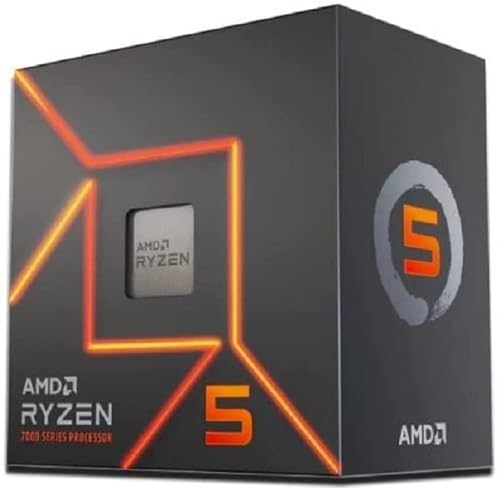
Specs
Cores / threads | 6 / 12 |
Boost clock | 5.1 GHz |
L3 cache | 32 MB |
TDP | 65 W |
Socket | AM5 |
CPU PCIe | Gen 5 |
Cooler | Wraith Stealth included |
Cores / threads
6 / 12
Boost clock
5.1 GHz
L3 cache
32 MB
TDP
65 W
Socket
AM5
CPU PCIe
Gen 5
Cooler
Wraith Stealth included
What it does well
This is the same shape of chip as the pick above: six cores, twelve threads, 65 W, the same AM5 socket, and the same PCIe 5.0 primary slot on every board that takes it. In the GPU-bound scenes the 5060 Ti spends most of its life producing, it puts frames on screen in the same place.
The cooler in the box is the practical difference. On a build where every part is fighting for the same money, removing a cooler from the shopping list is worth more than a few percent of processor performance that this graphics card cannot express anyway.
Zen 4 boards are cheap and mature now. BIOS support is settled, memory training is quick, and the budget B650 shelf is deep. That is a real advantage over being an early adopter on anything.
What you give up
It gives up a single-digit margin to the 9600X in the processor-bound corners, and the bundled Wraith Stealth gets audible once the chip is working. Most builders replace it within a year.
It is also the older generation, so the resale tail and the remaining BIOS support window are both shorter. Neither is a reason to avoid it, but both are real.
Who it's for
The builder deciding between the 8 GB and the 16 GB version of the 5060 Ti. Take this processor, take the 16 GB card, and stop reading. That trade is worth far more than any processor tier jump on this list.
Best Premium: AMD Ryzen 7 9800X3D

Specs
Cores / threads | 8 / 16 |
Boost clock | 5.2 GHz |
L3 cache | 96 MB |
TDP | 120 W |
Socket | AM5 |
CPU PCIe | Gen 5 |
Cooler | Not included |
Cores / threads
8 / 16
Boost clock
5.2 GHz
L3 cache
96 MB
TDP
120 W
Socket
AM5
CPU PCIe
Gen 5
Cooler
Not included
What it does well
The 96 MB of L3 cache changes the scenes frame-rate averages hide. Total War end-turn battles, Flight Simulator over dense scenery, Baldur's Gate 3 in the Lower City, Tarkov on a full raid map: those are simulation problems, not rendering problems, and no graphics card fixes them.
It is also the pick that survives a GPU swap. Drop a faster card into the same board in two years and nothing else in the machine needs to change, because the processor was never the limit in the first place.
What you give up
Behind a 5060 Ti today, most of that cache sits idle. At 1440p the card sets the ceiling and the extra spend buys frames the GPU is not capable of drawing. The honest version: this is the wrong processor for this graphics card unless a specific library or a planned upgrade justifies it, and for most buyers neither does.
the 5070 pairing guide covers what happens when the card moves up a tier, which is the situation this chip is really built for. The other cost is thermal: 120 W through a dense cache stack means the cheapest tower cooler is not enough, so add a proper dual-tower or a 240 mm loop.
Who it's for
Sim racers, flight sim pilots, 4X and grand strategy players, MMO raiders, and Tarkov regulars, plus anyone treating the 5060 Ti as a stopgap until the next card lands.
Best Budget: AMD Ryzen 5 7500F
Specs
Cores / threads | 6 / 12 |
Boost clock | 5.0 GHz |
L3 cache | 32 MB |
TDP | 65 W |
Socket | AM5 |
Integrated graphics | None |
Packaging | OEM tray, no cooler |
Cores / threads
6 / 12
Boost clock
5.0 GHz
L3 cache
32 MB
TDP
65 W
Socket
AM5
Integrated graphics
None
Packaging
OEM tray, no cooler
What it does well
The 7500F is the cheapest way onto a live socket, and on this card the socket matters more than the clock speed printed on the box. A dead platform means a Gen 3 or Gen 4 slot, which is exactly where the 5060 Ti loses measurable performance. AM5 keeps the eight lanes at Gen 5.
In practice it lands within a few frames of the 7600 in the scenes this graphics card produces. The money saved is better spent on the 16 GB version of the card, which is the single highest-value swap available on this build.
the 5060 Ti against the 5070 is worth a read before committing, because at the very bottom of this budget the card choice is still open.
What you give up
The F suffix means no integrated graphics. If the graphics card ever dies, there is no display output to troubleshoot from, and reports suggest some AM5 boards want a screen attached for first-boot firmware work. Keep a spare card or an accommodating friend in mind.
It ships as an OEM tray part with no cooler and no retail box, so the warranty path runs through the seller rather than AMD directly. Factor a cooler into the price before comparing it against the 7600.
Who it's for
The strict-budget builder who still wants a socket with upgrades left on it, and who would rather put the difference into the graphics card than into the processor.
Editor's Pick: AMD Ryzen 7 5800X3D

Specs
Cores / threads | 8 / 16 |
Boost clock | 4.5 GHz |
L3 cache | 96 MB |
TDP | 105 W |
Socket | AM4 |
CPU PCIe | Gen 4 |
Cooler | Not included |
Cores / threads
8 / 16
Boost clock
4.5 GHz
L3 cache
96 MB
TDP
105 W
Socket
AM4
CPU PCIe
Gen 4
Cooler
Not included
What it does well
This is the AM4 exit ramp. With a B550 or X570 board already in the case, the 5800X3D turns a five-year-old platform into a competent partner for this card with no new board, memory, or Windows re-activation. Flash the firmware, swap the chip, done.
The cache does the same work here that it does on AM5. Strategy turns, sim frame pacing, and MMO raid nights all improve, and in the GPU-bound titles the 5060 Ti spends most of its time in, the difference against a modern six-core is small enough to ignore.
What you give up
The platform costs you a PCIe generation. B550 and X570 run the primary slot at Gen 4, so the card's eight lanes get half the bandwidth they would on AM5. On the 16 GB version that is a minor tax. On the 8 GB version it is not, which is why this pick comes with a card recommendation attached.
The multiplier is locked, so there is no tuning headroom, and AM4 ends here. Whatever graphics card follows this one will be the last thing the platform hosts. Anyone building fresh should ignore this section entirely and buy AM5.
Who it's for
Existing AM4 owners on a B550 or X570 board who want one more good year out of the machine. On a B450 or A320 board, stop: that slot is Gen 3, and the upgrade to make first is the board, not the processor.
Bottom line
If you are building fresh for 1080p or 1440p, buy the AMD Ryzen 5 9600X and put the difference into the 16 GB card. If the budget is tight, the AMD Ryzen 5 7600 gets you to the same place with a cooler included. If your library is simulation, strategy, or MMO heavy, or the 5060 Ti is a placeholder, the AMD Ryzen 7 9800X3D is the one that earns its price. If you already own a B550 or X570 board, the AMD Ryzen 7 5800X3D is the last upgrade that platform deserves.
Whatever you pick, check the primary slot's PCIe generation before you order. Our guide to choosing a CPU and motherboard walks through the rest of that decision.
FAQ
Will the RTX 5060 Ti bottleneck a Ryzen 5 9600X?
No, and the question is usually asked backwards. At 1440p the 5060 Ti runs out of rendering headroom long before a six-core Zen 5 chip runs out of throughput, so the graphics card is the limit in nearly every modern title. At 1080p in processor-heavy scenes the balance is closer, but the 9600X still keeps ahead of what this card can draw. If you want more frames from that pairing, the upgrade that moves the number is a faster graphics card.
Does the RTX 5060 Ti need PCIe 5.0?
It benefits from it more than most cards, because Nvidia gave this one an eight-lane interface instead of the usual sixteen. That halves the bandwidth at every generation. TechPowerUp measured the 8 GB version running roughly 14 to 17 percent faster on PCIe 5.0 than on PCIe 4.0. The 16 GB version is far less sensitive because it is not constantly moving assets across the bus. Gen 5 is ideal, Gen 4 is acceptable, and Gen 3 is where the card starts to struggle.
Is a Ryzen 7 9800X3D overkill for an RTX 5060 Ti?
For most buyers, yes. The extra cache pays off in simulation, strategy, and MMO workloads where the processor is doing the heavy lifting, and it pays off if this card is a placeholder for something faster. Outside those two cases the graphics card sets the ceiling and the cache sits unused. If the library is mostly shooters, action games, and console ports, a Ryzen 5 delivers the same experience and leaves money for the 16 GB card.
Can I use an RTX 5060 Ti on a B450 or 10th-gen Intel board?
It will work, but those boards run the primary slot at PCIe 3.0, which is the worst case for this card. TechSpot found the 8 GB version dropping to roughly 27 fps average with 9 fps 1% lows in a memory-limited test on a Gen 3 link, while the 16 GB version stayed playable. If the board is staying, buy the 16 GB card. If the card is already bought and it is the 8 GB model, the board upgrade is the fix.
What CPU should I pair with the RTX 5060 Ti for 1440p?
A current six-core is enough. At 1440p this card is the constraint in essentially every title, so a Ryzen 5 9600X or a Ryzen 5 7600 delivers the same frame rate as anything more expensive. Put the savings into the 16 GB version of the card, faster memory, or a better monitor. The only reason to go further up the processor stack at this resolution is a simulation or strategy library that leans on cache.
Should I buy the 8GB or the 16GB RTX 5060 Ti on an older platform?
The 16 GB version, without hesitation. The performance gap between the two widens as the PCIe link gets slower, because the 8 GB card compensates for its smaller memory pool by moving data across the bus, and an older board makes that bus narrower. On a Gen 3 slot the two versions are not in the same class. On a Gen 5 board the gap narrows, but the 16 GB card is still the one that ages better.
Related Articles

Best PSU for RTX 5060 Ti: 650W Sweet Spot, 5 Picks (2026)
The best PSU for an RTX 5060 Ti is a 650W ATX 3.1 unit, not the 850W you were sold. Five vetted picks for budget, quiet, SFF, and upgrade-path builds.
Sep 19, 2026

RTX 5060 Ti for 1440p: Enough, or Step Up to 5070? (2026)
The RTX 5060 Ti 16GB clears 1440p high refresh in most games, but ray tracing and heavier titles shift the math fast. Here's when to step up to a 5070.
Jul 25, 2026

Best CPUs for the RTX 5070 (2026): 5 Picks by Tier
The best CPU for the RTX 5070 is cheaper than you think. Five picks by tier, with the 1440p scaling data that says spend down and upgrade your monitor.
Aug 17, 2026

RTX 5060 Ti vs RTX 5070 (2026): 16GB or 30% More FPS?
RTX 5060 Ti vs RTX 5070: the 5070 runs about 30% faster, the 5060 Ti packs 16GB. See which wins at 1080p, 1440p, 4K and with ray tracing, and who buys each.
Sep 10, 2026

9800X3D vs 285K (2026): 5 Benchmarks and a Verdict by Buyer
9800X3D vs 285K: the Ryzen wins cache-heavy games by up to 51% on roughly half the power; the 285K wins Blender and encodes by 25 to 40%. Pick yours in 2026.
Oct 5, 2026