Affiliate Disclosure: As an Amazon Associate we earn from qualifying purchases. Some links may earn us a commission at no cost to you.

Best CPU for Valorant (2026): 5 Picks from 144Hz to 540Hz
The best CPU for Valorant depends on your monitor. At 1080p competitive settings a mid-range graphics card pushes frames in the hundreds, so the processor sets the ceiling and decides how steady the frame rate stays in a busy round. A 144Hz panel asks very little of it. A 360Hz or 540Hz panel asks for everything.
These five picks follow that ladder: an X3D chip for 360Hz and up, a cheaper X3D for 240Hz to 360Hz, a 16-core for streamers, a budget AM5 six-core for 144Hz to 240Hz, and an Intel option.
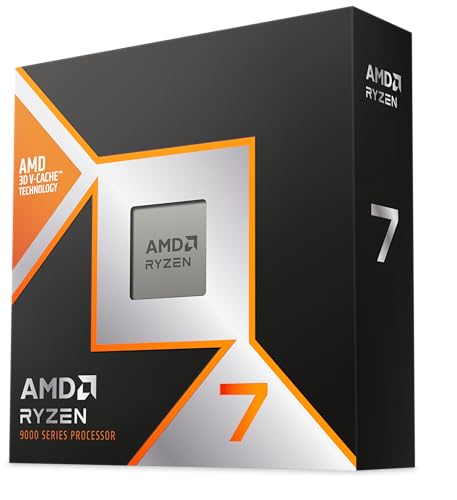
Our top pick: AMD Ryzen 7 9800X3D
The AMD Ryzen 7 9800X3D is the chip to buy for a 360Hz or 540Hz Valorant setup: its 96 MB of L3 cache keeps 1% lows steady when a retake puts five agents and their abilities on one screen.
Quick picks
Pick | CPU | Best for | Buy |
|---|---|---|---|
Best Overall | 360Hz and 540Hz panels | ||
Best Value | 240Hz to 360Hz, most of the X3D gain | ||
Best Premium | Play and stream from one PC | ||
Best Budget | 144Hz to 240Hz, AM5 on a budget | ||
Editor's Pick | Intel build, 240Hz, DDR4 reuse |
Best Overall
- CPU
- Best for
360Hz and 540Hz panels
- Buy
Best Value
- CPU
- Best for
240Hz to 360Hz, most of the X3D gain
- Buy
Best Premium
- CPU
- Best for
Play and stream from one PC
- Buy
Best Budget
- CPU
- Best for
144Hz to 240Hz, AM5 on a budget
- Buy
Editor's Pick
- CPU
- Best for
Intel build, 240Hz, DDR4 reuse
- Buy
Specs at a glance
CPU | Cores / threads | Max boost | L3 cache | Socket |
|---|---|---|---|---|
8 / 16 | 5.2 GHz | 96 MB (3D V-Cache) | AM5 | |
8 / 16 | 5.0 GHz | 96 MB (3D V-Cache) | AM5 | |
16 / 32 | 5.7 GHz | 128 MB (3D V-Cache on one CCD) | AM5 | |
6 / 12 | 5.3 GHz | 32 MB | AM5 | |
14 (6P + 8E) / 20 | 5.3 GHz | 24 MB | LGA1700 |
- Cores / threads
8 / 16
- Max boost
5.2 GHz
- L3 cache
96 MB (3D V-Cache)
- Socket
AM5
- Cores / threads
8 / 16
- Max boost
5.0 GHz
- L3 cache
96 MB (3D V-Cache)
- Socket
AM5
- Cores / threads
16 / 32
- Max boost
5.7 GHz
- L3 cache
128 MB (3D V-Cache on one CCD)
- Socket
AM5
- Cores / threads
6 / 12
- Max boost
5.3 GHz
- L3 cache
32 MB
- Socket
AM5
- Cores / threads
14 (6P + 8E) / 20
- Max boost
5.3 GHz
- L3 cache
24 MB
- Socket
LGA1700
Where Valorant hits the CPU
Valorant is built to run on almost anything, and at 1080p with competitive settings it does. A mid-range graphics card renders each frame so quickly that the card stops being the limit long before a 240Hz panel runs out of refresh. From there the processor decides how many frames arrive, and how evenly they arrive.
The game moved from Unreal Engine 4 to Unreal Engine 5.3 with patch 11.02 in July 2025. Side-by-side tests at the time showed frame rates holding or rising slightly on the new engine, with CPU and memory use going up. The engine change did not move the target: Riot's own 144 fps tier still lists a Core i5-9400F or a Ryzen 5 2600X, chips several generations behind anything on this list.
The hard moments are short. A full retake, a spike plant with smokes, walls and flashes going off at once, five players on screen. Average frame rate barely moves there, but the 1% lows dip, and on a 360Hz panel there is very little headroom to hide a dip. That is the one place a big L3 cache earns its money, and it is why our do you need X3D for Valorant verdict stops short of recommending one below 360Hz.
If you are not sure which part limits your current rig, run it through our bottleneck calculator first. A 240Hz monitor behind an RTX 4060 or Arc B580 class card usually wants a faster graphics card before a faster CPU; our best GPU for Valorant guide covers that side of the build.
How we picked
We started from the refresh rate. A 144Hz to 240Hz panel needs frames that a modern six-core already delivers with room to spare, so that tier gets the cheapest sensible AM5 chip. A 360Hz or 540Hz panel needs a chip that holds its 1% lows in the busiest rounds, and that is where X3D cache belongs.
Then we sized the CPU to the graphics card. A 360Hz chase only works with the monitor and a top-tier card in the build; with either one missing, the X3D premium buys nothing you can see and the money belongs in the GPU. The full framework behind that call is in how to choose a CPU and motherboard.
Platform and workload decided the last two slots. Four picks sit on AM5, which keeps an upgrade path open, so a budget build today can take an X3D chip later on the same board. Streamers get their own pick because a CPU-encoded stream needs cores that pure play does not. The Intel pick is for builders who prefer Intel or want to reuse DDR4.
No pick here ships with a cooler in the box, so every build needs one. A good single-tower air cooler covers the 105W and 120W chips; the 170W Ryzen 9 9950X3D and the Core i5-14600K want a strong dual-tower or a 240mm AIO.
One setup step applies to every pick. On Windows 11, reports suggest Vanguard, Valorant's anti-cheat, checks for TPM 2.0 and Secure Boot, so on a fresh build enable fTPM (AMD) or PTT (Intel) and Secure Boot in the BIOS before you install the game.
Best Overall: AMD Ryzen 7 9800X3D
Specs
Cores / threads | 8 / 16 |
Max boost | 5.2 GHz |
L3 cache | 96 MB (3D V-Cache) |
TDP | 120W |
Socket | AM5 |
Architecture | Zen 5 |
Memory | DDR5 |
Cooler | Not included |
Cores / threads
8 / 16
Max boost
5.2 GHz
L3 cache
96 MB (3D V-Cache)
TDP
120W
Socket
AM5
Architecture
Zen 5
Memory
DDR5
Cooler
Not included
What it does well
The AMD Ryzen 7 9800X3D pairs eight Zen 5 cores with 96 MB of L3 cache stacked under the compute die. In Valorant that cache shows up in the 1% lows rather than the average: the frame rate stays closer to the panel's refresh when a round gets crowded, which is the number that matters at 360Hz and 540Hz.
It is also the fastest gaming chip on this list across a wider library. Our 9800X3D vs 7800X3D comparison puts it about 11% ahead of the 7800X3D on average across games, and further ahead in cache-heavy titles. If Valorant shares your time with CS2, a strategy game or an MMO, that lead carries over.
AM5 keeps the board useful for a future CPU swap, and at 120W the chip runs on a good air cooler. For a board to match, see our picks of motherboards for the 9800X3D.
What you give up
Below 360Hz it buys frames the monitor never shows. A six-core Zen 4 chip already clears 240Hz in Valorant, so on a 144Hz or 240Hz panel the price gap is better spent on the graphics card or the monitor.
The 360Hz case also needs a top-tier graphics card in the build; with a mid-range card the CPU is not the limit. There is no cooler in the box, and eight cores is enough for play plus Discord but tight for a CPU-encoded stream on the same machine.
Who it's for
Players on a 360Hz or faster 1080p panel with an RTX 5070 Ti or RX 9070 XT class card or better, and anyone whose library leans on cache-heavy games alongside Valorant.
Best Value: AMD Ryzen 7 7800X3D

Specs
Cores / threads | 8 / 16 |
Max boost | 5.0 GHz |
L3 cache | 96 MB (3D V-Cache) |
TDP | 120W |
Socket | AM5 |
Architecture | Zen 4 |
Memory | DDR5 |
Cooler | Not included |
Cores / threads
8 / 16
Max boost
5.0 GHz
L3 cache
96 MB (3D V-Cache)
TDP
120W
Socket
AM5
Architecture
Zen 4
Memory
DDR5
Cooler
Not included
What it does well
The AMD Ryzen 7 7800X3D has the same 96 MB of L3 cache and the same AM5 socket as the 9800X3D, on older Zen 4 cores. For Valorant that means most of the steadier-lows benefit for noticeably less money.
It runs cool at 120W, sits on the same B650 and B850 boards, and leaves room to step up to a newer X3D chip later without touching the rest of the build.
What you give up
It trails the 9800X3D by roughly 11% on average across games, and the gap is widest in the most CPU-bound scenes, which is exactly where a 540Hz player lives. Zen 4 cores also lose more ground in multi-core work.
Like every X3D chip, it is overkill for a 144Hz panel. No cooler in the box.
Who it's for
A 240Hz to 360Hz player with a strong graphics card who wants X3D lows without paying for the top chip.
Best Premium: AMD Ryzen 9 9950X3D

Specs
Cores / threads | 16 / 32 |
Max boost | 5.7 GHz |
L3 cache | 128 MB (3D V-Cache on one CCD) |
TDP | 170W |
Socket | AM5 |
Architecture | Zen 5 |
Memory | DDR5 |
Cooler | Not included |
Cores / threads
16 / 32
Max boost
5.7 GHz
L3 cache
128 MB (3D V-Cache on one CCD)
TDP
170W
Socket
AM5
Architecture
Zen 5
Memory
DDR5
Cooler
Not included
What it does well
The AMD Ryzen 9 9950X3D is two eight-core chiplets in one package: one carries the extra cache for the game, the other handles everything else. For a Valorant streamer that second chiplet is the point. An x264 encode, OBS scenes, a browser and voice chat run there while the game keeps the cached cores to itself.
That turns a two-PC streaming setup into one machine, and it doubles as a real workstation for editing VODs or anything else that scales with cores. Our best CPUs for streaming and gaming guide covers the wider streaming case.
What you give up
Pure play never uses the second chiplet, so for a player who does not stream this is a lot of money for Valorant frames the 9800X3D already delivers. At 170W it needs a strong dual-tower or a 240mm AIO.
Only one CCD carries the extra cache. Reports suggest the AMD chipset driver and Xbox Game Bar need to be current so the game lands on the cache CCD; check both after a fresh Windows install.
Who it's for
Streamers who encode on the CPU, and players whose PC also does real multi-core work between matches.
Best Budget: AMD Ryzen 5 7600X

Specs
Cores / threads | 6 / 12 |
Max boost | 5.3 GHz |
L3 cache | 32 MB |
TDP | 105W |
Socket | AM5 |
Architecture | Zen 4 |
Memory | DDR5 |
Cooler | Not included |
Cores / threads
6 / 12
Max boost
5.3 GHz
L3 cache
32 MB
TDP
105W
Socket
AM5
Architecture
Zen 4
Memory
DDR5
Cooler
Not included
What it does well
The AMD Ryzen 5 7600X is the chip most Valorant players should buy. Six Zen 4 cores at up to 5.3 GHz clear Riot's 144 fps tier by a wide margin and hold 240Hz at competitive settings, which covers the monitors most players actually own.
The money it saves goes where Valorant feels it: a faster graphics card or a better panel. It sits on the same AM5 boards as the X3D picks, so a 9800X3D can drop in later if you move to 360Hz.
It is the same silicon as the Ryzen 5 7600 we recommend in our X3D verdict, with higher clocks and a higher power limit. The non-X 7600 includes a Wraith Stealth cooler; either chip does this job.
What you give up
In the busiest rounds it shows more frame-time variance than an X3D chip. At 240Hz most players will not notice; at 360Hz they will. It also has no cache advantage in sim racing, strategy or MMO raids if your library goes there.
No cooler in the box, unlike the non-X 7600, so add a basic tower cooler to the budget.
Who it's for
Valorant-first players on a 144Hz to 240Hz panel who are not streaming.
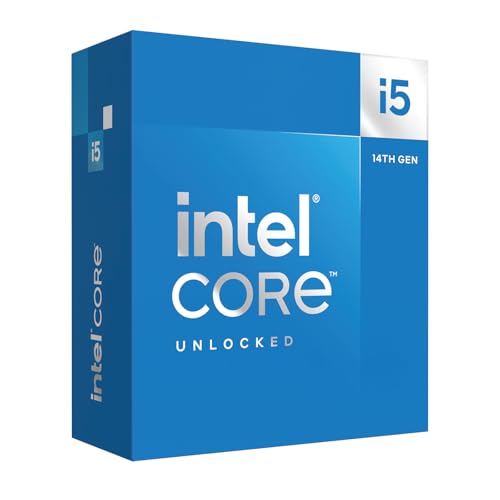
Editor's Pick: Intel Core i5-14600K
Specs
Cores / threads | 14 (6P + 8E) / 20 |
Max boost | 5.3 GHz |
L3 cache | 24 MB |
Base / max turbo power | 125W / 181W |
Socket | LGA1700 |
Architecture | Raptor Lake Refresh |
Memory | DDR4 or DDR5 |
Cooler | Not included |
Cores / threads
14 (6P + 8E) / 20
Max boost
5.3 GHz
L3 cache
24 MB
Base / max turbo power
125W / 181W
Socket
LGA1700
Architecture
Raptor Lake Refresh
Memory
DDR4 or DDR5
Cooler
Not included
What it does well
The Intel Core i5-14600K is the Intel path for a 240Hz Valorant build. Six fast P-cores carry the game, eight E-cores take Discord, the browser and capture software, and Quick Sync handles clip editing without leaning on the cores.
LGA1700 boards come in DDR4 versions, which makes this the cheapest upgrade for anyone carrying a good DDR4 kit over from an older build. It is the same chip we picked as the non-X3D path in our best CPUs for Counter-Strike 2 guide.
What you give up
LGA1700 has no CPU generations left, so there is no drop-in upgrade later the way AM5 has. It draws more power and runs hotter than the AMD picks, and an X3D chip still holds steadier lows at 360Hz.
Update the board's BIOS to a release with Intel's 0x12B microcode before daily use. Reports suggest older firmware is what exposed 13th and 14th gen chips to the Raptor Lake instability problem.
Who it's for
Builders who prefer Intel, want Quick Sync, or are reusing DDR4, with a 240Hz target.
Bottom line
If your monitor tops out at 240Hz, buy the AMD Ryzen 5 7600X and put the difference into the graphics card. If you play on a 360Hz or 540Hz panel with a top-tier card, buy the AMD Ryzen 7 9800X3D. If you want X3D lows for less, the AMD Ryzen 7 7800X3D gets most of the way. If you stream from the same PC, the AMD Ryzen 9 9950X3D is the one chip that does both. If you are building on Intel or reusing DDR4, the Intel Core i5-14600K holds 240Hz. Shopping for a laptop instead? Our best gaming laptop for Valorant guide follows the same CPU-first logic.
FAQ
Is Valorant CPU or GPU bound?
At 1080p competitive settings, mostly CPU bound. A mid-range graphics card renders frames in the hundreds, so the processor sets the ceiling and the 1% lows in busy rounds. At 1440p with higher settings, or with an entry-level card such as an RTX 4060 or Arc B580, the graphics card becomes the limit first. Check which one you have before you buy: our bottleneck calculator shows the split for your parts.
What CPU do I need for 240 fps in Valorant?
Any current six-core desktop chip gets there at competitive settings. The Ryzen 5 7600X is our budget pick for exactly that target, and the Core i5-14600K does the same on Intel. Riot's own 144 fps tier lists a Core i5-9400F or Ryzen 5 2600X, so 240 fps on a modern six-core is not a stretch. You also need a graphics card fast enough not to be the limit.
Do you need an X3D CPU for Valorant?
Not below 360Hz. On a 144Hz to 240Hz monitor, a six-core Zen 4 chip already holds the target, and the X3D premium buys frames the screen never shows. An X3D chip such as the Ryzen 7 9800X3D earns its price at 360Hz and 540Hz with a top-tier graphics card, when you stream from the same PC, or when your library includes cache-heavy games like CS2 or strategy titles.
Is the Ryzen 5 7600X good for Valorant?
Yes. It is our Best Budget pick and the right chip for most Valorant players. Six Zen 4 cores at up to 5.3 GHz clear 240Hz at competitive settings, it sits on AM5 so an X3D chip can drop in later, and the money saved goes to the graphics card. It does not include a cooler, so add a basic tower cooler to the build.
Did the Unreal Engine 5 update change what CPU Valorant needs?
Not in practice. Valorant moved from Unreal Engine 4 to Unreal Engine 5.3 with patch 11.02 in July 2025. Early side-by-side tests showed frame rates holding or rising slightly, with CPU and memory use going up. Riot's 144 fps tier still lists a Core i5-9400F or Ryzen 5 2600X, so any chip on this list clears it with a wide margin.
Is Intel or AMD better for Valorant?
Both run it well. At 144Hz to 240Hz a Ryzen 5 7600X and a Core i5-14600K land in the same place, so the choice comes down to platform. AM5 keeps a drop-in upgrade path open; LGA1700 has no CPU generations left but can reuse DDR4. At 360Hz and up, AMD's X3D chips hold steadier 1% lows, which is why the Ryzen 7 9800X3D is our top pick.
Related Articles

Do You Need X3D for Valorant? Not Below 360Hz (2026)
Do you need X3D for Valorant? Not at 144-240Hz: a Ryzen 5 7600 holds that target with room to spare. See when the 9800X3D pays off: 360Hz, streaming, or CS2.
Oct 14, 2026

Best GPU for Valorant (2026): FPS Benchmarks + 360Hz Picks
The best GPU for Valorant in 2026 is cheaper than you think. Measured 1080p FPS and 1% lows, picks for 240Hz to 480Hz monitors, and which cards are overkill.
Oct 10, 2026

Best Gaming Laptop for Valorant (2026): 5 CPU-First Picks
The best gaming laptop for Valorant is CPU-first. These 5 pair fast HX chips with 144Hz, 240Hz and 300Hz panels, from an RTX 5050 LOQ to a 9955HX3D Strix.
Nov 4, 2026

Best CPUs for Counter-Strike 2 (2026): Five Picks by Tier
Best CPUs for Counter-Strike 2 in 2026: five picks across competitive tiers from 144 Hz to 480 Hz OLED, with X3D cache analysis and 1% lows benchmarks.
May 12, 2026

How to Choose a CPU and Motherboard
The buyer's framework for picking a CPU and motherboard pair: use case first, socket second, chip tier third, then the board class that matches.
May 17, 2026