Affiliate Disclosure: As an Amazon Associate we earn from qualifying purchases. Some links may earn us a commission at no cost to you.

Best Cities: Skylines II Laptops in 2026: 5 Top Picks
Cities: Skylines II asks more of a laptop than most games on the store. Early on it plays like any city builder. Then the population climbs, every citizen and vehicle keeps running in the simulation, and the processor and memory start setting the pace while the GPU still has a busy 3D city to draw.
So the best laptop for Cities: Skylines II starts with an HX-class CPU and 32 GB of RAM, then matches the GPU to the resolution you play at. Five picks below, from a late-game workhorse to a budget floor and an 18-inch screen for builders who live in the map.
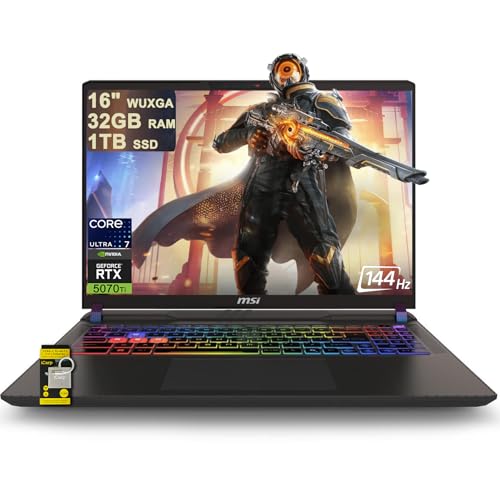
Our top pick: MSI Vector 16 HX AI RTX 5070 Ti
The MSI Vector 16 HX AI RTX 5070 Ti pairs a 20-core Ultra 7 255HX with 32 GB of DDR5 and a 12 GB RTX 5070 Ti, which covers a big city's simulation load and the renderer at 1200p high in one machine.
Quick picks
Pick | Laptop | Best for | Buy |
|---|---|---|---|
Best Overall | Big modded cities at 1200p high | ||
Best Value | Mid-size cities with 32 GB on a smaller budget | ||
Best Premium | QHD+ at high settings and a huge asset library | ||
Best Budget | Starting out, vanilla or light mods at 1080p | ||
Editor's Pick | The biggest screen and the most CPU cores |
Best Overall
- Laptop
- Best for
Big modded cities at 1200p high
Best Value
- Laptop
- Best for
Mid-size cities with 32 GB on a smaller budget
Best Premium
- Laptop
- Best for
QHD+ at high settings and a huge asset library
Best Budget
- Laptop
- Best for
Starting out, vanilla or light mods at 1080p
Editor's Pick
- Laptop
- Best for
The biggest screen and the most CPU cores
Specs at a glance
Laptop | CPU | GPU | Memory | Storage | Display |
|---|---|---|---|---|---|
Intel Core Ultra 7 255HX (20 cores, 20 threads) | GeForce RTX 5070 Ti Laptop, 12 GB GDDR7 | 32 GB DDR5 | 1 TB SSD | 16in WUXGA (1920x1200) IPS, 144 Hz | |
AMD Ryzen 7 260 (8 cores, 16 threads) | GeForce RTX 5070 Laptop, 8 GB GDDR7 | 32 GB DDR5 | 1 TB PCIe Gen 4 SSD | 16in WQXGA (2560x1600), 180 Hz, 100% sRGB | |
AMD Ryzen 9 8940HX (16 cores, 32 threads) | GeForce RTX 5080 Laptop, 16 GB GDDR7 | 32 GB DDR5 | 2 TB NVMe SSD | 16in QHD+, 240 Hz | |
AMD Ryzen 7 250 (8 cores, 16 threads) | GeForce RTX 5060 Laptop, 8 GB GDDR7 | 16 GB | 512 GB SSD | 15.3in WUXGA (1920x1200) IPS, 165 Hz | |
Intel Core Ultra 9 275HX (24 cores, 24 threads) | GeForce RTX 5070 Ti Laptop, 12 GB GDDR7 | 16 GB DDR5 | 1 TB PCIe Gen 4 SSD | 18in WQXGA (2560x1600), 240 Hz, G-Sync |
- CPU
Intel Core Ultra 7 255HX (20 cores, 20 threads)
- GPU
GeForce RTX 5070 Ti Laptop, 12 GB GDDR7
- Memory
32 GB DDR5
- Storage
1 TB SSD
- Display
16in WUXGA (1920x1200) IPS, 144 Hz
- CPU
AMD Ryzen 7 260 (8 cores, 16 threads)
- GPU
GeForce RTX 5070 Laptop, 8 GB GDDR7
- Memory
32 GB DDR5
- Storage
1 TB PCIe Gen 4 SSD
- Display
16in WQXGA (2560x1600), 180 Hz, 100% sRGB
- CPU
AMD Ryzen 9 8940HX (16 cores, 32 threads)
- GPU
GeForce RTX 5080 Laptop, 16 GB GDDR7
- Memory
32 GB DDR5
- Storage
2 TB NVMe SSD
- Display
16in QHD+, 240 Hz
- CPU
AMD Ryzen 7 250 (8 cores, 16 threads)
- GPU
GeForce RTX 5060 Laptop, 8 GB GDDR7
- Memory
16 GB
- Storage
512 GB SSD
- Display
15.3in WUXGA (1920x1200) IPS, 165 Hz
- CPU
Intel Core Ultra 9 275HX (24 cores, 24 threads)
- GPU
GeForce RTX 5070 Ti Laptop, 12 GB GDDR7
- Memory
16 GB DDR5
- Storage
1 TB PCIe Gen 4 SSD
- Display
18in WQXGA (2560x1600), 240 Hz, G-Sync
How we picked: what Cities: Skylines II needs from a laptop
Start with the published spec. The Steam page lists a minimum of an Intel Core i7-6700K or Ryzen 5 2600X, 8 GB of RAM and a GTX 970 or RX 480. The recommended tier jumps to a Core i5-12600K or Ryzen 7 5800X, 16 GB of RAM and a desktop RTX 3080 10 GB or RX 6800 XT. Both tiers ask for 60 GB of storage, and the game runs on Windows only.
That recommended GPU is a high bar for a laptop. A laptop RTX 5070 Ti sits in the same class as the desktop RTX 3080, so it is the card we lead with. The RTX 5070 and RTX 5060 run the game well at 1080p to 1200p with a few settings turned down, which is how most laptop players should run it anyway.
The CPU matters more as the city grows. Every citizen, vehicle and service runs through the simulation, and a city past 100,000 people slows down on any processor. More fast cores push that point further out, so four of the five picks carry 16 to 24 core HX chips, and the fifth is an honest budget floor.
Memory is the spec buyers skip. Sixteen gigabytes meets the recommended tier for a vanilla city. Assets and mods from Paradox Mods add up quickly, so we weighted 32 GB heavily: three picks ship with it and a fourth has a clear upgrade path. For more machines with that much memory, see our gaming laptops with 32 GB of RAM.
Last, thermals and screen. Laptops throttle under hours of sustained load, which shows up as a simulation that gets choppier the longer you play. Play plugged in on the performance profile, and a cooling pad helps on the thinner chassis. A 16-inch or larger 16:10 panel shows more of the info views and zoning tools at once.
Best Overall: MSI Vector 16 HX AI RTX 5070 Ti
Specs
CPU | Intel Core Ultra 7 255HX (20 cores, 20 threads) |
GPU | GeForce RTX 5070 Ti Laptop, 12 GB GDDR7 |
Display | 16in WUXGA (1920x1200) IPS, 144 Hz |
Memory | 32 GB DDR5 |
Storage | 1 TB SSD |
Ports | Thunderbolt 5 |
Wireless | Wi-Fi 6E |
CPU
Intel Core Ultra 7 255HX (20 cores, 20 threads)
GPU
GeForce RTX 5070 Ti Laptop, 12 GB GDDR7
Display
16in WUXGA (1920x1200) IPS, 144 Hz
Memory
32 GB DDR5
Storage
1 TB SSD
Ports
Thunderbolt 5
Wireless
Wi-Fi 6E
What it does well
The Ultra 7 255HX is the reason this one leads. Twenty cores give the simulation room to spread out, so a city that crawls on an 8-core chip keeps moving here for longer. Paired with 32 GB of DDR5, it clears the recommended 16 GB with space for a large asset library and a stack of mods.
The RTX 5070 Ti carries 12 GB of GDDR7 and sits in the same class as the desktop RTX 3080 the game recommends. At the panel's native 1920x1200 it runs high settings without the VRAM squeeze that 8 GB cards hit, and Thunderbolt 5 leaves room for a fast external drive later.
What you give up
A terabyte goes faster than it sounds. The game takes 60 GB before DLC, saves and assets, and a heavily modded install can claim a big share of the drive. Plan on a second SSD if you collect assets.
The 1920x1200 IPS panel is plain for a machine at this tier, and it is a heavy, loud laptop under sustained load. Late-game cities slow the simulation on any laptop, and laptops throttle under hours of load, so this is a plugged-in machine on the performance profile, not a sofa companion.
Who it's for
The builder who plans cities past 100,000 people, runs mods and custom assets, and wants one laptop that keeps up into the late game. If you want more options at this GPU tier, our RTX 5070 Ti gaming laptops roundup has them.
Best Value: Acer Nitro V16 RTX 5070
Specs
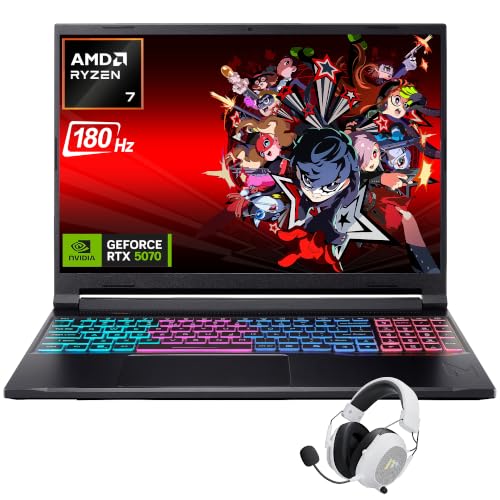
CPU | AMD Ryzen 7 260 (8 cores, 16 threads) |
GPU | GeForce RTX 5070 Laptop, 8 GB GDDR7 |
Display | 16in WQXGA (2560x1600), 180 Hz, 100% sRGB |
Memory | 32 GB DDR5 |
Storage | 1 TB PCIe Gen 4 SSD |
Wireless | Wi-Fi 6E, Ethernet |
CPU
AMD Ryzen 7 260 (8 cores, 16 threads)
GPU
GeForce RTX 5070 Laptop, 8 GB GDDR7
Display
16in WQXGA (2560x1600), 180 Hz, 100% sRGB
Memory
32 GB DDR5
Storage
1 TB PCIe Gen 4 SSD
Wireless
Wi-Fi 6E, Ethernet
What it does well
This is the cheapest route to 32 GB of RAM in the lineup, and in Cities: Skylines II that is the spec that keeps a growing, modded city from stuttering. The RTX 5070 handles 1080p and 1200p at high settings, and the Ryzen 7 260 is a capable 8-core chip for small and mid-size cities.
The 16-inch 2560x1600 panel at 180 Hz shows more of the map and the info views than a 1080p screen, and it covers 100% of sRGB, so district colors and overlays read clearly.
What you give up
Eight cores is the trade. The Ryzen 7 260 has half the cores of the HX picks, so a big city slows down sooner and the late game asks for patience at higher speeds.
The RTX 5070 carries 8 GB of VRAM, and 8 GB at 2560x1600 native needs lower texture quality or a lower render resolution. Buyers have flagged that Nitro chassis run warm and get loud under sustained load, too.
Who it's for
The player who builds small to mid-size cities, wants the RAM headroom for mods, and would rather spend the difference on the game's expansions than on a faster GPU.
Best Premium: MSI Raider A16 HX RTX 5080
Specs
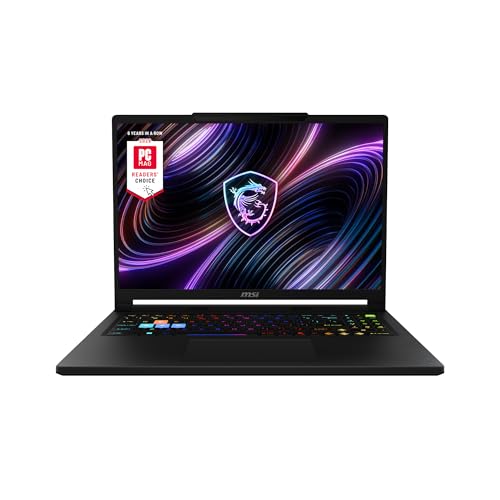
CPU | AMD Ryzen 9 8940HX (16 cores, 32 threads) |
GPU | GeForce RTX 5080 Laptop, 16 GB GDDR7 |
Display | 16in QHD+, 240 Hz |
Memory | 32 GB DDR5 |
Storage | 2 TB NVMe SSD |
Wireless | Wi-Fi 7 |
CPU
AMD Ryzen 9 8940HX (16 cores, 32 threads)
GPU
GeForce RTX 5080 Laptop, 16 GB GDDR7
Display
16in QHD+, 240 Hz
Memory
32 GB DDR5
Storage
2 TB NVMe SSD
Wireless
Wi-Fi 7
What it does well
The RTX 5080 carries 16 GB of GDDR7, the most VRAM in the lineup, so the city looks its best at the panel's native QHD+ with high textures and a full asset library loaded. The 240 Hz screen keeps camera pans smooth when you sweep across a large map.
The Ryzen 9 8940HX brings 16 cores and 32 threads to the simulation, and 2 TB of storage holds the game, every DLC and a deep asset collection without juggling drives.
What you give up
You pay a lot for GPU in a game whose late-game limit is the processor. Past a certain population the simulation, not the GPU, sets the pace, so the RTX 5080 buys visuals rather than simulation speed. The 8940HX is an older Zen 4 design, so per-core speed is no step up from the Best Overall pick.
It is heavy, the power brick is large, and the fans are loud at full load.
Who it's for
The player who wants the city to look its best at QHD+, keeps hundreds of assets and mods installed, and plays other demanding games on the same machine. More laptops at this tier sit in our RTX 5080 gaming laptops guide.
Best Budget: Lenovo LOQ 15 RTX 5060

Specs
CPU | AMD Ryzen 7 250 (8 cores, 16 threads) |
GPU | GeForce RTX 5060 Laptop, 8 GB GDDR7 |
Display | 15.3in WUXGA (1920x1200) IPS, 165 Hz |
Memory | 16 GB |
Storage | 512 GB SSD |
CPU
AMD Ryzen 7 250 (8 cores, 16 threads)
GPU
GeForce RTX 5060 Laptop, 8 GB GDDR7
Display
15.3in WUXGA (1920x1200) IPS, 165 Hz
Memory
16 GB
Storage
512 GB SSD
What it does well
The LOQ meets the recommended 16 GB of RAM, and the RTX 5060 clears the minimum GTX 970 by a wide margin. At 1080p with medium settings it keeps a small or mid-size city running smoothly, and the Ryzen 7 250 is an 8-core chip that handles the early and middle game without fuss.
The 15.3-inch 1920x1200 panel at 165 Hz is a good fit for the RTX 5060, since native resolution stays within what the card can drive.
What you give up
Storage is tight. A 512 GB drive fills quickly once the 60 GB install, DLC and assets land, so budget for a second SSD early.
Sixteen gigabytes is the floor once mods pile up, and the 8-core CPU slows down well before the HX picks as the city grows. This is a laptop for learning the game and building mid-size cities, not for a 200,000-person metropolis.
Who it's for
The new player starting small, playing vanilla or lightly modded, who wants a gaming laptop for other games too. If you want to spend even less, our gaming laptops under the four-figure mark guide covers the tier below.
Editor's Pick: Acer Predator Helios Neo 18 AI RTX 5070 Ti

Specs
CPU | Intel Core Ultra 9 275HX (24 cores, 24 threads) |
GPU | GeForce RTX 5070 Ti Laptop, 12 GB GDDR7 |
Display | 18in WQXGA (2560x1600), 240 Hz, G-Sync |
Memory | 16 GB DDR5 |
Storage | 1 TB PCIe Gen 4 SSD |
Wireless | Killer Wi-Fi |
CPU
Intel Core Ultra 9 275HX (24 cores, 24 threads)
GPU
GeForce RTX 5070 Ti Laptop, 12 GB GDDR7
Display
18in WQXGA (2560x1600), 240 Hz, G-Sync
Memory
16 GB DDR5
Storage
1 TB PCIe Gen 4 SSD
Wireless
Killer Wi-Fi
What it does well
An 18-inch 2560x1600 screen changes how the game plays. Zoning, traffic and service views show more of the city at once, and the toolbars take a smaller share of the screen. The 240 Hz panel with G-Sync keeps camera moves smooth.
The Ultra 9 275HX has 24 cores, the most in this lineup, which gives the simulation the most room before a big city slows. The RTX 5070 Ti with 12 GB of VRAM drives the native resolution at medium to high settings.
What you give up
It ships with 16 GB. That meets the recommended spec, but a big modded city wants 32 GB, and reports suggest the memory is socketed and upgradeable, so confirm before buying and plan the upgrade.
The 18-inch chassis is heavy, does not fit most backpacks, and gets loud under load. This one lives on a desk.
Who it's for
The desk-bound builder who wants the most screen for zoning and traffic views and is happy to add RAM. Our 18-inch gaming laptops guide has more big-screen options.
Bottom line
If you plan big, modded cities, buy the MSI Vector 16 HX AI RTX 5070 Ti. If you want 32 GB for less and build mid-size cities, buy the Acer Nitro V16 RTX 5070. If you want the best visuals at QHD+ and a 2 TB asset library, buy the MSI Raider A16 HX RTX 5080. If you are starting out, the Lenovo LOQ 15 RTX 5060 is the floor. If screen size matters most, buy the Acer Predator Helios Neo 18 AI RTX 5070 Ti and add RAM.
Whichever you pick, play plugged in. For the wider picture on GPUs and screens, see our GPU and display guide, and for another simulation-heavy game, our Football Manager 27 laptops and laptops for The Sims 4 guides.
FAQ
Can a laptop run Cities: Skylines II?
Yes. Any recent gaming laptop with an RTX 5050 or better clears the minimum GTX 970 by a wide margin, and 16 GB of RAM meets the recommended tier. What separates laptops is how they handle a large city: a fast multi-core CPU and 32 GB of RAM keep the simulation moving as the population grows. The MSI Vector 16 HX AI RTX 5070 Ti is our pick for that.
What are the Cities: Skylines II laptop requirements?
The game lists desktop parts only. Minimum is a Core i7-6700K or Ryzen 5 2600X, 8 GB of RAM, a GTX 970 or RX 480 and 60 GB of storage. Recommended is a Core i5-12600K or Ryzen 7 5800X, 16 GB of RAM and an RTX 3080 or RX 6800 XT. In laptop terms, an HX-class CPU, 16 to 32 GB and an RTX 5060 to RTX 5070 Ti cover it.
How much RAM do you need for Cities: Skylines II?
Sixteen gigabytes is the recommended spec and runs a vanilla city well. Once you add custom assets and mods, 32 GB is the safer number, which is why three of our five picks ship with it. If a laptop ships with 16 GB, check that the memory is socketed before you buy, so you can upgrade later.
Does Cities: Skylines II use the CPU or the GPU more?
Both, at different times. The GPU sets how good the city looks and how smooth the camera feels. The CPU sets how fast the simulation runs, and as the population climbs past six figures it becomes the limit on every machine. For a laptop, prioritize an HX-class CPU and 32 GB, then pick the GPU for your screen resolution.
Is a budget gaming laptop good enough for Cities: Skylines II?
For small and mid-size cities, yes. The Lenovo LOQ 15 RTX 5060 runs the game at 1080p medium with the recommended 16 GB of RAM. It runs out of room on storage first and on simulation speed later, so plan a second SSD and expect big cities to slow down. Step up to the Acer Nitro V16 RTX 5070 if you want 32 GB.
Can you play Cities: Skylines II on a MacBook?
Not natively. The game ships on Windows only on PC, with no macOS build listed on Steam, so a MacBook is not an option without cloud streaming. If you want a laptop for it, buy a Windows gaming laptop, and if you also play other city builders that run on Mac, check each game's platform list first.
Related Articles

Best Gaming Laptops With 32GB RAM (2026): 5 TGP Picks
Best gaming laptops with 32GB RAM in 2026, ranked by GPU TGP first. Per-pick memory config (soldered or SO-DIMM) so you know what you can upgrade later.
Aug 9, 2026

Best Laptops for Football Manager 27 (2026): 5 Picks
The best laptop for Football Manager 27 leads with CPU speed and RAM, not the GPU. Five picks for big databases, the 3D match engine, and Mac players.
Nov 4, 2026

Best Gaming Laptops for The Sims 4 (2026): 5 Picks for CC
The best laptop for Sims 4 needs a fast CPU, 16 GB of RAM and SSD room for packs and CC more than a big GPU. Five Amazon picks, from an RTX 3050 to an RTX 5070.
Nov 11, 2026

Best RTX 5070 Ti Gaming Laptops (2026): TGP-Ranked Picks
The best RTX 5070 Ti gaming laptops of 2026, ranked by the GPU power each chassis sustains. Five picks from 14 to 16 inches, plus the 32GB RAM call to make.
Oct 30, 2026

Best 18-Inch Gaming Laptops (2026): 5 Desktop Replacements
The best 18-inch gaming laptops in 2026, ranked by GPU power, screen and weight. Five desktop replacements from RTX 5070 Ti to RTX 5090, plus what fits a bag.
Nov 16, 2026