Affiliate Disclosure: As an Amazon Associate we earn from qualifying purchases. Some links may earn us a commission at no cost to you.

Best Gaming Laptops for League of Legends (2026): 5 Picks
League of Legends runs on almost anything with a DirectX 11 graphics chip, so the hard part of buying a laptop for it is not frame rate in a lab. It is what happens in a five-person teamfight with every ability on screen, how sharp the minimap looks on a fast panel, and whether the machine survives a flight or a library session away from the wall.
So we ranked for screen refresh, CPU, fan noise and battery before GPU tier. Every pick below is sold and shipped by Amazon itself, and every one runs Riot Vanguard on Windows.
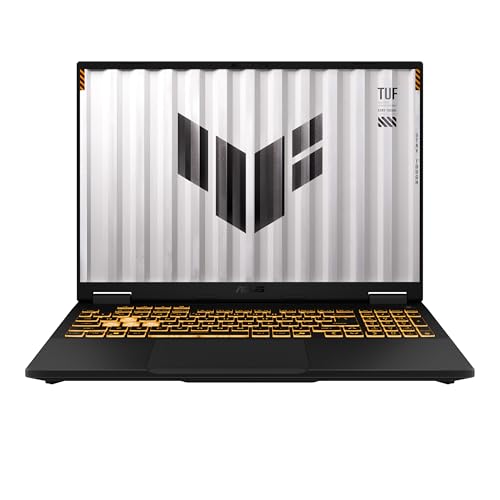
Our top pick: ASUS TUF Gaming F16 RTX 5050
The TUF Gaming F16 pairs a 165 Hz 16:10 panel with a 10-core Core i5-13450HX and an RTX 5050 at up to 115 W, so League runs well past the panel's refresh rate and the machine still has room for heavier games.
Quick picks
Pick | Laptop | Best for | Buy |
|---|---|---|---|
Best Overall | 165 Hz League with headroom for heavier games | ||
Best Value | A 165 Hz 16-inch screen for less | ||
Best Premium | Ranked on the road, on battery | ||
Best Budget | 144 Hz League at the lowest Amazon-sold price | ||
Editor's Pick | League plus streaming and a second main game |
Best Overall
- Laptop
- Best for
165 Hz League with headroom for heavier games
- Buy
Best Value
- Laptop
- Best for
A 165 Hz 16-inch screen for less
- Buy
Best Premium
- Laptop
- Best for
Ranked on the road, on battery
- Buy
Best Budget
- Laptop
- Best for
144 Hz League at the lowest Amazon-sold price
- Buy
Editor's Pick
- Laptop
- Best for
League plus streaming and a second main game
- Buy
Specs at a glance
Laptop | GPU | CPU | Display | Memory | Storage |
|---|---|---|---|---|---|
RTX 5050, 8 GB | Core i5-13450HX | 16 in 165 Hz | 16 GB | 512 GB | |
RTX 4050, 6 GB | Ryzen 5 7533HS | 16 in 165 Hz | 16 GB | 512 GB | |
Radeon 8060S (integrated) | Ryzen AI Max+ 392 | 14 in 165 Hz | 32 GB | 1 TB | |
RTX 3050, 4 GB | Ryzen 5 7535HS | 15.6 in 144 Hz | 16 GB | 512 GB | |
RTX 5060, 8 GB | Ryzen 7 260 | 16 in 180 Hz | 32 GB | 1 TB |
- GPU
RTX 5050, 8 GB
- CPU
Core i5-13450HX
- Display
16 in 165 Hz
- Memory
16 GB
- Storage
512 GB
- GPU
RTX 4050, 6 GB
- CPU
Ryzen 5 7533HS
- Display
16 in 165 Hz
- Memory
16 GB
- Storage
512 GB
- GPU
Radeon 8060S (integrated)
- CPU
Ryzen AI Max+ 392
- Display
14 in 165 Hz
- Memory
32 GB
- Storage
1 TB
- GPU
RTX 3050, 4 GB
- CPU
Ryzen 5 7535HS
- Display
15.6 in 144 Hz
- Memory
16 GB
- Storage
512 GB
- GPU
RTX 5060, 8 GB
- CPU
Ryzen 7 260
- Display
16 in 180 Hz
- Memory
32 GB
- Storage
1 TB
League of Legends laptop requirements: Riot's floor vs ours
Tier | CPU | Graphics | Memory | Storage and OS |
|---|---|---|---|---|
Riot minimum | Core i3-530 or FX-4100 | GeForce 400 series, HD 6570 or HD 4600 (DX11) | 2 GB | 16 GB, Windows 10 build 19041+ |
Riot recommended | Core i5-8250 or Ryzen 3 1200 | GeForce 560, HD 6950 or UHD 630 | 4 GB | 16 GB SSD, Windows 11 with TPM 2.0 |
Our high-refresh tier | 6+ current cores, HX or HS class | RTX 3050 or better, or Radeon 8060S | 16 GB | 512 GB SSD, x64 Windows 11 |
Riot minimum
- CPU
Core i3-530 or FX-4100
- Graphics
GeForce 400 series, HD 6570 or HD 4600 (DX11)
- Memory
2 GB
- Storage and OS
16 GB, Windows 10 build 19041+
Riot recommended
- CPU
Core i5-8250 or Ryzen 3 1200
- Graphics
GeForce 560, HD 6950 or UHD 630
- Memory
4 GB
- Storage and OS
16 GB SSD, Windows 11 with TPM 2.0
Our high-refresh tier
- CPU
6+ current cores, HX or HS class
- Graphics
RTX 3050 or better, or Radeon 8060S
- Memory
16 GB
- Storage and OS
512 GB SSD, x64 Windows 11
How we picked a laptop for League
Riot's own requirement sheet is a decade-old floor: a Core i3-530 or FX-4100, a DirectX 11 GPU with 1 GB of video memory, 2 GB of RAM and 16 GB of storage. Any gaming laptop on sale today clears it many times over, so the sheet tells you almost nothing about which one to buy.
The details that do filter laptops sit in the fine print. Riot supports x64 processors only, which rules out Arm-based Snapdragon Windows laptops entirely. Windows 11 also needs TPM 2.0 enabled for Riot Vanguard, the anti-cheat that has to be running before a match will start.
Next, the screen. League is a game of reading small things fast: skillshot indicators, minimap pings, cooldown timers. A 144 Hz panel is the floor we accept, and every pick here runs 144 Hz to 180 Hz. Pushing past that refresh rate takes CPU, not GPU, because League's frame rate in a busy teamfight is limited by the processor.
That is why the CPU gets more weight than the badge on the lid. Six modern cores is the minimum on this list, and the picks with more cores hold their frame rate better in late-game fights and while Discord and a browser stay open.
Finally, battery and noise. A discrete-GPU laptop will run League for a fraction of a lecture on battery, so we called out the one pick built to play unplugged. If your sessions run long on a desk, a cooling pad for a gaming laptop quiets the fans more cheaply than buying a bigger machine.
Best Overall: ASUS TUF Gaming F16 RTX 5050
Specs
CPU | Intel Core i5-13450HX (10 cores, 16 threads) |
GPU | GeForce RTX 5050 Laptop, 8 GB GDDR7 |
Max graphics power | 115 W (100 W + 15 W Dynamic Boost) |
Display | 16 in FHD+ (1920 x 1200), 165 Hz, 16:10 |
Memory | 16 GB DDR5 |
Storage | 512 GB PCIe Gen 4 SSD |
Weight | About 2.2 kg |
CPU
Intel Core i5-13450HX (10 cores, 16 threads)
GPU
GeForce RTX 5050 Laptop, 8 GB GDDR7
Max graphics power
115 W (100 W + 15 W Dynamic Boost)
Display
16 in FHD+ (1920 x 1200), 165 Hz, 16:10
Memory
16 GB DDR5
Storage
512 GB PCIe Gen 4 SSD
Weight
About 2.2 kg
What it does well
The F16 lands where League buyers get the most for their money. The 10-core Core i5-13450HX is an HX-class desktop-derived chip, which is the part that keeps late-game teamfights smooth, and the RTX 5050 runs at up to 115 W with Dynamic Boost on ASUS's spec sheet. That is the full-power version of the chip, not a starved one.
The 16-inch 1920 by 1200 panel at 165 Hz is the other half of the case. The taller 16:10 shape gives the HUD and minimap a little more room than a 15.6-inch 16:9 screen, and League will hold frame rates at or above that refresh rate on medium to high settings.
There is also headroom here. Eight gigabytes of GDDR7 means the same laptop handles heavier games at 1080p when your friends move on from the Rift for a night.
What you give up
The storage is 512 GB. League itself is small, but a few other installs fill that quickly. The good news is that the drive is a standard M.2 part, so a larger SSD is a simple upgrade.
It is a 2.2 kg, 16-inch machine with an HX processor, so battery life is the weak spot. Plan on playing plugged in. The fans are also audible under load, which matters more in a dorm room than at a desk.
Who it's for
The player who wants one laptop for ranked League at 165 Hz, a few other games, and school or work, and who mostly plays at a desk with the charger in.
Still deciding between a laptop and a tower? Our gaming laptop vs gaming desktop breakdown runs the value math.
Best Value: GIGABYTE Eagle 16 RTX 4050

Specs
CPU | AMD Ryzen 5 7533HS (6 cores, 12 threads) |
GPU | GeForce RTX 4050 Laptop, 6 GB GDDR6 |
Display | 16 in WUXGA (1920 x 1200), 165 Hz, 100% sRGB |
Memory | 16 GB DDR5, two SO-DIMM slots |
Storage | 512 GB PCIe Gen 4 SSD, second M.2 slot |
Battery | 61 Wh |
Weight | About 2.2 kg |
CPU
AMD Ryzen 5 7533HS (6 cores, 12 threads)
GPU
GeForce RTX 4050 Laptop, 6 GB GDDR6
Display
16 in WUXGA (1920 x 1200), 165 Hz, 100% sRGB
Memory
16 GB DDR5, two SO-DIMM slots
Storage
512 GB PCIe Gen 4 SSD, second M.2 slot
Battery
61 Wh
Weight
About 2.2 kg
What it does well
The Eagle 16 gives you the same screen class as our top pick for less. The 16-inch WUXGA panel runs at 165 Hz and GIGABYTE lists it at 100% sRGB, which is a step up over the washed-out panels common at this price.
The RTX 4050 is more GPU than League needs, and the laptop includes a MUX switch, so the GPU can drive the screen directly for lower latency. Two SO-DIMM slots and a second M.2 slot also make the 16 GB of memory and 512 GB drive easy to expand later.
What you give up
The six-core Ryzen 5 7533HS is the trade. It handles League without trouble, but it has less headroom than the 10-core chip in the F16 when a late-game teamfight piles up, or when you stream at the same time.
GIGABYTE does not publish the RTX 4050's power limit on its spec pages, and a third-party spec site lists it at 70 W. That is low for the chip, but it matters for heavier games far more than for League. Like every 16-inch laptop here, it is around 2.2 kg.
Who it's for
The League main on a firm budget who wants a big, fast, color-accurate screen and plans to upgrade memory or storage down the line.
If you want to compare more machines at this price, our list of the best gaming laptops under 700 covers the cheaper end.
Best Premium: ASUS TUF Gaming A14 Ryzen AI Max+ 392

Specs
CPU | AMD Ryzen AI Max+ 392 (12 cores) |
Graphics | Radeon 8060S integrated, no discrete GPU |
Display | 14 in WQXGA (2560 x 1600), 165 Hz, 16:10 |
Memory | 32 GB LPDDR5X, soldered |
Storage | 1 TB PCIe Gen 4 SSD |
Battery | 73 Wh |
Weight | About 1.5 kg |
CPU
AMD Ryzen AI Max+ 392 (12 cores)
Graphics
Radeon 8060S integrated, no discrete GPU
Display
14 in WQXGA (2560 x 1600), 165 Hz, 16:10
Memory
32 GB LPDDR5X, soldered
Storage
1 TB PCIe Gen 4 SSD
Battery
73 Wh
Weight
About 1.5 kg
What it does well
This is the laptop for playing League unplugged. There is no discrete GPU: the Ryzen AI Max+ 392 carries Radeon 8060S graphics on the same chip, which is far more than League needs, and the whole machine weighs about 1.5 kg with a 73 Wh battery. Reviewers have praised its battery life, and one review measured around nine hours of light use.
The 14-inch 2560 by 1600 panel at 165 Hz is the sharpest screen on this list, so champion details and minimap icons stay crisp. The 12-core CPU and 32 GB of LPDDR5X also make it a serious machine for school or work between games.
What you give up
Price is the obvious catch. You pay a premium for the chip, and in heavier games a cheaper laptop with a discrete RTX card is faster. For League that gap does not show, but it matters if you also play demanding titles.
The 32 GB of memory is soldered, so what you buy is what you keep. The 14-inch screen is also small for long sessions at a desk, where a 16-inch panel or an external monitor reads better.
Who it's for
The student or traveler who plays League on a train, in a library or on a couch, and wants a thin machine that lasts away from the outlet.
Pair it with the mouse and headset ideas in our breakdown of the gear LoL pros use.
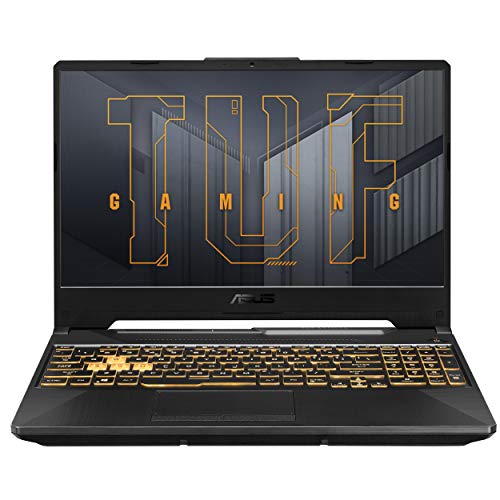
Best Budget: ASUS TUF Gaming A15 RTX 3050
Specs
CPU | AMD Ryzen 5 7535HS (6 cores, 12 threads) |
GPU | GeForce RTX 3050 Laptop, 4 GB GDDR6 |
Max graphics power | 75 W (60 W + 15 W Dynamic Boost) |
Display | 15.6 in FHD (1920 x 1080), 144 Hz |
Memory | 16 GB DDR5 (runs at 4800 MT/s) |
Storage | 512 GB PCIe Gen 4 SSD |
Battery | 48 Wh |
Model | FA506NC-DS53 |
CPU
AMD Ryzen 5 7535HS (6 cores, 12 threads)
GPU
GeForce RTX 3050 Laptop, 4 GB GDDR6
Max graphics power
75 W (60 W + 15 W Dynamic Boost)
Display
15.6 in FHD (1920 x 1080), 144 Hz
Memory
16 GB DDR5 (runs at 4800 MT/s)
Storage
512 GB PCIe Gen 4 SSD
Battery
48 Wh
Model
FA506NC-DS53
What it does well
The TUF A15 is the cheapest laptop sold by Amazon itself that we would point at League. The 144 Hz 15.6-inch panel clears our refresh floor, and the six-core Ryzen 5 7535HS boosts to 4.55 GHz, which is plenty for League at high settings.
The RTX 3050 runs at up to 75 W with Dynamic Boost on ASUS's spec sheet. That is more graphics than League asks for, and 16 GB of DDR5 means the client, Discord and a browser can stay open together without stutter.
What you give up
The RTX 3050 has only 4 GB of video memory, which is the limit you hit first in newer games, not in League. Memory also runs at 4800 MT/s here because of the CPU, per ASUS.
The 48 Wh battery is small for a gaming laptop, so this is a plugged-in machine. The 1080p panel at 15.6 inches is also less sharp than the 16:10 screens higher up the list, and the 16:9 shape gives the HUD a little less vertical room.
Who it's for
The new or returning League player who wants a smooth 144 Hz experience for the least money, and treats other games as a bonus.
Editor's Pick: Acer Nitro V 16S RTX 5060

Specs
CPU | AMD Ryzen 7 260 (8 cores, 16 threads) |
GPU | GeForce RTX 5060 Laptop, 8 GB |
Max graphics power | 85 W on the reviewed unit |
Display | 16 in WUXGA (1920 x 1200), 180 Hz |
Memory | 32 GB DDR5 |
Storage | 1 TB PCIe Gen 4 SSD |
Model | ANV16S-41-R2AJ |
CPU
AMD Ryzen 7 260 (8 cores, 16 threads)
GPU
GeForce RTX 5060 Laptop, 8 GB
Max graphics power
85 W on the reviewed unit
Display
16 in WUXGA (1920 x 1200), 180 Hz
Memory
32 GB DDR5
Storage
1 TB PCIe Gen 4 SSD
Model
ANV16S-41-R2AJ
What it does well
This is the pick for League plus everything around it. The 180 Hz panel is the fastest on this list, and the eight-core Ryzen 7 260 is the strongest CPU here for keeping frame rates high in teamfights while you stream or record at the same time.
Thirty-two gigabytes of DDR5 and a 1 TB drive mean nothing needs to close when the stream software, Discord and a browser are all running. The RTX 5060 also gives it the most graphics headroom here for a second main game.
What you give up
Wattage is the catch. Tom's Hardware's review unit ran its RTX 5060 at 85 W, below the 115 W versions of the same chip in other laptops. League will not notice, but heavier games will.
It is another 16-inch plugged-in machine, and it costs more than the top pick for gains most League players will only see while streaming. If you never stream, the extra memory and refresh rate are nice to have rather than needed.
Who it's for
The player who streams or records League, plays a heavier second game, and wants the fastest panel and most memory without moving to a premium price.
If a heavier second game is the priority, our ranking of the best RTX 5060 gaming laptops sorts that tier by wattage.
Bottom line
If you want one laptop that does League well and handles other games too, buy the ASUS TUF Gaming F16 RTX 5050. If you want the same 165 Hz screen class for less, buy the GIGABYTE Eagle 16 RTX 4050. If you play away from the outlet, buy the ASUS TUF Gaming A14 Ryzen AI Max+ 392. If the budget is tight, the ASUS TUF Gaming A15 RTX 3050 still gets you 144 Hz. If you stream, buy the Acer Nitro V 16S RTX 5060. For more options across every budget, see our guide to the best gaming laptops under 1000.
FAQ
Can a cheap laptop run League of Legends?
Yes. Riot's minimum is a Core i3-530 class CPU, a DirectX 11 GPU with 1 GB of video memory and 2 GB of RAM, so almost any x64 Windows laptop sold in recent years can launch it. The question is how well. For a smooth 144 Hz experience in teamfights, look for a six-core current CPU, 16 GB of memory and a 144 Hz panel, which is what our Best Budget pick, the ASUS TUF Gaming A15 RTX 3050, delivers.
Do you need a graphics card for League of Legends?
No. League is light on graphics and limited by the CPU in busy fights, so modern integrated graphics run it well. Our Best Premium pick has no discrete GPU at all and uses Radeon 8060S graphics on the processor. A discrete RTX card still helps if you play heavier games too, which is why most picks here carry one. If League is the only game you play, a laptop with strong integrated graphics and a 144 Hz screen is enough.
Is a 144 Hz laptop worth it for League of Legends?
Yes, if your laptop can hold the frame rate. A 144 Hz or faster panel makes skillshots, last hits and camera movement read noticeably smoother than 60 Hz, and League can reach those frame rates on modest hardware. Every pick here runs at 144 Hz to 180 Hz, and the CPU is what keeps frames above the refresh rate when a teamfight gets crowded.
How much RAM do you need for League of Legends on a laptop?
Riot recommends 4 GB, but that assumes nothing else is open. With the Riot client, Discord and a browser running, 16 GB is the practical target, and every pick on this list has at least that. Choose 32 GB, like our Editor's Pick, if you stream or record while you play. Two SO-DIMM slots, as on the GIGABYTE Eagle 16, also let you add memory later instead of paying for it up front.
Can you play League of Legends on a MacBook or a Snapdragon laptop?
A MacBook, yes: Riot lists an Apple M1 chip, 8 GB of memory and macOS 12 as the requirement. A Snapdragon Windows laptop, no. Riot does not support Arm processors on Windows, so League will not run on those machines. Check that a Windows laptop has an Intel or AMD x64 processor before you buy it for League, because the processor cannot be swapped later.
Why does League ask for TPM 2.0 on my laptop?
Riot requires TPM 2.0 to be enabled on Windows 11 for Vanguard, its anti-cheat, which has to run before you can join a match. Most laptops sold in recent years have TPM 2.0 built into the processor, but it can ship switched off. If the client shows a Vanguard error, enable TPM in the BIOS settings and restart.
Related Articles

What Gear Do LoL Pros Use in 2026? Full Peripheral Breakdown
What League of Legends pros actually use in 2026: the mouse, keyboard, monitor, mousepad, and headset Faker, Chovy, Gumayusi, and the LCK / LEC field run on tournament stage.
May 21, 2026

Best Gaming Laptops Under $1,000 (2026): RTX 4050 vs 5050
The best gaming laptops under $1,000 in 2026 run RTX 4050 and 3050 chips: four honest picks, one RTX 5050 stretch, the 8GB RAM fix, and when to wait for a sale.
Oct 24, 2026

Best Gaming Laptops Under $700 (2026): Budget RTX Picks That Actually Sustain Load
The $700 gaming laptop market in 2026 is full of RTX 4060 badges that hide wildly different power limits. We break down what each chassis delivers over a 45-minute gaming session.
May 31, 2026

Best RTX 5060 Gaming Laptops (2026): 5 TGP-Ranked Picks
The best RTX 5060 gaming laptop is the one with the highest TGP. We rank five picks by sustained wattage, from a 115W ASUS TUF F16 down to an 85W Acer Nitro.
Sep 7, 2026

Gaming Laptop vs Desktop 2026: Value Math and 4 Picks
Gaming laptop vs desktop in 2026: desktops deliver about 30-40% more frames per dollar, laptops deliver portability. See which fits you, plus 4 picks.
Sep 2, 2026