Affiliate Disclosure: As an Amazon Associate we earn from qualifying purchases. Some links may earn us a commission at no cost to you.

Best microSD Cards for Steam Deck & ROG Ally: 5 Picks (2026)
The best microSD card for a Steam Deck or ROG Ally is the one that clears A2, U3 and V30 at the capacity your library actually needs, and for most owners that is the Samsung Pro Plus 512GB. Every current handheld runs a UHS-I slot that tops out near 104 MB/s, so the giant read-speed number on the box is the one spec you can safely ignore. If you are still choosing the handheld itself, our best handheld gaming PC guide makes that call. And if your handheld supports it, an external drive scales further still, so our best external SSDs for gaming covers the fast USB options for larger libraries.
Your handheld shipped with a fixed slab of internal storage, and two modern installs can fill it. These picks are sorted by capacity and the speed ratings that change how a game behaves, so you can match a card to your library and your budget without overpaying for headroom the slot throttles away.
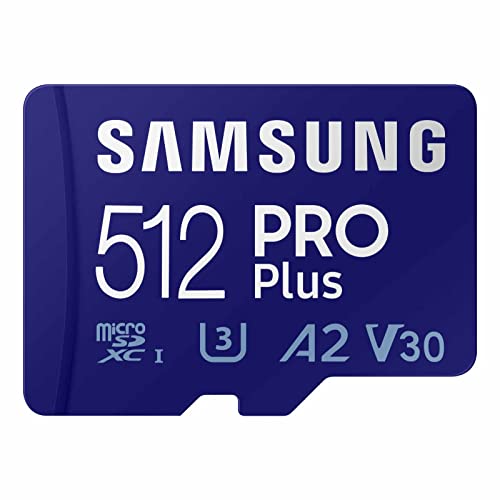
Our top pick: Samsung Pro Plus 512GB
The Samsung Pro Plus 512GB clears every rating a handheld uses (A2, U3, V30) at the capacity most owners settle on, with 6-proof protection and a 10-year warranty behind it. It is the card you buy when you want one correct answer and never want to think about it again.
Quick picks
Pick | Card | Best for | Where to buy |
|---|---|---|---|
Best Overall | 512 GB, all ratings, best warranty | ||
Best Value | 512 GB at a lower price per GB | ||
Best High Capacity | 1 TB, whole-library, lifetime warranty | ||
Best Budget | 256 GB, cheapest real handheld card | ||
Editor's Pick | 1 TB value, gaming-focused |
Best Overall
- Card
- Best for
512 GB, all ratings, best warranty
- Where to buy
Best Value
- Card
- Best for
512 GB at a lower price per GB
- Where to buy
Best High Capacity
- Card
- Best for
1 TB, whole-library, lifetime warranty
- Where to buy
Best Budget
- Card
- Best for
256 GB, cheapest real handheld card
- Where to buy
Editor's Pick
- Card
- Best for
1 TB value, gaming-focused
- Where to buy
Specs at a glance
Card | Capacity | Speed classes | Rated read | Warranty |
|---|---|---|---|---|
512 GB | U3 / V30 / A2 | Up to 180 MB/s | 10-year limited | |
512 GB | U3 / V30 / A2 | Up to 160 MB/s | 10-year limited | |
1 TB | U3 / V30 / A2 | Up to 190 MB/s | Lifetime limited | |
256 GB | U3 / V30 / A2 | Up to 190 MB/s | Lifetime limited | |
1 TB | U3 / V30 / A2 | Up to 160 MB/s | Limited (per Lexar) |
- Capacity
512 GB
- Speed classes
U3 / V30 / A2
- Rated read
Up to 180 MB/s
- Warranty
10-year limited
- Capacity
512 GB
- Speed classes
U3 / V30 / A2
- Rated read
Up to 160 MB/s
- Warranty
10-year limited
- Capacity
1 TB
- Speed classes
U3 / V30 / A2
- Rated read
Up to 190 MB/s
- Warranty
Lifetime limited
- Capacity
256 GB
- Speed classes
U3 / V30 / A2
- Rated read
Up to 190 MB/s
- Warranty
Lifetime limited
- Capacity
1 TB
- Speed classes
U3 / V30 / A2
- Rated read
Up to 160 MB/s
- Warranty
Limited (per Lexar)
What speed class actually matters for the Steam Deck and ROG Ally
Start with the one fact that reframes every other decision: the microSD slot in current gaming handhelds is UHS-I, and in practice it tops out around 104 MB/s. A card rated for 205 MB/s reads and a card rated for 160 MB/s reads deliver the same game load times inside that slot, because the slot is the bottleneck, not the card. Paying for a higher sequential read number is paying for headroom the handheld cannot use.
What does move the needle is the A2 rating. Games do not load as one long stream. They pull thousands of small files in random bursts, and A2 guarantees 4,000 random read IOPS and 2,000 random write IOPS. That random performance is what keeps a level from hitching while assets stream in. A card with a huge sequential read number but no A2 rating is the wrong pick for a handheld, even if it looks faster on the box.
The U3 and V30 ratings cover the other half. Both guarantee a sustained write floor of 30 MB/s, which matters for Steam's shader pre-compilation and for save writes during long sessions. Every card here carries A2, U3, and V30, so the differences between them come down to capacity, warranty, and price, not to a speed number you will ever feel.
How we picked
Because the slot flattens the read-speed differences, sizing comes down to your library. A 256 GB card holds roughly 8 to 12 indie games or a handful of AAA installs. 512 GB is the comfortable middle, room for a mixed library of about 15 to 20 games. 1 TB is the fill-it-and-forget-it tier, around 25 to 30 games, for people who would rather not manage installs.
Every pick clears the A2, U3, and V30 floor, so none of them will hitch during shader compilation or save-heavy moments the way a cheaper U1 or A1-only card can. That floor is non-negotiable; it is the line between a card built for a handheld and a card built for a dashcam.
Authenticity is the last filter, and it matters more here than in most categories. Two of the picks come from the most-counterfeited card brands on the market, so the guidance throughout is to buy from a seller you trust and let the device verify the card on first insert. A genuine card from a reputable listing is the whole game.
Best Overall: Samsung Pro Plus 512GB
Specs
Capacity | 512 GB |
Interface | UHS-I (microSDXC) |
Speed classes | U3 / V30 / A2 / C10 |
Rated read | Up to 180 MB/s |
Rated write | Up to 130 MB/s |
Protection | 6-proof |
Warranty | 10-year limited |
Capacity
512 GB
Interface
UHS-I (microSDXC)
Speed classes
U3 / V30 / A2 / C10
Rated read
Up to 180 MB/s
Rated write
Up to 130 MB/s
Protection
6-proof
Warranty
10-year limited
What it does well
Hits all handheld-relevant ratings without compromise; A2 for random-read bursts, V30 for shader pre-compilation and saves; 6-proof protection matters in a bag; 10-year warranty outlives the handheld.
What you give up
Small premium over value cards for warranty and protection; the 180 MB/s rated read is wasted headroom on a slot capping near 104 MB/s. You buy reliability and authenticity margin, not felt speed.
Who it's for
The Deck or Ally owner who wants one unambiguously correct card and never wants to think about it. 512 GB fits ~15-20 games.
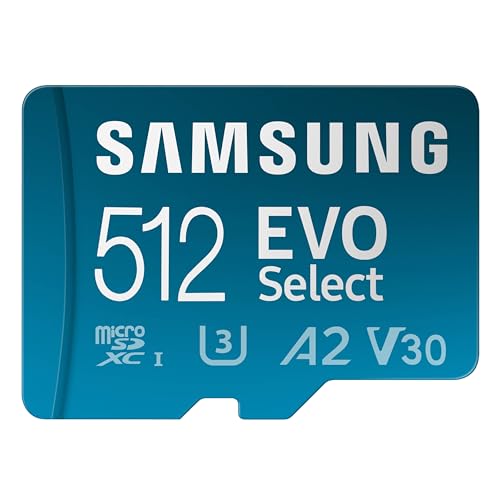
Best Value: Samsung EVO Select 512GB
Specs
Capacity | 512 GB |
Interface | UHS-I (microSDXC) |
Speed classes | U3 / V30 / A2 / C10 |
Rated read | Up to 160 MB/s |
Rated write | Up to 130 MB/s |
Protection | 6-proof |
Warranty | 10-year limited |
Capacity
512 GB
Interface
UHS-I (microSDXC)
Speed classes
U3 / V30 / A2 / C10
Rated read
Up to 160 MB/s
Rated write
Up to 130 MB/s
Protection
6-proof
Warranty
10-year limited
What it does well
Carries the exact ratings that govern handheld performance while costing less; the slot cap makes its 160 MB/s indistinguishable from the Pro Plus 180 MB/s in real load times; same 6-proof and 10-year warranty.
What you give up
Sustained write can dip below the Pro Plus on large bulk transfers, so a giant one-shot library copy takes a little longer; read speed (what dictates load times) holds up fine.
Who it's for
The buyer who wants correct ratings without the premium price and doesn't move enormous files in single sittings. The default for most 512 GB builds.
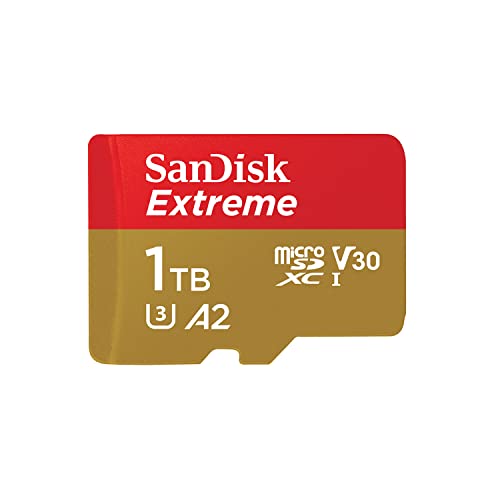
Best High Capacity: SanDisk Extreme 1TB
Specs
Capacity | 1 TB |
Interface | UHS-I (microSDXC) |
Speed classes | U3 / V30 / A2 / C10 |
Rated read | Up to 190 MB/s |
Rated write | Up to 130 MB/s |
Temperature range | -13 to 185 F |
Warranty | Lifetime limited |
Capacity
1 TB
Interface
UHS-I (microSDXC)
Speed classes
U3 / V30 / A2 / C10
Rated read
Up to 190 MB/s
Rated write
Up to 130 MB/s
Temperature range
-13 to 185 F
Warranty
Lifetime limited
What it does well
Removes storage anxiety; A2 and V30 mean it behaves like the smaller cards under load; lifetime warranty is the strongest coverage in the roundup; read speed holds up under the ceiling.
What you give up
Most expensive for the capacity; if the library never exceeds 400 GB the terabyte sits empty; the slot still throttles the peak read you paid for.
Who it's for
The owner with a large AAA library who wants everything installed at once, or anyone who knows they'll keep buying and won't want to swap cards.
Best Budget: SanDisk Extreme 256GB

Specs
Capacity | 256 GB |
Interface | UHS-I (microSDXC) |
Speed classes | U3 / V30 / A2 / C10 |
Rated read | Up to 190 MB/s |
Rated write | Up to 90 MB/s |
Temperature range | -13 to 185 F |
Warranty | Lifetime limited |
Capacity
256 GB
Interface
UHS-I (microSDXC)
Speed classes
U3 / V30 / A2 / C10
Rated read
Up to 190 MB/s
Rated write
Up to 90 MB/s
Temperature range
-13 to 185 F
Warranty
Lifetime limited
What it does well
Keeps the correct ratings at the lowest entry price so budget buyers get proper random-read and sustained-write behavior; 256 GB fits 8-12 indies or a few AAA installs; lifetime warranty even at budget.
What you give up
Capacity is the trade; a large modern AAA install or two eats most of 256 GB, so it's a card you manage rather than fill and forget; write is rated lower than the larger Extreme cards.
Who it's for
The tight-budget buyer, or someone with a mostly-indie rotating library. Explicitly the right budget answer instead of a cheaper U1 card.
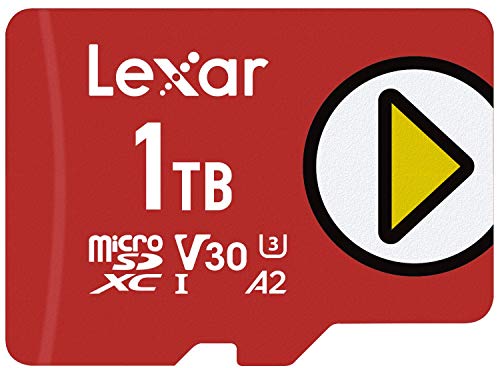
Editor's Pick: Lexar Play 1TB
Specs
Capacity | 1 TB |
Interface | UHS-I (microSDXC) |
Speed classes | U3 / V30 / A2 / C10 |
Rated read | Up to 160 MB/s |
Rated write | Up to 100 MB/s |
Focus | Portable gaming and media |
Warranty | Limited (per Lexar) |
Capacity
1 TB
Interface
UHS-I (microSDXC)
Speed classes
U3 / V30 / A2 / C10
Rated read
Up to 160 MB/s
Rated write
Up to 100 MB/s
Focus
Portable gaming and media
Warranty
Limited (per Lexar)
What it does well
Whole-library capacity at a lower price than premium 1TB; the ratings a handheld needs; read speed stays reliable under the ceiling; positioned for the Deck and Ally crowd.
What you give up
Sustained write can trail premium cards on massive bulk copies; warranty terms less generous than SanDisk lifetime; for reads-dominant gaming that trade rarely bites.
Who it's for
The buyer who wants 1TB without the premium price, prioritizing library fit over one-shot bulk-transfer speed.
What to skip
Skip anything sold on the promise of a huge read number and nothing else. If a listing leads with 205 MB/s reads but never mentions A2, it is optimizing for the one spec your handheld throttles and staying quiet about the one that matters. The rating that governs real behavior is A2, and it should be printed on the card.
Skip the cheapest U1 or A1-only cards even though they technically work. They save a little up front and then hitch during shader pre-compilation and busy loading screens.
Treat any 1 TB card priced far below the going rate as fake flash. Counterfeit and fake-capacity cards are common, so buy from a reputable seller. A Steam Deck runs an f3probe check on the card the first time you insert it in game mode, which flags a fake before it eats your saves. One spec trap sits outside this guide entirely: the Nintendo Switch 2 rejects every card here for game storage because it requires the Express interface, and our roundup of the best microSD Express cards for Switch 2 covers that split in full.
Bottom line
If you want one card that is simply correct, buy the Samsung Pro Plus 512GB. It carries every rating a handheld uses at the capacity most people settle on.
If you want the same ratings for less, the Samsung EVO Select 512GB gives up nothing you can feel. If you want your whole library installed at once, the SanDisk Extreme 1TB is the safe 1 TB pick and the Lexar Play 1TB is the cheaper route to the same capacity. On a tight budget, the SanDisk Extreme 256GB is a real handheld card, not a slow bargain that hitches.
FAQ
Does a faster microSD card actually load games faster on the Steam Deck or ROG Ally?
Usually not in a way you will notice. The microSD slot in current handhelds is UHS-I and tops out around 104 MB/s in practice, so a card rated for 205 MB/s and one rated for 160 MB/s load games at effectively the same speed. What matters more is the A2 rating, which governs the small random reads a game issues while streaming assets. Buy for A2, U3, and V30, not for the biggest sequential read number.
What speed class do I need for a gaming handheld: A2, U3, or V30?
All three, and every pick here carries them. A2 covers the random read and write performance that keeps games from hitching. U3 and V30 both guarantee a 30 MB/s sustained write floor, which matters for shader pre-compilation and save writes. A card missing A2 is the one to avoid, even if its read speed looks impressive.
What size microSD card should I get for a Steam Deck?
Match it to your library. 256 GB holds roughly 8 to 12 indie games or a few AAA installs and suits a curated collection. 512 GB is the comfortable middle for a mixed library of about 15 to 20 games. 1 TB is for people who want everything installed at once and would rather not manage storage. If you are unsure, 512 GB is the sweet spot for most owners.
Do I need to format the card before using it, and does it differ between the Steam Deck and ROG Ally?
The Steam Deck formats the card itself the first time you insert it in game mode, so there is nothing to do beforehand. The ROG Ally uses exFAT and will prompt you to format on first insert. A card that was set up for one device may need reformatting for the other, which erases whatever is on it, so move a card between handhelds with that in mind.
How do I avoid buying a fake or counterfeit microSD card?
Buy from a reputable seller rather than an unknown marketplace listing, and be suspicious of any 1 TB card priced far below the going rate, since that is the classic fake-capacity trap. SanDisk and Samsung are among the most-counterfeited brands, so sticking to sold-and-shipped listings or the brand's own storefront helps. On a Steam Deck, the device runs an f3probe check on first insert that flags a fake before it can lose your data.
Is it better to upgrade the internal SSD or just add a microSD card?
For most people, a microSD card is the easier and cheaper upgrade, and it does not require opening the device. An internal SSD swap gives faster load times and is worth it if you play storage-heavy AAA titles where the slot ceiling becomes a real limit. A common approach is to keep the games you play most on internal storage and use a large card as the overflow library.
Related Articles

How to Choose RAM and Storage
A builder's framework for RAM and storage: match the platform, buy capacity over speed, and put your money in the right SSD tier.
Jun 29, 2026

Best External SSDs for Gaming in 2026
Top external SSDs for gaming in 2026 covering USB 3.2 Gen 2, Gen 2x2, and Thunderbolt 5.
May 26, 2026

Monitor Specs Explained (2026): Response Time, HDR, Sync
Monitor specs explained: which spec sheet numbers to trust, why HDR400 is not real HDR, how GtG differs from MPRT, and the sync tier you actually need in 2026.
Oct 5, 2026

iRacing System Requirements 2026: Official vs 3 Real Builds
iRacing system requirements for 2026: the official minimum and high-end specs, then the exact CPU and GPU to buy for one screen, triple 1440p, or VR racing.
Oct 4, 2026

RTX 3080 to RTX 5070 Ti in 2026: 50% Faster, but Worth It?
RTX 3080 to RTX 5070 Ti upgrade worth it? About 50% faster at 1440p, 10GB to 16GB of VRAM, and your 750W PSU likely stays. When to upgrade vs keep the 3080.
Oct 5, 2026