Affiliate Disclosure: As an Amazon Associate we earn from qualifying purchases. Some links may earn us a commission at no cost to you.

Best Monitors for the RTX 5060 (2026): 5 Picks by Tier
The RTX 5060 is a 1080p card. Not because it lacks the horsepower for more, but because 8 GB of GDDR7 on a 128-bit bus is the ceiling, and that ceiling shows up as resolution long before it shows up as anything else.
So the pairing question answers itself: 1080p at 180 Hz to 240 Hz, with the money you saved on pixels going into panel quality and refresh rate instead. Below are five monitors by tier, including the 1440p option for readers who want it anyway, with the cost of that choice spelled out.
Our top pick: ASUS TUF Gaming VG279Q3A
The ASUS TUF Gaming VG279Q3A pairs 180 Hz with a Fast IPS panel at 27 inches, which covers the exact frame-rate band this card produces in real games.
Quick picks
Pick | Monitor | Best for | Buy |
|---|---|---|---|
Best Overall | 27-inch 1080p, one panel for everything | ||
Best Value | Sharpest 1080p per inch, lowest sensible spend | ||
Best for Esports | Competitive shooters above 240 fps | ||
Best Budget | Contrast-first single-player on a hard budget | ||
Editor's Pick | 1440p, if you will not be talked out of it |
Best Overall
- Monitor
- Best for
27-inch 1080p, one panel for everything
- Buy
Best Value
- Monitor
- Best for
Sharpest 1080p per inch, lowest sensible spend
- Buy
Best for Esports
- Monitor
- Best for
Competitive shooters above 240 fps
- Buy
Best Budget
- Monitor
- Best for
Contrast-first single-player on a hard budget
- Buy
Editor's Pick
- Monitor
- Best for
1440p, if you will not be talked out of it
- Buy
Specs at a glance
Monitor | Size and panel | Resolution | Refresh | Adaptive sync |
|---|---|---|---|---|
27-inch Fast IPS | 1920 x 1080 | 180 Hz | G-SYNC Compatible | |
23.8-inch Fast IPS | 1920 x 1080 | 180 Hz | Adaptive-Sync | |
24.5-inch Fast IPS | 1920 x 1080 | 240 Hz | G-SYNC Compatible | |
23.8-inch curved VA | 1920 x 1080 | 180 Hz | Adaptive-Sync | |
27-inch curved VA | 2560 x 1440 | 180 Hz | AMD FreeSync |
- Size and panel
27-inch Fast IPS
- Resolution
1920 x 1080
- Refresh
180 Hz
- Adaptive sync
G-SYNC Compatible
- Size and panel
23.8-inch Fast IPS
- Resolution
1920 x 1080
- Refresh
180 Hz
- Adaptive sync
Adaptive-Sync
- Size and panel
24.5-inch Fast IPS
- Resolution
1920 x 1080
- Refresh
240 Hz
- Adaptive sync
G-SYNC Compatible
- Size and panel
23.8-inch curved VA
- Resolution
1920 x 1080
- Refresh
180 Hz
- Adaptive sync
Adaptive-Sync
- Size and panel
27-inch curved VA
- Resolution
2560 x 1440
- Refresh
180 Hz
- Adaptive sync
AMD FreeSync
Benchmarks
Average frame rate on the RTX 5060 at 1920 x 1080, ultra preset, no upscaling or frame generation.
- 100 FPS
- 156 FPS
What frame generation does to the displayed frame rate, and why a 180 Hz to 240 Hz panel is the match.
- 100 FPS
- 172 FPS
- 264 FPS
Competitive presets at 1920 x 1080. Figures vary with CPU and settings; treat them as bands rather than exact values.
- 342 FPS
- 240 FPS
How we picked
Every pick here started from the same question: what frame rate does this card actually produce, and what panel swallows that range without wasting money at either end?
That means refresh rate gets matched to a band, not to a headline. The 5060 sits around 100 fps in Cyberpunk 2077 at 1080p ultra and around 156 fps in Hogwarts Legacy. A 144 Hz panel clips the top of that. A 360 Hz panel is buying frames the card will never render outside esports. One-eighty is the honest middle, and 240 earns its place only when competitive titles are the main diet. The tier below runs the same arithmetic with less headroom, which is why the RTX 5050 monitor picks land on 1080p panels instead of 1440p ones.
Resolution gets treated as a memory decision rather than a sharpness decision. This is the part most pairing advice gets backwards. The card can output 1440p all day; the question is whether the frame buffer can hold the textures, and in modern open-world titles at ultra it cannot. If you want the full argument on where this card lands, whether the 5060 is enough for 1080p covers it from the GPU side.
Variable refresh had to be certified rather than merely present. FreeSync branding on a box tells you the panel accepts a variable signal. G-SYNC Compatible certification tells you NVIDIA tested the range and the flicker behaviour. On a card whose frame rate swings this much, that matters.
Cable bandwidth never entered into it. The 5060 carries three DisplayPort 2.1b outputs and one HDMI 2.1b, so every panel here is well inside what the connector can carry. The GPU sets the ceiling, not the cable. For the spec-by-spec version of this framework, see how to choose a gaming monitor and the wider GPU and display buying framework.
Best Overall: ASUS TUF Gaming VG279Q3A
The 5060 lands in the 100 to 160 fps band in modern AAA at 1080p ultra, and 180 Hz is the refresh rate that swallows that whole range without tearing.
Specs
Panel | 27-inch Fast IPS |
Resolution | 1920 x 1080 |
Refresh rate | 180 Hz |
Response time | 1 ms GTG |
Adaptive sync | G-SYNC Compatible, FreeSync Premium |
Colour | 99% sRGB |
Inputs | DisplayPort 1.2, 2x HDMI 2.0 |
Stand | Height, tilt, swivel, pivot |
Panel
27-inch Fast IPS
Resolution
1920 x 1080
Refresh rate
180 Hz
Response time
1 ms GTG
Adaptive sync
G-SYNC Compatible, FreeSync Premium
Colour
99% sRGB
Inputs
DisplayPort 1.2, 2x HDMI 2.0
Stand
Height, tilt, swivel, pivot
What it does well
The 180 Hz ceiling matters less than where the floor sits. G-SYNC Compatible certification means every frame the card produces between roughly 48 and 180 fps lands inside the variable-refresh window, so a Cyberpunk 2077 run that swings from 85 to 140 fps never shows a tear line. That swing is normal on this card. A panel that only syncs above 100 Hz would spend half of a demanding scene out of range.
The Fast IPS panel is the other half of the argument. Response time holds up in motion without the dark-scene smearing that budget VA panels show, and 99% sRGB coverage means the monitor is still usable when you close the game and open something with colour work in it.
ASUS also ships a real stand here. Height, tilt, swivel and pivot on a panel at this tier is not a given, and it saves you from buying an arm on day two.
What you give up
Twenty-seven inches at 1920 x 1080 works out near 82 pixels per inch. Text edges and UI elements are visibly softer than the same resolution on a 24-inch panel, and if you sit close you will see the pixel structure. That is the trade for the extra screen area.
Contrast is IPS-typical, which means blacks read as dark grey in a dim room. The HDR badge on the box does not change that; there is no backlight zoning here to make HDR mean anything.
One buying note. ASUS ships several monitors in the VG279 and VG259 families whose Amazon titles differ by two or three characters, and buyers have flagged ordering the wrong panel. Read the model code, not the headline.
Who it's for
The builder who wants one monitor covering competitive shooters and story games at the resolution this card is genuinely built for, and who sits far enough back that 82 PPI never registers.
Best Value: AOC 24G4
Same 180 Hz Fast IPS recipe as the top pick, in a 24-inch frame where 1080p still looks sharp.

Specs
Panel | 23.8-inch Fast IPS |
Resolution | 1920 x 1080 |
Refresh rate | 180 Hz |
Response time | 1 ms GTG |
HDR | HDR10 |
Adaptive sync | Adaptive-Sync (FreeSync compatible) |
Inputs | DisplayPort 1.4, 2x HDMI 2.0 |
Stand | Height, tilt, swivel, pivot |
Panel
23.8-inch Fast IPS
Resolution
1920 x 1080
Refresh rate
180 Hz
Response time
1 ms GTG
HDR
HDR10
Adaptive sync
Adaptive-Sync (FreeSync compatible)
Inputs
DisplayPort 1.4, 2x HDMI 2.0
Stand
Height, tilt, swivel, pivot
What it does well
At 23.8 inches, 1920 x 1080 works out near 93 pixels per inch. The pixel grid disappears at normal desk distance, text stays crisp, and you stop noticing the resolution entirely. That is the whole case for 24 inches over 27 at this resolution, and it is a stronger case than most buyers expect until they sit in front of both.
The panel itself matches the top pick where it counts: 180 Hz, Fast IPS, 1 ms GTG. DisplayPort 1.4 plus two HDMI inputs means a console can share the monitor without a switch box. The stand adjusts in all four axes.
If you are still deciding between sizes before you commit, our broader 1080p monitor picks cover the shape of that decision in more depth.
What you give up
The HDR10 badge is a checkbox at this backlight tier, not an experience. Leave it off.
IPS contrast means the same washed-out dark scenes as the top pick. The on-screen menu runs on a button cluster rather than a joystick, which turns every settings change into a guessing game about which button does what.
AOC's 24-inch catalogue is crowded with near-identical model numbers at overlapping prices, and buyers have flagged ordering the wrong one. The trailing model code in the listing title is the only reliable identifier.
Who it's for
Anyone pairing a 5060 into a first gaming PC who wants the panel spend kept sane without buying a compromised panel. This is the default recommendation unless you already know you want 27 inches.
Best for Esports: ASUS TUF Gaming VG259QM5A
Counter-Strike 2 runs past 340 fps on this card at competitive settings. That is the one scenario where a 180 Hz panel is the thing holding you back.

Specs
Panel | 24.5-inch Fast IPS |
Resolution | 1920 x 1080 |
Refresh rate | 240 Hz |
Response time | 0.3 ms GTG minimum |
Adaptive sync | G-SYNC Compatible |
Motion handling | ELMB Sync |
Colour | 99% sRGB |
Inputs | DisplayPort 1.2, 2x HDMI 2.0 |
Panel
24.5-inch Fast IPS
Resolution
1920 x 1080
Refresh rate
240 Hz
Response time
0.3 ms GTG minimum
Adaptive sync
G-SYNC Compatible
Motion handling
ELMB Sync
Colour
99% sRGB
Inputs
DisplayPort 1.2, 2x HDMI 2.0
What it does well
Two hundred and forty hertz is where the 5060's headroom ends up. In Counter-Strike 2 and Valorant the card clears 240 fps at competitive settings with room left over, and with DLSS 4 multi frame generation even Cyberpunk 2077 pushes past 240 at 1080p. A 180 Hz panel would be leaving those frames on the floor.
The panel backs the number up. Fast IPS with a 0.3 ms minimum GTG rating, G-SYNC Compatible certification, and ELMB Sync, which runs the backlight strobe and variable refresh at the same time rather than forcing you to choose. At 24.5 inches the whole frame stays inside foveal vision, which is why competitive players keep buying that size instead of going bigger.
If you want to see how this class of panel compares outside the 5060 pairing, the 1080p 240 Hz roundup is the wider view.
What you give up
You are buying refresh rate the card only reaches in esports titles and in frame-generated AAA. In a native, non-generated AAA workload this panel behaves like a 160 Hz monitor because that is all the card feeds it.
Generated frames are also not the same as real ones for responsiveness. Multi frame generation raises the number on screen without lowering input latency proportionally, and in a competitive context that distinction is the whole point. Treat it as a smoothness feature.
ELMB Sync costs brightness when it is on, and the stand is more modest than the 27-inch pick's.
Who it's for
Players whose main titles are Counter-Strike 2, Valorant, Apex Legends or Rocket League, where the frame rate genuinely lives above 240 and the monitor is the limiter rather than the GPU.
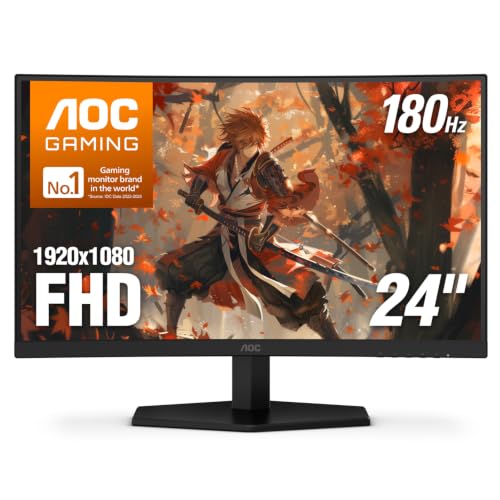
Best Budget: AOC C24G42E
The cheapest panel here that still holds 180 Hz, and the VA panel buys contrast the IPS picks cannot match.
Specs
Panel | 23.8-inch curved VA |
Resolution | 1920 x 1080 |
Refresh rate | 180 Hz |
Response time | 0.5 ms MPRT |
HDR | HDR10 |
Adaptive sync | Adaptive-Sync (FreeSync compatible) |
Inputs | DisplayPort 1.4, HDMI 2.0 |
Stand | Tilt only |
Panel
23.8-inch curved VA
Resolution
1920 x 1080
Refresh rate
180 Hz
Response time
0.5 ms MPRT
HDR
HDR10
Adaptive sync
Adaptive-Sync (FreeSync compatible)
Inputs
DisplayPort 1.4, HDMI 2.0
Stand
Tilt only
What it does well
VA is the reason to consider this one. Native contrast on a VA panel is several times what an IPS panel at the same price delivers, so a dark corridor in a horror game or a night scene in an open-world title reads as dark instead of grey. At this tier that gap is large enough to notice from across the room.
It still holds the refresh rate that matters. 180 Hz at 1080p with Adaptive-Sync covers the card's variable frame rate the same way the IPS picks do.
It also protects the rest of the build. A 5060 fits inside a 550 W supply on a single 8-pin connector, so the whole machine stays cheap, and power supply picks for this tier will not eat the savings either. Money not spent on the panel is money that can go into storage or a better case.
What you give up
Response time is the trade, and it is a real one. Dark-to-light transitions smear on inexpensive VA panels, and this is the category where those complaints cluster. Reports suggest the factory overdrive default is not the best setting; it is worth stepping through the options before deciding the panel is bad.
The 0.5 ms number on the box is an MPRT figure, which is measured differently from the GTG numbers the IPS picks quote. They are not comparable.
The stand tilts and nothing else. Height comes from a monitor arm or a stack of books.
Who it's for
The builder on a hard total budget who plays mostly single-player games and would rather have black levels than the last few milliseconds of pixel response.
Editor's Pick: LG UltraGear 27GS60QC
The conditional 1440p pick. If QHD is non-negotiable for you, this is the panel to do it on, and here is the bill.

Specs
Panel | 27-inch curved VA, 1000R |
Resolution | 2560 x 1440 |
Refresh rate | 180 Hz |
Response time | 1 ms MBR |
HDR | HDR10 |
Adaptive sync | AMD FreeSync |
Inputs | 2x HDMI, 1x DisplayPort |
Stand | Tilt, height adjust |
Panel
27-inch curved VA, 1000R
Resolution
2560 x 1440
Refresh rate
180 Hz
Response time
1 ms MBR
HDR
HDR10
Adaptive sync
AMD FreeSync
Inputs
2x HDMI, 1x DisplayPort
Stand
Tilt, height adjust
What it does well
At 27 inches, 2560 x 1440 works out near 109 pixels per inch, which is the sharpest image in this article by a wide margin. Desktop work stops being a compromise and the extra detail in single-player games is genuinely visible.
The 5060 is not helpless at this resolution either. Esports titles and well-optimised games drive QHD comfortably, and FreeSync keeps things smooth while the card swings between roughly 45 and 90 fps in heavier titles. The panel will outlast the card, which is part of the argument for buying it. That argument holds even harder if a console ends up on the same desk, though the input requirements change: our guide to the best monitors for console gaming covers what a PS5 or Xbox Series X needs from an HDMI port.
If you are still choosing the GPU, note that the RTX 5060 Ti monitor pairing guide is the page for that card, because 16 GB changes this recommendation completely.
What you give up
This is the pick that runs into the frame buffer, and that is not a small footnote. In modern open-world AAA at 1440p ultra, 8 GB on a 128-bit bus is a hard wall. The average frame rate is not what tells you first; 1% lows fall apart while the average still looks acceptable, which is why the experience feels choppy before the numbers look bad.
Dropping texture quality from ultra to high keeps most titles inside the 8 GB pool and restores playable frame times. That works. It is also a setting you will be managing for the life of the card, in every new release, forever.
Reviewers have also flagged that Blackwell handles a full VRAM pool worse than the previous generation did, so some 1440p scenarios run behind an 8 GB RTX 4060. Buy this panel for the future GPU, not for this one.
Who it's for
The buyer who values desktop resolution and single-player fidelity over frame rate, who is willing to run high textures instead of ultra, and who plans to replace the graphics card before the monitor.
Bottom line
If you want one panel that handles everything this card is good at, buy the ASUS TUF Gaming VG279Q3A. If you would rather have a sharper image and spend less, buy the AOC 24G4 and never think about it again. If Counter-Strike 2 is most of your play time, the ASUS TUF Gaming VG259QM5A is the only pick here that the card can saturate. If the total build budget is fixed and hard, the AOC C24G42E gives up response time for contrast and keeps the rest of the machine intact. And if 1440p is non-negotiable, the LG UltraGear 27GS60QC is the right way to do it, with high textures instead of ultra as the standing cost.
One last thing worth checking before you buy any of them: if the graphics card is not locked in yet, the 5060 against the 5060 Ti is the decision that changes this whole page. Sixteen gigabytes moves the answer to 1440p.
FAQ
Should I get a 1080p or a 1440p monitor for the RTX 5060?
Get 1080p. The card has the raw throughput for 1440p in plenty of titles, but 8 GB of VRAM on a 128-bit bus is what runs out first, and it runs out in exactly the modern open-world games people buy new GPUs for. At 1080p you get the full quality preset and a frame rate that fills a 180 Hz panel. At 1440p you get texture-setting management as a permanent chore. If you want 1440p anyway, buy it knowing you will run high textures rather than ultra.
Is the RTX 5060 good enough for 1440p gaming?
In esports titles and older or well-optimised games, comfortably yes. In current AAA at ultra settings, no, and the reason is memory rather than shader performance. Reviewers consistently land on 1080p as the resolution to buy this card for. The tell is not the average frame rate but the 1% lows, which collapse once the frame buffer fills while the average still reads as playable.
Does the RTX 5060 need a 240 Hz monitor?
Only if competitive shooters are most of your play time. The card clears 240 fps in Counter-Strike 2 and Valorant at competitive settings, and DLSS 4 multi frame generation pushes even heavy titles past that number at 1080p. In native AAA workloads it settles between 100 and 160 fps, which a 180 Hz panel covers completely. Buy 240 Hz for the esports case, not as a general upgrade.
Can the RTX 5060 drive a 4K monitor?
It can output 4K, and for desktop work or lighter games that is fine. For modern AAA gaming it is the wrong pairing by a wide margin, because 4K multiplies exactly the memory pressure that already limits this card at 1440p. If a 4K panel is already on the desk, run games at 1080p or 1440p on it and accept the scaling softness. Do not buy a 4K panel to go with this card.
Should I use DisplayPort or HDMI with the RTX 5060?
DisplayPort, if the monitor has it. The card carries three DisplayPort 2.1b outputs and one HDMI 2.1b, so both have far more bandwidth than any panel in this article needs, but DisplayPort tends to be the input where monitors expose their full refresh range and variable-refresh behaviour without extra menu digging. HDMI is the right choice when you also want a console on the same panel.
Is 8 GB of VRAM going to hold this pairing back in a few years?
The GPU will age out before the monitor does, which is the practical way to think about it. Eight gigabytes is already the binding constraint at 1440p and it will tighten as games ship larger texture sets. A 1080p high-refresh panel bought today stays useful across two or three graphics cards. That is an argument for spending on panel quality now and treating the card as the replaceable part.
Related Articles

Best Gaming Monitors for the RTX 5060 Ti (2026)
Five monitors paired to the RTX 5060 Ti by resolution tier, from 1080p 180Hz to 1440p QD-OLED. Honest answer on whether the 16GB card earns a 1440p panel.
Jun 21, 2026

Is the RTX 5060 Enough for 1080p? 8GB vs 5060 Ti 16GB (2026)
Is the RTX 5060 enough for 1080p? Yes for most games, with around 100fps in Hogwarts Legacy and Marvel Rivals. Here's when the 5060 Ti 16GB earns its price.
Oct 4, 2026

RTX 5060 vs RTX 5060 Ti: Which Should You Buy in 2026?
Nvidia's 8GB RTX 5060 against the 16GB RTX 5060 Ti, decided on the VRAM axis, not core count. Pick by resolution, texture headroom, ray tracing, and longevity.
Jun 18, 2026

Best 1080p 240Hz Gaming Monitors 2026: 5 Picks + GPU Guide
The best 1080p 240Hz gaming monitors for 2026, from the budget Fast IPS floor to the 540Hz halo, plus which GPU actually drives 240Hz in CS2 and Valorant.
Sep 10, 2026

OLED vs IPS for Gaming 2026: Verdict + 4 OLED, 4 IPS Picks
OLED vs IPS for gaming: OLED wins motion and HDR, IPS wins bright rooms, burn-in peace of mind, and price. See which fits you, plus the best monitor of each.
Oct 4, 2026