Affiliate Disclosure: As an Amazon Associate we earn from qualifying purchases. Some links may earn us a commission at no cost to you.

Best OLED Gaming Laptops (2026): 5 Picks by Budget
OLED is the panel spec buyers now search for by name, and it deserves the attention. Near-instant pixel response and true black make a gaming laptop screen look like a different class of device. The trap is that the panel is only half of what you are buying.
A 240Hz OLED in front of an underfed GPU is a worse purchase than a 165Hz OLED in a chassis that lets the graphics card draw real power. So this list picks one OLED gaming laptop per budget rung and grades each on refresh rate, sustained brightness and how much GPU wattage the chassis lets through.
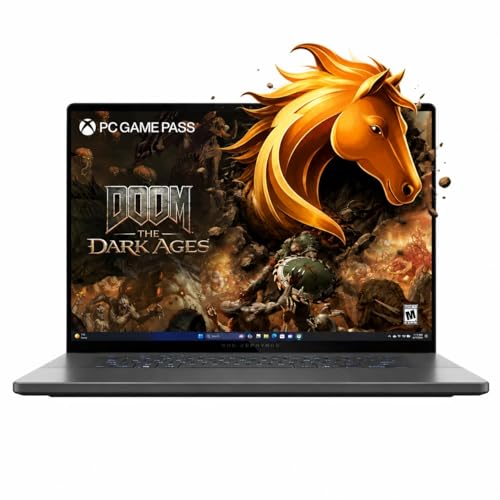
Our top pick: ASUS ROG Zephyrus G16 OLED
The Zephyrus G16 is the only laptop here that pairs a 240Hz OLED with the GPU tier most 1440p buyers want, in a chassis you can carry every day.
Quick picks
Pick | Laptop | Panel | Best for | Where to buy |
|---|---|---|---|---|
Best Overall | 16 in, 2560x1600, 240Hz | 1440p all-rounder | ||
Best Value | 15.3 in, 2560x1600, 165Hz | Mixed 1440p library | ||
Best Premium | 16 in, QHD+, 240Hz | Desktop-class frames | ||
Best Budget | 15.1 in, 2560x1600, 165Hz | Cheapest real OLED | ||
Editor's Pick | 14 in, 2880x1800, 120Hz | Daily carry |
Best Overall
- Laptop
- Panel
16 in, 2560x1600, 240Hz
- Best for
1440p all-rounder
- Where to buy
Best Value
- Laptop
- Panel
15.3 in, 2560x1600, 165Hz
- Best for
Mixed 1440p library
- Where to buy
Best Premium
- Laptop
- Panel
16 in, QHD+, 240Hz
- Best for
Desktop-class frames
- Where to buy
Best Budget
- Laptop
- Panel
15.1 in, 2560x1600, 165Hz
- Best for
Cheapest real OLED
- Where to buy
Editor's Pick
- Laptop
- Panel
14 in, 2880x1800, 120Hz
- Best for
Daily carry
- Where to buy
Specs at a glance
Laptop | Panel | Graphics | Memory / storage | Screen size |
|---|---|---|---|---|
16 in, 2560x1600, 240Hz | RTX 5070 Laptop | 16GB / 1TB | 16 inch 2560x1600 | |
15.3 in, 2560x1600, 165Hz | RTX 5060 Laptop | 16GB / 1TB | 15.3 inch 2560x1600 | |
16 in, QHD+, 240Hz | RTX 5090 Laptop | 32GB / 2TB | 16 inch QHD+ | |
15.1 in, 2560x1600, 165Hz | RTX 5060 Laptop | 16GB / 512GB | 15.1 inch 2560x1600 | |
14 in, 2880x1800, 120Hz | RTX 5070 Ti Laptop | 32GB / 2TB | 14 inch 2880x1800 |
- Panel
16 in, 2560x1600, 240Hz
- Graphics
RTX 5070 Laptop
- Memory / storage
16GB / 1TB
- Screen size
16 inch 2560x1600
- Panel
15.3 in, 2560x1600, 165Hz
- Graphics
RTX 5060 Laptop
- Memory / storage
16GB / 1TB
- Screen size
15.3 inch 2560x1600
- Panel
16 in, QHD+, 240Hz
- Graphics
RTX 5090 Laptop
- Memory / storage
32GB / 2TB
- Screen size
16 inch QHD+
- Panel
15.1 in, 2560x1600, 165Hz
- Graphics
RTX 5060 Laptop
- Memory / storage
16GB / 512GB
- Screen size
15.1 inch 2560x1600
- Panel
14 in, 2880x1800, 120Hz
- Graphics
RTX 5070 Ti Laptop
- Memory / storage
32GB / 2TB
- Screen size
14 inch 2880x1800
How we picked these OLED gaming laptops
Refresh rate came first, but only in proportion to the GPU behind it. A 240Hz panel earns its cost when the graphics card can push past 165 frames in the games you play. Below that, the extra hertz is a number on a box.
Sustained brightness came second, and it is the spec almost nobody checks. Peak figures are measured on a small bright window; full-screen output is much lower, which is why an OLED laptop can look dim in a bright room next to an IPS machine. We went deeper on that trade in our OLED versus IPS comparison.
Third was GPU wattage per chassis. The same GPU name means very different frame rates in a 14.9 mm shell and a thick 16 inch one. Every pick below is graded against what its chassis can realistically feed, not against the sticker on the lid.
Burn-in got answered rather than dodged. Modern panels ship pixel shifting and refresh routines, and long torture tests on premium OLED show only faint marking after thousands of hours of static content. The mechanism and the mitigations are the same ones we covered for desktop panels in our piece on whether an OLED gaming monitor is worth it.
Best Overall: ASUS ROG Zephyrus G16 OLED
Specs
Display | 16 inch 2560x1600 OLED, 240Hz |
Processor | Intel Core Ultra 9 285H |
Graphics | GeForce RTX 5070 Laptop |
Memory | 16GB LPDDR5X, soldered |
Storage | 1TB NVMe SSD |
Chassis | Slim 16 inch aluminium |
OS | Windows 11 Pro |
Display
16 inch 2560x1600 OLED, 240Hz
Processor
Intel Core Ultra 9 285H
Graphics
GeForce RTX 5070 Laptop
Memory
16GB LPDDR5X, soldered
Storage
1TB NVMe SSD
Chassis
Slim 16 inch aluminium
OS
Windows 11 Pro
What it does well
The 240Hz panel is the reason this one leads. OLED pixels change state in a fraction of a millisecond, so the smearing you get chasing a target on a fast IPS screen mostly disappears. Pair that response with 240 frames of headroom and competitive shooters feel closer to a desktop setup than a laptop.
If you want the same GPU tier in a thicker chassis with more wattage headroom, our roundup of RTX 5070 gaming laptops covers the trade the other way.
The Core Ultra 9 285H matters more than the spec sheet suggests. In CPU-bound titles, the 1% lows are what you feel, and this chip holds them steady where a lower-tier H part starts stuttering. The 2560x1600 panel is also the right resolution for an RTX 5070: sharp enough to justify OLED, not so demanding that the GPU spends every frame at 60 percent scaling.
What you give up
Sixteen gigabytes of LPDDR5X is soldered. There is no upgrade path, and modern shooters with a browser open behind them already lean on that budget. If you keep laptops for four years, that is the spec that will age first.
The slim chassis also caps GPU wattage. The same RTX 5070 in a thick 16 inch gaming laptop draws more power and turns in more frames, so you are paying a portability tax measured in performance, not just money.
Who it's for
Buyers who want one machine for 1440p gaming and daily work, and who will not carry a 2.7 kg brick to do it. If your monitor at home is 1440p and your commute involves a backpack, this is the shape that fits.
Best Value: Lenovo Legion 5i 15 OLED

Specs
Display | 15.3 inch 2560x1600 OLED, 165Hz |
Processor | Intel Core Ultra 7 251HX |
Graphics | GeForce RTX 5060 Laptop |
Memory | 16GB DDR5 |
Storage | 1TB NVMe SSD |
Panel class | WQXGA 16:10 |
OS | Windows 11 Home |
Display
15.3 inch 2560x1600 OLED, 165Hz
Processor
Intel Core Ultra 7 251HX
Graphics
GeForce RTX 5060 Laptop
Memory
16GB DDR5
Storage
1TB NVMe SSD
Panel class
WQXGA 16:10
OS
Windows 11 Home
What it does well
The Core Ultra 7 251HX is an HX-class part, which is the detail worth paying for. HX silicon is derived from desktop chips and holds sustained multi-core clocks far better than the low-power H parts that usually appear at this rung. Compiles, exports and background streaming all benefit.
A terabyte of storage ships in the box, so the first upgrade you would otherwise budget for is already handled. The 15.3 inch 16:10 panel at 2560x1600 is the same class of OLED you find two rungs up.
What you give up
The RTX 5060 is the ceiling here, and it shows. At 1440p in current AAA titles you are picking medium settings or leaning on upscaling, not running native ultra. A reasonable rule from published testing is that the RTX 5070 Laptop lands roughly 20 to 25 percent ahead in the same games.
At 165Hz the panel gives up refresh headroom against the 240Hz picks. That gap is invisible in a single-player campaign and obvious in an esports title where the GPU could push far past 165 frames.
Who it's for
The 1440p buyer with a mixed library who wants OLED without stretching into flagship money. If most of your hours go to story games and the occasional ranked session, the panel gives you more than the extra GPU tier would.
Best Premium: Razer Blade 16 RTX 5090

Specs
Display | 16 inch QHD+ OLED, 240Hz |
Processor | Intel Core Ultra 9 386H |
Graphics | GeForce RTX 5090 Laptop, 160 W |
Memory | 32GB DDR5 |
Storage | 2TB NVMe SSD |
Chassis | 14.9 mm thick |
HDR | DisplayHDR True Black 1000, 1100 nit peak |
Display
16 inch QHD+ OLED, 240Hz
Processor
Intel Core Ultra 9 386H
Graphics
GeForce RTX 5090 Laptop, 160 W
Memory
32GB DDR5
Storage
2TB NVMe SSD
Chassis
14.9 mm thick
HDR
DisplayHDR True Black 1000, 1100 nit peak
What it does well
This panel is the brightest in the group by a wide margin. Razer certifies the 16 inch QHD+ OLED at DisplayHDR True Black 1000 with peaks reaching 1100 nits, which is the difference between HDR that reads as a marketing checkbox and HDR that actually changes how a scene looks.
The RTX 5090 Laptop runs at 160 W here, which is the fastest mobile GPU currently shipping, and Razer has it inside a 14.9 mm chassis. Nothing else on this list gets close to that ratio of frames to thickness.
If the flagship rung is more machine than you need, the picks in our gaming laptops under 2500 guide land closer to sane money.
What you give up
Cooling 160 W of GPU in 14.9 mm has a cost, and the cost is noise and sustained clocks. Reviewers who have run it hard report the fans working audibly under load, and a thicker chassis with the same GPU will hold higher clocks over a long session. You are buying thinness, and thinness is not free.
The price is roughly triple the budget pick in this roundup. Unless you genuinely need the top mobile GPU in a bag, the money buys more frames per dollar one or two rungs down.
Who it's for
Buyers who want desktop-class frames at 1440p or 4K and refuse to compromise on carrying the machine. This is the pick for someone who travels weekly and still expects path tracing to run.
Best Budget: Lenovo Legion 5 15 OLED

Specs
Display | 15.1 inch 2560x1600 OLED, 165Hz |
Processor | AMD Ryzen 7 260 |
Graphics | GeForce RTX 5060 Laptop |
Memory | 16GB DDR5 |
Storage | 512GB NVMe SSD |
Panel class | WQXGA 16:10 |
OS | Windows 11 Home |
Display
15.1 inch 2560x1600 OLED, 165Hz
Processor
AMD Ryzen 7 260
Graphics
GeForce RTX 5060 Laptop
Memory
16GB DDR5
Storage
512GB NVMe SSD
Panel class
WQXGA 16:10
OS
Windows 11 Home
What it does well
This is the cheapest configuration here that still ships a genuine 2560x1600 OLED at 165Hz rather than a dim FHD panel with OLED in the marketing copy. The panel class is the same one the Best Value pick uses, which is the whole argument for this rung.
The Ryzen 7 260 is enough CPU to keep an RTX 5060 fed at 1440p. Pairing a bigger processor with this GPU would move very few frames, so the money saved is money you were not going to feel.
What you give up
512GB is the real compromise. Two large installs and a shader cache and you are managing storage rather than playing. Budget for an M.2 drive on day one and treat that as part of the purchase price.
The Ryzen 7 260 is a non-HX part, so heavy multi-core work runs slower than on the 251HX pick above. If the laptop doubles as a work machine that compiles or renders, the value rung is worth the stretch.
Who it's for
The buyer whose ceiling is the low four figures and who would rather have the panel than the extra storage. Add a drive later and this becomes the value pick.
Editor's Pick: ASUS ROG Zephyrus G14 OLED

Specs
Display | 14 inch 2880x1800 OLED, 120Hz |
Processor | AMD Ryzen AI 9 HX 370 |
Graphics | GeForce RTX 5070 Ti Laptop |
Memory | 32GB LPDDR5X |
Storage | 2TB NVMe SSD |
Chassis | 14 inch, 1.5 kg class |
OS | Windows 11 Pro |
Display
14 inch 2880x1800 OLED, 120Hz
Processor
AMD Ryzen AI 9 HX 370
Graphics
GeForce RTX 5070 Ti Laptop
Memory
32GB LPDDR5X
Storage
2TB NVMe SSD
Chassis
14 inch, 1.5 kg class
OS
Windows 11 Pro
What it does well
Nobody else has fitted this much GPU behind a 14 inch OLED. The RTX 5070 Ti is a real step over the RTX 5070, and 2880x1800 across 14 inches is the sharpest panel in this roundup by pixel density.
It also arrives finished. Thirty-two gigabytes of memory and a 2TB drive mean there is no first-year upgrade to plan, which is not something you can say about most laptops at any price.
What you give up
One hundred and twenty hertz is the lowest refresh here. In a single-player game you will not notice; in a competitive shooter the panel becomes the bottleneck before the GPU does. That is a real trade and worth naming plainly.
A 14 inch chassis also caps GPU wattage well below what the 16 inch picks allow, so the RTX 5070 Ti here will not match the same GPU in a larger machine. Buyers have flagged fan noise under sustained load as the other side of that bargain.
Who it's for
The buyer who carries the laptop daily and wants the panel and the GPU to still be respectable when they arrive. If your bag weight matters more than your frame counter, start here.
Bottom line
If you want one OLED laptop that covers gaming and work, buy the ASUS ROG Zephyrus G16 OLED. If your library is mostly single-player and your budget is tighter, buy the Lenovo Legion 5i 15 OLED. If you need the fastest mobile GPU in a bag and the money is there, buy the Razer Blade 16 RTX 5090.
If the panel is the whole point and the budget is fixed, buy the Lenovo Legion 5 15 OLED and add a drive. If you carry the machine every day, buy the ASUS ROG Zephyrus G14 OLED and accept 120Hz. Buyers working to a tighter ceiling should start with our gaming laptops under 1500 picks instead.
FAQ
Do OLED gaming laptops get burn-in?
Eventually, in theory, but not on the timeline most buyers worry about. Burn-in needs thousands of hours of the same static element in the same place, which means a fixed HUD or a taskbar you never hide. Every panel here ships with pixel shifting and periodic refresh routines running in the background. A three year burn-in warranty has become normal at the premium end. Hide the taskbar, let the screen sleep, and treat this as a year four concern rather than a reason to buy IPS.
Is an OLED gaming laptop worth it over IPS?
For most people, yes. Pixel response on OLED is a fraction of a millisecond against roughly one to four on a fast IPS, so moving targets stay sharper and dark scenes stop looking grey. The two real costs are battery life, which drops noticeably on bright content, and static-element burn-in over years. If you play competitive shooters at very high frame rates and value runtime over contrast, a good IPS is still a defensible choice.
How bright do OLED gaming laptops actually get?
Check the full-screen number, not the peak. Mainstream 16 inch laptop OLED panels certify at DisplayHDR True Black 1000 and quote peaks near 500 nits, but those peaks are measured on a small window. Sustained full-screen SDR brightness is much lower, which is why OLED laptops can feel dim next to a bright IPS in a sunlit room. The Razer Blade 16 is the exception in this group at up to 1100 nits peak.
What is the cheapest OLED gaming laptop worth buying?
The Lenovo Legion 5 15 OLED is our Best Budget pick because it is the cheapest configuration that still carries a real 2560x1600 165Hz panel rather than a dim FHD screen with OLED in the marketing. Below that rung, panel quality falls off fast and you are paying for the word rather than the picture. Budget separately for a second M.2 drive, since it ships with 512GB.
Does an OLED panel hurt gaming laptop battery life?
It can, and it depends on what is on screen. OLED draws power per lit pixel, so dark interfaces and dark games are efficient while a full-screen white document is expensive. Expect roughly fifteen to twenty percent less unplugged runtime than the same laptop with an IPS panel on mixed bright content. Dark mode and a lower brightness setting close most of that gap.
Is 240Hz OLED better than 165Hz OLED for gaming?
Only if the GPU can feed it. At 1440p with an RTX 5060, most current AAA titles land well under 165 frames, so the extra refresh sits unused and you paid for a number. In esports titles where the same GPU pushes past 200 frames, 240Hz is a genuine upgrade. Match the panel to the games you play, which is why our Best Overall pick pairs 240Hz with an RTX 5070 rather than a 5060.
Related Articles

Best Gaming Laptops Under $1500 (2026): RTX 5060 vs 5070
Best gaming laptops under $1500 for 2026: five picks with RTX 5060 and RTX 5070, OLED vs QHD screens, and which GPU tier is worth it on the built-in display.
Oct 10, 2026

Best RTX 5070 Gaming Laptops (2026): TGP-Ranked Picks
The best RTX 5070 gaming laptops in 2026, ranked by the TGP each chassis actually sustains. Five picks from budget to 18-inch, plus the 8GB VRAM catch.
Jul 21, 2026

OLED vs IPS for Gaming 2026: Verdict + 4 OLED, 4 IPS Picks
OLED vs IPS for gaming: OLED wins motion and HDR, IPS wins bright rooms, burn-in peace of mind, and price. See which fits you, plus the best monitor of each.
Oct 4, 2026

Best GPU for Star Wars Outlaws (2026): 5 Picks by Tier
The best GPU for Star Wars Outlaws is the RTX 5070 Ti, RTX 4080-class at 1440p Ultra with ray tracing always on. Measured FPS from 1080p to 4K, plus VRAM tips.
Oct 24, 2026

How to Read a RAM Spec Sheet (2026): 3 Numbers That Matter
How to read a RAM spec sheet in a minute: the 3 numbers that matter, the CL-to-nanoseconds math that compares any two kits, and why DDR5-6000 CL30 wins on AM5.
Oct 23, 2026