Affiliate Disclosure: As an Amazon Associate we earn from qualifying purchases. Some links may earn us a commission at no cost to you.

Best CPUs for Rust (2026): 5 Picks for Raids and Big Bases
Rust runs fine on an empty beach. Then you join a high-population server, run past a monument, or load into a raid on a compound with a few thousand placed objects, and the frame rate collapses no matter which graphics preset you pick.
That collapse is the processor. The best CPU for Rust is the one that holds its floor in those moments, and in Rust that comes down to cache size more than clock speed. These five picks are ranked by how they handle dense player-built areas, from an AM4 drop-in up to the 9800X3D.
Our top pick: AMD Ryzen 7 9800X3D
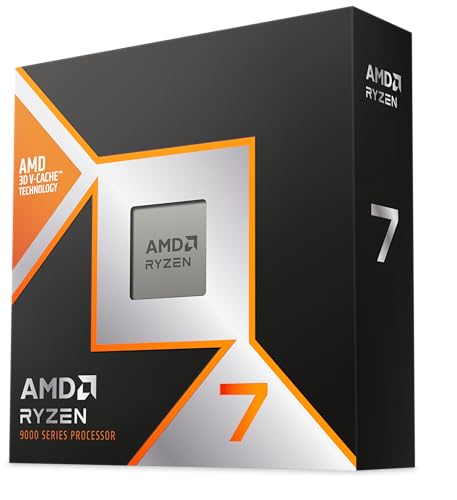
The Ryzen 7 9800X3D pairs 96 MB of stacked L3 cache with Zen 5 clocks, the combination that keeps Rust steady when a base full of entities loads in around you.
Quick picks
Pick | CPU | Best for | Buy |
|---|---|---|---|
Best Overall | Highest frame floor on full servers | ||
Best Value | The same 96 MB cache for less | ||
Best Premium | Playing, streaming and hosting on one PC | ||
Best Budget | Getting onto AM5 now, cache later | ||
Editor's Pick | AM4 owners who want a one-part upgrade |
Best Overall
- CPU
- Best for
Highest frame floor on full servers
- Buy
Best Value
- CPU
- Best for
The same 96 MB cache for less
- Buy
Best Premium
- CPU
- Best for
Playing, streaming and hosting on one PC
- Buy
Best Budget
- CPU
- Best for
Getting onto AM5 now, cache later
- Buy
Editor's Pick
- CPU
- Best for
AM4 owners who want a one-part upgrade
- Buy
Specs at a glance
CPU | Cores / threads | L3 cache | Boost clock | TDP | Socket |
|---|---|---|---|---|---|
8 / 16 | 96 MB | Up to 5.2 GHz | 120 W | AM5 | |
8 / 16 | 96 MB | Up to 5.0 GHz | 120 W | AM5 | |
16 / 32 | 128 MB total | Up to 5.7 GHz | 170 W | AM5 | |
6 / 12 | 32 MB | Up to 5.3 GHz | 105 W | AM5 | |
8 / 16 | 96 MB | Up to 4.5 GHz | 105 W | AM4 |
- Cores / threads
8 / 16
- L3 cache
96 MB
- Boost clock
Up to 5.2 GHz
- TDP
120 W
- Socket
AM5
- Cores / threads
8 / 16
- L3 cache
96 MB
- Boost clock
Up to 5.0 GHz
- TDP
120 W
- Socket
AM5
- Cores / threads
16 / 32
- L3 cache
128 MB total
- Boost clock
Up to 5.7 GHz
- TDP
170 W
- Socket
AM5
- Cores / threads
6 / 12
- L3 cache
32 MB
- Boost clock
Up to 5.3 GHz
- TDP
105 W
- Socket
AM5
- Cores / threads
8 / 16
- L3 cache
96 MB
- Boost clock
Up to 4.5 GHz
- TDP
105 W
- Socket
AM4
How we read Rust's official requirements
Component | Official minimum | Official recommended |
|---|---|---|
Processor | AMD Ryzen 5 1400 or Intel Core i5-6600 | AMD Ryzen 7 3700X or Intel Core i7-6700K |
Memory | 12 GB | 16 GB |
Graphics | RX 470, GTX 1060 or Arc A580 | RX 6600 XT, RTX 3060 or Arc B580 |
DirectX | 11 | 12 |
Storage | 45 GB, SSD strongly advised | 45 GB, SSD required |
OS | Windows 11 64-bit | Windows 11 64-bit |
Processor
- Official minimum
AMD Ryzen 5 1400 or Intel Core i5-6600
- Official recommended
AMD Ryzen 7 3700X or Intel Core i7-6700K
Memory
- Official minimum
12 GB
- Official recommended
16 GB
Graphics
- Official minimum
RX 470, GTX 1060 or Arc A580
- Official recommended
RX 6600 XT, RTX 3060 or Arc B580
DirectX
- Official minimum
11
- Official recommended
12
Storage
- Official minimum
45 GB, SSD strongly advised
- Official recommended
45 GB, SSD required
OS
- Official minimum
Windows 11 64-bit
- Official recommended
Windows 11 64-bit
Those numbers come from the game's Steam store listing, and they describe a playable game on a quiet server, not a smooth one during a raid. A Ryzen 7 3700X clears the recommended line, yet players report it still dips hard near large bases, because the scene's working set outgrows a conventional L3 cache.
Treat the recommended spec as the floor for a new build. Every pick below clears it comfortably. The memory line deserves more attention than it gets: 16 GB is the official figure, but players widely report 32 GB as the comfortable amount on busy servers, so plan a 2x16 GB kit.
How we picked the best CPU for Rust
Rust is built on Unity and tracks every placed wall, door, box and turret near you. Early in a wipe that load is light. A few days in, on a server with a couple hundred players, the client juggles far more objects, and that work lands on the CPU and its cache rather than the graphics card. Lowering graphics settings barely moves the floor in those scenes.
Cache is the deciding spec. AMD's 3D V-Cache chips stack extra L3 on the processor, which gives the eight-core parts 96 MB in total. Rust players treat X3D parts as the default for that reason, and it matches what we see in other entity-heavy games such as Escape from Tarkov. For the longer version of when the cache earns its price, read whether you need an X3D CPU.
Rust is not part of the usual reviewer CPU test suites, so there are no controlled CPU-scaling numbers worth quoting here. The ranking rests on cache, clocks and platform: the Zen 5 9800X3D leads the Zen 4 7800X3D on clocks with the same cache, and the high-clock 7600X makes a better budget floor than an older eight-core chip.
Check your GPU first. At 1440p and 4K with a mid-range card, Rust often hits the graphics limit before the CPU matters. Run your current pairing through the bottleneck calculator before you spend on a processor, and see how to choose a CPU and motherboard if you are planning the whole platform.
Best Overall: AMD Ryzen 7 9800X3D
Specs
Cores / threads | 8 / 16 |
Architecture | Zen 5 with 3D V-Cache |
L3 cache | 96 MB |
Boost clock | Up to 5.2 GHz |
TDP | 120 W |
Socket | AM5 |
Memory | DDR5 |
Overclocking | Unlocked |
Cores / threads
8 / 16
Architecture
Zen 5 with 3D V-Cache
L3 cache
96 MB
Boost clock
Up to 5.2 GHz
TDP
120 W
Socket
AM5
Memory
DDR5
Overclocking
Unlocked
What it does well
The Ryzen 7 9800X3D carries 96 MB of L3 cache and boosts to 5.2 GHz, the strongest mix of cache and clocks on AM5 for a game that leans on both. Walk into a large compound or a busy Outpost and the extra cache keeps more of the scene's data next to the cores. That is what holds the 1% lows up while everything around you streams in.
AMD moved the cache die underneath the cores on this generation, so the chip runs cooler than the 7800X3D and the multiplier is unlocked. A good single-tower air cooler handles it, and PBO gives a little extra if you like to tune.
What you give up
It is the most expensive eight-core chip here, and in Rust the gap to the 7800X3D is smaller than the gap in price. If your GPU is the limit at 1440p or 4K, you will see little of that gap at all.
It also needs DDR5 and an AM5 board, so an AM4 owner is buying three parts, not one. Pair it with a B650 or B850 board that has proper VRM heatsinks; nothing here needs a premium chipset. Our AM5 motherboard picks cover the sensible boards.
Who it's for
Buy it if Rust is your main game, you play on full official or community servers, and you run a high-refresh 1080p or 1440p monitor with a GPU that can keep up.
Best Value: AMD Ryzen 7 7800X3D

Specs
Cores / threads | 8 / 16 |
Architecture | Zen 4 with 3D V-Cache |
L3 cache | 96 MB |
Boost clock | Up to 5.0 GHz |
TDP | 120 W |
Socket | AM5 |
Memory | DDR5 |
Overclocking | Multiplier locked |
Cores / threads
8 / 16
Architecture
Zen 4 with 3D V-Cache
L3 cache
96 MB
Boost clock
Up to 5.0 GHz
TDP
120 W
Socket
AM5
Memory
DDR5
Overclocking
Multiplier locked
What it does well
The Ryzen 7 7800X3D has the same 96 MB of L3 as the 9800X3D and boosts to 5.0 GHz. In the scenes that hurt Rust most, cache does most of the work, so this chip keeps the bulk of the 9800X3D's advantage over any non-X3D processor.
It is also easy to live with. The 120 W TDP means a mid-range air cooler keeps it quiet, and on AM5 the board you buy today takes later X3D parts as a drop-in.
What you give up
The multiplier is locked and clocks top out lower, so the 9800X3D pulls ahead in the parts of the frame that care about clock speed. You cannot tune your way to the newer chip.
Pricing has moved around a lot since launch. When the gap to the 9800X3D shrinks to a small amount, the newer chip is the better buy, so check both listings before you pick this one.
Who it's for
Players who want the X3D effect in Rust at a lower tier, and AM5 builders who would rather put the difference into a 2x16 GB memory kit or a better GPU.
Best Premium: AMD Ryzen 9 9950X3D

Specs
Cores / threads | 16 / 32 |
Architecture | Zen 5 with 3D V-Cache |
L3 cache | 128 MB total |
Boost clock | Up to 5.7 GHz |
TDP | 170 W |
Socket | AM5 |
Memory | DDR5 |
Cores / threads
16 / 32
Architecture
Zen 5 with 3D V-Cache
L3 cache
128 MB total
Boost clock
Up to 5.7 GHz
TDP
170 W
Socket
AM5
Memory
DDR5
What it does well
The Ryzen 9 9950X3D brings 16 cores, 128 MB of L3 in total and a 5.7 GHz boost. Rust's game threads run on the cache-equipped half of the chip, so the game behaves much like it does on the 9800X3D.
The other eight cores take everything else: a stream encode, a Discord call, a browser full of base designs, or a small modded server for your group on the same machine. For a Rust streamer, that headroom is the whole point.
What you give up
Gaming alone, it does not beat the 9800X3D by anything you will notice, and it costs a lot more. It is a 170 W part, so it wants a stronger cooler and a board with better VRM cooling.
Thread placement depends on AMD's chipset driver. Buyers have flagged games landing on the wrong half of the chip when that driver is out of date, so keep it current after every Windows update.
Who it's for
Streamers, clip editors and players who host a community server on the same PC they play on.
Best Budget: AMD Ryzen 5 7600X

Specs
Cores / threads | 6 / 12 |
Architecture | Zen 4 |
L3 cache | 32 MB |
Boost clock | Up to 5.3 GHz |
TDP | 105 W |
Socket | AM5 |
Memory | DDR5 |
Cooler | Not included |
Cores / threads
6 / 12
Architecture
Zen 4
L3 cache
32 MB
Boost clock
Up to 5.3 GHz
TDP
105 W
Socket
AM5
Memory
DDR5
Cooler
Not included
What it does well
Six Zen 4 cores at up to 5.3 GHz clear Rust's recommended spec by a wide margin. On a quiet server or early in a wipe it plays smoothly, and the high clocks help the parts of the frame that do not depend on cache.
The bigger win is the platform. You get AM5 and DDR5 now, and the same board takes a 7800X3D or 9800X3D later as a one-part upgrade.
What you give up
Its 32 MB of L3 is the limit. Load into a large base or a raid on a full server and this is the pick that dips the most. For a Rust-first build it is the floor, not the goal.
It ships without a cooler, so budget for one. A single-tower air cooler is plenty.
Who it's for
Buyers on a tight budget, players whose GPU is the real limit right now, and anyone who wants to put money into the graphics card today and add cache later.
Editor's Pick: AMD Ryzen 7 5800X3D

Specs
Cores / threads | 8 / 16 |
Architecture | Zen 3 with 3D V-Cache |
L3 cache | 96 MB |
Boost clock | Up to 4.5 GHz |
TDP | 105 W |
Socket | AM4 |
Memory | DDR4 |
Overclocking | Multiplier locked |
Cores / threads
8 / 16
Architecture
Zen 3 with 3D V-Cache
L3 cache
96 MB
Boost clock
Up to 4.5 GHz
TDP
105 W
Socket
AM4
Memory
DDR4
Overclocking
Multiplier locked
What it does well
If you already run a Ryzen 5 3600 or 5600 on AM4, the Ryzen 7 5800X3D is the cheapest way to get 96 MB of cache into your Rust PC. It drops into the board you own and uses the DDR4 you already have.
That makes the whole upgrade one part and one evening. If you are weighing it against a platform change, our AM4 vs AM5 breakdown covers the trade.
What you give up
Zen 3 cores at 4.5 GHz sit a generation or two behind everything else here, and AM4 has no upgrade path left. Listings have also become scarce and prices uneven since production wound down, so compare the total against a 7800X3D platform before buying.
Older B450 and X470 boards need a BIOS update before the swap. Flash it with the old CPU still installed.
Who it's for
AM4 owners with a healthy board and 16 to 32 GB of DDR4 who want the biggest Rust gain for the least money and effort.
Bottom line
If Rust is your main game and you are building on AM5, buy the Ryzen 7 9800X3D. If you want the same cache for less, buy the 7800X3D. If you stream or host on the same PC, the 9950X3D is the only chip here that does both. If the budget is tight, the 7600X gets you onto AM5 and leaves the cache upgrade open. If you are on AM4, the 5800X3D is one part instead of three.
FAQ
Is Rust CPU or GPU bound?
Both, depending on where you are. On an empty map at 1440p or 4K, a mid-range graphics card is usually the limit. Around big bases, monuments and raids on a full server, the CPU takes over, because the client has to track thousands of player-built objects and other players at once. That is why the drops in those scenes barely change when you lower graphics settings. If GPU usage falls well below full during a drop, the processor is your bottleneck.
Is the 7800X3D good for Rust?
Yes. It carries the same 96 MB of L3 cache as the 9800X3D, and cache is what holds Rust together in dense areas. It trails the 9800X3D on clocks, so the newer chip leads, but the 7800X3D keeps most of the benefit over a non-X3D processor. Buy it when it costs clearly less than the 9800X3D. When the two are close in price, take the 9800X3D.
Does Rust need an X3D CPU?
No, it runs on any modern six-core chip. X3D matters if you play on busy servers, build or raid large bases, and want steady frame rates in exactly those moments, because those scenes overrun a conventional L3 cache. If you mostly play small servers, or your GPU is the limit at your resolution, a high-clock six-core like the 7600X is enough, and you can add an X3D chip later on AM5.
How much RAM does Rust need in 2026?
The official recommendation is 16 GB. Players widely report Rust using well over that on busy servers, especially with a browser and Discord open, so 32 GB is the comfortable target for a new build. On AM5, a 2x16 GB DDR5-6000 kit is the sensible default. On AM4 with a 5800X3D, a 2x16 GB DDR4-3600 kit suits the chip.
Is a Ryzen 5 good enough for Rust?
For playable frame rates, yes. A Ryzen 5 7600X clears the official recommended spec easily. Where it falls short is the frame floor on full servers and around large bases, where six cores with 32 MB of cache dip harder than any X3D chip. Treat a Ryzen 5 as the start of an AM5 build, then drop in a 7800X3D or 9800X3D when the budget allows.
Is the 9800X3D worth it over the 7800X3D for Rust?
For a new build, yes when the price gap is small. Both have 96 MB of L3, so the cache benefit is the same, and the 9800X3D adds Zen 5 cores, higher clocks, an unlocked multiplier and easier cooling. If the 7800X3D is much cheaper, it is the better value and the difference in Rust will be modest. If you already own a 7800X3D, the upgrade is not worth it.
Related Articles

Best CPUs for Escape from Tarkov (2026): Streets-Proof Picks
The best CPU for Escape from Tarkov is the one that holds 1% lows on Streets. Five picks by tier, from a cheap AM4 drop-in up to the 9800X3D cache king.
Aug 26, 2026

Do You Need an X3D CPU for Gaming? 2026 Buyer's Verdict
Do you need an X3D CPU for gaming? For most builds at 1440p and 4K, no. Here is the resolution, GPU, and library test that decides, plus three AM5 picks.
Aug 13, 2026

Best CPUs for Counter-Strike 2 (2026): Five Picks by Tier
Best CPUs for Counter-Strike 2 in 2026: five picks across competitive tiers from 144 Hz to 480 Hz OLED, with X3D cache analysis and 1% lows benchmarks.
May 12, 2026

X3D vs Non-X3D for Gaming (2026): 3 Picks by Player Type
X3D vs non-X3D for gaming: which Ryzen earns the cache premium. One pick each for esports, AAA at 1440p/4K, and sim or strategy, plus when to skip X3D.
Sep 8, 2026

Best AM5 Motherboards 2026: 5 Ryzen 9000 Picks by Chipset
The best AM5 motherboards for Ryzen 9000, picked by chipset: B850 is the volume sweet spot, B650 is winding down, and X870 only earns the spend for USB4.
Sep 2, 2026