Affiliate Disclosure: As an Amazon Associate we earn from qualifying purchases. Some links may earn us a commission at no cost to you.

Dawn of War 4 System Requirements (2026): 4 Upgrade Picks
The Dawn of War 4 system requirements ask for more than most strategy games do. The minimum is a GTX 1660 or RX 5700 with 16 GB of RAM. The recommended tier is an RTX 3060 Ti or RX 9060 with 32 GB. Both tiers want Windows 11 and 125 GB free on an SSD.
The verdict: a current 16 GB midrange card like the RTX 5060 Ti 16GB, plus 32 GB of DDR5, clears the recommended line with room to spare. Step up the graphics card for 1440p ultra or 4K, and the processor if you play large multiplayer battles. Warhammer 40,000: Dawn of War IV launches December 3, 2026, with advance access from November 30.
At a glance
Minimum | Recommended | |
|---|---|---|
Operating system | Windows 11, 64-bit | Windows 11, 64-bit |
Processor | Intel Core i5-10600K or AMD Ryzen 5 2600X | Intel Core i7-12700 or AMD Ryzen 5 7600X |
Memory | 16 GB | 32 GB |
Graphics | GeForce GTX 1660 or Radeon RX 5700 | GeForce RTX 3060 Ti or Radeon RX 9060 |
Video memory | 6 GB or more | 8 GB or more |
Storage | 125 GB SSD | 125 GB NVMe SSD |
Operating system
- Minimum
Windows 11, 64-bit
- Recommended
Windows 11, 64-bit
Processor
- Minimum
Intel Core i5-10600K or AMD Ryzen 5 2600X
- Recommended
Intel Core i7-12700 or AMD Ryzen 5 7600X
Memory
- Minimum
16 GB
- Recommended
32 GB
Graphics
- Minimum
GeForce GTX 1660 or Radeon RX 5700
- Recommended
GeForce RTX 3060 Ti or Radeon RX 9060
Video memory
- Minimum
6 GB or more
- Recommended
8 GB or more
Storage
- Minimum
125 GB SSD
- Recommended
125 GB NVMe SSD
Two lines on that sheet deserve a second read. The Steam store page lists storage as 125 GB of available space and never says SSD, while the publisher's own spec sheet says SSD at the minimum tier and NVMe SSD at the recommended one. Plan for NVMe. And the recommended AMD card is written as an RX 9060 with 8 GB. The retail card is the RX 9060 XT, which ships in 8 GB and 16 GB versions under listing names that read almost the same.
Dawn of War 4 system requirements mapped to current parts
KING Art's list names parts from 2018 to 2022. Here is what each line looks like if you are buying now. KING Art has not said which resolution or frame rate either tier targets, so read the minimum as the floor for the game to run well, not as a quality promise.
Part | Minimum asks for | Current equivalent | Recommended asks for | Current equivalent |
|---|---|---|---|---|
Graphics | GTX 1660 / RX 5700 | RTX 3050 8GB or RX 6600 | RTX 3060 Ti / RX 9060 | RTX 5060 or RX 9060 XT 8GB; RTX 5060 Ti 16GB for headroom |
Processor | i5-10600K / Ryzen 5 2600X | Ryzen 5 5600 or Core i5-12400 | i7-12700 / Ryzen 5 7600X | Ryzen 5 7600X or 9600X; Ryzen 7 9800X3D for big battles |
Memory | 16 GB | 2 x 8 GB, DDR4 or DDR5 | 32 GB | 2 x 16 GB DDR5-6000 |
Storage | 125 GB SSD | Any SATA or NVMe SSD with 125 GB free | 125 GB NVMe SSD | A 2 TB NVMe Gen4 drive |
Graphics
- Minimum asks for
GTX 1660 / RX 5700
- Current equivalent
RTX 3050 8GB or RX 6600
- Recommended asks for
RTX 3060 Ti / RX 9060
- Current equivalent
RTX 5060 or RX 9060 XT 8GB; RTX 5060 Ti 16GB for headroom
Processor
- Minimum asks for
i5-10600K / Ryzen 5 2600X
- Current equivalent
Ryzen 5 5600 or Core i5-12400
- Recommended asks for
i7-12700 / Ryzen 5 7600X
- Current equivalent
Ryzen 5 7600X or 9600X; Ryzen 7 9800X3D for big battles
Memory
- Minimum asks for
16 GB
- Current equivalent
2 x 8 GB, DDR4 or DDR5
- Recommended asks for
32 GB
- Current equivalent
2 x 16 GB DDR5-6000
Storage
- Minimum asks for
125 GB SSD
- Current equivalent
Any SATA or NVMe SSD with 125 GB free
- Recommended asks for
125 GB NVMe SSD
- Current equivalent
A 2 TB NVMe Gen4 drive
If your PC already sits on one of those rows, this table tells you which single part is the upgrade.
What you have | Is it enough? | The upgrade |
|---|---|---|
GTX 1660, RX 5700 or RTX 2060 class card, 16 GB | Clears the minimum, the bottom of the official list | |
RTX 3060 Ti or RTX 4060 class card, 16 GB of DDR5 | The graphics card clears it; memory is half the recommended 32 GB | |
RTX 3060 Ti class card, aiming at 1440p ultra or 4K | Not at ultra: the RTX 3060 Ti sits under 50 fps at 1440p ultra in our proxy charts | |
Ryzen 5 2600X or i5-10600K, playing 3v3 or Last Stand | The graphics card is rarely the limit; the processor is |
GTX 1660, RX 5700 or RTX 2060 class card, 16 GB
- Is it enough?
Clears the minimum, the bottom of the official list
RTX 3060 Ti or RTX 4060 class card, 16 GB of DDR5
- Is it enough?
The graphics card clears it; memory is half the recommended 32 GB
RTX 3060 Ti class card, aiming at 1440p ultra or 4K
- Is it enough?
Not at ultra: the RTX 3060 Ti sits under 50 fps at 1440p ultra in our proxy charts
Ryzen 5 2600X or i5-10600K, playing 3v3 or Last Stand
- Is it enough?
The graphics card is rarely the limit; the processor is
Windows 11 or Windows 10
Both tiers list Windows 11, 64-bit. Reports from mid-November say the developers clarified that the game will still run on Windows 10, and that it is missing from the list only because Microsoft ended Windows 10 support in October 2025. Treat that as runs but unsupported: if a launch patch breaks something on Windows 10, a fix is not promised. If your PC refuses the Windows 11 upgrade over TPM 2.0 or Secure Boot, the firmware steps in our Modern Warfare 4 system requirements guide apply here too.
The 125 GB SSD
125 GB is a big install for a strategy game, and both tiers want it on solid-state storage. A SATA SSD meets the minimum to the letter. The recommended tier says NVMe, and NVMe drives cost about the same as SATA now, so there is no reason to buy the slower one. A hard drive meets neither tier.
Every build we have helped spec with a single 1 TB drive came back within months asking how to add storage. A 2 TB NVMe Gen4 drive is the sensible floor; our 1 TB versus 2 TB breakdown shows how fast a 1 TB drive fills.
Why the recommended tier asks for 32 GB
32 GB is the line most people will miss. KING Art has not explained the jump from 16 GB, but large RTS battles keep a lot of unit and map state live at once, and the game ships with 3v3 multiplayer, a Last Stand mode and an in-game map editor. If you are at 16 GB today, memory is the cheapest upgrade on this list. Buy the 32 GB as one two-stick kit rather than adding a second pair later: mixed kits often refuse to run at their rated speed together.
Benchmarks
Dawn of War 4 has no independent benchmarks yet, because it is not out. The closest measured Warhammer 40K game in our FPS dataset is Space Marine 2. It is a third-person action game, not an RTS, so read these charts as the shape of the graphics card ladder rather than a Dawn of War 4 prediction. The RTX 3060 Ti row is TechPowerUp's measured result. The other rows are projected from the same test with our FPS calculator's GPU index. Our Space Marine 2 GPU testing goes deeper on that game.
Native, no upscaling. The GTX 1660 and RTX 3060 Ti are the cards on the official minimum and recommended lines.
- GTX 166036 FPS
- 69 FPS
- RTX 5060 Ti 16GB94 FPS
- RX 9070 XT149 FPS
Native, no upscaling. 1440p is where the recommended card starts to run out of room.
- GTX 166024 FPS
- 48 FPS
- RTX 5060 Ti 16GB64 FPS
- RX 9070 XT105 FPS
What these charts cannot show is the processor side. In a real-time strategy game, every unit's pathing, targeting and combat runs on the CPU, so the frame rate that drops in a big 3v3 fight is usually a processor limit, not a graphics one. No Dawn of War 4 CPU testing exists yet. We will add measured numbers after launch.
Settings for an 8 GB card
The recommended card itself carries 8 GB, so an 8 GB card is a supported setup, not a compromise. Start at the high preset and drop texture quality one step first if you see stutter when the camera sweeps across the map; texture memory is the usual 8 GB pinch point. If the game ships with upscaling, use its Quality mode before you lower the resolution. We covered the wider question of whether 8 GB of VRAM is still enough separately.
Clears the recommended spec: ASUS Dual RTX 5060 Ti 16GB OC

Specs
Chip | GeForce RTX 5060 Ti (Blackwell) |
VRAM | 16 GB GDDR7 |
Bus | 128-bit |
Interface | PCIe 5.0 x8 |
Cooler | Dual-fan, 2.5-slot |
Upscaling | DLSS 4 with Multi Frame Generation |
Chip
GeForce RTX 5060 Ti (Blackwell)
VRAM
16 GB GDDR7
Bus
128-bit
Interface
PCIe 5.0 x8
Cooler
Dual-fan, 2.5-slot
Upscaling
DLSS 4 with Multi Frame Generation
What it does well
In the Space Marine 2 proxy, the RTX 5060 Ti 16GB lands around 94 fps at 1080p ultra and 64 fps at 1440p ultra. That is roughly a quarter to a third ahead of the RTX 3060 Ti that KING Art lists as recommended.
The 16 GB of video memory doubles the 8 GB the spec sheet asks for, so the texture question never comes up, even after patches and DLC grow the game.
What you give up
The 128-bit memory bus and the PCIe 5.0 x8 link are where Nvidia saved money. On a PCIe 3.0 board, which covers most B450 and X470 boards a Ryzen 5 2600X sits in, the x8 link costs a few percent. 1440p ultra in the 60s is playable for a strategy game, but it is not high refresh.
Buyers have flagged one buying trap: an 8 GB RTX 5060 Ti sells under a listing name that reads almost the same. Check that the title says 16GB before you order.
Who it's for
The GTX 1660, RX 5700 or RTX 2060 owner who wants the recommended experience at 1080p or 1440p without guessing, and who wants the card to still be fine two years of patches from now.
The 1440p step-up: Sapphire Pulse RX 9070 XT

Specs
Chip | Radeon RX 9070 XT (RDNA 4) |
VRAM | 16 GB GDDR6 |
Bus | 256-bit |
Interface | PCIe 5.0 x16 |
SKU | 11348-03-20G (Pulse, not Nitro+) |
Cooler | Triple-fan |
Upscaling | FSR 4 |
Chip
Radeon RX 9070 XT (RDNA 4)
VRAM
16 GB GDDR6
Bus
256-bit
Interface
PCIe 5.0 x16
SKU
11348-03-20G (Pulse, not Nitro+)
Cooler
Triple-fan
Upscaling
FSR 4
What it does well
Around 149 fps at 1080p ultra and 105 fps at 1440p ultra in the proxy charts, with a 256-bit bus and 16 GB of GDDR6. It keeps a 1440p high-refresh panel fed with the camera pulled out over a full army, and it is the first card here where 4K is a fair target.
Strategy engines lean on raster performance, which is where RDNA 4 is strongest. Our 1440p GPU picks by tier lay out the alternatives.
What you give up
Ray tracing in other games. If your library includes path-traced single-player titles, the Nvidia side pulls ahead there, and FSR 4 Performance mode still shimmers more than DLSS in fast camera motion.
Then there is the SKU trap. Sapphire sells a Pulse and a Nitro+ under listing titles that differ by a few words, at different prices. The Pulse is part number 11348-03-20G; buyers have flagged ordering the wrong one. It is also a 300 W class card with a triple-fan cooler, so check your power supply and case length first.
Who it's for
The 1440p 144 Hz or 4K player, and anyone who wants one card that handles Dawn of War 4 and heavier single-player games at high settings.
The CPU for big battles: AMD Ryzen 7 9800X3D
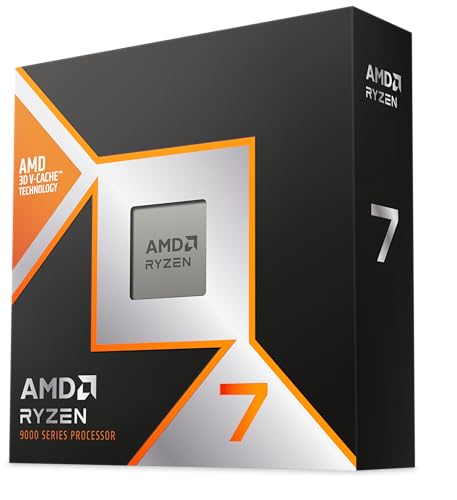
Specs
Cores / threads | 8 / 16 |
L3 cache | 96 MB (3D V-Cache) |
Boost clock | Up to 5.2 GHz |
Socket | AM5 |
TDP | 120 W |
Cooler | Not included |
Cores / threads
8 / 16
L3 cache
96 MB (3D V-Cache)
Boost clock
Up to 5.2 GHz
Socket
AM5
TDP
120 W
Cooler
Not included
What it does well
Strategy games are where an X3D chip earns its extra cost. The recommended line names a Ryzen 5 7600X; the 9800X3D clears it with eight cores and 96 MB of L3 cache, and that cache is what holds the frame rate when unit counts climb. Large-army games like Total War are the textbook case, and 3v3 multiplayer is the same kind of load.
No Dawn of War 4 CPU testing exists yet, so treat this as the safe pick for the heaviest modes, not a measured number.
What you give up
Relevance, if you mostly play the campaign at 1440p on a midrange card. There, a Ryzen 5 7600X class chip gets the same frames and the extra money belongs in the graphics card. Our Ryzen 5 versus X3D breakdown covers where the line sits.
There is no cooler in the box, so budget for one. And coming from a Ryzen 5 2600X or an i5-10600K, this is a platform change: a new AM5 board and DDR5 memory come with it.
Who it's for
The multiplayer and Last Stand player, and anyone on a Ryzen 5 2600X or i5-10600K class chip whose frame rate collapses when battles get big.
The 32 GB the recommended spec asks for: Corsair Vengeance RGB DDR5-6000 CL30 32GB

Specs
Capacity | 32 GB (2 x 16 GB) |
Type | DDR5 |
Speed | 6000 MT/s |
Timings | CL30-36-36-76 |
Voltage | 1.40 V |
Profiles | AMD EXPO and Intel XMP |
Capacity
32 GB (2 x 16 GB)
Type
DDR5
Speed
6000 MT/s
Timings
CL30-36-36-76
Voltage
1.40 V
Profiles
AMD EXPO and Intel XMP
What it does well
It matches the recommended 32 GB exactly, as two 16 GB sticks running in dual channel. DDR5-6000 at CL30 is the speed AM5 chips like best, and the step down to slower kits saves very little; we tested whether DDR5-6000 is enough and it is the floor we recommend.
Buy 32 GB once. Adding a second pair of sticks later rarely runs at the rated speed
What you give up
It is DDR5 only. AM4 boards, which is where a Ryzen 5 2600X lives, and older Intel boards need a DDR4 kit instead, so check your board before you order.
Out of the box the kit runs at the 4800 default until you enable EXPO or XMP in the BIOS; buyers have flagged missing that step.
Who it's for
Anyone at 16 GB on an AM5 or recent Intel DDR5 system, which is the most common way a PC that clears the graphics line still falls short of the recommended tier.
Bottom line
If you are on a GTX 1660, RX 5700 or RTX 2060, buy the ASUS Dual RTX 5060 Ti 16GB OC and you clear the recommended tier. If your card already clears it but you have 16 GB of DDR5, the Corsair Vengeance RGB DDR5-6000 CL30 32GB kit is the upgrade. If you play at 1440p ultra or 4K, step up to the Sapphire Pulse RX 9070 XT. If you play 3v3 or Last Stand on an older six-core chip, the AMD Ryzen 7 9800X3D is the part that fixes big-battle slowdown. And whatever you buy, install the game on an NVMe SSD.
Next step
If you would rather buy a whole machine than upgrade parts, these pages carry the picks already matched to this game.
- Prebuilt gaming PCs for Dawn of War 4: complete towers picked for this game, if upgrading part by part is more work than it is worth.
- Gaming laptops for Dawn of War 4: the portable route, with picks matched to this game's requirements.
- 1440p GPU picks by tier: if the step-up card is where you are headed, the full shelf at that resolution.
FAQ
What are the minimum system requirements for Dawn of War 4?
The official minimum is Windows 11 64-bit, an Intel Core i5-10600K or AMD Ryzen 5 2600X, 16 GB of RAM, a GeForce GTX 1660 or Radeon RX 5700 with at least 6 GB of video memory, and 125 GB free on an SSD. KING Art has not said what resolution or frame rate it targets, so plan around the recommended tier.
Can a GTX 1660 run Dawn of War 4?
Yes. The GTX 1660 is the Nvidia card on the official minimum list, so it runs the game; expect lower settings at 1080p. It sits well below the recommended RTX 3060 Ti: in our Space Marine 2 proxy charts it lands at about half the RTX 3060 Ti's frame rate. For the recommended experience, an RTX 5060 Ti 16GB is the single upgrade that clears it with room.
Does Dawn of War 4 run on Windows 10?
It is not on the official list, which names Windows 11 for both tiers. Reports from mid-November say the developers clarified the game will still run on Windows 10, and left it off only because Microsoft ended Windows 10 support. Read that as works but unsupported: a launch bug specific to Windows 10 may not get a fix.
Does Dawn of War 4 need an SSD?
Yes, by the publisher's spec sheet: 125 GB on an SSD at the minimum tier and 125 GB on an NVMe SSD at the recommended tier. The Steam page only says 125 GB of available space, but the publisher's list is the one to follow. A SATA SSD meets the minimum; buy NVMe if you are buying new, because it costs about the same. For a whole library, buy 2 TB.
Is 16 GB of RAM enough for Dawn of War 4?
It meets the minimum, but the recommended tier asks for 32 GB, which is unusual and the line most PCs miss. If your graphics card already clears the recommended RTX 3060 Ti line, a 32 GB DDR5-6000 kit is the cheapest upgrade that gets you to the full recommended spec. Buy it as one two-stick kit.
Related Articles

Best Prebuilt PC for Dawn of War 4 (2026): 5 RTS-Ready Picks
The best prebuilt PC for Dawn of War 4, picked CPU-first for big RTS battles: five systems sold by Amazon, from a Ryzen 5 9600X tower to a 9800X3D and RTX 5080.
Nov 10, 2026

Best Gaming Laptops for Dawn of War IV (2026): 5 Picks
The best laptop for Dawn of War 4 puts the CPU first for big battles. Five Amazon-sold picks built on estimated specs, to be updated when official ones post.
Nov 10, 2026

Modern Warfare 4 System Requirements: Official 2026 Specs
Modern Warfare 4 system requirements are official: GTX 1060 min, RTX 3060 Ti recommended. Plus the GPU tier for 1440p high refresh and the TPM 2.0 gate.
Sep 25, 2026

Is 750W Enough for a 5070 Ti? Yes, Except in 3 Builds (2026)
Is 750W enough for an RTX 5070 Ti? Yes. A stock build draws about 450W, near 60% load on a good 750W unit. See the spike data and the 3 builds that need 850W.
Nov 20, 2026

Best Prebuilt PC for Marvel Rivals (2026): 5 Picks by FPS
The best prebuilt PC for Marvel Rivals, tiered by FPS target: 144Hz, 240Hz and 4K towers, X3D notes for team fights, and what each one gives up for its price.
Nov 20, 2026