Affiliate Disclosure: As an Amazon Associate we earn from qualifying purchases. Some links may earn us a commission at no cost to you.

Ryzen 5 3600 to 5700X3D: Worth It for 50% More FPS? (2026)
Yes. Swapping a Ryzen 5 3600 for a Ryzen 7 5700X3D adds roughly half again the frame rate at 1080p across a mixed game library, and around 70 percent in processor-limited titles like F1 24, on the board you already own. If you play anything cache-sensitive, it is the largest frame-rate gain you can buy for the money in 2026.
The reason is not the chip. It is the memory market. Moving to AM5 means buying a motherboard, a processor, and a DDR5 kit at 2026 pricing, while the AM4 swap is one part and a tube of paste. That gap is what makes a five-year-old socket the value play this year. One condition flips the answer: if your graphics card is a 1060 or 2060 class part, fix that first.
At a glance
Chip | Cores / cache | Boost | Gain over the 3600 | Buy |
|---|---|---|---|---|
8C / 16T, 96 MB | 4.1 GHz | Large in cache-bound titles | ||
8C / 16T, 96 MB | 4.5 GHz | Largest of the three | ||
8C / 16T, 32 MB | 4.6 GHz | Moderate, threads not cache |
- Cores / cache
8C / 16T, 96 MB
- Boost
4.1 GHz
- Gain over the 3600
Large in cache-bound titles
- Buy
- Cores / cache
8C / 16T, 96 MB
- Boost
4.5 GHz
- Gain over the 3600
Largest of the three
- Buy
- Cores / cache
8C / 16T, 32 MB
- Boost
4.6 GHz
- Gain over the 3600
Moderate, threads not cache
- Buy
Where each upgrade wins
Your situation | Why | Winner |
|---|---|---|
Sims, strategy, 4X, MMOs, or Tarkov at 1080p or 1440p | Cache-bound engines live on the 96 MB L3 pool | |
High-refresh 1080p behind a strong graphics card | Clock headroom is where the extra money lands | |
Streaming, rendering, or compiling more than gaming | Threads matter more than cache for those workloads | |
Still on a 1060, 1660, or 2060 class card | You are GPU-bound, so cache changes nothing |
Sims, strategy, 4X, MMOs, or Tarkov at 1080p or 1440p
- Why
Cache-bound engines live on the 96 MB L3 pool
- Winner
High-refresh 1080p behind a strong graphics card
- Why
Clock headroom is where the extra money lands
- Winner
Streaming, rendering, or compiling more than gaming
- Why
Threads matter more than cache for those workloads
- Winner
Still on a 1060, 1660, or 2060 class card
- Why
You are GPU-bound, so cache changes nothing
- Winner
Check that the 3600 is your bottleneck
Run this test before buying anything. Load a game you play often, drop the resolution or render scale one step, and watch GPU usage in your graphics driver's overlay. If the frame rate barely moves while GPU usage falls well below full load, the 3600 is the limit and the 5700X3D will lift it.
If the frame rate climbs as the resolution falls and the GPU stays pinned near full load, the graphics card is the limit instead. A new processor changes little in that case, and the money belongs in the graphics card branch further down this page.
The B450 and X470 BIOS gate
This is the step that turns a clean upgrade into a dead machine. Ryzen 5000 support reached 400-series boards through AGESA ComboAM4v2 1.2.0.x and later. A board still running its shipping firmware will not post with a 5700X3D installed, and a board that will not post cannot be flashed the normal way. If your board is a B450 specifically, whether a 5700X3D will work on that B450 comes down to the minimum BIOS version your vendor published for that exact model.
So flash first, swap second. Update the BIOS while the 3600 is still in the socket, confirm the new version, then power down and change chips. On several B450 models the Ryzen 5000 firmware is a one-way trip: vendors removed microcode for older Ryzen processors to fit the new code into a small ROM, and there is no rolling back. Check your exact board on the vendor's CPU support list first, and while you are there, look at the VRM heatsink. Socket compatibility is not the same thing as being ready to feed a 105 W chip, a distinction our guide on how to choose a CPU and motherboard covers in depth.
Vendor | What to look for | Flashback | The catch |
|---|---|---|---|
ASUS | A BIOS built on AGESA ComboAM4v2 1.2.0.x or newer | On some B450 and X470 boards only | Zen 3 support landed late on 400-series, so confirm your exact model on the CPU support list |
MSI | A BIOS built on AGESA ComboAM4v2 1.2.0.x or newer | Widely available on B450 Max and Tomahawk boards | Non-Max B450 boards had the tightest ROM budget, which is where dropped older-CPU support shows up |
Gigabyte | A BIOS built on AGESA ComboAM4v2 1.2.0.x or newer | Q-Flash Plus on many boards | Some models split into separate firmware branches, so pick the branch that lists Zen 3 |
ASRock | A BIOS built on AGESA ComboAM4v2 1.2.0.x or newer | BIOS Flashback on higher-tier boards | Entry B450 boards are the ones most likely to need the flash done with the old chip installed |
ASUS
- What to look for
A BIOS built on AGESA ComboAM4v2 1.2.0.x or newer
- Flashback
On some B450 and X470 boards only
- The catch
Zen 3 support landed late on 400-series, so confirm your exact model on the CPU support list
MSI
- What to look for
A BIOS built on AGESA ComboAM4v2 1.2.0.x or newer
- Flashback
Widely available on B450 Max and Tomahawk boards
- The catch
Non-Max B450 boards had the tightest ROM budget, which is where dropped older-CPU support shows up
Gigabyte
- What to look for
A BIOS built on AGESA ComboAM4v2 1.2.0.x or newer
- Flashback
Q-Flash Plus on many boards
- The catch
Some models split into separate firmware branches, so pick the branch that lists Zen 3
ASRock
- What to look for
A BIOS built on AGESA ComboAM4v2 1.2.0.x or newer
- Flashback
BIOS Flashback on higher-tier boards
- The catch
Entry B450 boards are the ones most likely to need the flash done with the old chip installed
Benchmarks
F1 24 leans hard on the processor at 1080p, so the spread here is wider than the cross-library average.
- Ryzen 5 3600206 FPS
- Ryzen 7 5700X3D357 FPS
- Ryzen 7 5800X3D400 FPS
A clock-sensitive workload, which is where the 5800X3D separates itself from the 5700X3D.
- Ryzen 7 5700X3D196 FPS
- Ryzen 7 5800X3D218 FPS
Read those numbers as a ceiling, not a promise. F1 24 is one of the most processor-limited games in common benchmark suites, so the roughly 70 percent gap it shows sits above what a mixed library delivers. Across broader test sets the 3600 to 5700X3D uplift at 1080p lands nearer half again the frame rate. Still an enormous return for a drop-in part.
At 1440p the picture compresses, and how much depends on your graphics card. Raise the resolution and the GPU spends longer on each frame, which hands the processor slack it did not have at 1080p. On a card already working hard at 1440p, expect the averages to move less than these charts suggest while the 1 percent lows still improve. That second half is what you are buying, and a raw average never shows it.
AM4 today against AM5 at 2026 prices
The case for staying on AM4 in 2026 is arithmetic, not loyalty. Upgrading in place is one purchase. Moving to AM5 is three: a motherboard, a processor, and a DDR5 kit. For most of the last two years that third item was close to a rounding error. It is not anymore, and a 32 GB DDR5 kit now costs several times what the same capacity did in 2024. If you are pricing a fresh build rather than an upgrade, our AM4 vs AM5 for gaming in 2026 breakdown names the budget where AM5 starts to win anyway.
That one change flips the recommendation. A drop-in Zen 3 X3D chip is the cheapest meaningful performance available to an AM4 owner right now, and it stays that way until memory pricing settles. The usual objection is that AM5 has a runway and AM4 does not. True, and it still does not beat the maths this year. Buy the chip, keep the board, revisit the socket question later. The AM5 and LGA 1851 socket comparison covers that move when you are ready for it.
One caveat on scope. This is about the 3600 specifically, a six-core Zen 2 chip with 32 MB of cache, where the jump is large enough to be obvious. If you are starting from a Ryzen 5 5600 instead, you are already on Zen 3 and the answer changes.
The upgrade to buy: AMD Ryzen 7 5700X3D
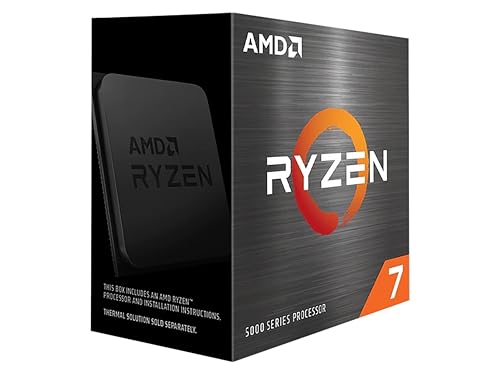
Specs
Cores / threads | 8 / 16 |
Base / boost clock | 3.0 / 4.1 GHz |
L3 cache | 96 MB (3D V-Cache) |
TDP | 105 W |
Socket | AM4 |
Memory | DDR4 |
Cooler included | No |
Multiplier | Locked (PBO offset only) |
Cores / threads
8 / 16
Base / boost clock
3.0 / 4.1 GHz
L3 cache
96 MB (3D V-Cache)
TDP
105 W
Socket
AM4
Memory
DDR4
Cooler included
No
Multiplier
Locked (PBO offset only)
What it does well
The 96 MB L3 pool is the whole story. Your 3600 has 32 MB. Games that thrash cache, meaning sims, strategy titles, late-game 4X campaigns, MMO raid content, and Escape from Tarkov, stop waiting on memory and start running at the speed the engine can feed them.
That gain shows up where you feel it, not only where you measure it. Reviewers who publish 1 percent lows alongside averages find the cache advantage widening in the lows, which is the difference between a smooth 90 and a stuttery 110. Two extra cores and four extra threads also raise the floor in titles that assume more than six threads.
The install is a Sunday afternoon. Same socket, same cooler mount, same DDR4. You are buying one part, not a platform.
What you give up
It carries the lowest clocks in the AM4 X3D line at 3.0 GHz base and 4.1 GHz boost, so anything clock-bound rather than cache-bound goes to the 5800X3D. The multiplier is locked, which leaves you PBO offsets and nothing else if you like tuning.
It is also an end-of-life part. Listings come and go, and pricing drifts with stock rather than with demand. And this is still AM4 at the end of its life: DDR4, PCIe 4.0, and no chip after this one. You are buying the last stop on the socket, not a step on a ladder.
Who it's for
The 3600 owner on a B450, X470, B550, or X570 board whose library leans on cache and whose graphics card is not already the thing holding frames down. If you play sims, strategy, or an MMO on a card from the last two generations, this is your chip.
Step up: AMD Ryzen 7 5800X3D

Specs
Cores / threads | 8 / 16 |
Base / boost clock | 3.4 / 4.5 GHz |
L3 cache | 96 MB (3D V-Cache) |
TDP | 105 W |
Socket | AM4 |
Memory | DDR4 |
Cooler included | No |
Multiplier | Locked (PBO offset only) |
Cores / threads
8 / 16
Base / boost clock
3.4 / 4.5 GHz
L3 cache
96 MB (3D V-Cache)
TDP
105 W
Socket
AM4
Memory
DDR4
Cooler included
No
Multiplier
Locked (PBO offset only)
What it does well
Same 96 MB cache, higher clocks. In CPU-bound testing the 5800X3D lands roughly 10 to 12 percent ahead of the 5700X3D, and that gap comes purely from the 3.4 GHz base and 4.5 GHz boost. Nothing else about the two chips differs in a way you will notice.
Socket, cooler mount, memory, and BIOS requirements are identical, so every compatibility answer in this article applies to both. It is the fastest gaming processor AM4 will ever have, and there will not be another.
What you give up
You pay meaningfully more for a gain that only appears when the graphics card is not the limit. At 1440p behind a mid-tier card, most of that premium disappears into the GPU queue.
It also runs hotter than the 5700X3D despite sharing a 105 W rating, because the clocks are higher and the cache die sits between the cores and the heatspreader. Reports from owners suggest the stock Wraith coolers that shipped with Zen 2 chips are marginal here.
Who it's for
Buy this if your graphics card is already strong, your monitor is high-refresh 1080p, or your library is pinned to the CPU rather than the GPU. It is also the answer when the 5700X3D listing is dry, which happens often enough on an end-of-life part that it is worth knowing in advance.
The non-X3D lane: AMD Ryzen 7 5700X

Specs
Cores / threads | 8 / 16 |
Base / boost clock | 3.4 / 4.6 GHz |
L3 cache | 32 MB |
TDP | 65 W |
Socket | AM4 |
Memory | DDR4 |
Cooler included | No |
Multiplier | Unlocked |
Cores / threads
8 / 16
Base / boost clock
3.4 / 4.6 GHz
L3 cache
32 MB
TDP
65 W
Socket
AM4
Memory
DDR4
Cooler included
No
Multiplier
Unlocked
What it does well
This gets you the core-count half of the upgrade at the lowest cost of the three. Eight cores and sixteen threads against your 3600's six and twelve, on the same board, for the least money.
The 65 W rating matters more than it sounds. The Wraith Stealth that came with your 3600 is genuinely adequate here, so the total outlay is the chip and nothing else. The multiplier is unlocked too, which neither X3D chip offers.
What you give up
32 MB of L3 instead of 96 MB. In exactly the games that justify this whole upgrade, the gap against the 5700X3D is large and it only runs one direction. If your library is sims, strategy, MMOs, or Tarkov, buying this chip to save money is buying the wrong chip.
It also does not move the needle much in lightly-threaded work, where the 3600 was never the constraint. The honest framing is that this is a threads upgrade, not a gaming upgrade.
Who it's for
The reader who streams, renders, or compiles more hours than they game, or whose library is console-port AAA at 1440p where the cache advantage never surfaces. If that describes you, the money saved here is real.
When the CPU is not the problem: XFX Swift RX 9060 XT OC (16 GB)

Specs
Architecture | RDNA 4 |
VRAM | 16 GB GDDR6 |
Memory bus | 128-bit |
Interface | PCIe 5.0 x16 |
Display outputs | 1x HDMI, 2x DisplayPort |
Cooling | Triple fan, OC edition |
Architecture
RDNA 4
VRAM
16 GB GDDR6
Memory bus
128-bit
Interface
PCIe 5.0 x16
Display outputs
1x HDMI, 2x DisplayPort
Cooling
Triple fan, OC edition
What it does well
Sixteen gigabytes of VRAM ends the texture-budget problem that has been quietly ruining 8 GB cards in 2026 releases. Triple-fan cooling suits the older mid-towers a 3600 usually lives in, where the airflow was an afterthought five years ago.
RDNA 4 also brings the current upscaling and frame-generation feature set, which is the difference between a card that ages for two years and one that ages for four.
What you give up
It costs several times what the 5700X3D costs, which is precisely why it is the second branch of this article and not the first. If you can only buy one part this year, and your card is from the last two generations, the CPU is the better spend.
The 128-bit memory bus limits it at 4K, and pairing it with a 3600 will surface a CPU bottleneck at 1080p. Check your case length before ordering as well, since triple-fan cards are long and the towers this reader owns often are not.
Who it's for
Still on a 1060, 1660, 2060, or 5600 XT class card? Then no processor fixes your frame rate, because the frames are not being held up by the processor. Our guide on whether the GPU or the CPU goes first walks through how to tell which side is limiting you.
Bottom line
If your library is sims, strategy, MMOs, or Tarkov, buy the Ryzen 7 5700X3D and keep your board. If you want the AM4 ceiling and your graphics card can keep up, buy the 5800X3D. If you stream or render more than you game, the 5700X is the honest cheaper answer. If you are still on a 1060 or 2060 class card, buy the graphics card first, because no processor here fixes that. Flash the BIOS before you swap, whichever chip you choose. Our current 1080p CPU picks cover leaving AM4 entirely.
FAQ
Do I need to update my BIOS before installing a 5700X3D?
Almost certainly. Ryzen 5000 support reached 400-series boards through AGESA ComboAM4v2 1.2.0.x and later, and a board on its shipping BIOS will not post with a 5700X3D installed. Do the flash while your 3600 is still in the socket. If you already swapped and the board will not boot, you need BIOS Flashback or a loaner Zen 2 chip to recover.
Will the 5700X3D work on a B450 motherboard?
Yes, on the large majority of B450 boards, once the BIOS is current. The catch: on several models the Ryzen 5000 BIOS is a one-way flash. Vendors dropped microcode for older Ryzen chips to fit the new code into a limited ROM, and there is no rolling back. Fine if you are committing to the swap, a problem if you flash speculatively.
Is the stock Wraith Stealth cooler enough for a 5700X3D?
It will run, but it is not the cooler you want. The Wraith Stealth was specified for a 65 W chip, while the 5700X3D is rated at 105 W with a cache die between the cores and the heatspreader that makes heat harder to pull out. A mid-range tower air cooler is enough and costs little. Budget for one instead of finding the throttling yourself.
Is 16 GB of DDR4 still enough for gaming in 2026?
For single-task gaming, usually. It gets tight running a loaded browser, Discord, and a game together, and several 2026 releases now recommend 32 GB. If the case is already open for the processor, doubling memory is the cheapest quality-of-life change you can make at the same time. Our DDR4 buying guide covers which kits are worth it on AM4.
Should I move to AM5 instead of upgrading on AM4?
Not this year, for most people. AM5 is the better socket with a real upgrade runway, but getting there costs a board, a processor, and a DDR5 kit, and 2026 memory pricing has made that third item far more painful than it was two years ago. Upgrade on AM4 now and let the socket move wait until memory settles.
What is a Ryzen 5 3600 worth on resale?
Enough to offset a real slice of the upgrade, and it sells fast. The 3600 is still one of the most-wanted budget chips on the used market, because it is the natural drop-in for anyone on first-generation Ryzen. List it with the stock cooler if you kept it: that bundle moves quicker than the chip alone.
Related Articles

Best CPU Upgrade From Ryzen 5 5600: AM4 or AM5 (2026)
The best CPU upgrade from a Ryzen 5 5600 comes down to one call: a cheap AM4 drop-in or a jump to AM5. We break down both paths with honest cost math.
Jul 8, 2026

AM5 vs LGA 1851: Which CPU Socket Should You Buy in 2026?
AM5 vs LGA 1851: AMD ships new AM5 chips through 2029 while LGA 1851 stops at one generation. Here is which socket to buy and the CPU and board to pair.
Aug 6, 2026

Should You Upgrade Your GPU or CPU First for Gaming?
Should you upgrade your GPU or CPU first for gaming? Read your own usage data, then match your current GPU tier to the right upgrade. Clear 2026 picks for both.
Jun 26, 2026

Best CPUs for 1080p Gaming (2026): 7 Picks, AMD and Intel
The best CPUs for 1080p gaming in 2026. Seven AMD and Intel picks from a budget AM4 chip to the gaming flagship, matched to 60Hz, 144Hz and 240Hz targets.
Aug 21, 2026

Best DDR4 RAM for Gaming 2026: AM4 & LGA 1700 Survival Guide
The best DDR4 RAM for gaming in 2026: picks for AM4 Ryzen 5000 and LGA 1700 Intel. DDR4-3600 CL16 vs CL18 explained, plus the AM4 Infinity Fabric sweet spot.
May 31, 2026